How to Find Duplicate Videos on iPhone and Free Up Space
Find duplicate videos in Apple Photos, review similar clips in Photos Cleaner, and check your backup before freeing space on your iPhone.

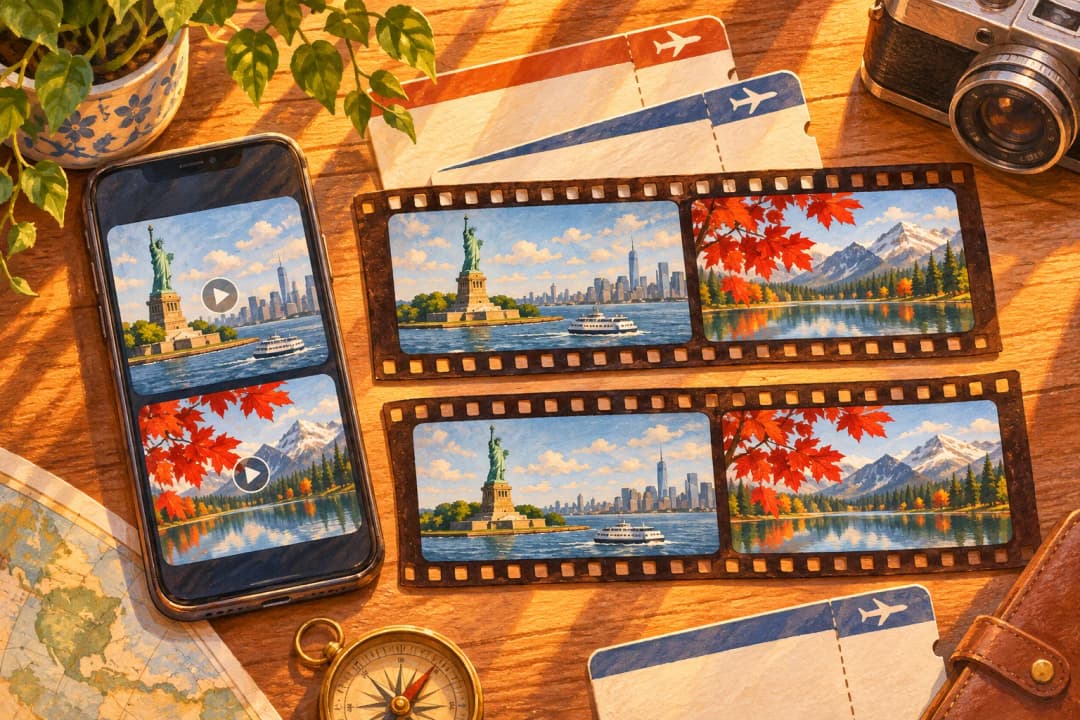
Start in Apple Photos if you suspect you saved the same video twice. The Duplicates collection can surface video groups as well as photos. For a library with lots of near-matches or large clips, Photos Cleaner - Cleanup Phone gives you a way to narrow the list before you decide what to keep.
How to remove duplicate videos on iPhone, step by step
- Back up any video you can't replace. Export a copy to Files or a computer and play it once.
- Open Photos → Collections → Utilities → Duplicates and look for groups with a video badge.
- Open a group, play each clip with sound, and compare duration and file size in the Info panel.
- Tap Merge only when the clips are true copies. Keep both if one is an edit you still want.
- For near matches, scan with Photos Cleaner and review Similar Videos and Large Files.
- Open Recently Deleted, check what you removed, then delete it there to free the space.
Find duplicate videos in Apple Photos
Open Photos → Collections → Utilities → Duplicates. Look for a video group, then open the items and play them. If the group contains the copies you intended to combine, choose Merge and confirm. Start with one group so you can verify the result in your library before moving on.
Apple says Duplicates only appears when it finds matches, and detection can take time. If the collection is missing or the clip you expected is absent, look in Videos or Screen Recordings under Media Types. Apple does not publish a byte-for-byte matching guarantee for the collection.
Tell exact copies from similar clips
Two exact file copies contain identical bytes. A clip you trimmed, sent through a messaging app, or exported at a different resolution can look almost identical while containing different data. Two takes recorded one after the other can also show the same scene.
Play both clips with sound. Check the beginning and end, then open the Info panel to compare duration, resolution, and file size where shown. Identical sizes and durations are clues. A shorter clip might be your edited version, and a larger clip might retain the original resolution or audio you need. Keep both if each serves a purpose.
Apple’s instructions for checking video size
| What you see | Likely reason | What to do |
|---|---|---|
| No Duplicates album in Photos | Photos is still indexing, or it found no exact copies | Check the status message at the bottom of Library, keep the iPhone charging, and look again later |
| The same clip saved twice | An exact copy from a download, AirDrop, or a re-save | Merge it in Duplicates after playing both copies |
| Two clips that look alike but differ in length or size | A trimmed edit, a re-sent copy, or an export at another resolution | Compare them in the Info panel or in Similar Videos, and keep the version you need |
| Storage barely changes after deleting | Items still in Recently Deleted, or iCloud Photos has not synced | Clear the items from Recently Deleted and check iPhone Storage again after syncing |
Review Similar Videos and Large Files in Photos Cleaner
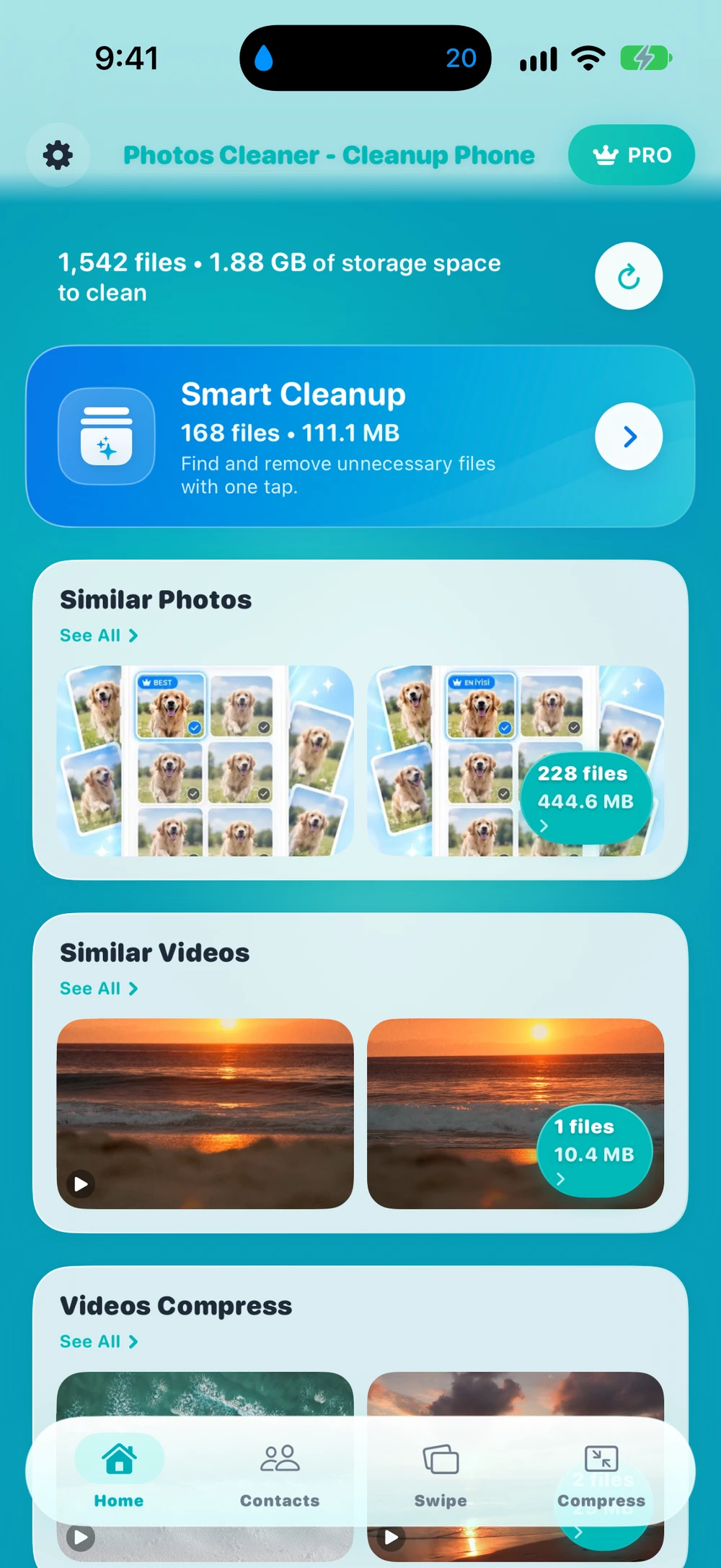
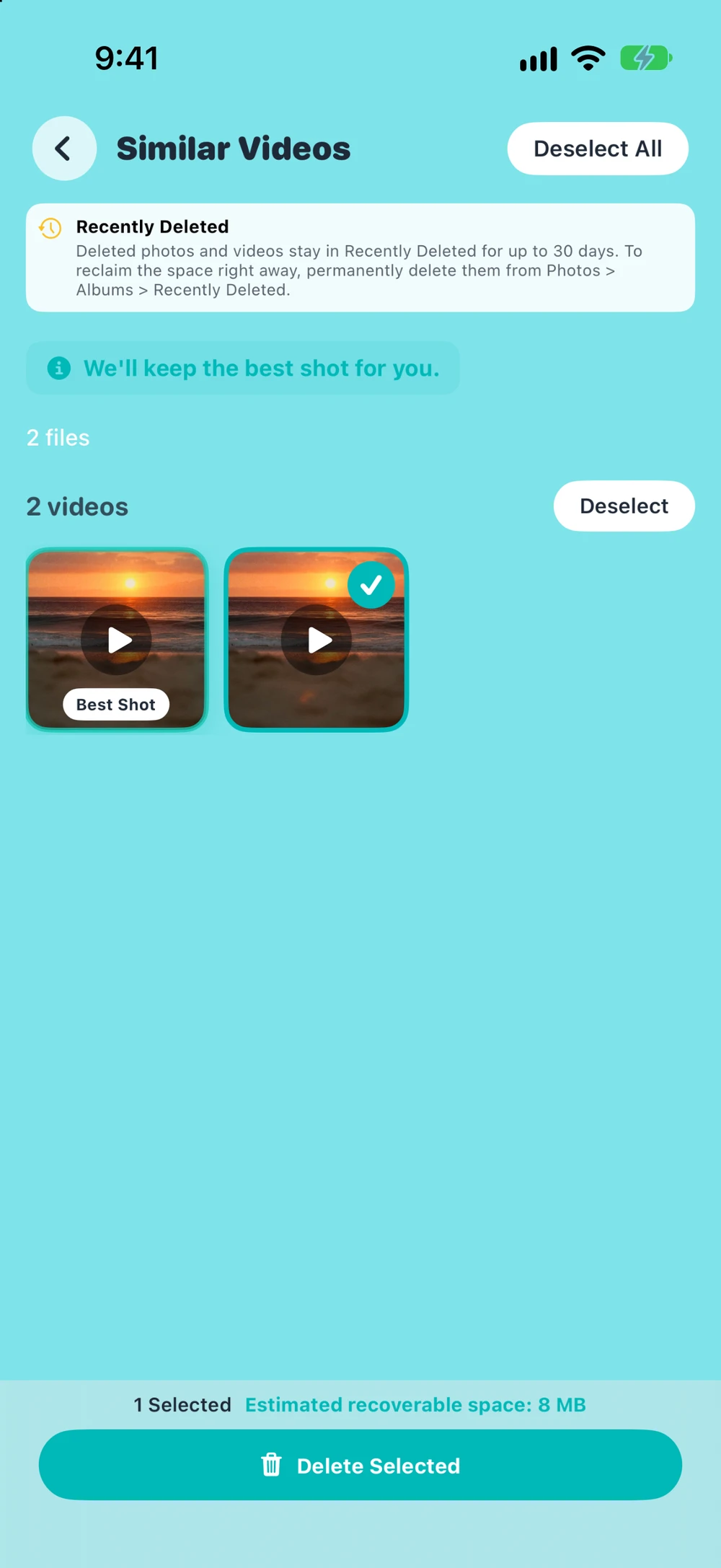
Dijital Worlds develops Photos Cleaner - Cleanup Phone. After a scan, open Similar Videos if the app finds candidates. The iPhone app groups clips using their resolution, approximate duration, and file size. It excludes screen recordings from this scan. The groups help you narrow your search, and you decide whether the clips are copies worth removing.
If you mainly need space, open Large Files and preview the largest videos you recognize. Play each candidate before selecting it. Large Files ranks media by size, so two adjacent clips might have nothing in common. Check the selected items before confirming deletion. The app is free to download. The code for version 3.6.4 requires Premium for deletion from Similar Videos and Large Files.
Photos Cleaner product page · US App Store listing
Check albums and the storage breakdown
For a manual pass, open Photos → Collections → Media Types → Videos. Check Screen Recordings separately. If you remember when you recorded the clip, start around that date and compare any exports you recognize. A video can appear in several albums while remaining one item in the library. Removing it from an album leaves the library item in place.
Open Settings → General → iPhone Storage to check available space and see how much the Photos category uses. The storage breakdown tells you where to focus your cleanup. Use Photos or Photos Cleaner to compare individual clips. If the largest videos are ones you want to keep, see the separate guide to finding and compressing large videos on iPhone.
Back up the clip you want to keep, then check Recently Deleted
Export a separate copy of any video you can’t replace, then play that exported file before removing the library copy. If you use iCloud Photos, deletions sync across devices using that library. If the clip is in an iCloud Shared Photo Library, check who added it and who still needs it before making changes.
Deleted clips normally stay in Photos → Collections → Utilities → Recently Deleted for up to 30 days. Review the album before permanently clearing selected items. When Photos has finished syncing, return to iPhone Storage and compare the available space with your earlier reading. If the total hasn’t moved, use the guide to iPhone storage after deleting photos and videos.
Tips before you delete
- Check Screen Recordings separately. Similar Videos in Photos Cleaner skips them.
- With iCloud Photos on, a merge or delete applies to every device that uses the same library.
- In a Shared Library, ask the person who added a clip before you remove it.
- Start with the largest videos. One long 4K clip can take more space than hundreds of photos.
Frequently asked questions
Can Apple Photos merge duplicate videos?
Yes. On iOS 16 or later, the Duplicates album in Utilities groups videos as well as photos. Merge keeps one copy and moves the rest to Recently Deleted, so play the clips first in case one is an edit you want to keep.
Why don't I see the Duplicates album on my iPhone?
The album only appears after Photos indexes your library and finds copies. Indexing can take a while on a large library and runs best while the iPhone is locked and charging. If Photos finds no exact copies, the album stays hidden.
Does Duplicates find clips that are only similar?
No. A trimmed clip, a video sent through a messaging app, or an export at a different resolution contains different data, so Duplicates may skip it. Photos Cleaner's Similar Videos groups clips by resolution, approximate duration, and file size so you can compare them yourself.
Why did my iPhone storage barely change after deleting a video?
Deleted videos stay in Recently Deleted for up to 30 days and still use space there. Clear them from that album and wait for iCloud Photos to sync. With Optimize iPhone Storage on, the copy on your iPhone may have been much smaller than the original in iCloud.
Is Photos Cleaner free for duplicate videos?
The app is free to download, and the scan shows Similar Videos and Large Files. Deleting from those screens requires Premium. You can always delete the same clips yourself in Apple Photos.
Related guides

· 10 min read
How to Find and Compress Large Videos on iPhone
Find large iPhone videos, compare HEVC and H.264 trade-offs, compress them safely, and understand iCloud Photos and Recently Deleted.

· 5 min read
iPhone Storage Not Going Down After Deleting Photos? 8 Fixes
iPhone storage still full after deleting photos? Check Recently Deleted, iCloud sync, Shared Library, and leftover media with eight practical fixes.

· 9 min read
How to Organize Screenshots on iPhone by Category
Sort iPhone screenshots into groups like tickets and receipts, keep the important ones safe and find any screenshot fast. Easy steps with real screens.

Ready when you are
Download Photos Cleaner - Cleanup Phone for iPhone
Remove duplicate photos, compress videos, and organize contacts with a privacy-first cleanup flow.
By using Photos Cleaner - Cleanup Phone, you agree to our Terms of Use and Privacy Policy.