
01
Find duplicates in the Photos app
Open Apple Photos, click Duplicates under Utilities in the sidebar, and merge detected copies. For deeper scans covering near-duplicates and bursts, use Vision AI: Photo Cleaner.

Vision AI - Photo Cleaner
macOS · New in 1.4.2
Find duplicate and similar photos, review large videos and compress videos locally on your Mac. Choose what to keep and confirm every cleanup.
Mac Duplicate Photo Guide
Looking for the best way to delete duplicate photos on Mac? If you only have exact matches in Apple Photos, start with the built-in Duplicates album. If you want to find duplicates in photos on Mac, clean loose folders, remove duplicate photos from iCloud, or group similar burst shots, Vision AI gives you the complete Mac photo cleaner workspace.
Open Apple Photos, click Duplicates under Utilities in the sidebar, and merge detected copies. For deeper scans covering near-duplicates and bursts, use Vision AI: Photo Cleaner.
Select any Mac folder, MacBook drive, or synced iCloud storage in Vision AI. On-device Vision AI groups exact duplicates, similar shots, blurry photos, and large videos locally.
Compare side-by-side previews with synchronized zoom, keep the best full-resolution photo, and delete duplicate photos on Mac directly to Trash.
Find duplicate and similar photos, review large videos and compress videos locally on your Mac. Choose what to keep and confirm every cleanup.
Version 1.4.2 supports 10 languages: English, Turkish, Spanish, French, German, Italian, Portuguese, Japanese, Korean, and Arabic.
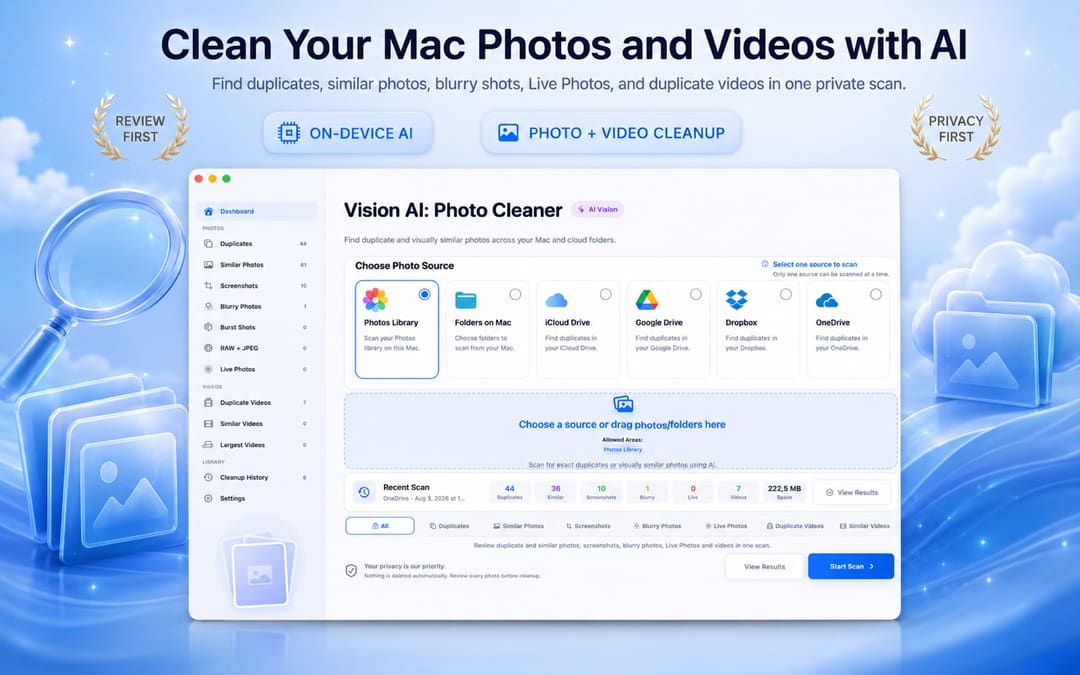
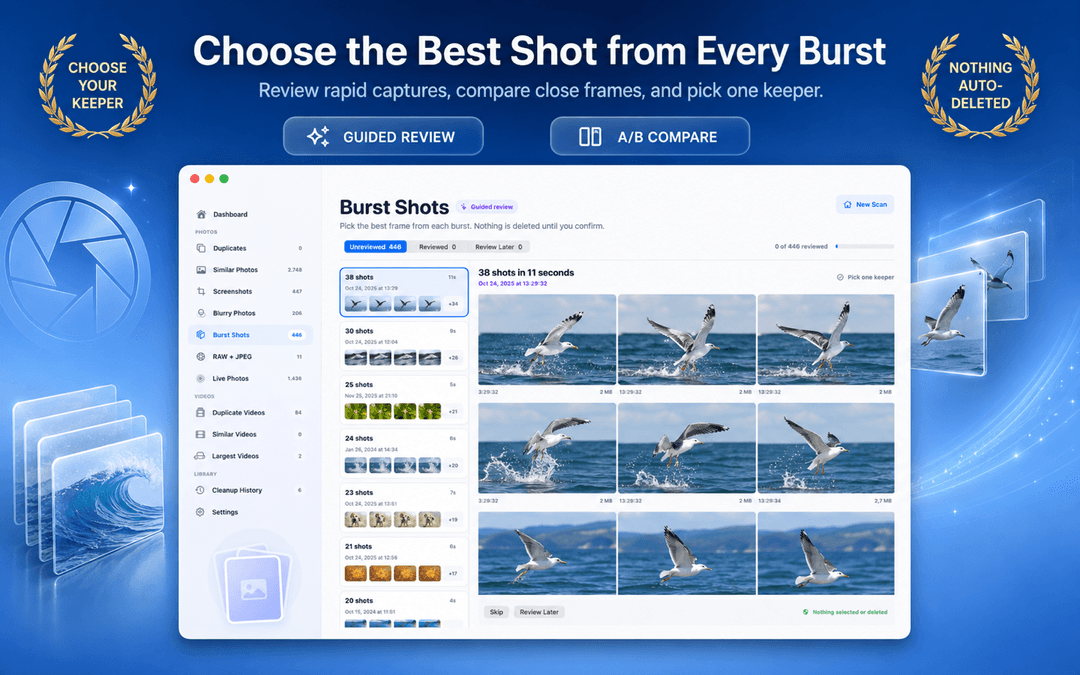
The app separates scan progress, duplicate candidate groups, side-by-side previews, and delete actions so you stay in total control of your photo library.
Select your Apple Photos library, a Mac folder, or a connected drive you want to inspect.
On-device Vision AI groups exact copies, similar photos, and screenshots locally on your Mac.
Keep the best version and delete duplicate photos on Mac by sending unwanted files to Trash safely.

Vision AI analyzes photos and compresses videos on your Mac, without uploading them to external analysis servers. Cloud folders remain subject to your provider's sync settings.
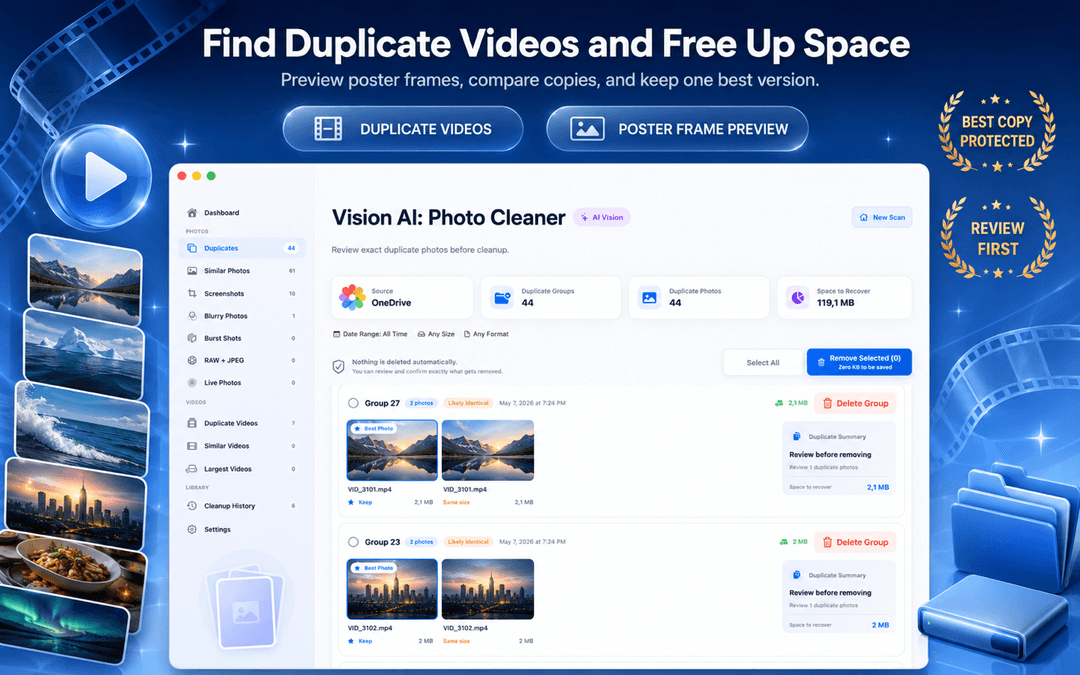
Image comparison, neural embeddings, and duplicate grouping happen strictly on your Mac or MacBook.
Nothing is deleted without your explicit review and confirmation. You always choose what to remove.
The core duplicate photo finder for Mac works immediately with no account, profile, or data collection.
Removed local files go to Mac Trash; Photos library items go to Recently Deleted. Recovery is available only until those items are permanently removed.
macOS Photos includes a basic Duplicates album for exact matches. Vision AI expands that into a full Mac photo workspace covering Finder folders, external SSDs, similar burst shots, and large video files.
| Cleanup Capability | Apple Photos (Built-in) | Vision AI: Photo Cleaner |
|---|---|---|
| Exact Duplicate Detection | Yes (the Photos app library only) | Yes (Photos library + Finder folders + external drives) |
| Similar & Burst Photo Grouping | Basic duplicate grouping; misses similar angles and lighting variants | Deep on-device visual similarity + keeper recommendation + sync zoom |
| Blurry & Low-Quality Detection | Not available | On-device Laplacian sharpness scoring isolates unusable shots |
| External SSD & Drive Scanning | Must import files into Photos library first | Directly scans connected external hard drives, SD cards, and USB drives |
| Cloud Folder Sync Scanning | iCloud Photos only | Scans local sync mirrors for iCloud Drive, Google Drive, Dropbox, OneDrive |
| Video Cleanup & Compressor | Basic video duplicates only (no compression) | Finds duplicate/large videos with built-in macOS video compressor |
| Safe Deletion Protocol | Recently Deleted (30-day recovery) | Mac Trash (until emptied) or Recently Deleted (up to 30 days), review-first |
Basic photo finders only compare file sizes or names. Vision AI uses four on-device analysis stages powered by macOS and Apple Silicon.
SHA-256 hashes are computed locally to identify exact file matches, including files with different names or locations.
On-device neural vision vectors extract scene geometry, lighting, and expressions. Bursts and alternate takes are clustered accurately without cloud servers.
Within each group of similar shots, sharpness, exposure, and detail are scored to recommend the best keeper, making review fast and effortless.
Motion-blurred and out-of-focus photos are detected through local Laplacian variance scoring, isolating unusable photos taking up disk space.
Vision AI scans local folders and volumes you select on your Mac, including local synced folders managed by macOS File Provider (such as iCloud Drive, Google Drive for Desktop, Dropbox, and OneDrive). It operates directly through standard macOS file access without requiring third-party OAuth logins or account credentials, inspecting only files that have been downloaded to your disk.
Select any source in your Mac workflow for instant inspection:
While Vision AI focuses on your photo and video libraries, Smart Cleaner AI scans your entire Mac storage for app caches, system logs, leftover files from uninstalled apps, developer build clutter, and files taking up disk space.
Related Mac & Photo Storage Guides
Vision AI: Photo Cleaner combines exact-match byte hashing with on-device visual similarity detection. Unlike simple tools that only check identical file names or file sizes, it finds similar burst shots, resized exports, screenshots, and blurry photos while keeping all analysis strictly private on your Mac.
To remove duplicate photos on Mac, select your Photos library or Finder folder in Vision AI: Photo Cleaner and start the on-device scan. The app groups exact copies and similar shots side-by-side, marks the highest-quality keeper, and lets you delete duplicate photos to Trash in one click.
You can remove duplicates from Photos library directly inside Vision AI: Photo Cleaner. When you delete duplicates in the Photos app on Mac, macOS automatically moves them to Recently Deleted and synchronizes the changes across your iCloud Photos library.
Vision AI is free to download on the Mac App Store. Check the current App Store listing for availability and purchase details.
Use a review-first workflow with side-by-side comparison. Verify the photo you want to keep and confirm only the unwanted items. Local files go to Mac Trash and Photos library items go to Recently Deleted; keep a backup before permanently removing either.
Yes. In addition to your Apple Photos library, you can scan any folder on your Mac, MacBook Pro, external hard drive, or synced cloud folder (iCloud Drive, Google Drive, Dropbox, OneDrive).
No. Vision AI: Photo Cleaner never deletes anything automatically. It groups cleanup candidates and waits for your confirmation so you remain in complete control.
Yes. You can save compressed video files into a separate folder to keep originals untouched, or choose to replace originals only after the newly compressed video passes safety validation.
Find duplicate and similar photos, review large videos and compress videos locally on your Mac. Choose what to keep and confirm every cleanup.