
Photo Cleaner - Storage Space
Photo Cleaner - Storage Space: the iPhone cleaner for photos, videos and contactsMore space. Less clutter.
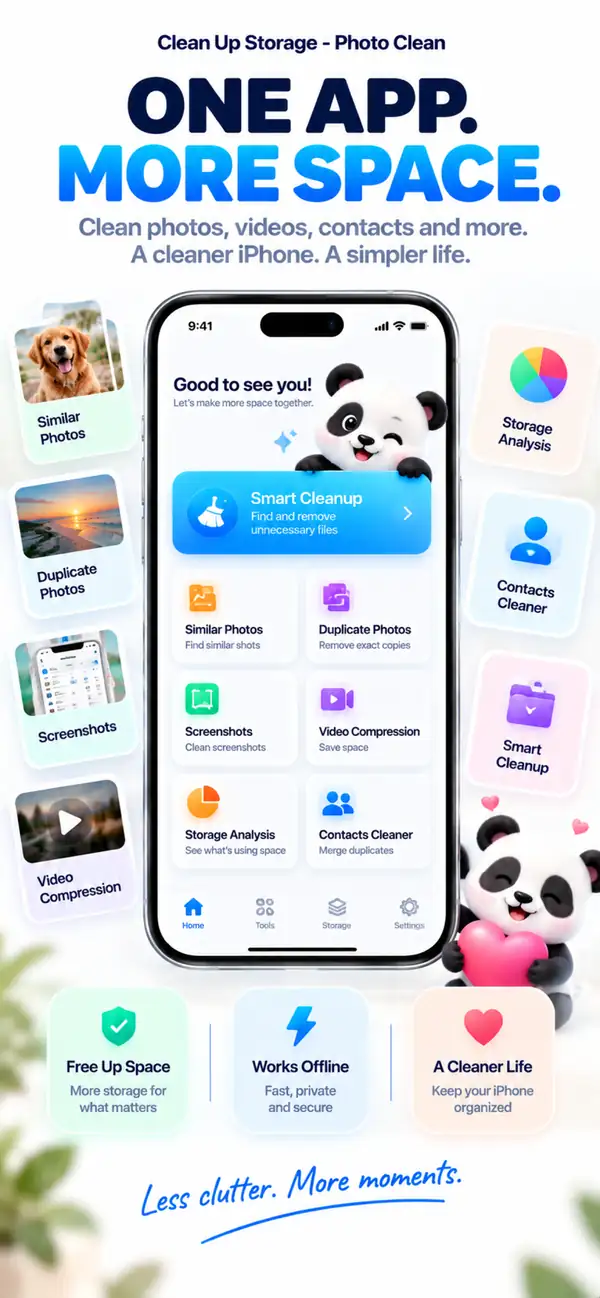
Find duplicate and similar photos, clear old screenshots, shrink large videos and merge duplicate contacts. Everything is analyzed on your iPhone, and nothing is deleted until you say so.
- Analyzed on your iPhone
- You review before anything is deleted
- Free download
Similar photos
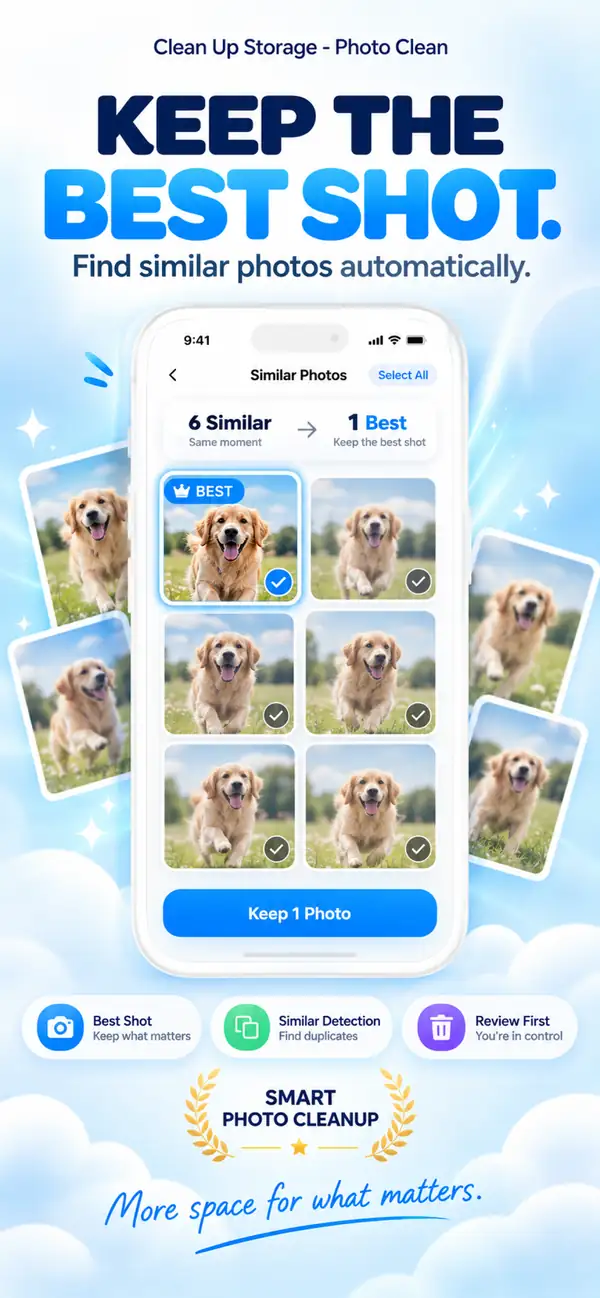
Keep the best shot. Let the rest go.
Duplicate photos
Three copies of the same photo? Keep one.
Video compression
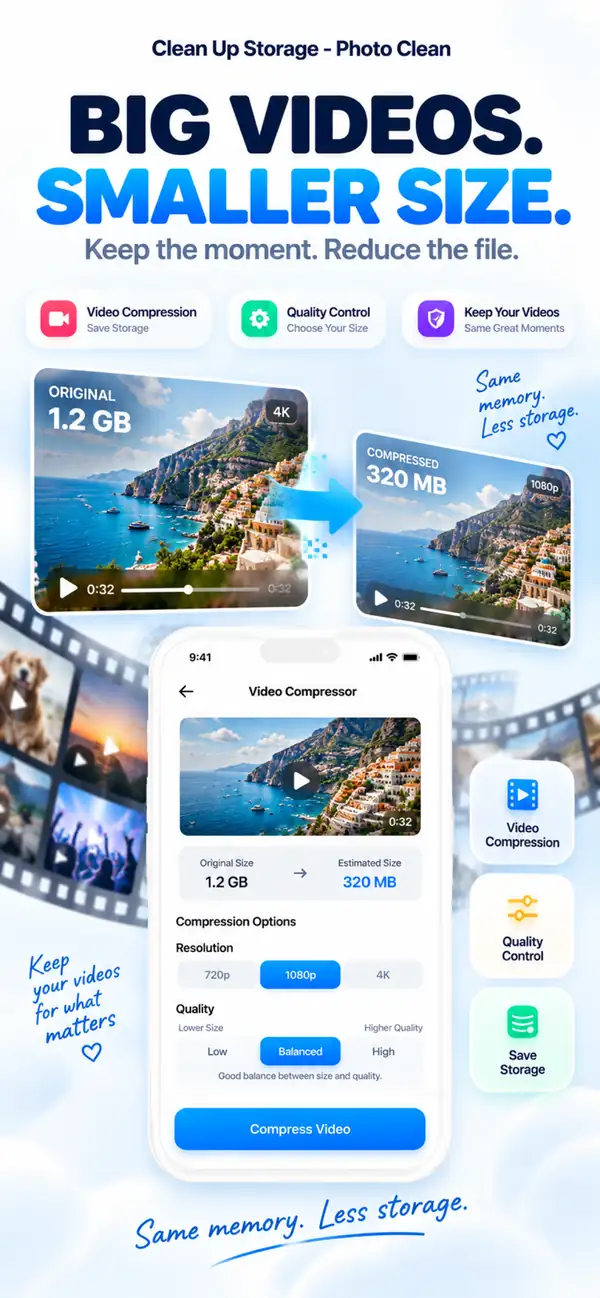
Big videos. Smaller files.
Storage analysis
See what is taking your space.
Duplicate contacts
One person. One contact card.
- Platform
- iPhone, iPad
- Minimum OS
- iOS 17.0 or later
- Category
- Utilities
- Processing
- On-device photo & video scanning
- Pricing
- Free Download (Optional In-App Purchases)
- Developer
- DijitalWorlds (Cemal Hekimoglu)
- Similar photos
- Video compression
- Duplicate contacts
- Screenshot cleanup
- Swipe to clean
Why your iPhone fills up
Storage rarely runs out because of one big thing.
It is the quiet pile-up: ten takes of the same photo, screenshots you needed once, videos from last summer and contacts saved three times. Clean Up Storage finds that clutter and lets you clear it in minutes.
Bursts and retakes
Near-identical shots of the same moment.
Screenshots
Receipts, tickets and notes you no longer need.
Large videos
Clips that take gigabytes but could be much smaller.
Similar photos
Keep the best shot. Let the rest go.
Clean Up Storage groups photos taken in the same moment and suggests the best one to keep. You compare them side by side and decide.
- Groups bursts, retakes and repeated selfies
- Suggests the best shot to keep
- Nothing is removed without your tap
Duplicate photos
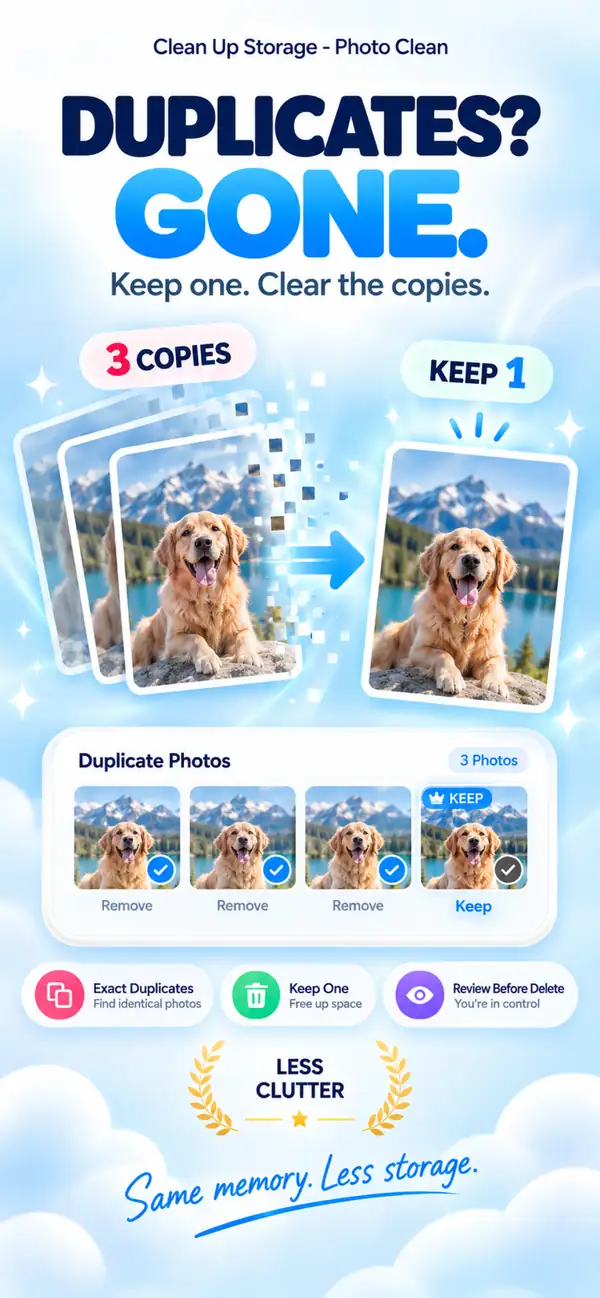
Three copies of the same photo? Keep one.
Exact duplicates are grouped so you can clear them in one pass and keep a single, original copy.
- 1
Finds exact copies across your library
- 2
Keeps one copy, selects the rest
- 3
Deleted items go to Recently Deleted
Video compression
Big videos. Smaller files.
Pick a resolution and a quality level, check the estimated size, then compress. The moment stays, the gigabytes go.
- Choose 720p, 1080p or 4K
- Balance file size and quality
- See the estimated size first
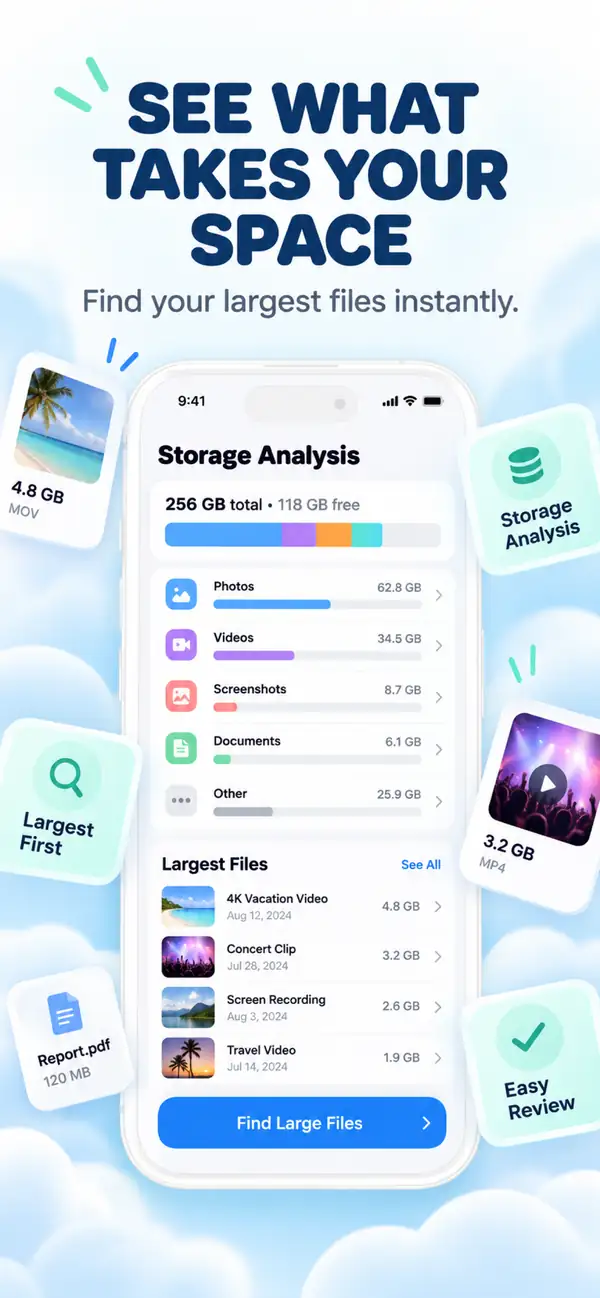
Storage analysis
See what is taking your space.
A clear breakdown of photos, videos, screenshots and your largest files shows where to start, so you clean what matters most first.
- Photos
- Videos
- Large files
- Duplicates
- Screenshots
- Free
- Largest files listed first
- Categories at a glance
- Jump straight into cleanup
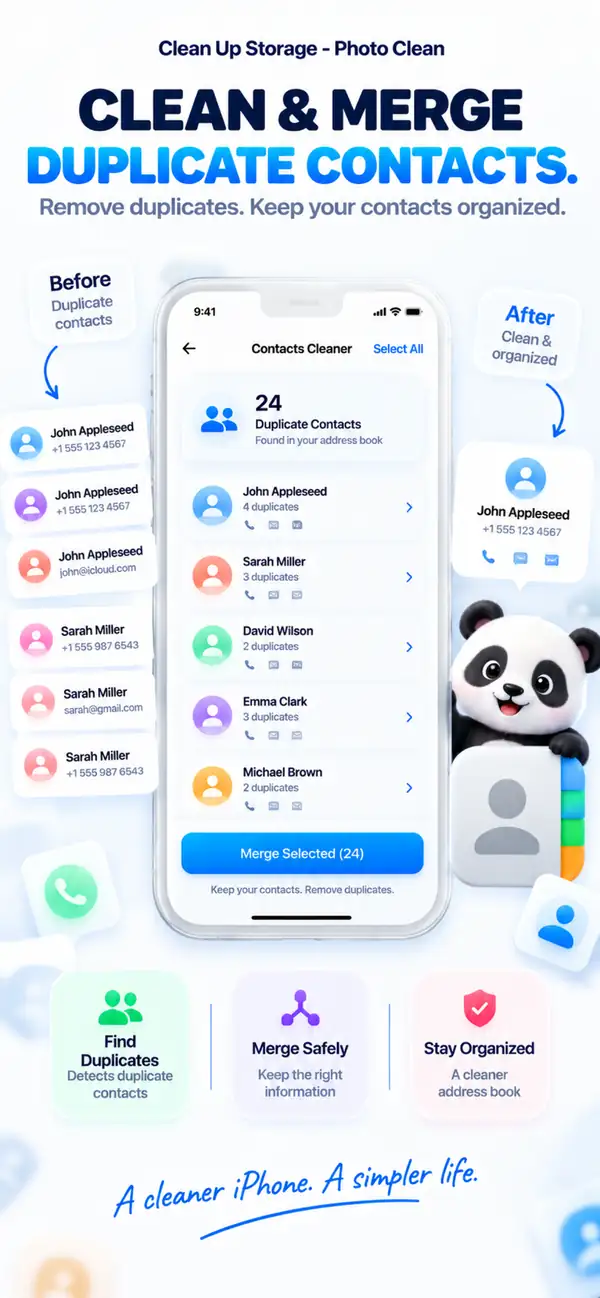
Duplicate contacts
One person. One contact card.
Clean Up Storage spots contacts saved more than once and merges them into a single card, so your address book stays tidy.
- Detects duplicate entries
- Merges them into one card
- Review every merge first
Quick cleanups
Small tools that clear a lot of space.
- 01
Screenshot cleanup
See every screenshot in one place, select the ones you no longer need and clear them together.

- 02
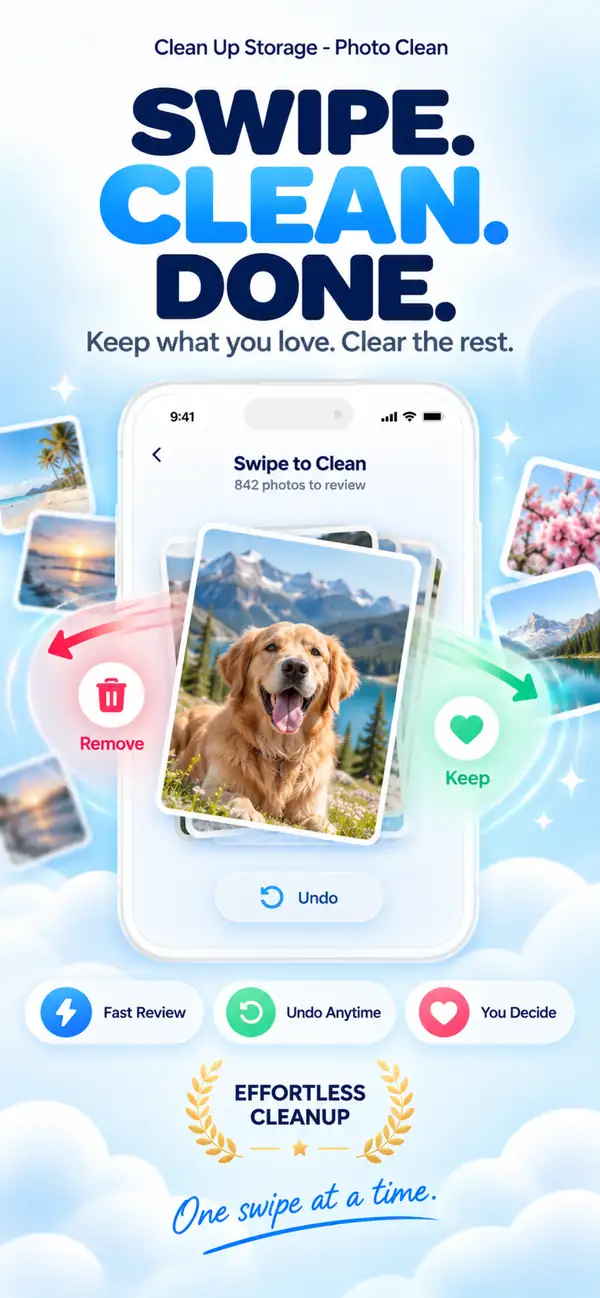
Swipe to clean
Go through your photos one by one. Swipe to keep or remove, and undo anytime.
- 03
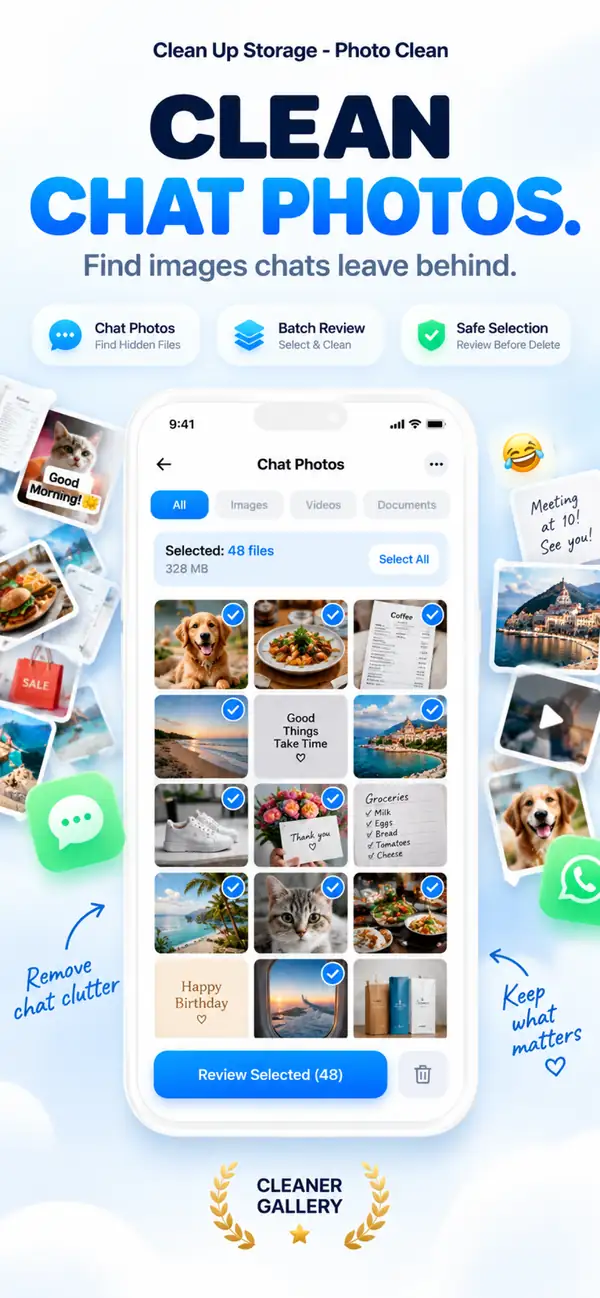
Chat photos
Find chat photos and media saved to your Photos library and clear them in batches.
Privacy
Your photos stay yours.
Scanning and analysis run on your iPhone. Your photos, videos and contacts are not uploaded for processing, and the app works without an internet connection.
On-device analysis
Photo, video and contact scanning happens locally.
You decide
Suggestions are only suggestions. You confirm every deletion.
Safe by design
Deleted photos go to Recently Deleted, where you can still recover them.
Also included
Everything else that keeps your library tidy.

Blurry photo detection
Spot out-of-focus and shaky shots.
Large file review
Find the biggest files and videos fast.
Live Photo tools
Convert Live Photos to stills to save space.
Works offline
No internet connection needed to clean.
Step by step
How to clean your iPhone with Photo Cleaner - Storage Space in 10 easy steps
If your storage is almost full, this is the simplest way to work through photos, videos, screenshots, and contacts without making a mess.
- 1
Scan your library
Start with a full scan so the app can find the photos, videos, screenshots, and contacts taking up space.
- 2
Review similar shots
Look through near-duplicate photos and keep the one you actually want to remember.
- 3
Remove exact duplicates
Clear true duplicates in batches after a quick check.
- 4
Sort large videos
Bring the heaviest videos to the top so you can tackle the biggest storage wins first.
- 5
Compress the videos you keep
Shrink large videos you still need instead of deleting everything outright.
- 6
Merge duplicate contacts
Clean up repeated contact cards so your address book feels usable again.
- 7
Delete old screenshots
Pull out disposable screenshots that have been sitting in your library for months.
- 8
Drop blurry leftovers
Let go of weak shots that only make browsing harder.
- 9
Check once before deleting
Give the final selection one last look before you confirm a bigger cleanup.
- 10
Repeat every few weeks
Short check-ins keep your storage from getting out of hand again.
Feature Comparison
Apple Photos vs Photo Cleaner - Storage Space
Apple Photos includes built-in duplicate detection in iOS 16+. Photo Cleaner - Storage Space provides dedicated media and contact cleanup tools designed specifically for iPhone storage management.
| Capability | Built-in Apple Photos | Photo Cleaner - Storage Space |
|---|---|---|
| Exact Duplicate Detection | Yes (Duplicates album in iOS 16+) | Yes (Instant on-device hash scanning) |
| Visually Similar Photos | Basic grouping only | Side-by-side comparison for consecutive and similar shots |
| Blurry & Out-of-Focus Photos | Not available | Filters low-clarity images for quick manual review |
| Video Compression | Not available (requires third-party tools) | On-device video compression tool to reduce large video file sizes |
| Contact Deduplication | Basic duplicates list in Contacts app | Contact cleanup that merges duplicate cards |
| Old Screenshot Cleanup | Shows all screenshots without age filters | Smart filters group outdated screenshots by age and size |
| Safe Deletion Protocol | Moves to Recently Deleted (30-day recovery) | Moves to Recently Deleted (30-day recovery, zero automatic deletion) |
Transparency & iOS Sandboxing
What Photo Cleaner - Storage Space Can and Can't Clean on iPhone
Apple's iOS security architecture protects certain system areas. Here is exactly what our on-device scanner handles safely and what iOS sandboxing prevents any App Store app from accessing.
Exact Duplicate Photos
SupportedIdentifies byte-for-byte identical images across all albums using fast local hash matching.
Similar & Burst Photos
SupportedAnalyzes visual composition and angles to group repeated takes, recommending the sharpest keeper.
Blurry & Low-Quality Photos
SupportedScores sharpness and clarity on-device so you can quickly clear unusable or accidental shots.
Large Video Compression
SupportedFinds the largest video files and lets you compress them locally.
Old Screenshots & Recordings
SupportedFilters out outdated one-time screen captures and heavy recordings taking up valuable gigabytes.
Duplicate Contacts
SupportedMerges duplicate contact cards with matching numbers, names, or emails into unified clean entries.
Third-Party App Caches (WhatsApp, TikTok, Instagram)
Protected by iOSiOS sandboxing prevents any third-party app from modifying another app's private internal storage. To clear these, use in-app settings (e.g. WhatsApp Storage Management).
System Data & iOS Kernel Logs
Protected by iOSSystem Data is managed exclusively by iOS and clears dynamically when storage is needed. No App Store app has permission to delete iOS system caches.
RAM Boosting & Memory Purging
Managed by iOSiOS automatically frees RAM when new apps open. Third-party RAM cleaner claims are marketing myths; Photo Cleaner - Storage Space focuses purely on real disk storage.
Frequently Asked Questions
Common questions about privacy, storage cleanup, duplicate photos, video compression, and how Photo Cleaner - Storage Space works on iPhone.
Is Photo Cleaner - Storage Space safe to use?
Yes. Photo Cleaner - Storage Space is built around a review-first workflow and on-device scanning. You stay in control of what gets removed, and your photos, videos, and contacts are not uploaded for processing.
Why is my iPhone storage full?
Most storage issues come from photo duplicates, bursts, screenshots, and especially large videos. Over time, duplicate contacts also add clutter. Photo Cleaner - Storage Space helps you spot these quickly so you can clean up safely and keep what matters.
Does video compression ruin quality?
Compression always trades size for quality, but the goal is to make the difference hard to notice on iPhone screens. Photo Cleaner - Storage Space reduces file size significantly while keeping videos looking great for everyday viewing.
Can I recover photos if I delete them by mistake?
Yes. Deleted photos and videos go to the Photos app "Recently Deleted" album first, where you can restore them within the standard iOS recovery window.
Can Photo Cleaner - Storage Space clear app cache or system junk?
Not in the way some apps advertise. iOS limits what third-party apps can access outside your Photos library and Contacts. Photo Cleaner - Storage Space focuses on the biggest storage wins you can safely review: duplicate/similar photos, large videos (compression), and duplicate contacts.
Will Photo Cleaner - Storage Space speed up my iPhone?
It does not “boost” iOS performance with a magic button. But freeing up storage and reducing media clutter can make everyday use feel smoother and help prevent issues like failed iOS updates or a camera that cannot save new photos.
Does iPhone have a built-in duplicate photo cleaner?
The Photos app includes a Duplicates feature on newer iOS versions, but it may not catch every “similar” shot (bursts, repeated angles, screenshots). Photo Cleaner - Storage Space adds review-first grouping for similar photos plus tools like video compression and contact merge.
Is Photo Cleaner - Storage Space compatible with iOS 18?
Yes. Photo Cleaner - Storage Space is built for modern iOS versions, including iOS 18, and focuses on privacy-first, on-device cleanup workflows that respect Apple platform limits.
Is Photo Cleaner - Storage Space free to try?
Yes. You can install Photo Cleaner - Storage Space from the App Store and start scanning your library. Premium plans unlock advanced cleanup tools such as deeper compression and ongoing organization features.
What is the difference between similar photos and exact duplicates?
Exact duplicates are identical files, while similar photos are visually close shots from bursts or repeated attempts. Photo Cleaner - Storage Space helps you review both groups so you keep the best image and remove clutter safely.
Can Photo Cleaner - Storage Space clean screenshots and very large libraries?
Yes. Photo Cleaner - Storage Space can help organize screenshot-heavy libraries and is designed to handle large photo collections, including libraries with 10,000+ photos, with a review-first workflow before deletion.
Does Photo Cleaner - Storage Space work offline and let me review every file before deleting?
Yes. Core scanning and cleanup workflows are built for on-device use, and you stay in control with review-before-delete decisions.
Does Photo Cleaner - Storage Space remove large videos or only compress them?
It focuses on space-efficient cleanup with compression and review tools so you can decide whether to keep, compress, or remove large videos based on your storage goals.
Photo Cleaner - Storage Space
Give your iPhone room to breathe.
Make room for new photos, the apps you use and the iOS updates you keep postponing.

Free to download. Optional weekly, monthly, and yearly subscriptions are available via Apple In-App Purchase. Exact pricing and free trial terms are displayed in your local currency in the App Store. Formerly known as iCleaner Panda.
By using Photo Cleaner - Storage Space, you agree to our Terms of Use and Privacy Policy.