Water Reminder - DropWise
DropWise Water Reminder App for iPhone
Water Reminder - DropWise helps you drink more regularly with weather-aware goals, Apple Watch logging, Apple Health sync, and drink tracking that feels easy to keep up with.
A water reminder that fits normal life instead of turning hydration into homework.
- iOS & iPadOS
- 17.6+
- watchOS
- 10.6+
- Private
- Data Not Collected
Key Feature
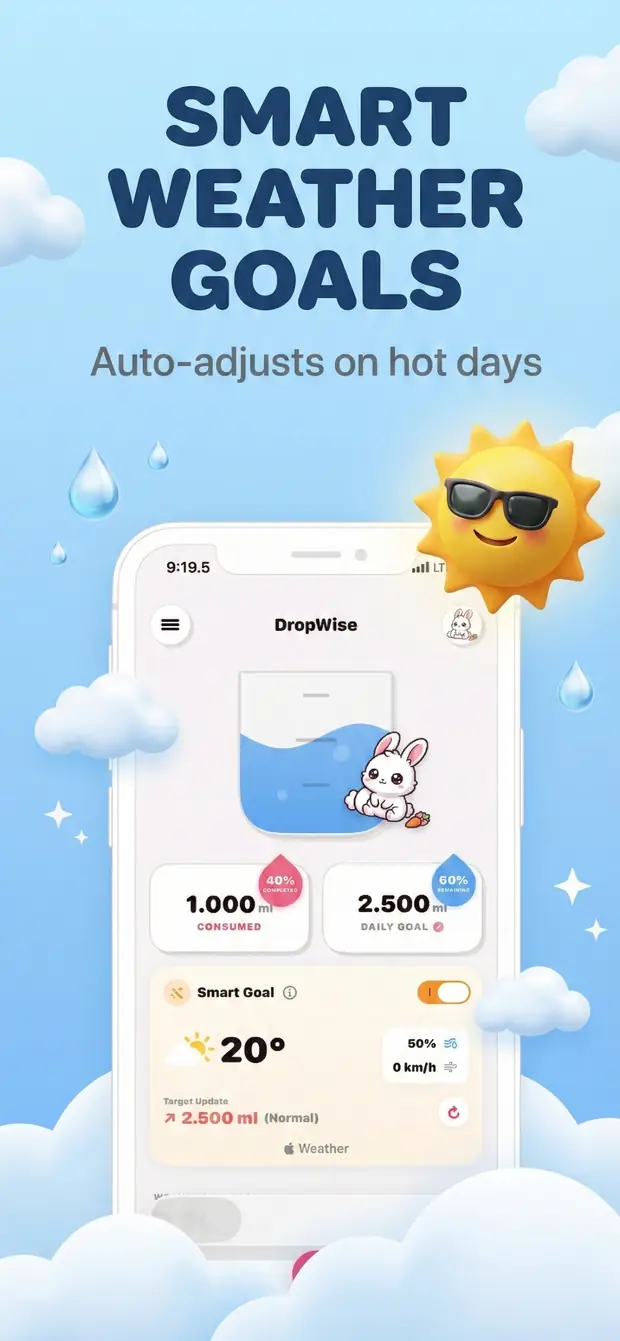
Weather-Based Goals
Key Feature
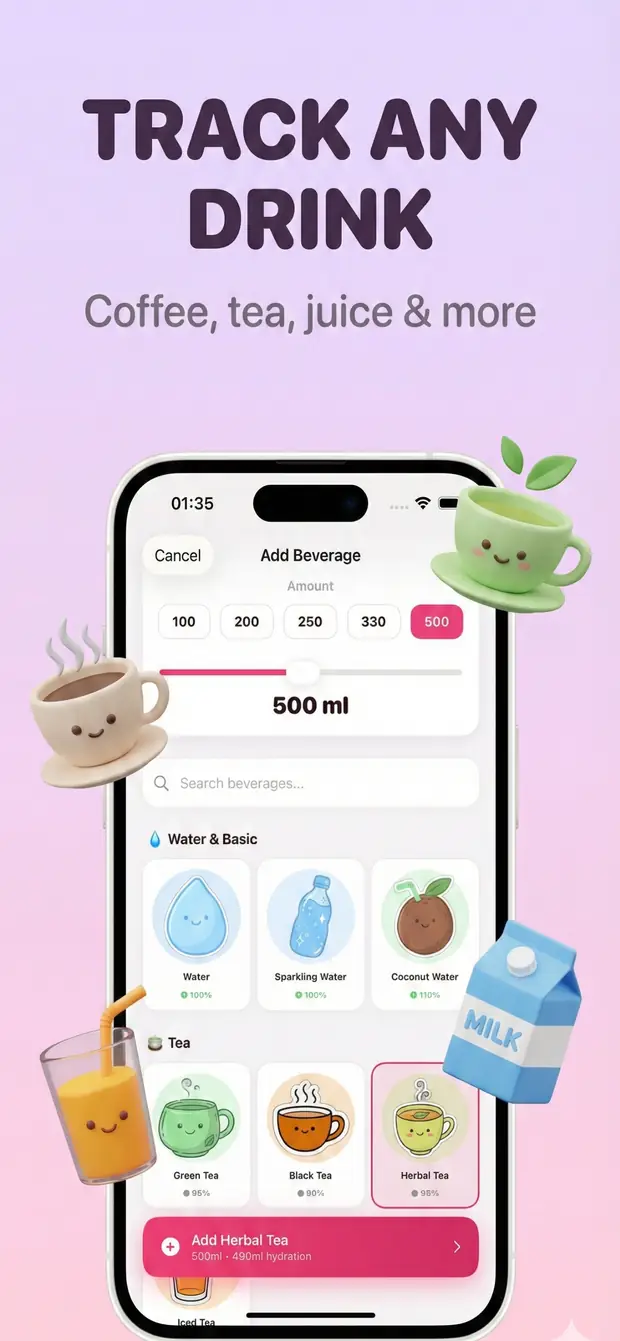
Track Every Drink
Key Feature
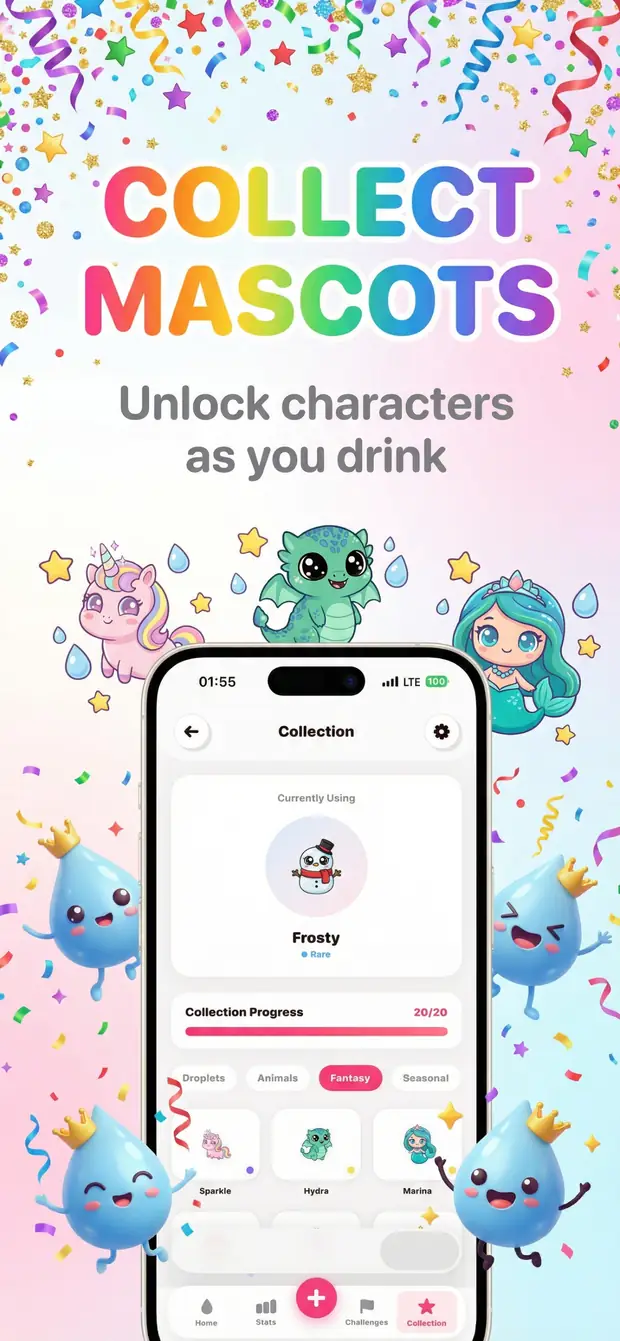
Stay Motivated
Key Feature
Track Your Progress
Key Feature
Daily Challenges
Key Feature
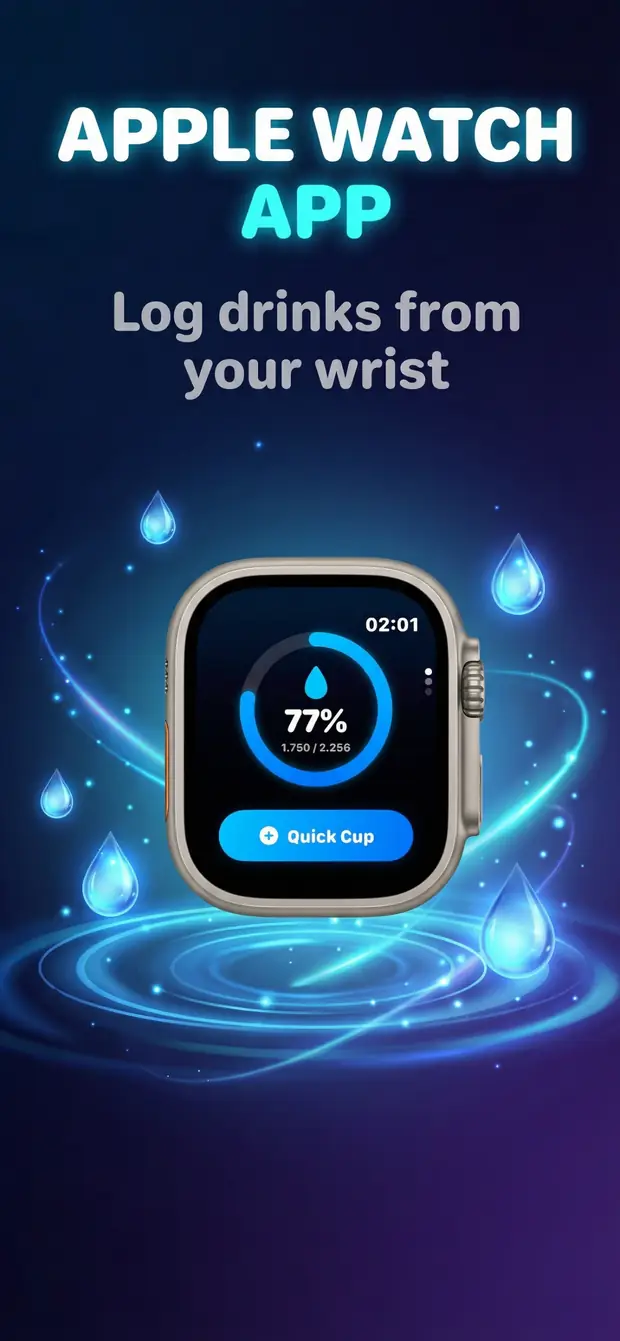
HealthKit & Apple Watch
- Platform
- iPhone, iPad, Apple Watch
- Minimum OS
- iOS 17.0 or later, watchOS 10.6 or later
- Category
- Health & Fitness
- Processing
- Local habit tracking & Apple Health integration
- Pricing
- Free Download (Optional In-App Purchases)
- Developer
- DijitalWorlds (Cemal Hekimoglu)
- Smart weather-based goals
- Apple Watch app included
- Complete beverage tracking
- Apple Health integration
- Data Not Collected
Who is it for?
Who tends to get the most out of Water Reminder - DropWise?
It works well for people who keep meaning to drink more water, lose track on busy days, or want a hydration app that feels helpful instead of nagging.
People who forget to drink water once the day gets busy
iPhone users who want Apple Health and Apple Watch support built in
Anyone trying to build a steadier routine without complicated tracking
People who want to log coffee, tea, and more than just plain water
Everything You Need
The DropWise features that matter in everyday use.
The goal is simple: make hydration easier to follow, easier to log, and easier to stick with over time.
Weather-Based Goals
Your daily water target adjusts automatically based on local temperature and humidity. Hot day? Your goal goes up. Cool morning? It adapts.
Track Every Drink
Log over 15 beverage types, including coffee, tea, juice, soda, and more. Water Reminder - DropWise accounts for how each one affects your hydration.
Stay Motivated
Build daily streaks, unlock collectible characters, and hit milestones. Small rewards make it easier to build lasting habits.
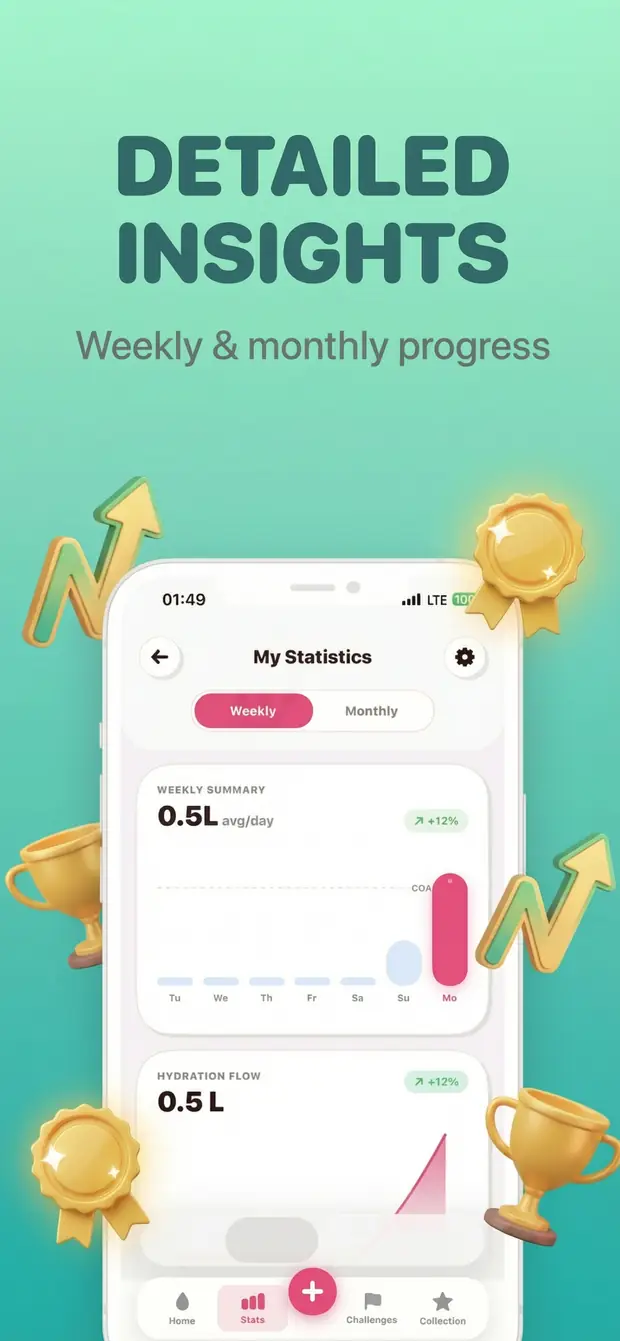
Track Your Progress
Visual charts show your hydration trends over days and weeks to help you build a consistent daily habit.
Daily Progress
Keep an eye on your intake without overthinking it.
A quick glance should be enough to know where you stand, whether you are on track, and when you need a small catch-up later in the day.
- Consistent hydration habits that fit your daily schedule
- Goal adjustments based on local temperature and humidity
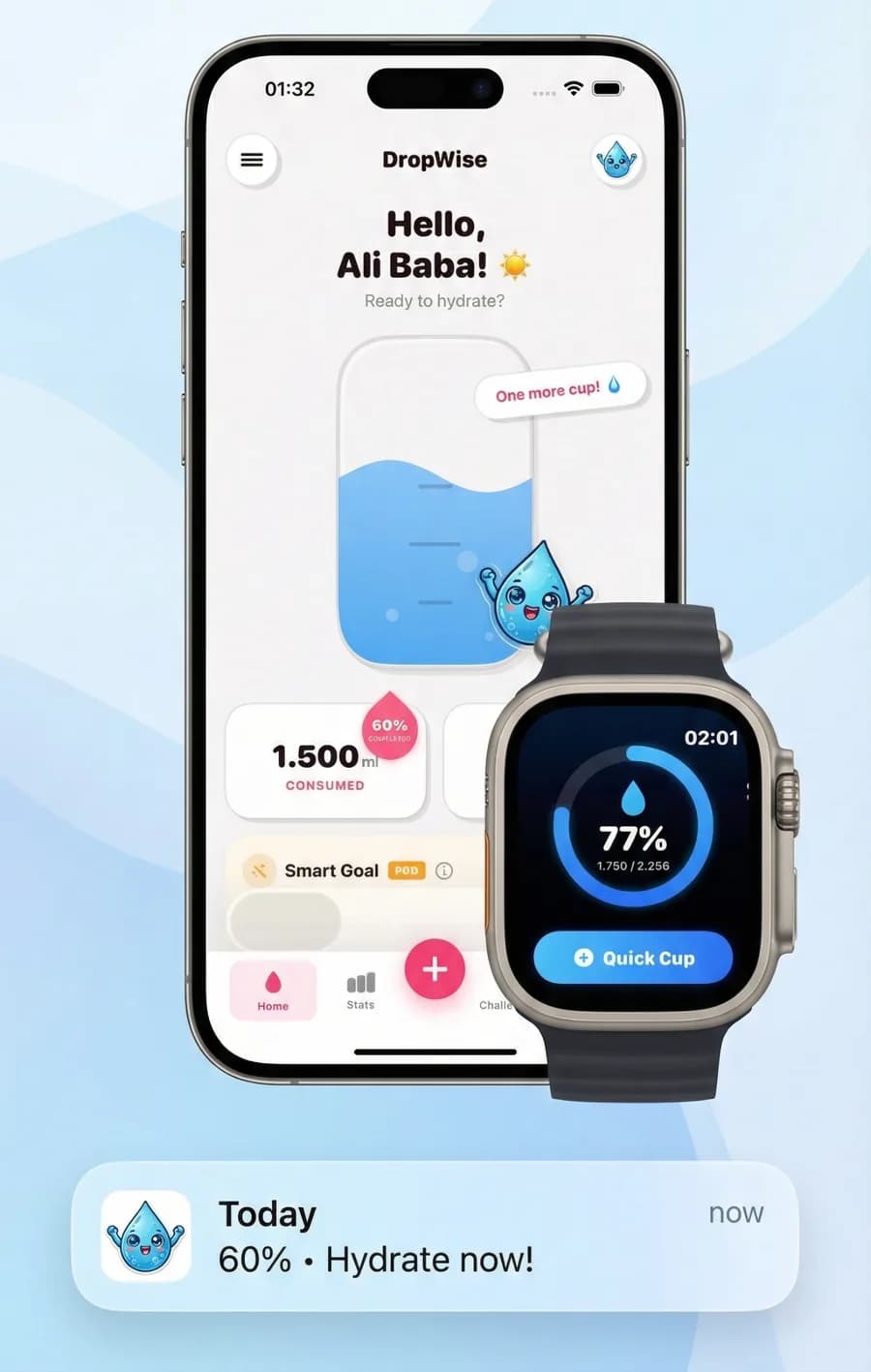
- Quick one-tap logging from iPhone and Apple Watch
- Water intake saved to Apple Health
- Visual progress rings to keep daily routines on track
Key Feature
Weather-Based Goals
Your daily water target adjusts automatically based on local temperature and humidity. Hot day? Your goal goes up. Cool morning? It adapts.
Key Feature
Track Every Drink
Log over 15 beverage types, including coffee, tea, juice, soda, and more. Water Reminder - DropWise accounts for how each one affects your hydration.
Key Feature
Stay Motivated
Build daily streaks, unlock collectible characters, and hit milestones. Small rewards make it easier to build lasting habits.
Key Feature
Apple Watch app included
Quick wrist logging helps you stay consistent when your phone is not in your hand.
Key Feature
HealthKit & Apple Watch
Syncs with Apple Health and works on Apple Watch. Log water from your wrist and keep all your health data in one place.
Key Feature
Data Not Collected
App Store privacy: Data Not Collected by developer. Optional sync uses your private Apple iCloud account and HealthKit permissions.
How To
How to build a hydration routine that actually sticks in 10 steps
Use this setup to make water logging feel lighter, more realistic, and easier to repeat on both iPhone and Apple Watch.
- 1
Set up your hydration baseline
Start with a profile that gives the app a more realistic place to begin.
- 2
Connect Apple Health
Keep your hydration logs aligned with the rest of your health data from day one.
- 3
Turn on weather-aware goals
Let hot or humid days nudge your target instead of using the same number every day.
- 4
Pick reminder times that fit your life
A good reminder is one you will not instinctively ignore.
- 5
Start by logging plain water
Build the core habit first so the app quickly reflects your real routine.
- 6
Add coffee, tea, and other drinks
A fuller picture usually leads to a more honest hydration pattern.
- 7
Check progress before the day gets away from you
A midday glance is often enough to prevent a late-night catch-up.
- 8
Use Apple Watch for quick logging
Your wrist is faster than pulling out your phone every time.
- 9
Review your weekly pattern
Notice where you usually fall behind and tighten the routine there.
- 10
Adjust until it feels effortless
The best setup is the one you can keep using without friction.
Water Reminder App FAQ
Questions people usually ask before choosing a water reminder app for iPhone, Apple Watch, and Apple Health.
Does Water Reminder - DropWise work with Apple Health?
Yes. When Apple Health access is turned on, every drink you log in Water Reminder - DropWise, on iPhone or Apple Watch, is saved to the Health app as water intake. DropWise does not import water logged by other apps.
Is there an Apple Watch app?
Absolutely. You can log your hydration directly from your wrist using the Water Reminder - DropWise Apple Watch app and complications. It syncs instantly with your iPhone.
How does the smart weather goal work?
With Smart Goal turned on, Water Reminder - DropWise starts from a base of about 30 ml per kg of body weight and raises your daily target slightly on hot days, in very humid or very dry air, and when the UV index is high. The weather increase is capped, so it always stays modest.
Are there any ads or hidden subscriptions?
No! Water Reminder - DropWise is free to download and use for your essential hydration needs. We offer an optional Premium upgrade for users who want advanced features like weather-based goals and unlimited beverage types. Both versions are 100% ad-free.
Does coffee or tea count toward my goal?
Yes, but different beverages contribute differently to your overall fluid intake. Water Reminder - DropWise lets you log multiple beverage types so you can track your daily habits realistically.
Can I use Water Reminder - DropWise without an Apple Watch?
Definitely! While the Apple Watch app is a great companion, the iPhone app works perfectly on its own. You can log all your water and view detailed trends directly on your phone.
How are weather-based goals calculated?
We use local temperature and humidity data to estimate when your body may benefit from additional fluids. When it's hot or humid, we automatically suggest an adjusted target to support healthy daily fluid intake.
Does DropWise work as an Apple Watch water reminder?
Yes. Water Reminder - DropWise lets you log drinks from Apple Watch and keeps your progress synced with the iPhone app and Apple Health. You can also adjust reminder timing around work, commuting, workouts, and sleep.
Can I use Water Reminder - DropWise to build a lasting habit?
Yes. Daily progress, streak-style motivation, and fast logging are designed to make hydration feel repeatable and sustainable instead of annoying or easy to ignore.
Who is Water Reminder - DropWise best for?
It is a strong fit for iPhone users who want a simpler hydration routine with Apple Health sync, Apple Watch support, and the ability to log more than just plain water.
Ready when you are
Download Water Reminder - DropWise for iPhone.
A calmer hydration routine, weather-aware goals, Apple Health sync, and Apple Watch support in one clean flow.

By using Water Reminder - DropWise, you agree to our Terms of Use and Privacy Policy.