
Check Mac storage breakdown
Open System Settings > General > Storage to see what is using disk space before deleting anything.

Smart Cleaner AI - Disk Clean
macOS · Mac Disk Utility
Smart Cleaner AI scans your Mac storage, finds duplicate files, cleans application caches and leftovers, and analyzes disk usage safely. Free scan and preview.
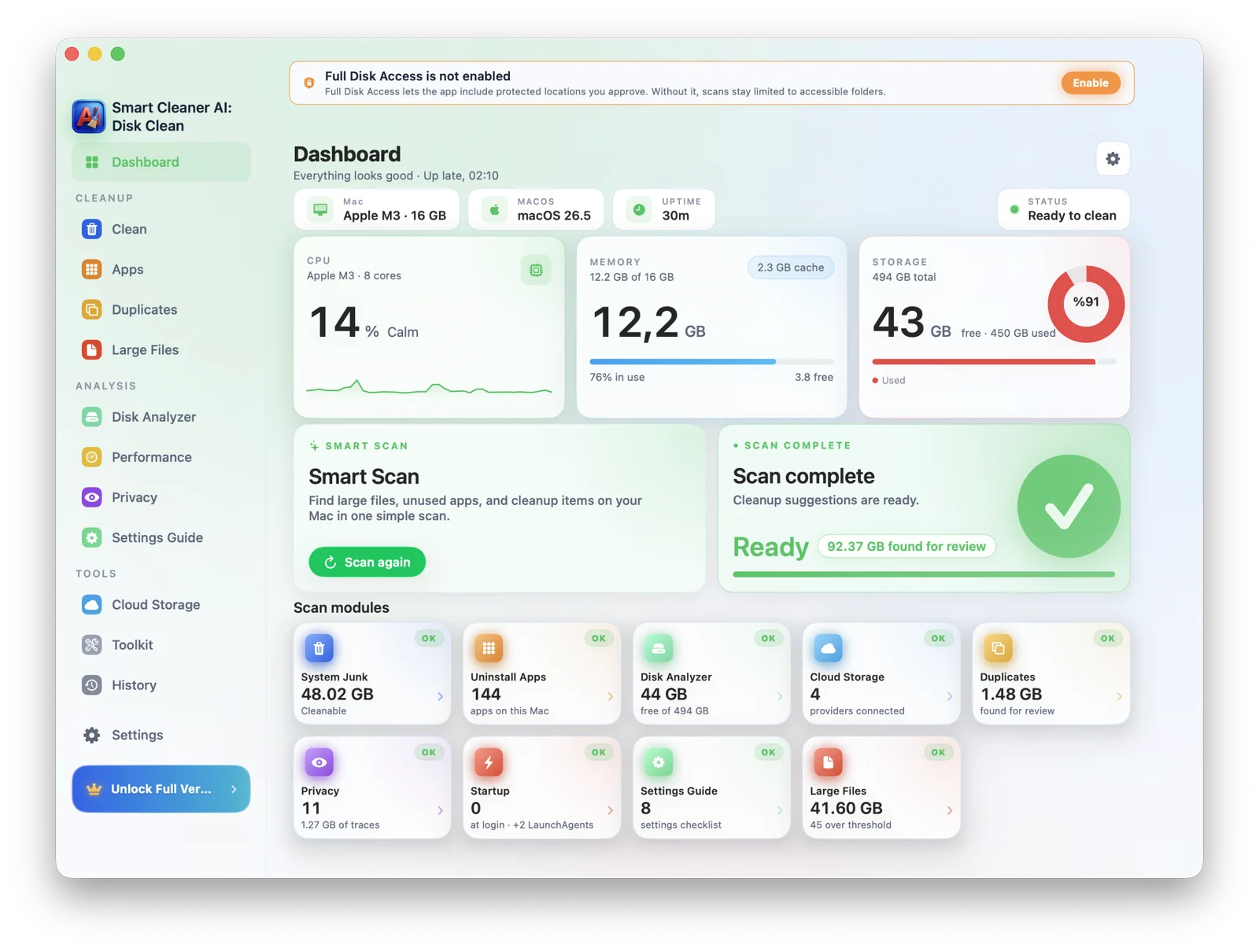
Mac storage guide
Follow this safe 3-step workflow to reclaim storage. Review large files, app leftovers, duplicate files, and system data caches without risky terminal commands.
Open System Settings > General > Storage to see what is using disk space before deleting anything.
Use Smart Cleaner AI to find large files, duplicate files, old downloads, unused apps, and clearable caches.
Inspect file locations and sizes, keep what you need, and send unwanted clutter to Trash with a recovery option until Trash is emptied.
Who is it for
From students needing to free up disk space on Mac to creators seeking a reliable duplicate file finder and uninstaller, Smart Cleaner AI gives every user one calm, controlled place to reclaim storage, analyze drives, and manage startup items.
MacBooks running low on storage before an OS update
Creators dealing with massive Final Cut & Logic libraries
Developers with Xcode caches and build folders eating 20+ GB
Anyone wanting to review system data clutter, duplicate files, and old downloads
Features
AI cleanup, duplicate file finder, large files, app uninstaller, startup manager, and security settings checklist, designed to feel as native as Finder.
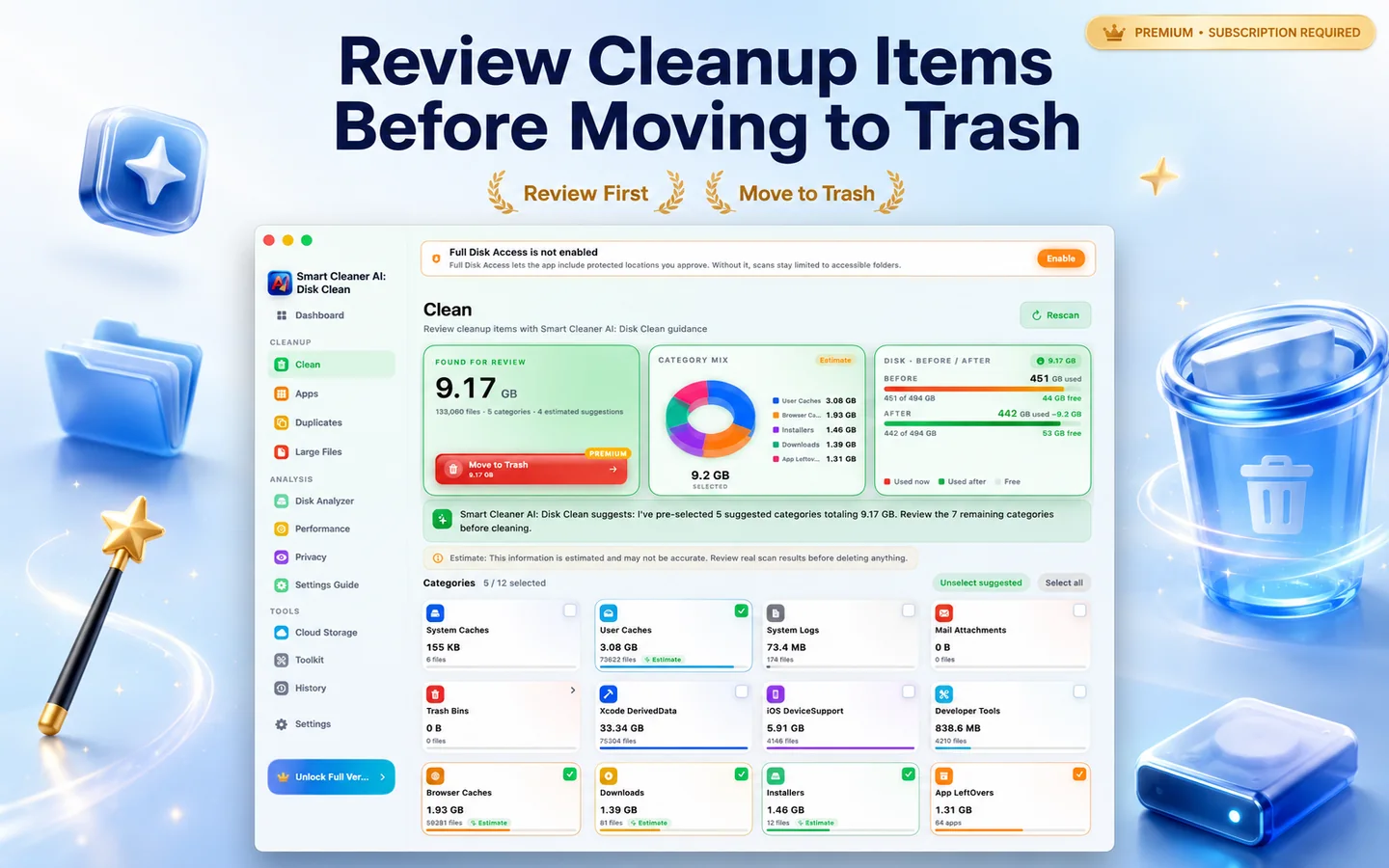
Surfaces system junk, caches, logs, mail attachments, and old downloads, helping you free up disk space on Mac safely.
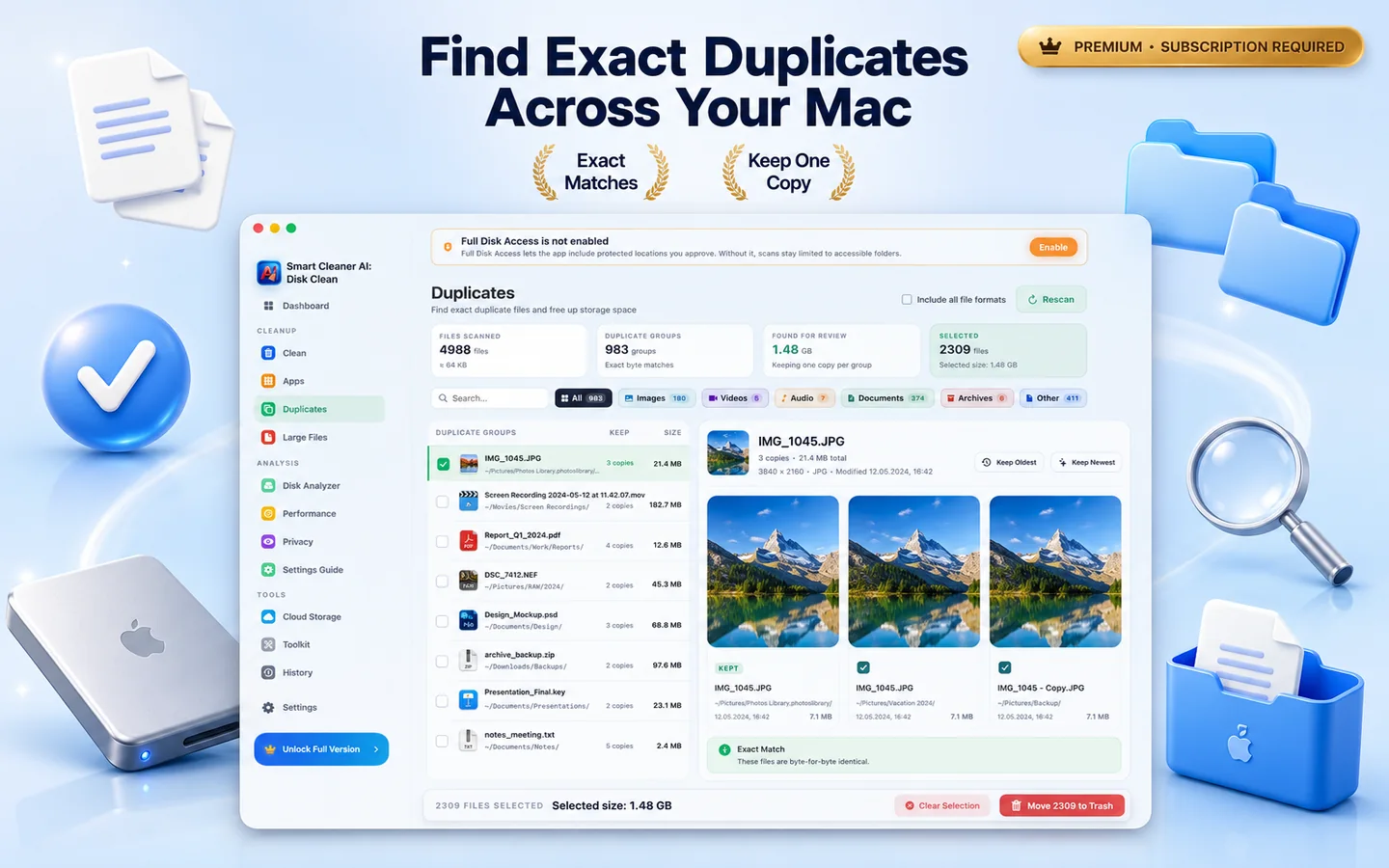
A powerful duplicate file finder for Mac that detects exact and similar duplicate files across folders and external drives. Review groups, keep the best, remove the rest.
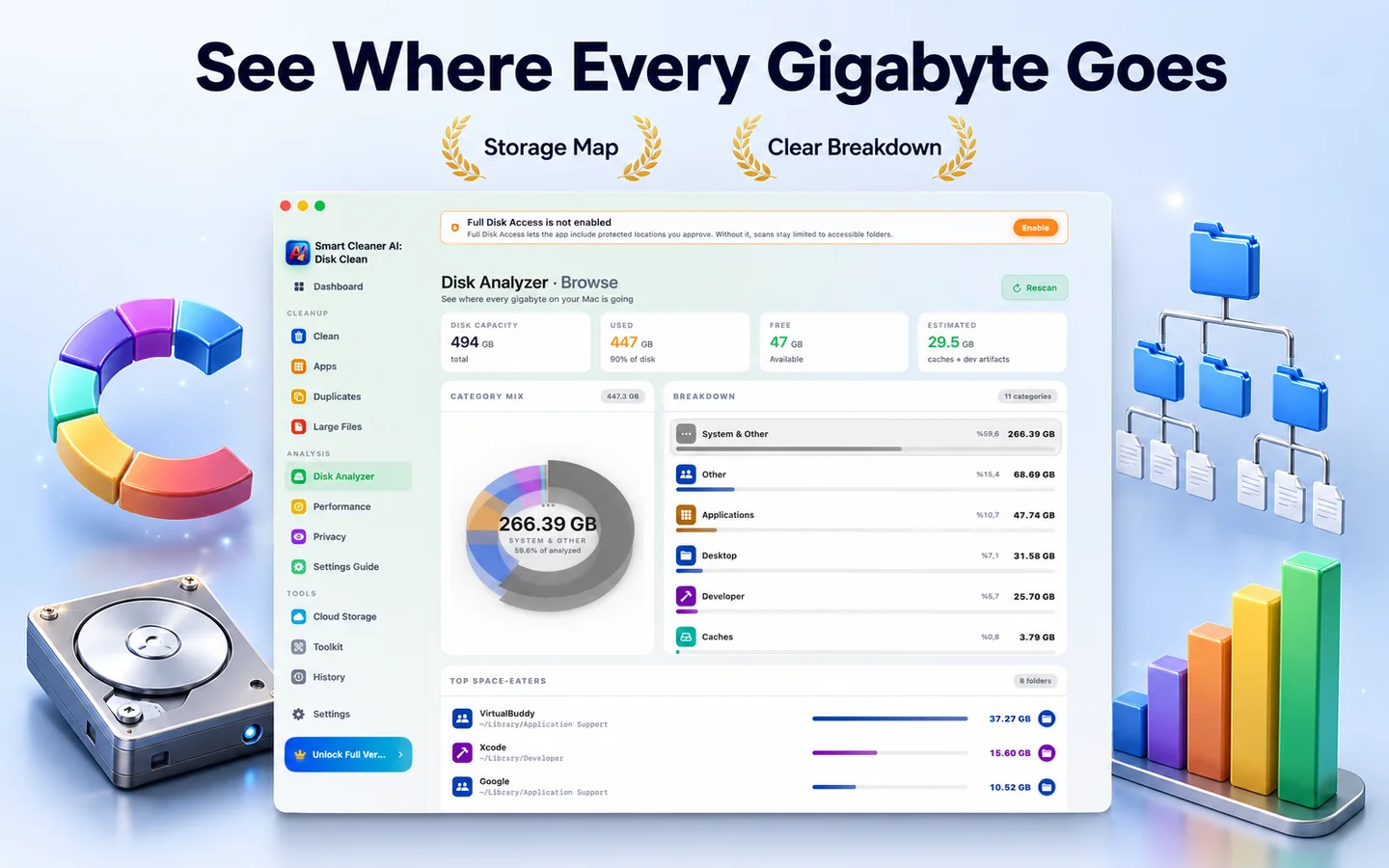
Visualize what is taking up space on every drive with a fast, interactive sunburst map of folders and files.
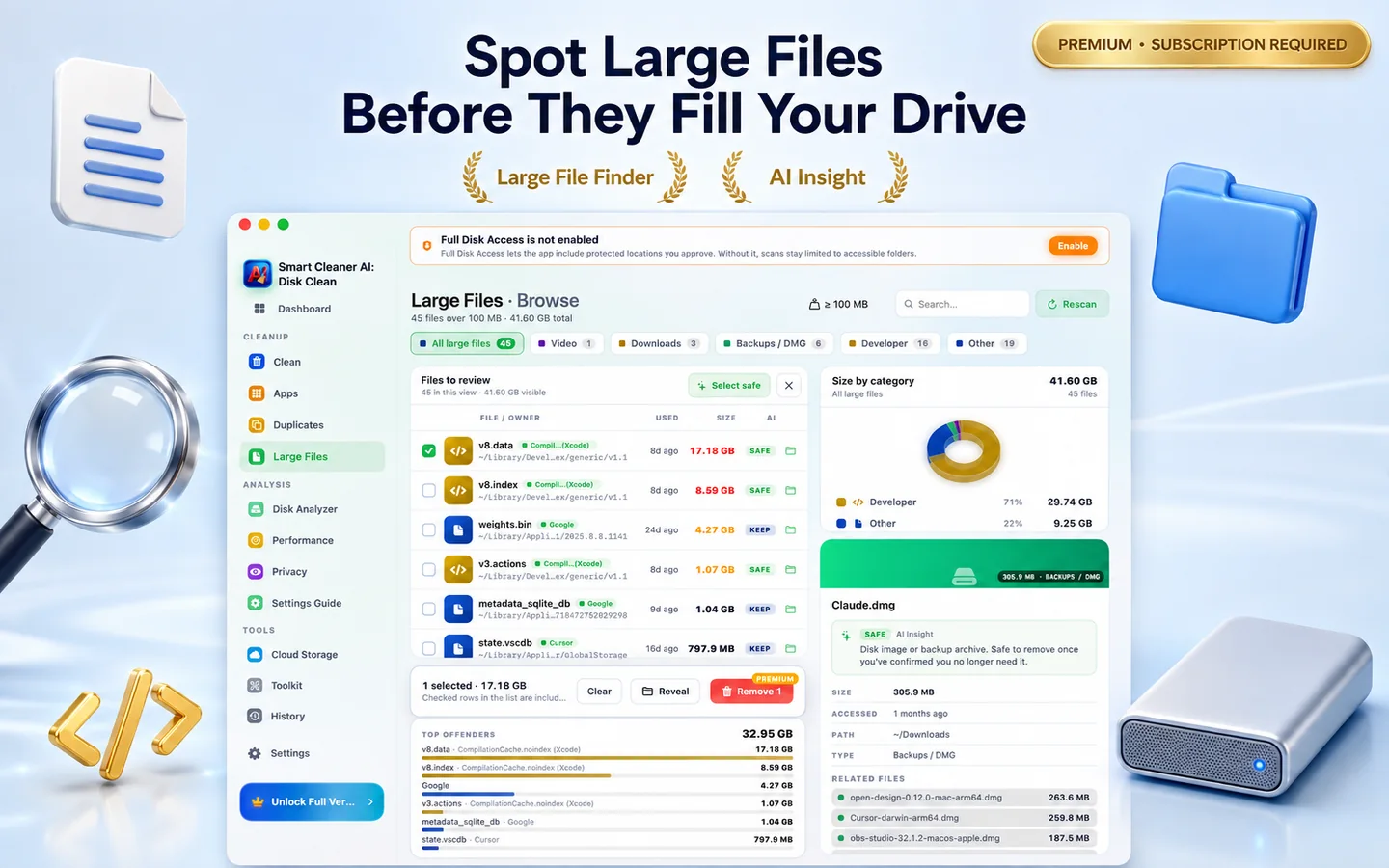
Hunt down forgotten installers, archives, and project files larger than 100 MB, sorted by size, age, or kind.
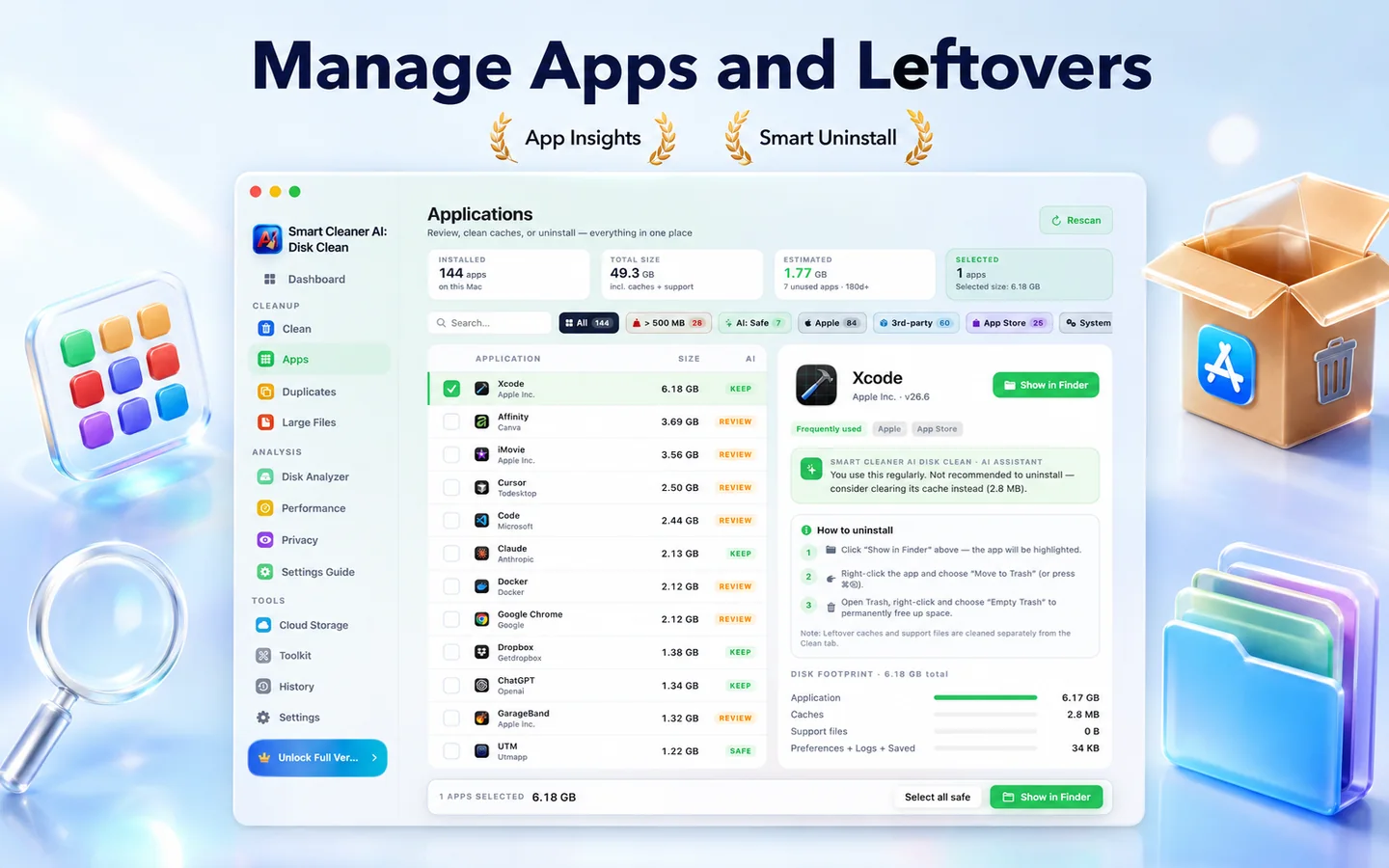
Functions as a smart Mac app uninstaller, removing apps along with their leftover preferences, caches, and background helpers.
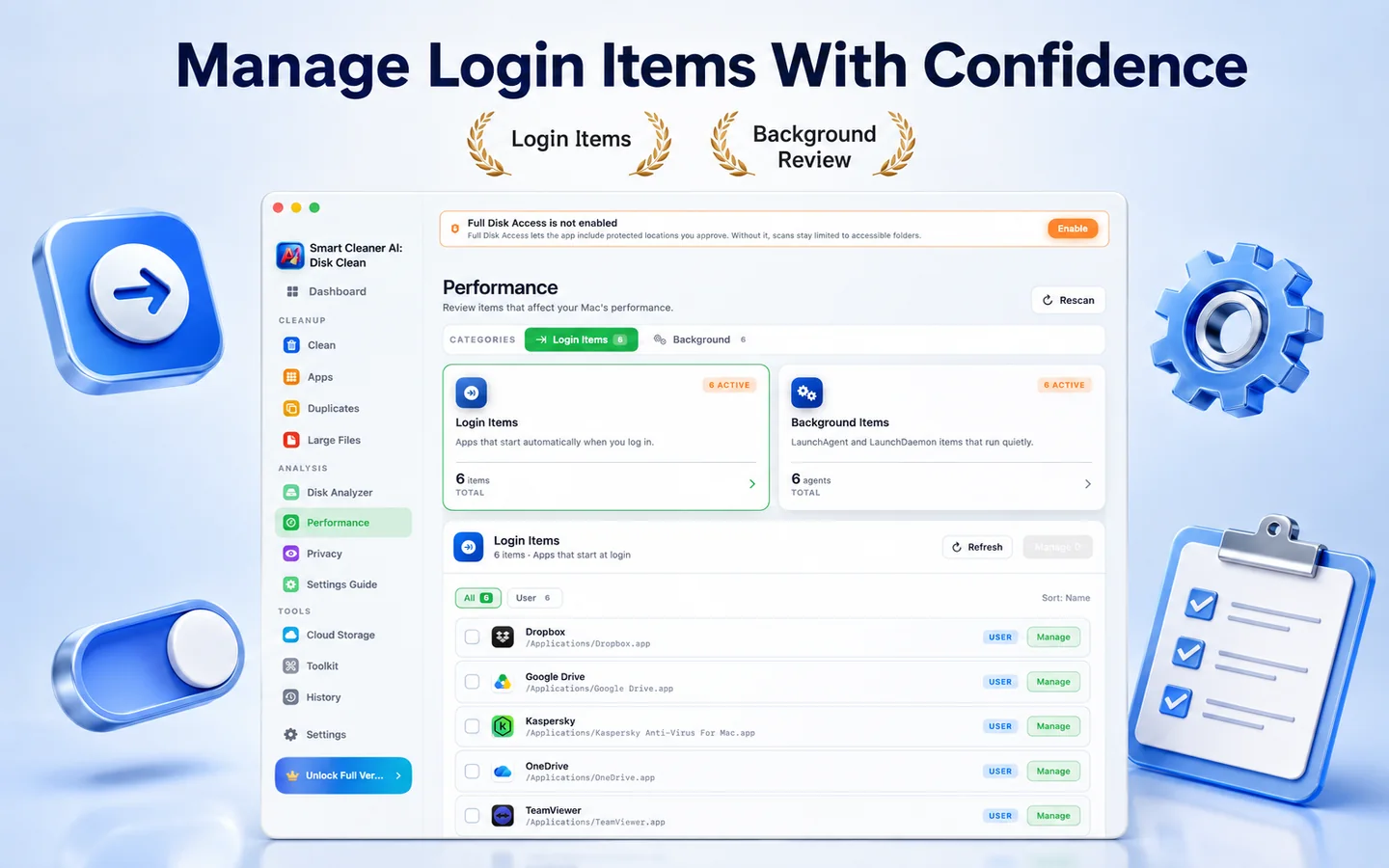
Review startup items, launch agents, daemons, and background services, then open the related system settings and tidy up what loads at login.
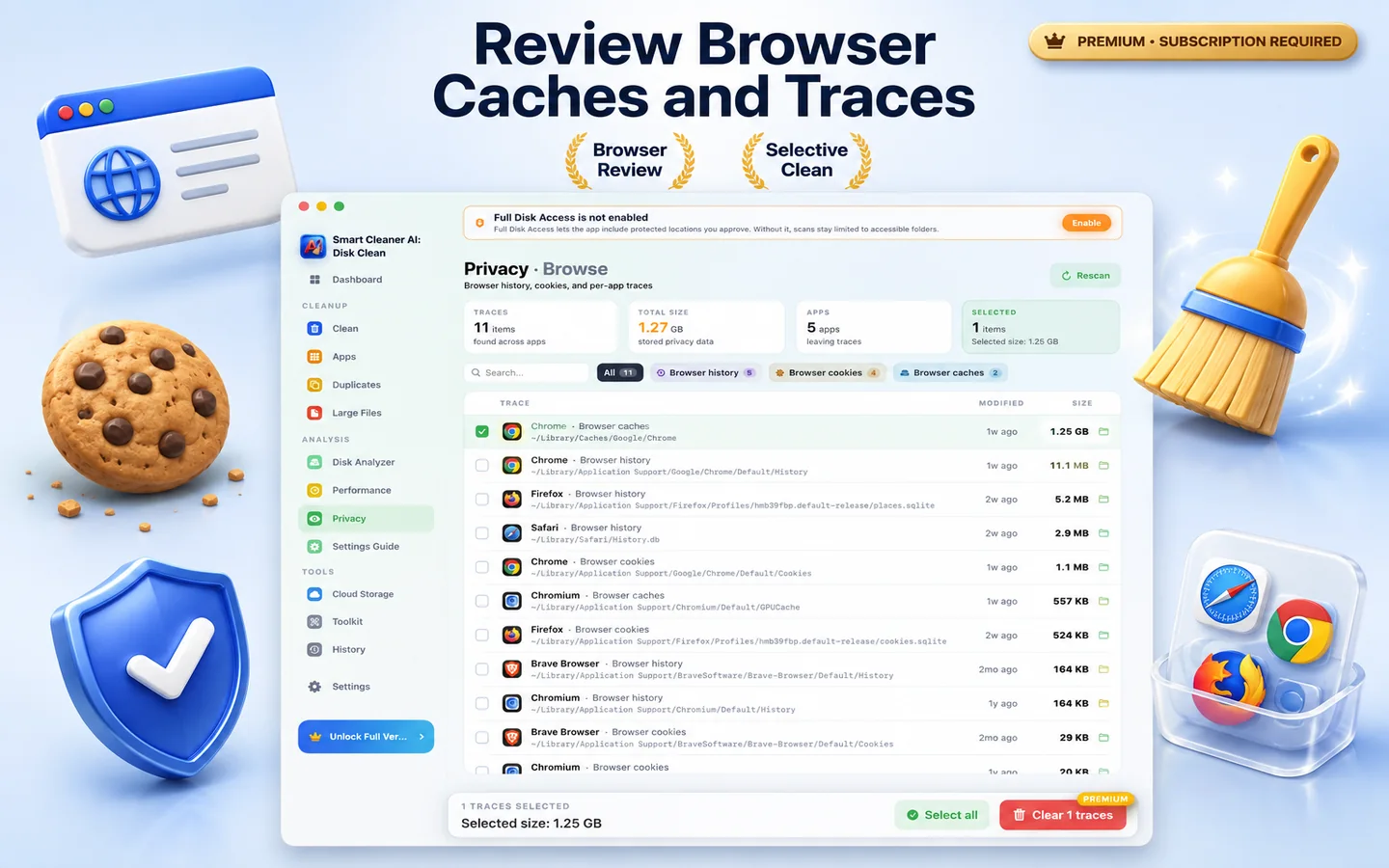
Review browser histories, caches, cookies, recent files, and chat caches in the locations you allow, then move the traces you select to Trash.
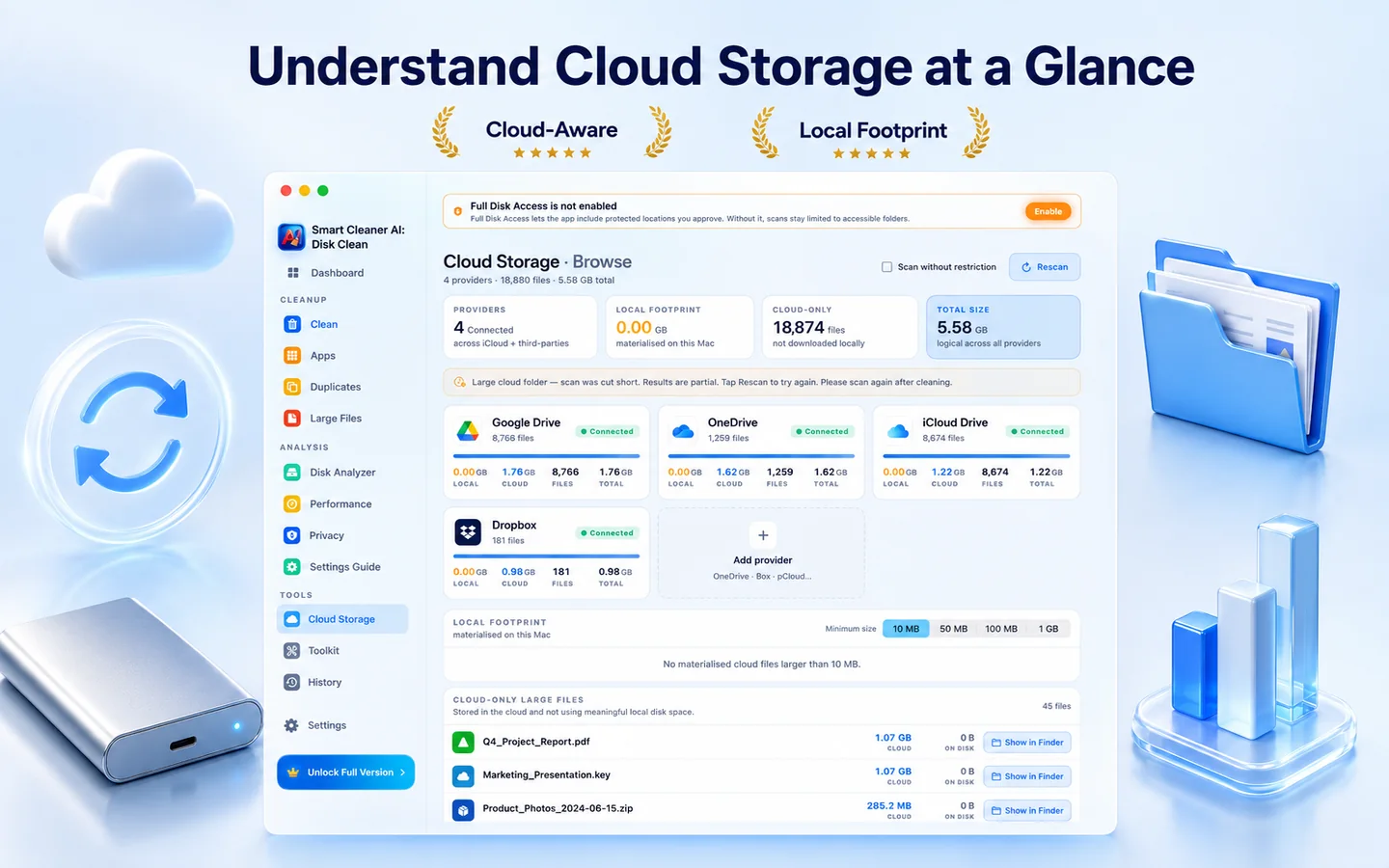
Look through cloud folders synced locally on your Mac, spot cached copies taking up disk space, and clear the local ones you no longer need.
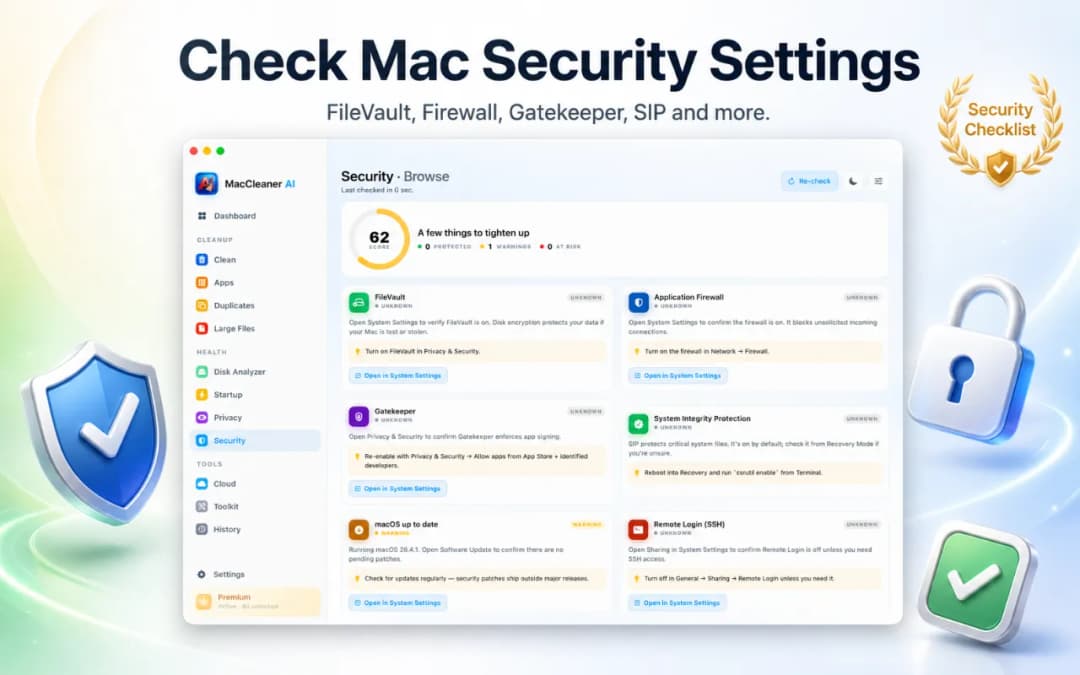
Review key macOS protections like FileVault, Firewall, Gatekeeper, and background login items without needing Terminal.
Screen Flow
One dashboard, one progress bar, one decision at a time. Smart Cleaner AI - Disk Clean keeps the noise down and shows only what matters right now.
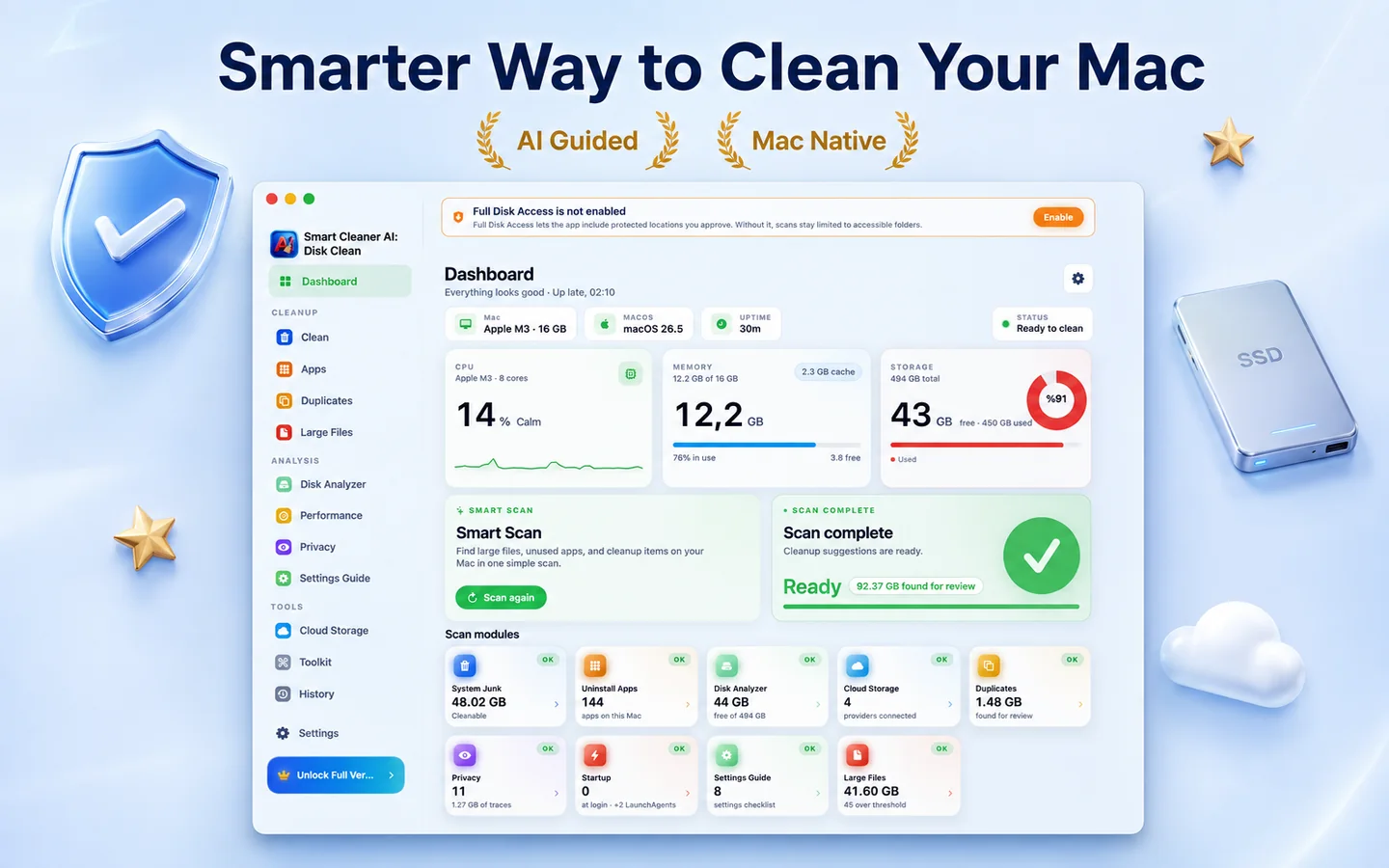
Smart Cleaner AI - Disk Clean runs an efficient on-device scan of your disks, caches, and unused application leftovers.
See exactly what was found: grouped, sorted and ranked by impact, with previews you can trust.
Click clean, and watch your free space grow. Anything important is double-checked, never auto-deleted.
Privacy
Smart Cleaner AI - Disk Clean is built around on-device processing. Disk scanning, duplicate detection, and cleanup recommendations run entirely locally on your Mac with zero personal file uploads.
Disk scanning, AI categorization, and cleanup happen locally on your Mac. DijitalWorlds does not operate scanning servers or receive your files.
Install, open, clean. No login, no email, no signup.
Nothing is removed without an explicit click, and Trash is the default.
The app is distributed through the Mac App Store and operates within standard macOS user permission boundaries.
Storage Breakdown
All scans run 100% on-device. We clearly categorize which items are generally safe to remove and which need closer review.
| Item Category | Risk Profile | How Smart Cleaner AI Handles It |
|---|---|---|
| App & User Caches | Generally Recreated as Needed | Outdated web caches, media thumbnails, and temporary application files. Apps automatically regenerate these caches as needed. |
| System & Diagnostic Logs | Usually Safe to Clear | Historical crash logs, install records, and diagnostic reports that can be safely cleared to reclaim disk space. |
| Orphaned App Leftovers | Safe After Review | Detects hidden Application Support folders, preference plists, and crash helpers left behind by previously deleted apps. |
| Duplicate Files & Archives | Review Recommended | Identical files and installers saved in different folders. Shows byte-level matches side-by-side so you choose which version to keep. |
| Large & Forgotten Files (>100MB) | Review Recommended | Old .dmg installers, heavy zip archives, and forgotten exports sorted by last-opened date to help you declutter manually. |
| Developer Caches (Xcode DerivedData) | Regenerates on Next Build | Removing Xcode DerivedData and build artifacts safely frees up substantial space, though projects will take longer to index and compile on their next build. |
Tier Transparency
Scan your Mac, explore interactive sunburst disk maps, and preview duplicate files for free. Upgrade to Pro when you want one-click automated cleanup and full app uninstall.

Looking for Deep Photo & Visual Similarity Cleaning?
Smart Cleaner AI is designed for your whole Mac system, disk space maps, app uninstalls, and caches. For in-depth Apple Photos library cleaning, visual similarity burst grouping, and Live Photo management, explore our dedicated companion app Vision AI.
FAQ
Yes. Smart Cleaner AI - Disk Clean is free to download on the Mac App Store. Features like Smart Scan, Disk Analyzer, cloud storage overview, app leftover scan, startup item manager, and AI recommendations are free to use. Removing apps with the uninstaller requires Pro.
Start in System Settings > General > Storage to review storage breakdown. Then use Smart Cleaner AI to inspect large files, Downloads, unused app leftovers, and duplicate files. It brings all checks into one review-first workspace and moves items to Trash safely.
System Data is a macOS storage category for caches, logs, temporary files, and app support data. Never delete random system folders manually. Smart Cleaner AI safely surfaces clearable app caches and leftover files so you can reduce System Data without risking system stability.
Smart Cleaner AI - Disk Clean offers a modern, privacy-first Mac cleaning experience. It runs 100% on-device with Apple's native frameworks, contains no analytics or tracking SDKs, and provides clear explanations before moving any file to Trash.
Yes. The built-in duplicate file finder for Mac matches files by content rather than filename across internal storage, external drives, and iCloud folders.
Yes. The app uninstaller detects the main application bundle along with hidden preference files, caches, background helpers, and login items to ensure complete removal.
Yes. Smart Cleaner AI - Disk Clean is natively built for Apple silicon Macs and also runs on Intel Macs running macOS 14.6 or later.
No. All scanning, disk analysis, and duplicate matching run locally on your Mac using native Apple frameworks. DijitalWorlds does not operate remote scanning servers, and your personal files are never uploaded to us.
Download Smart Cleaner AI - Disk Clean free on the Mac App Store to inspect your disk space and reclaim storage safely.