Why Is Recently Deleted Taking Up Space on iPhone?
Deleted photos and videos can still take up space on your iPhone while Photos keeps them available for recovery.


Deleted photos and videos can still take up space on your iPhone while Photos keeps them available for recovery. Apple normally keeps them in Recently Deleted for 30 days. Recover anything you want to keep before the deadline, or permanently delete items you’ve already reviewed.
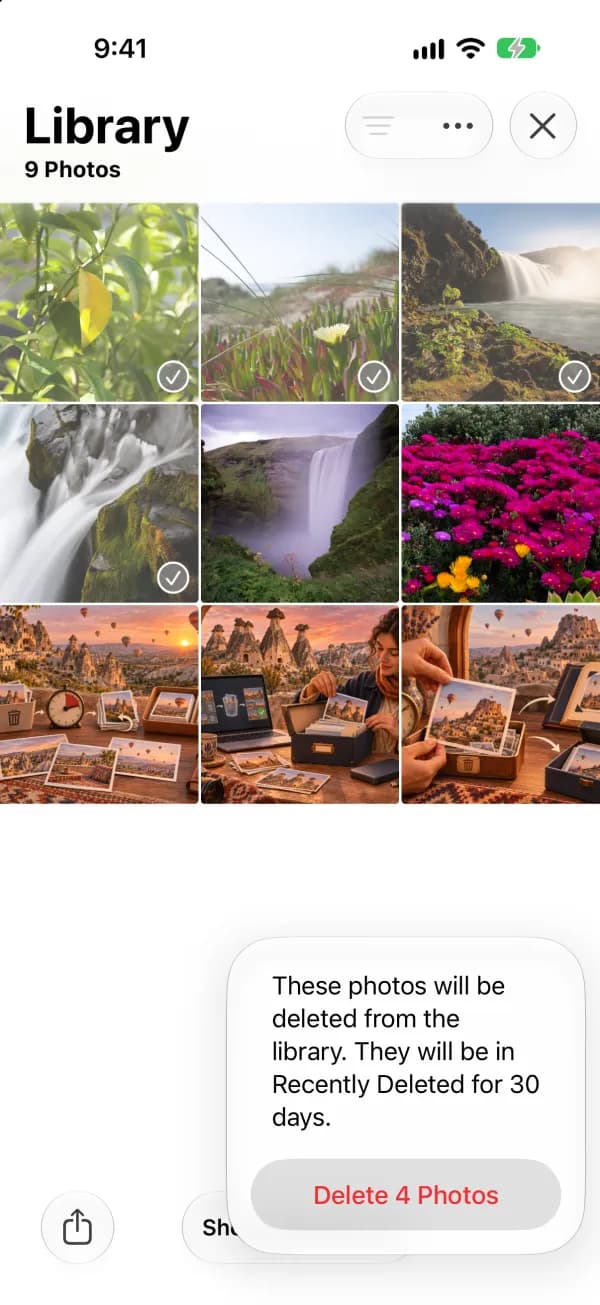
How to review and empty Recently Deleted
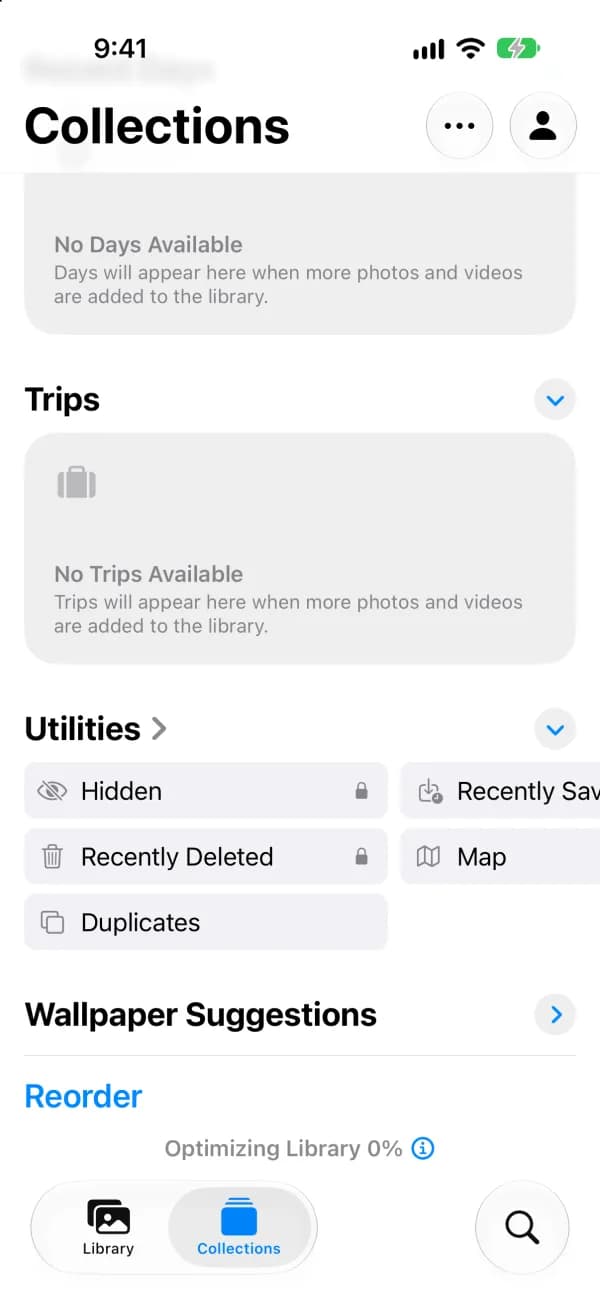
- Open the Photos app and tap Collections.
- Scroll to Utilities and tap Recently Deleted.
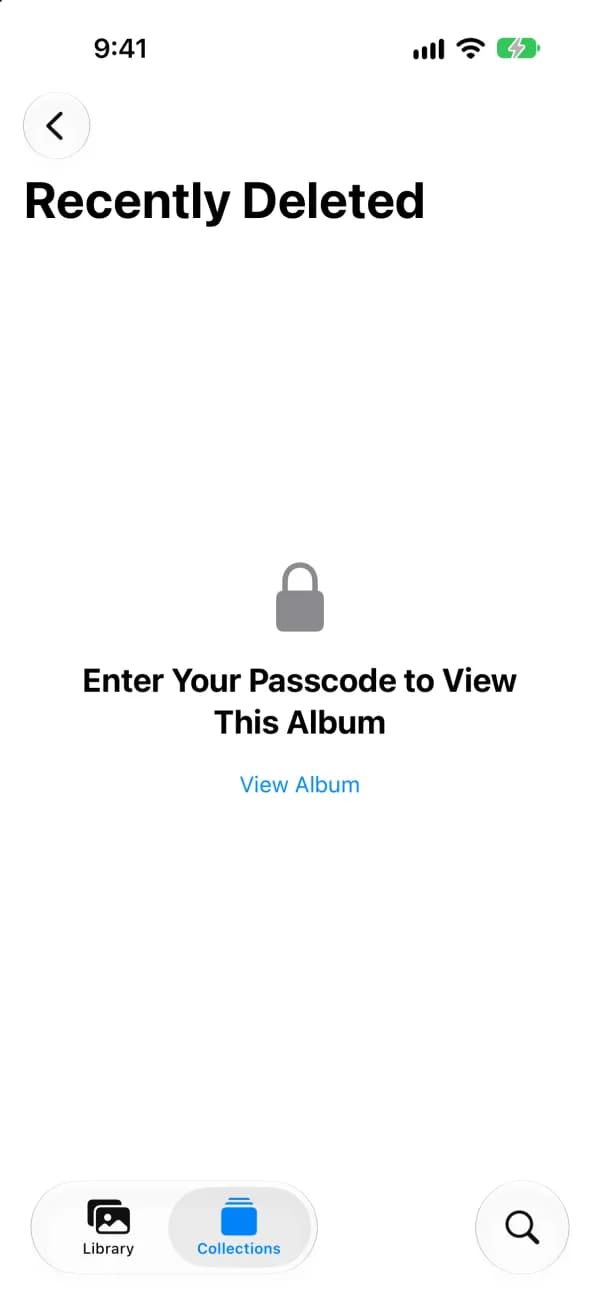
- Tap View Album and unlock with Face ID, Touch ID, or your passcode.
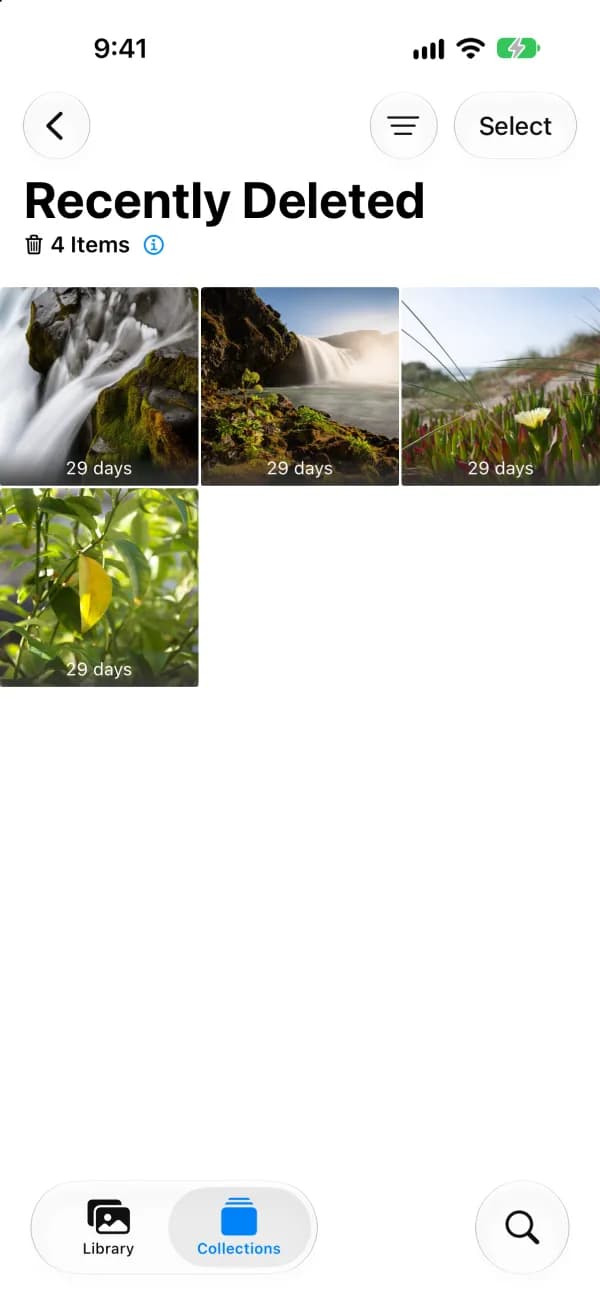
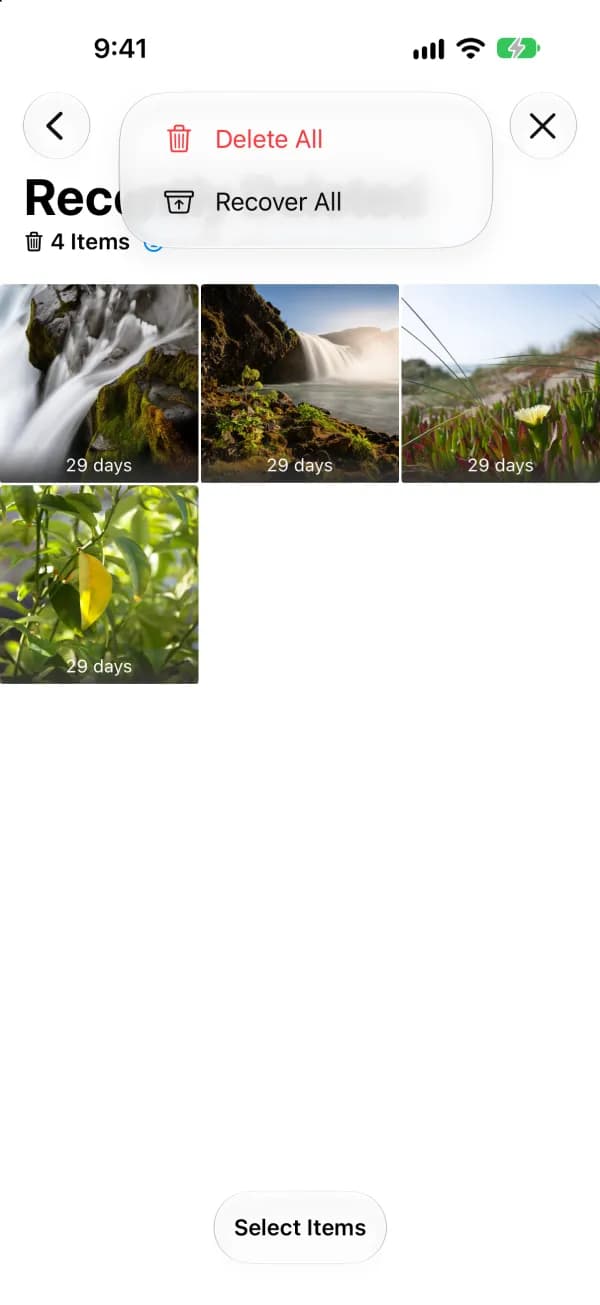
- Tap Select. Pick items to act on, or tap the More (•••) button to see Delete All and Recover All.
- Choose Delete All (or Delete for selected items) to remove them permanently, or Recover to put them back. Confirm.
Start with videos
Videos usually take far more space than photos. In Recently Deleted, look at the videos first: removing a few long clips you have already reviewed often frees more storage than clearing hundreds of photos.
What changes with iCloud Photos?
With iCloud Photos on, deleting or recovering an item syncs across devices using the same Apple Account and iCloud Photos. You can also check Recently Deleted in Photos on iCloud.com. With sync off, check the library on the device where you deleted the item. Apple says items in Recently Deleted do not count toward iCloud storage, and deletions can bypass recovery if you exceed your iCloud storage limit.
| iCloud Photos on | iCloud Photos off | |
|---|---|---|
| Where to check Recently Deleted | Any synced device, or Photos on iCloud.com | The device where you deleted the item |
| What delete and recover affect | Every device using the same Apple Account | Only that device |
| Can an iCloud device backup bring it back? | No, iCloud Backup does not duplicate iCloud Photos | Possibly, if a backup was made before deletion |
Can a backup restore permanently deleted photos?
iCloud Backup does not duplicate items synced by iCloud Photos. If iCloud Photos was off, a device backup made before deletion may include the item, depending on what was backed up. Restoring a backup is a device-level process. After permanent deletion, look for a separate export or copy you saved before deleting.

Why hasn’t iPhone Storage changed?
Check Settings → General → iPhone Storage. The amount you recover depends on what was stored locally. With Optimize iPhone Storage, your phone may already have held smaller versions of the items. Apple gives no fixed time for the storage figure to update. If Recently Deleted is empty, check the broader storage guide below.
If the storage figure still has not moved after a while, restart your iPhone. The storage summary is calculated in the background, and a restart often refreshes it. If a large System Data category remains, see the storage guide below.

Other apps with their own Recently Deleted
Emptying Photos does not touch deleted items in other apps. Each keeps deleted items for a limited time, and they use storage until removed.
- Files: Browse → Recently Deleted. Tap Select, then Delete or Delete All.
- Notes: Folders → Recently Deleted. Tap Edit, then Delete All or select notes.
- Messages: In the conversation list, open the Edit or Filters menu and tap Show Recently Deleted.
- Mail: Mailboxes → Trash for each account. Tap Edit, Select All, then Delete.
- Voice Memos: Recently Deleted folder. Tap Edit, then Delete All.
More iPhone storage guides
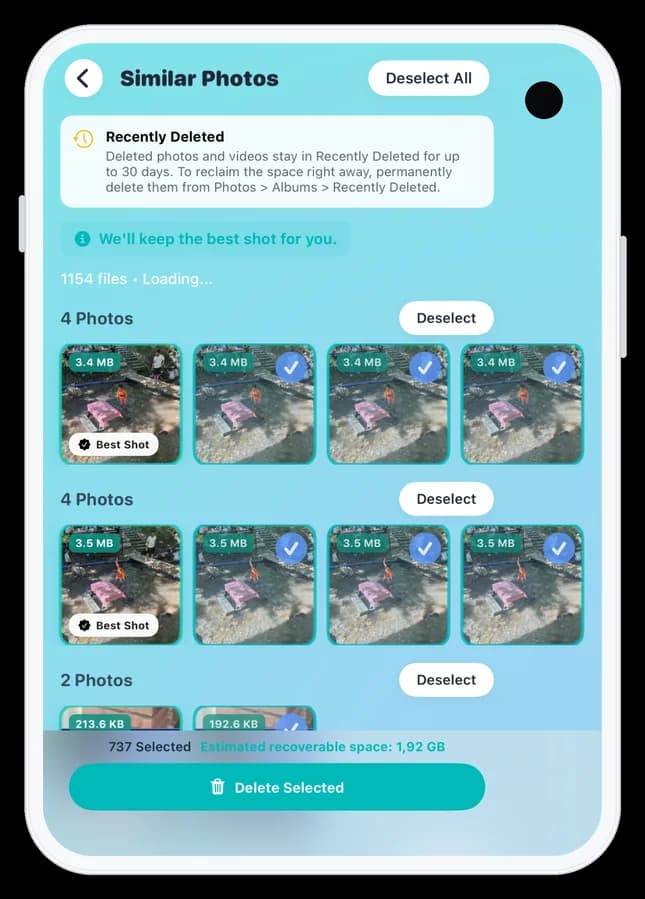
Review similar photos before deleting
Photos Cleaner – Cleanup Phone is our app. Use Similar Photos to compare groups and decide which shots to keep. In version 3.6.4 the app is free to download and review groups, and removing selected similar photos requires Premium. Manage Recently Deleted in Apple Photos.
Photos Cleaner - Cleanup Phone · App Store
FAQ
Can I turn off Recently Deleted on iPhone?
No. Photos has no setting to skip Recently Deleted. You can empty it manually whenever you want, and items there are removed automatically after up to 30 days.
Can I make Recently Deleted empty faster than 30 days?
There is no setting to shorten the period. To free the space sooner, open the album, tap Select, then the More (•••) button, and choose Delete All.
Why don't I see Delete All?
In recent iOS versions, tap Select first, then the More (•••) button in the top bar. Delete All and Recover All are in that menu. If you pick items, use Delete or Recover for just those items.
Do photos in Recently Deleted count toward iPhone storage?
Yes, if they are stored on the device. Apple says they do not count toward iCloud storage, but local copies keep using iPhone storage until permanently deleted.
Can I recover photos after emptying Recently Deleted?
Not from the Photos app. You need a copy saved elsewhere, or a device backup made before deletion while iCloud Photos was off.
Apple Support sources
Related guides

· 5 min read
iPhone Storage Not Going Down After Deleting Photos? 8 Fixes
iPhone storage still full after deleting photos? Check Recently Deleted, iCloud sync, Shared Library, and leftover media with eight practical fixes.

· 5 min read
iPhone Photos Taking Up Space Even With iCloud? Explained
Learn why Photos still uses iPhone storage with iCloud, what Optimize iPhone Storage changes, and how to check your local space and iCloud quota.

· 9 min read
Are iPhone Cleaner Apps Safe?
Check photo access, App Store privacy labels and trial prices before using an iPhone cleaner. Learn how to revoke access and review photos before deleting them.

Ready when you are
Download Photos Cleaner - Cleanup Phone for iPhone
Remove duplicate photos, compress videos, and organize contacts with a privacy-first cleanup flow.

By using Photos Cleaner - Cleanup Phone, you agree to our Terms of Use and Privacy Policy.