Cleaner One Pro vs MacCleaner Pro vs Smart Cleaner AI
Cleaner One Pro, MacCleaner Pro or Smart Cleaner AI? Compare what each Mac cleaner shows for free, how it removes files, what it costs and which macOS it needs.

Three helpers knock on your door. Each one wants to tidy your room. The first carries one big bag with everything in it. The second carries a box with several smaller tools inside. The third lets you look at everything first and asks for money only when it carries things out. All three can help. They just work in different ways.
The helpers are three Mac apps: Cleaner One Pro from Trend Micro, MacCleaner Pro from Nektony and Smart Cleaner AI. We make Smart Cleaner AI, so we say that openly. For the other two we read their own help pages, their price pages and the Mac App Store in November 2026. We did not run the three apps side by side. We did not time them, and we did not count how much space each one frees.
1. Meet the three apps
Cleaner One Pro is one app from Trend Micro. Inside it you find junk files, big files, duplicate files, a disk map and a list of your apps. The version in the Mac App Store also has a photo page for similar or blurry photos and for screenshots. MacCleaner Pro from Nektony is a bundle. Next to the main cleaner it brings separate tools. One removes apps, one draws the disk and one finds duplicates.
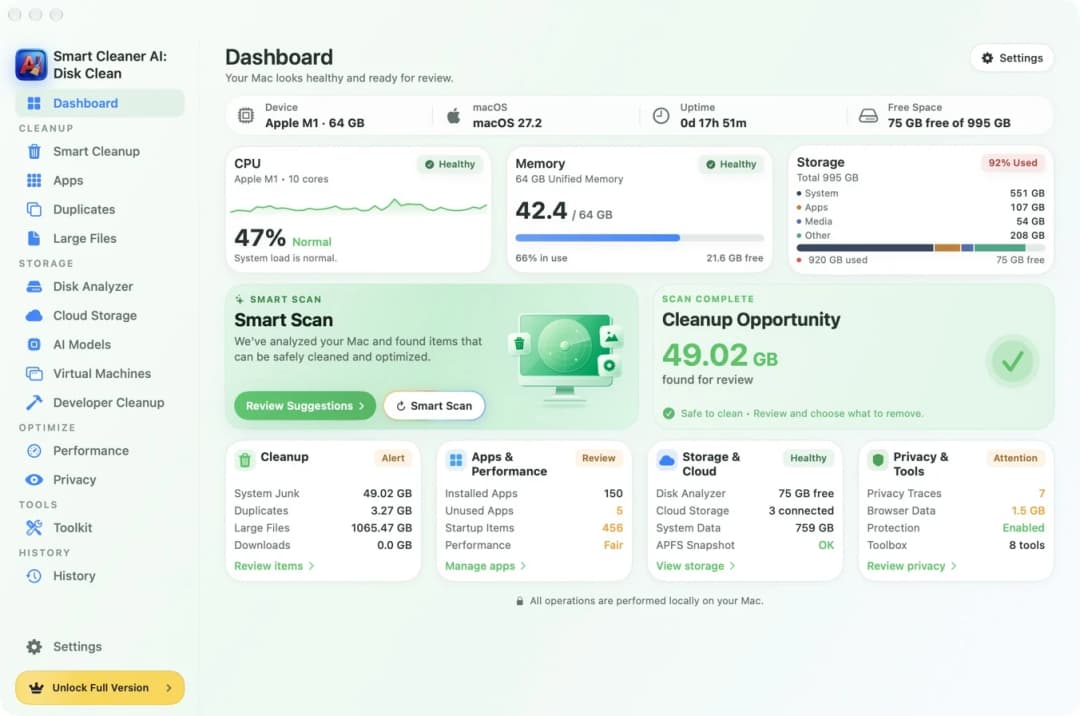
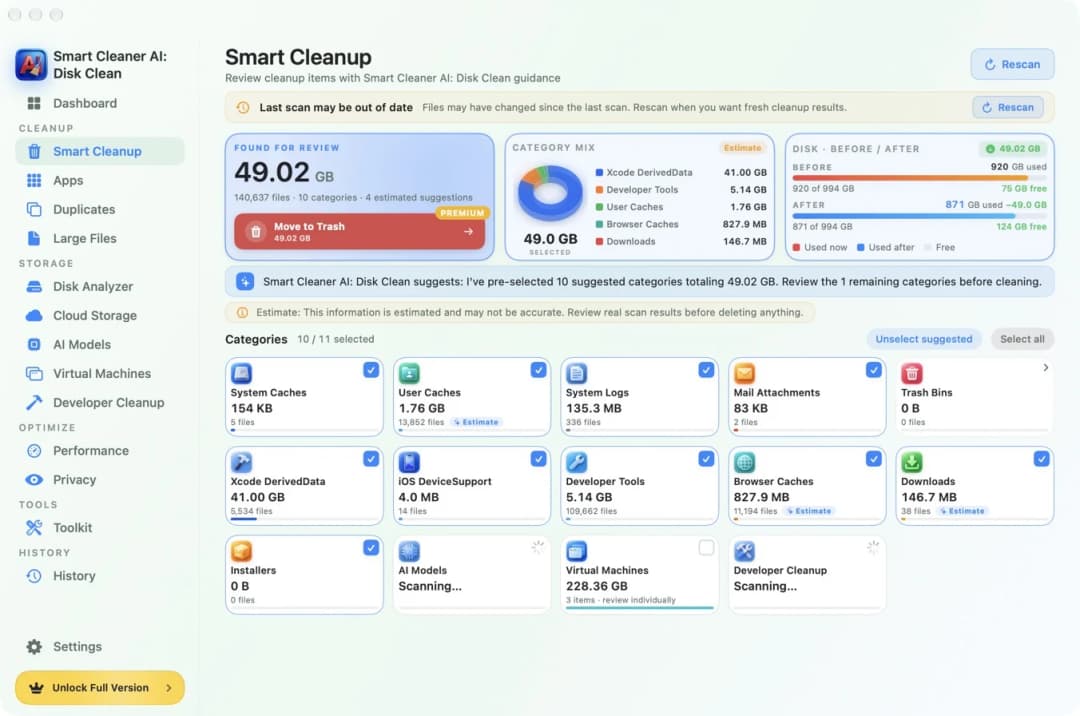
Smart Cleaner AI is one app too. It stays with storage. When you open it, the Dashboard shows how full the disk is and how much it found for review. From there you go to the map, the apps, the copies or the developer files. It has no page for similar photos. It looks for exact copies only.
2. Seeing what fills the disk
A full disk is like a full toy box. First you want to see what is inside. Cleaner One Pro has a disk map and filters for big files. In MacCleaner Pro the map is a tool of its own, called Disk Space Analyzer.
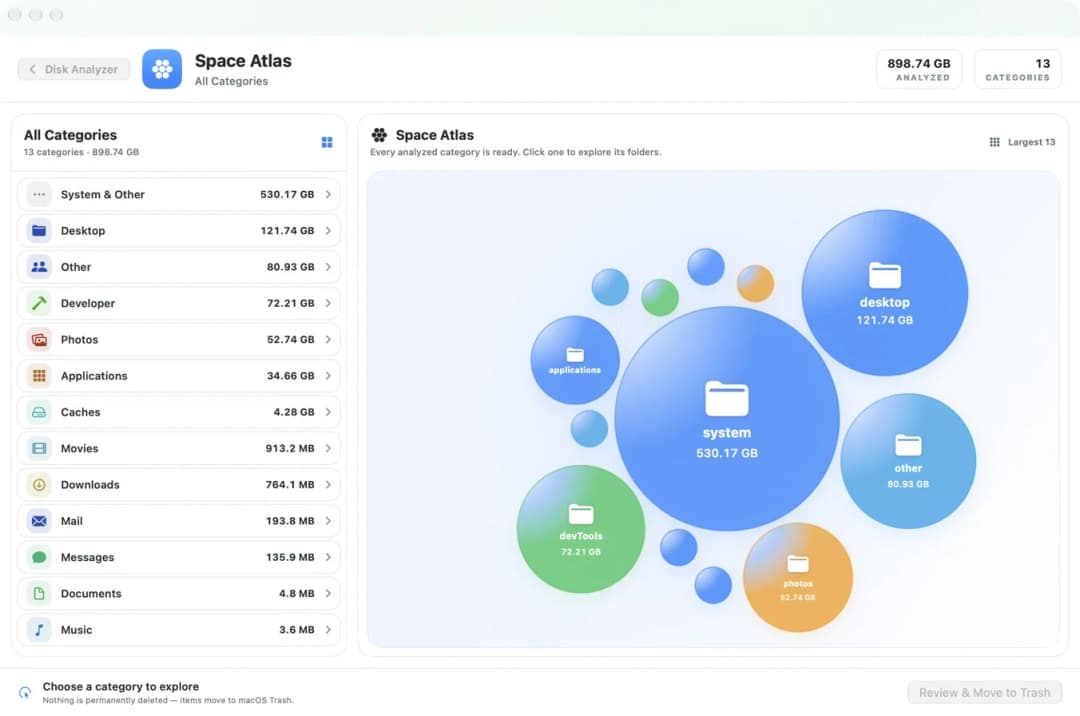
In Smart Cleaner AI the map is called Space Atlas. Each group is a bubble, and a bigger bubble takes more space. You can open the folders inside a folder. Looking at the map and at the large files is free.
3. Finding copies
Copies are like two of the same sticker. You only need one. Cleaner One Pro looks at what is inside the files to find duplicates, and it has a separate scan for similar photos. A similar photo is not always a copy. It can be another picture that you still want, so look at each group. In MacCleaner Pro, a separate tool called Duplicate File Finder looks for duplicates. It can also compare two folders.
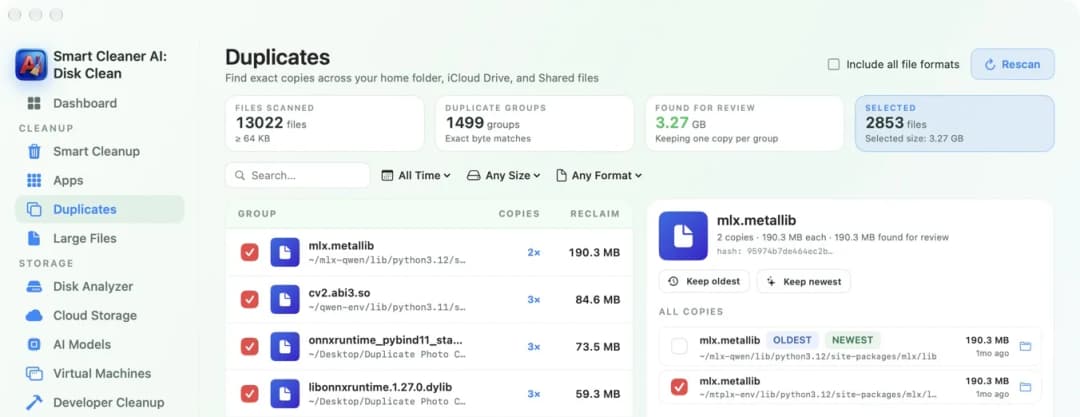
In Smart Cleaner AI, open Duplicates. It finds exact copies and puts them into groups. In each group one copy stays. Looking at the groups is free.
4. Removing apps
When an app leaves, small files often stay behind. Cleaner One Pro has a page called App Manager. It lists your apps and the files that belong to them. Its Mac App Store listing marks removing apps and their files as a paid feature. MacCleaner Pro brings a tool called App Cleaner & Uninstaller. It can remove several apps at once and shows the files that are left.
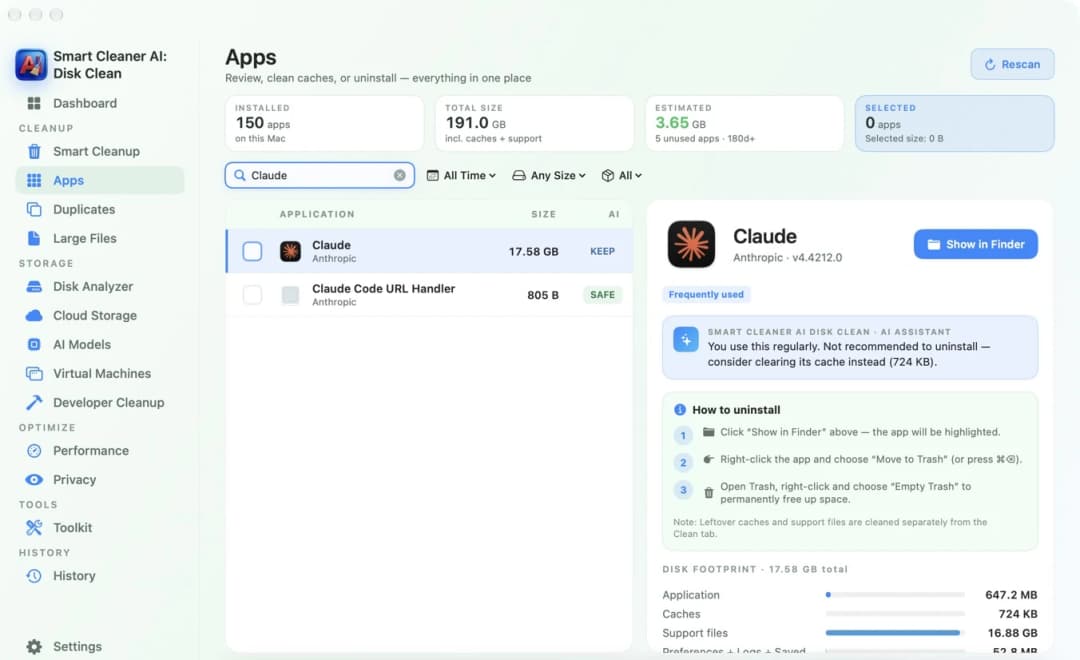
Smart Cleaner AI has the Apps page. It shows how big each app is and how much of that is caches and support files. It also shows the steps for removing the app in Finder. Cleaning supported leftovers inside the app needs Pro. If removing many apps is your main job, the uninstaller in MacCleaner Pro is built just for that.
5. Trash or gone forever
This is the most important question. The Trash is like a basket next to the door. You can still take things out of it. Deleting for good is like the garbage truck. For MacCleaner Pro, Nektony says you see a preview and confirm first. The Trash is the normal way, and deleting for good can be switched on in the settings. For Cleaner One Pro, the Mac App Store listing describes a choice between the Trash and deleting for good when you clean duplicates with a purchase. Trend Micro's cleanup guide warns that files removed with Remove are deleted for good. So read the message in the app before you confirm.
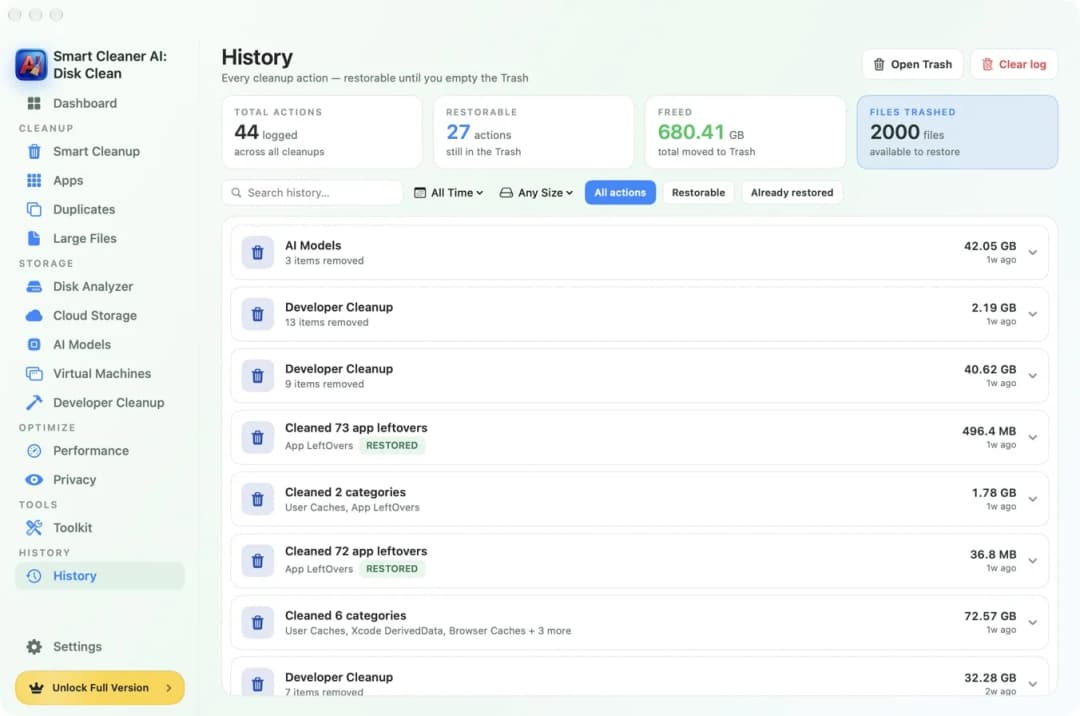
Smart Cleaner AI moves the things you picked to the Trash. That needs Pro. The History page lists each cleanup and shows how many are still restorable. Whatever app you use, the space only comes back when you empty the Trash.
6. Price, free part and your Mac
Cleaner One Pro is free to download. Removing duplicates, photos and apps is paid. In November 2026, Trend Micro's US website showed $19.99 for 12 months on one device, and the US Mac App Store said paid access starts at $19.99 a year. It needs macOS 10.15 or later.
MacCleaner Pro gives you two days with everything. After that you can still scan and preview, and Nektony lists basic duplicate removal as free. For one Mac, Nektony listed $14.95 a month, $39.95 a year or $85.95 once in November 2026. It needs macOS 11 or later.
In Smart Cleaner AI, scanning and looking stay free. In the US Mac App Store, Pro cost $5.99 a month, $12.99 a year or $24.99 once in November 2026. It needs macOS 14.6 or later, so it does not run on older Macs. Prices can be different in your country and can change, so read the price on the purchase page before you pay.
How to choose between the three apps
- 1
Name your main job
Decide what you want most: a map of the disk, finding copies, removing apps or tidying similar photos.
- 2
Check your macOS version
Open the Apple menu and choose About This Mac. Compare the version with what each app needs.
- 3
Try the free part
Scan with the free part of an app and see if it shows what you were looking for.
- 4
Read the button and the price
Before you remove anything, read if it goes to the Trash or is deleted for good. Then read the price on the purchase page.
Frequently asked questions
Which of the three is best for removing apps?▼
MacCleaner Pro brings its own uninstaller that can remove several apps at once and shows the files that are left. Cleaner One Pro has App Manager, and its Mac App Store listing marks removal as paid. Smart Cleaner AI shows how big each app is and the steps for removing it in Finder. Cleaning supported leftovers inside the app needs Pro.
Can I scan without buying anything?▼
Yes, with all three. Cleaner One Pro is free to download and asks for payment for some removal features. MacCleaner Pro gives two days with everything, and after that scanning and previewing stay. In Smart Cleaner AI scanning and looking stay free, and Pro is needed to remove things inside the app.
What do the three apps say about privacy?▼
For Cleaner One Pro, the Mac App Store listing reports purchase history, product interaction and crash data for analytics, as data not linked to you. Nektony says file work in MacCleaner Pro happens on your Mac. If you switch on the setting that helps improve the program, it can send usage data and crash reports, and these may include file paths. The listing of Smart Cleaner AI says Data Not Collected. We read these statements. We did not test the other two apps ourselves.
Which one runs on an older Mac?▼
Cleaner One Pro needs macOS 10.15 or later and MacCleaner Pro needs macOS 11 or later. Smart Cleaner AI needs macOS 14.6 or later, so it is only for newer systems.
What should I check before I remove files?▼
Check where the file is and which app uses it. Read if the button moves it to the Trash or deletes it for good. Make a backup of things you cannot get again. Files in the Trash give their space back only when you empty it.

Look First, Then Decide
Smart Cleaner AI shows what fills your Mac, finds exact copies and shows how big your apps are. Scanning and looking are free. You decide yourself what goes to the Trash.

Sources
- Trend Micro: Cleaner One Pro scan categories
- Trend Micro: Cleaner One Pro cleanup guide
- Mac App Store: Cleaner One Pro
- Trend Micro: Cleaner One Pro for Mac
- Nektony: MacCleaner Pro overview
- Nektony: MacCleaner Pro licenses
- Nektony: MacCleaner Pro FAQ
- Nektony: Privacy policy
- Apple Support: Free up storage space on Mac
We built a custom disk scan algorithm for Smart Cleaner AI so you can quickly see what’s taking up space and review what to clean.
Related guides

· 9 min read
Best Mac Cleaner Software in 2027: Free and Paid Apps
Which Mac cleaner software is best in 2027? It depends on the job. See free and paid apps for disk maps, uninstalling, duplicates and full cleanup, side by side.

· 9 min read
CleanMyMac Alternative: Smart Cleaner AI Compared
Looking for a CleanMyMac alternative? See what Smart Cleaner AI and CleanMyMac each do, what is free, what runs in the background and what both cost.

· 9 min read
Are Mac Cleaner Apps Safe? 5 Things to Check
Some Mac cleaner apps are safe and some are not. Check five simple things first: what it shows you, the Trash, file paths, where it works and what it asks for.

Ready when you are
Download Smart Cleaner AI for Mac
Analyze Mac storage, safely clear system data caches, find large files, and remove app leftovers with on-device controls.
By using Smart Cleaner AI, you agree to our Terms of Use and Privacy Policy.