AI Disk Cleaner for Mac: How to Clear Space on Mac & Clean Disk Safely (2026)
Wondering how to clear space on Mac? Learn how an on-device AI Mac cleaner helps you clean up your Mac, clear system data, find duplicate files, and remove app leftovers safely.

AI Disk Cleaner for Mac: How to Clear Space on Mac & Clean Disk Safely (2026)
Wondering how to clear space on Mac, or looking for a dependable free Mac cleaner to clean up your Mac? A Mac does not run out of storage from a single file. Space is quietly taken up by app caches, temporary logs, system data, uninstalled app leftovers, and duplicate files. An AI disk cleaner helps you identify which files are safe to delete without breaking macOS.
Smart Cleaner AI - Disk Clean is a modern, on-device mac cleaner app designed to free up space on Mac, find duplicate files, and remove application leftovers. Download it for free on the Mac App Store. Here is what an on-device AI disk cleaner actually scans.
What a complete Mac disk cleanup scan covers
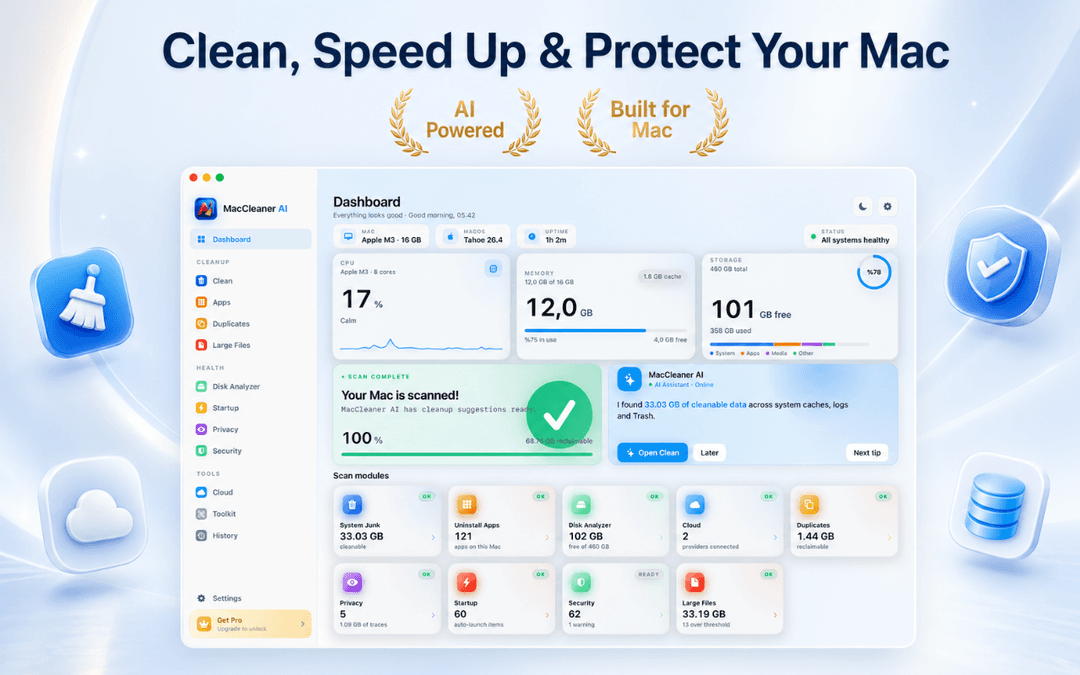
How to Clear Disk Space on Mac: Smart Scan Dashboard
When you need to clean up your Mac, starting with a comprehensive scan is essential. Smart Cleaner AI scans user caches, application caches, system logs, Xcode build folders, mail attachments, browser trails, and Trash.
It displays the exact reclaimable gigabytes per category before anything is touched. The initial scan is completely read-only, giving you a clear inventory of where your disk space actually went before you choose what to delete.
Built-In Duplicate File Finder for Mac
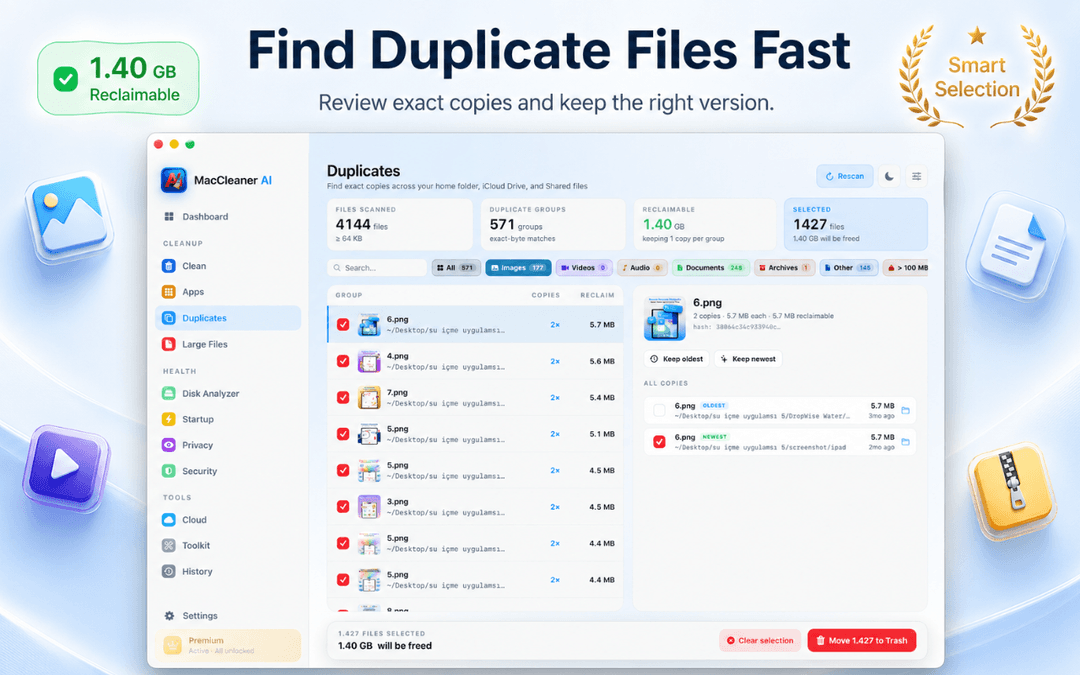
Redundant files can waste many gigabytes. The built-in duplicate file finder for Mac inspects your Home folder, local directories, and cloud-synced folders, matching files by binary content rather than filename.
Whether a file is named Project.pdf or Project copy.pdf, duplicate pairs are grouped with their exact paths, capture dates, and file sizes. You choose which version to keep, and redundant copies are moved safely to Trash.
Disk Space Analyzer: How to Clear Mac Storage Visually
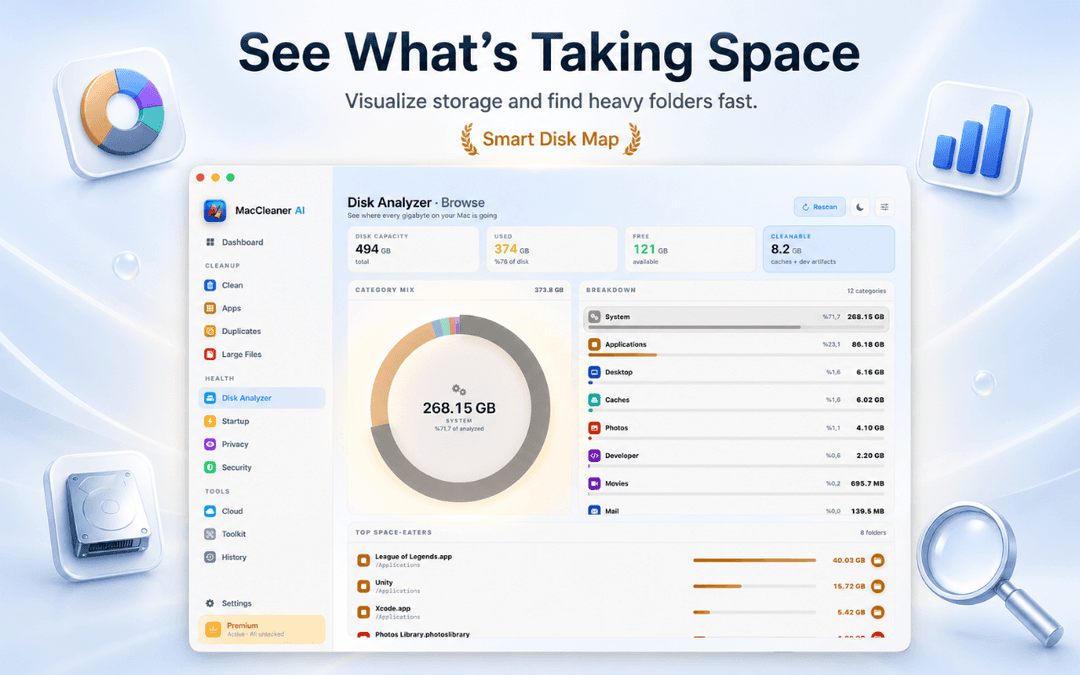
The interactive Disk Space Analyzer breaks your Mac storage down into clear categories: System Data, Applications, Developer, Documents, and Media. It highlights the heaviest folders and files eating up disk space.
This makes it easy to find forgotten 30 GB virtual machines, abandoned video exports, or old game downloads without digging through nested Terminal paths.
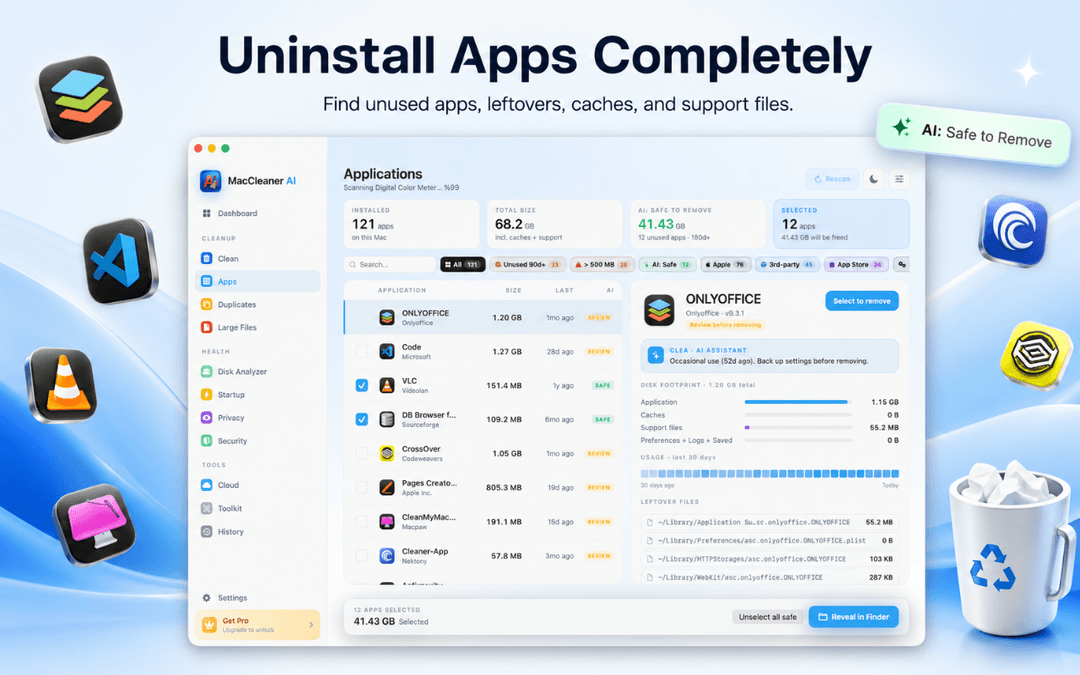
App Uninstaller for Mac: Remove Hidden Leftovers
Dragging an app to Trash leaves behind preference plists, application support files, cache containers, and background launch helpers.
Smart Cleaner AI works as a comprehensive app uninstaller for Mac, identifying all related auxiliary files so you can perform a complete Apple Mac clean up and reclaim storage cleanly. It also inventories startup items and background login agents to help keep your Mac running smoothly.
How to free up disk space on Mac in 3 simple steps
Run on-device Smart Scan
Open Smart Cleaner AI - Disk Clean to scan caches, system data clutter, duplicate files, and app leftovers.
Review categorized results
Inspect disk analysis groups, duplicate file lists, and app leftovers. Every recommendation is explained clearly.
Clean safely to macOS Trash
Select unneeded files and clean them. Files move to Trash so you always retain full recovery control.
Frequently Asked Questions About Mac Disk Cleanup
Is Smart Cleaner AI really a free Mac cleaner?Show answer
Yes. Smart Scan, the Disk Space Analyzer, cloud storage overview, app uninstaller, startup item manager, and AI recommendations are free on the Mac App Store.
How to clear space on Mac safely without breaking apps?Show answer
Use Smart Cleaner AI to review caches, old downloads, duplicate files, and app leftovers. The app only targets safe user-level files and routes deletions through macOS Trash.
How to clear System Data on Mac?Show answer
System Data includes caches, temporary files, and app support data. Smart Cleaner AI safely finds removable app caches and leftover files so you can reduce System Data without touching protected macOS system folders.
Does it include a duplicate file finder for Mac?Show answer
Yes. The built-in duplicate finder detects exact duplicate files, documents, archives, and photos across your Mac drives and synced cloud folders.
What macOS versions are supported?Show answer
Smart Cleaner AI - Disk Clean is natively optimized for Apple Silicon (M1, M2, M3, M4) and Intel Macs running macOS 14.6 or later.
Clean Your Mac with Confidence
The best way to clean up your Mac is to understand where disk space is spent before deleting files. Smart Cleaner AI gives you on-device clarity, safe duplicate removal, and complete app uninstalling.
Download Smart Cleaner AI - Disk Clean on the Mac App Store or discover more on the product page.
Have questions? Support Center
Related guides

· 9 min read
CleanMyMac Alternative: Review-First Mac Cleanup
Looking for a CleanMyMac alternative? Compare features, permissions, pricing models and malware tools, and see when Smart Cleaner AI fits better.

· 9 min read
System Data on Mac: A Safe Cleanup Guide
Learn what System Data on Mac includes, why it grows, and how to review likely contributors safely. Follow practical cleanup steps on your Mac today.

· 9 min read
Mac Storage Full? Find What Fills Your Disk
See why your Mac storage is full, find large files and System Data, and clean up safely with practical steps. Start reclaiming disk space today.
Ready when you are
Download Smart Cleaner AI for Mac
Analyze Mac storage, safely clear system data caches, find large files, and remove app leftovers with on-device controls.
By using Smart Cleaner AI, you agree to our Terms of Use and Privacy Policy.