Shared Albums Count Toward iCloud Storage in iOS 27
In iOS 27, new shared albums you own use your iCloud space, even photos friends add. See what changed and how to keep space free in 5 easy steps.
A shared album is a photo album you share with friends or family. Before iOS 27, the photos in it did not use your iCloud space. Albums you make in iOS 27 or later are different. Now they use your iCloud space, and so do the photos your friends add. This guide shows what changed and how to keep space free in five easy steps.
We make Photos Cleaner - Cleanup Phone, an iPhone cleanup app, and we say so openly. You can do the first four steps with the settings on your iPhone alone. The facts here come from Apple's own pages about Shared Albums.
1. Know what changed in iOS 27
Apple changed how shared albums work. If you own a shared album made in iOS 27 or later, its photos and videos are kept at full quality. That makes them bigger, and they use your iCloud space. Photos that your friends add to your album use your space too.
- Open Settings and tap your name at the top.
- Tap iCloud.
- Under Saved to iCloud, tap Photos.
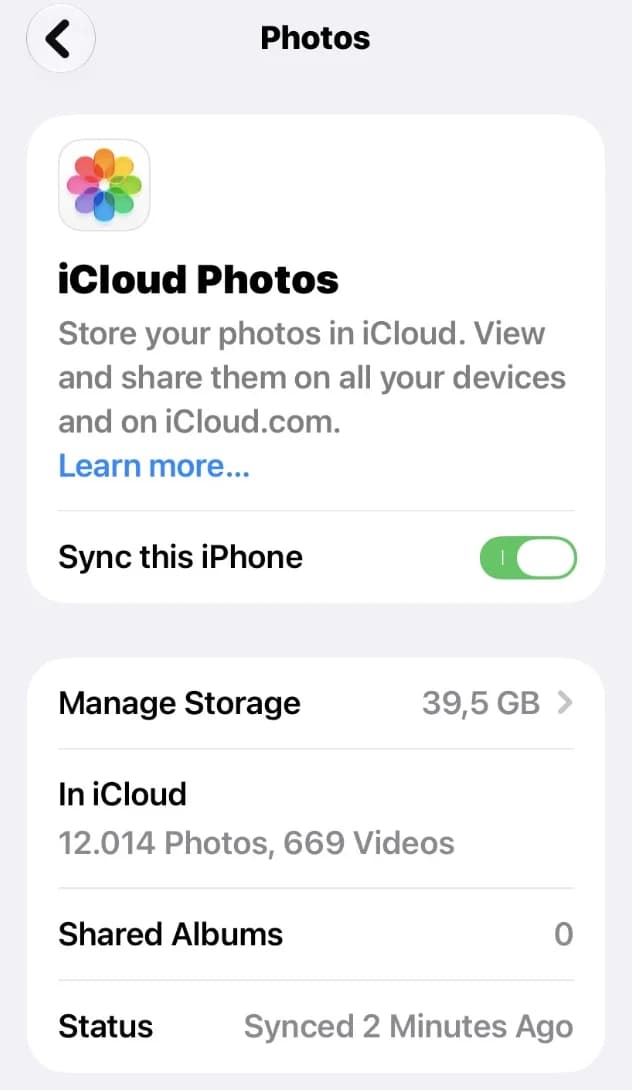
- Look at the Shared Albums row to see how many shared albums you have.
Albums made in iOS 26 or earlier do not use your space. If the number is 0, nothing changes for you yet. Only new albums you own will use your space from now on.
2. Turn on Shared Albums
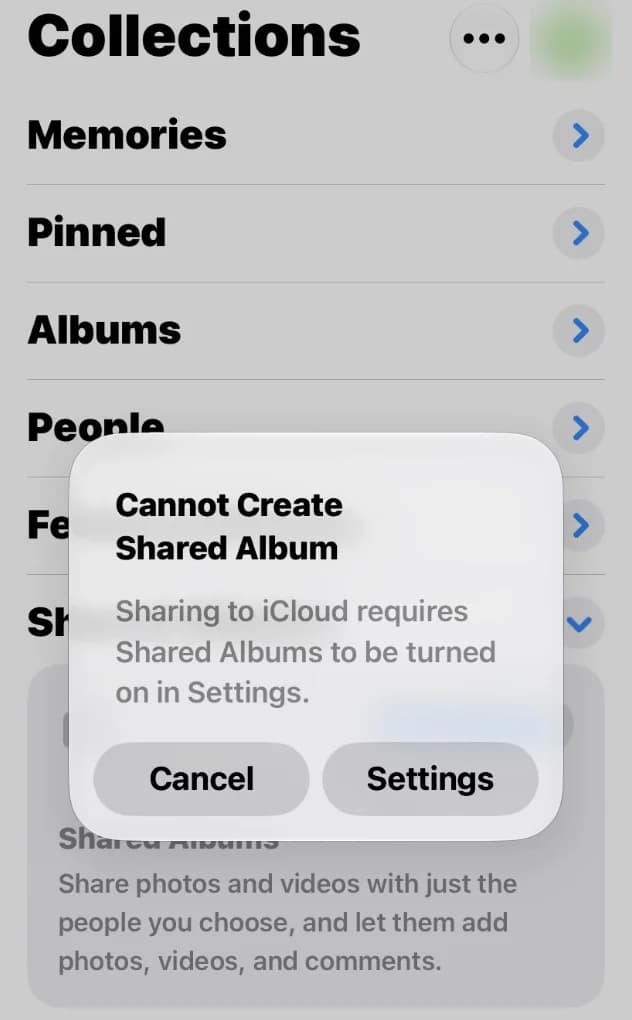
Shared albums need a switch in Settings. If the switch is off, iPhone stops you with a short message when you try to start sharing.
- Open Settings, tap your name, then tap iCloud.
- Under Saved to iCloud, tap Photos and make sure iCloud Photos is on.
- Scroll down and tap Shared Albums.
- Turn on Shared Albums.
Apple says you need iCloud Photos turned on for a normal shared album in iOS 27. A temporary shared album works even without iCloud Photos.
3. See how much iCloud space your photos use
Your shared albums now use the same iCloud space as your photo library. So it helps to know how full that space is before you share a lot.
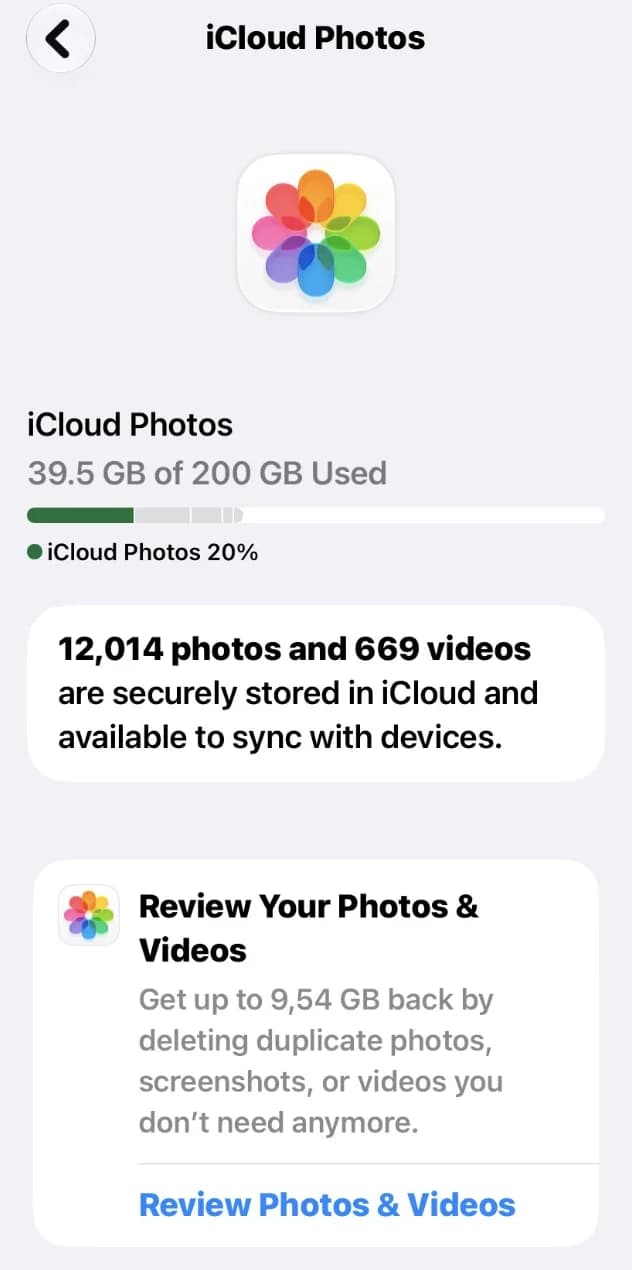
- On the same Photos page in iCloud settings, tap Manage Storage.
- Read the line that says how many GB are used.
- Look at the colored bar to see how much is left.
On this page your iPhone may also show Review Your Photos & Videos. It helps you find copies, screenshots and videos you do not need.
4. Use a temporary album for quick sharing
Do you only want to share photos for a short time, like after a party or a trip? Then make the album temporary. Apple says temporary shared albums do not use your iCloud space.
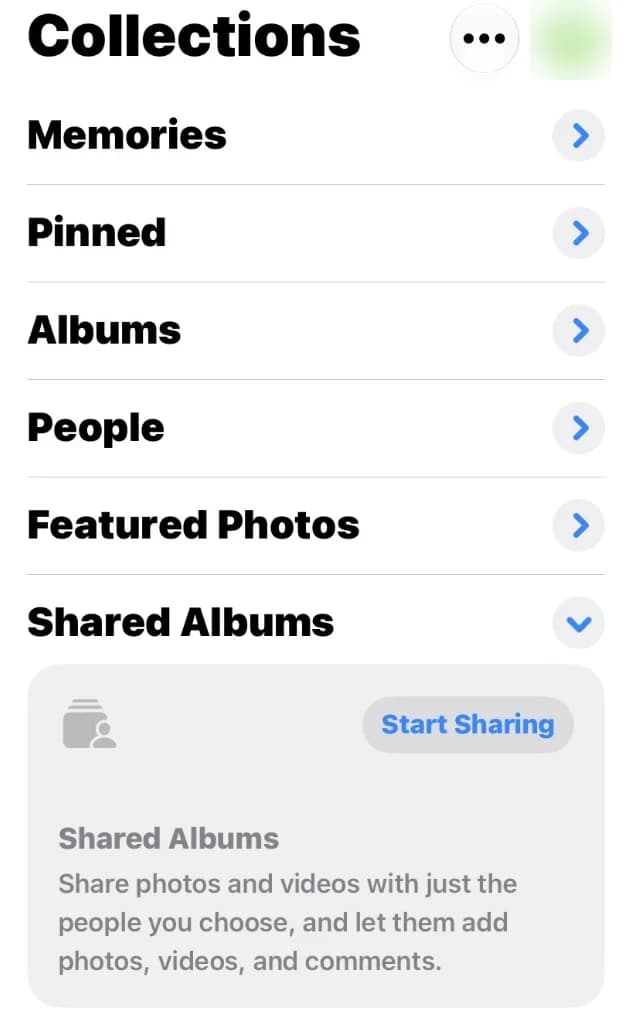
- Open Photos and tap Collections.
- Scroll down to Shared Albums and tap Shared Albums.
- Tap the Add button, give the album a name and pick your photos.
- Turn on Make Album Temporary, then tap Done.
A temporary album goes away after 30 days. Everyone in it can see the end date and save the photos they want before then. One temporary album can hold up to 5,000 photos and videos.
5. Clear copies before you share
Every photo in your own new shared album now uses your space. So share the best shot, not five copies of it. Our app, Photos Cleaner - Cleanup Phone, finds copies and almost the same shots for you.
- Open Photos Cleaner and let it scan your photos.
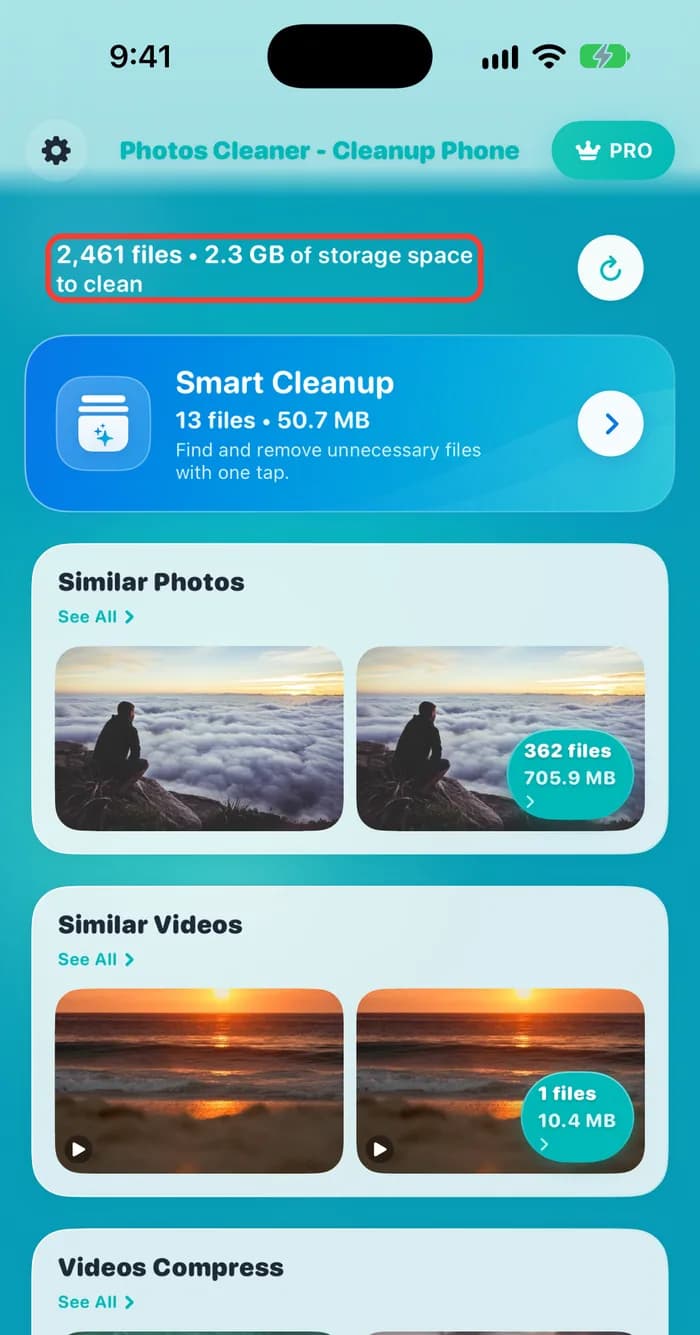
- Look at the top. It shows how many files and how many GB you could clean.
- Open Similar Photos or Similar Videos and check each group.
- Delete only what you do not want, then empty Recently Deleted in Photos.
Deleted photos wait in Recently Deleted for up to 30 days and still use space while they wait. Empty it to get the space back now.
How to keep shared albums from filling iCloud in iOS 27
- 1
Check your albums
Open Settings, your name, iCloud, Photos and look at Shared Albums.
- 2
Turn it on
Turn on iCloud Photos and Shared Albums in the same place.
- 3
See your space
Tap Manage Storage and read how many GB are used.
- 4
Go temporary
For short sharing, turn on Make Album Temporary.
- 5
Clean first
Remove copies and similar shots before you share.
Frequently asked questions
Do shared albums count against iCloud storage in iOS 27?▼
Yes, if you own the album and made it in iOS 27 or later. Its photos and videos use your iCloud space, and so do the photos other people add to it.
Do my old shared albums now use my space?▼
No. Apple says albums made in iOS 26 or earlier do not count toward your iCloud storage. The old limits still apply to them, such as 5,000 photos and videos per album.
Does a temporary shared album use iCloud space?▼
No. Apple says temporary shared albums do not count toward your iCloud storage. They go away after 30 days, and one can hold up to 5,000 photos and videos.
If I add photos to a friend's album, whose space do they use?▼
Apple says the photos people add to a shared album count toward the owner's iCloud storage. So in a new album that your friend owns, your photos use your friend's space.
How many people can join one shared album?▼
Up to 100 people in a new shared album, and that number includes the owner.

Share more, store less
Photos Cleaner - Cleanup Phone finds copies, similar shots and big videos, and shows what you get back before you delete anything.

Sources
Related guides

· 5 min read
iPhone Photos Taking Up Space Even With iCloud? Explained
Learn why Photos still uses iPhone storage with iCloud, what Optimize iPhone Storage changes, and how to check your local space and iCloud quota.
· 9 min read
iCloud Storage Full but iPhone Has Space? Here's Why
iCloud storage full but your iPhone has space? They are two different storage spaces. See which one is full and how to free up each one safely.
· 9 min read
Why Does My iPhone Storage Keep Filling Up?
Your iPhone storage fills up again because photos, messages and app data keep growing. Find what grows, then change a few settings so it stays free.
Ready when you are
Download Photos Cleaner - Cleanup Phone for iPhone
Remove duplicate photos, compress videos, and organize contacts with a privacy-first cleanup flow.
By using Photos Cleaner - Cleanup Phone, you agree to our Terms of Use and Privacy Policy.