Water Tracking App Not Syncing With Apple Health?
Find out why DropWise water logs are missing, late, or duplicated in Apple Health. Check Water permissions, data sources, and iCloud sync.


Fix it in 6 steps
- Log one test drink in DropWise and note the time and amount.
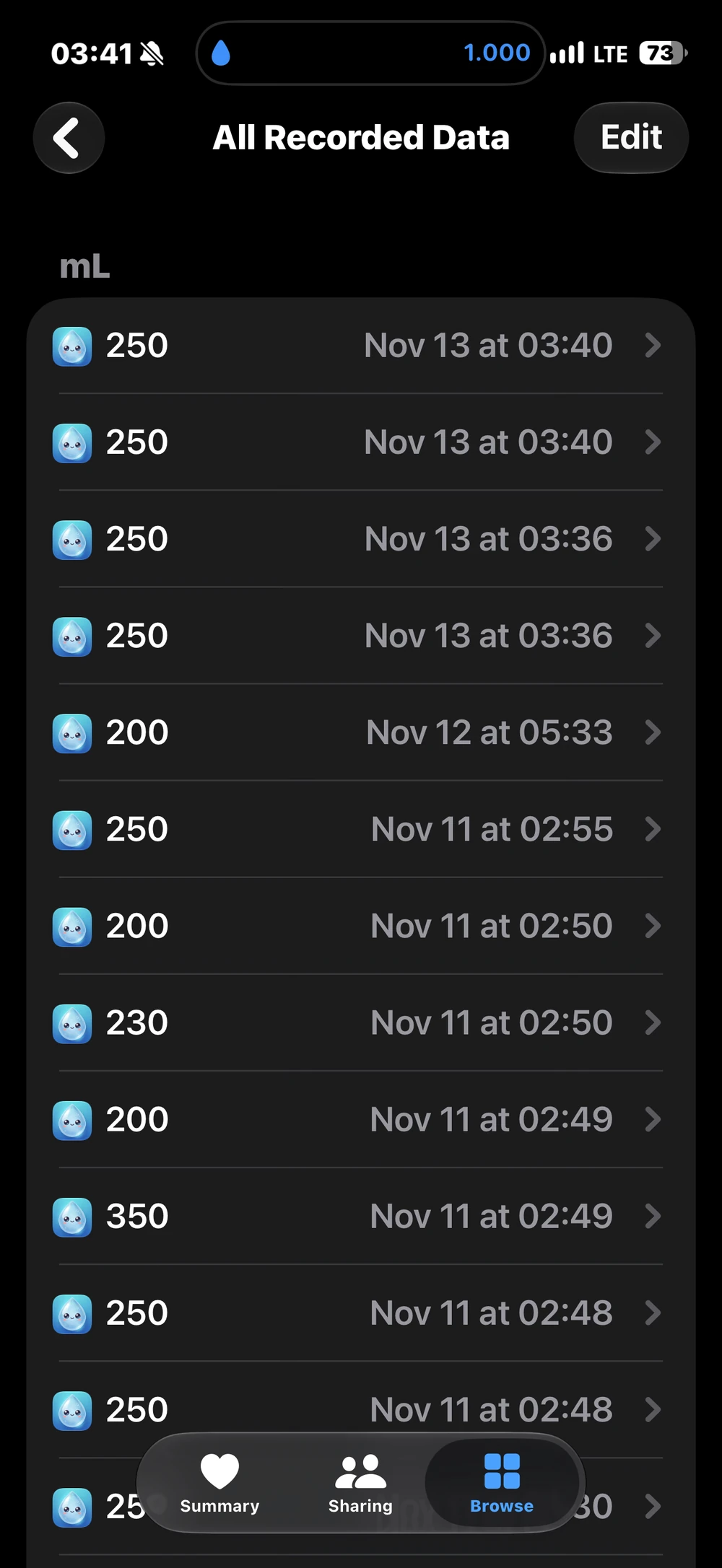
- On the same iPhone, open Health → Browse → Water → Show All Data and look for that entry.
- If it is missing, open Health → profile picture → Apps (under Privacy) → DropWise and allow Water.
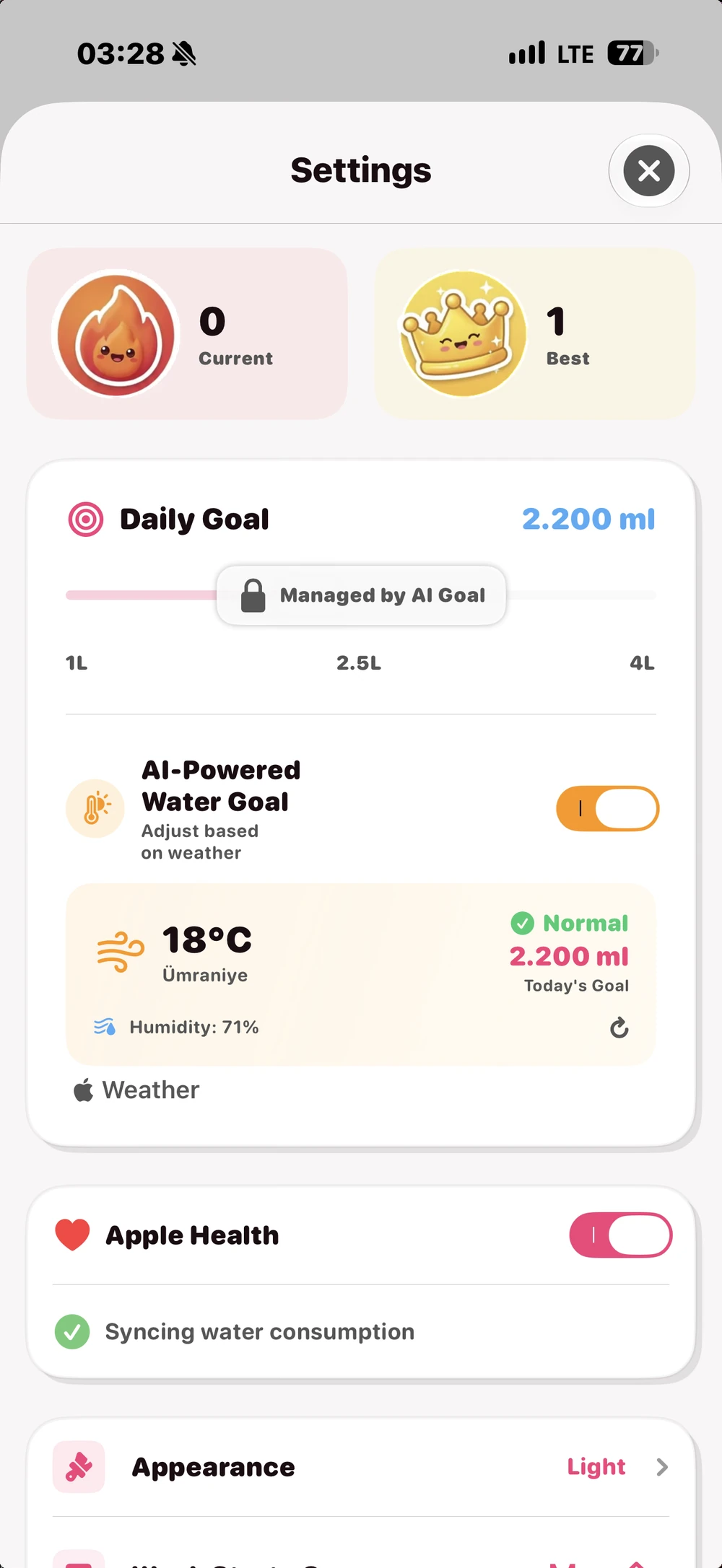
- In DropWise → Settings → Apple Health, turn the integration off and back on.
- Restart the iPhone and install the latest iOS and DropWise updates.
- If only another device is missing the entry, check Settings → your name → iCloud → Health on both devices.
Find where the record stops
Check the drink in DropWise first. Then, on that same iPhone, open Health → Browse → search for Water → Show All Data. Compare the amount, time, and source. A missing record on this phone points to logging or writing permissions. A record present here but missing on another device points to Health’s device sync. If you are setting up tracking for the first time, follow the Apple Health water logging guide .
Check write access and reconnect DropWise
Open Health → profile picture → Apps under Privacy → DropWise. Allow DropWise to write Water. Read and write permissions are separate. HealthKit does not tell an app directly whether read access was denied, so an empty query does not prove there are no records.
Open DropWise → Settings → Apple Health and enable the integration. If it was already enabled, check the iOS permission first, then turn the integration off and back on. Review the Health switches manually if iOS does not show a new prompt. Log your next drink once in DropWise and check its source in Show All Data. Avoid logging it manually in Health as well. Reconnecting may retry eligible DropWise entries and cannot guarantee that every historical entry will be restored.
The DropWise code exports its own logs and uses read access for matching checks. Water entered in Health or another app does not populate the DropWise drink log. The inspected settings and write path have no Premium gate. See DropWise on the US App Store and DropWise privacy and health data .
Check sources before changing priorities
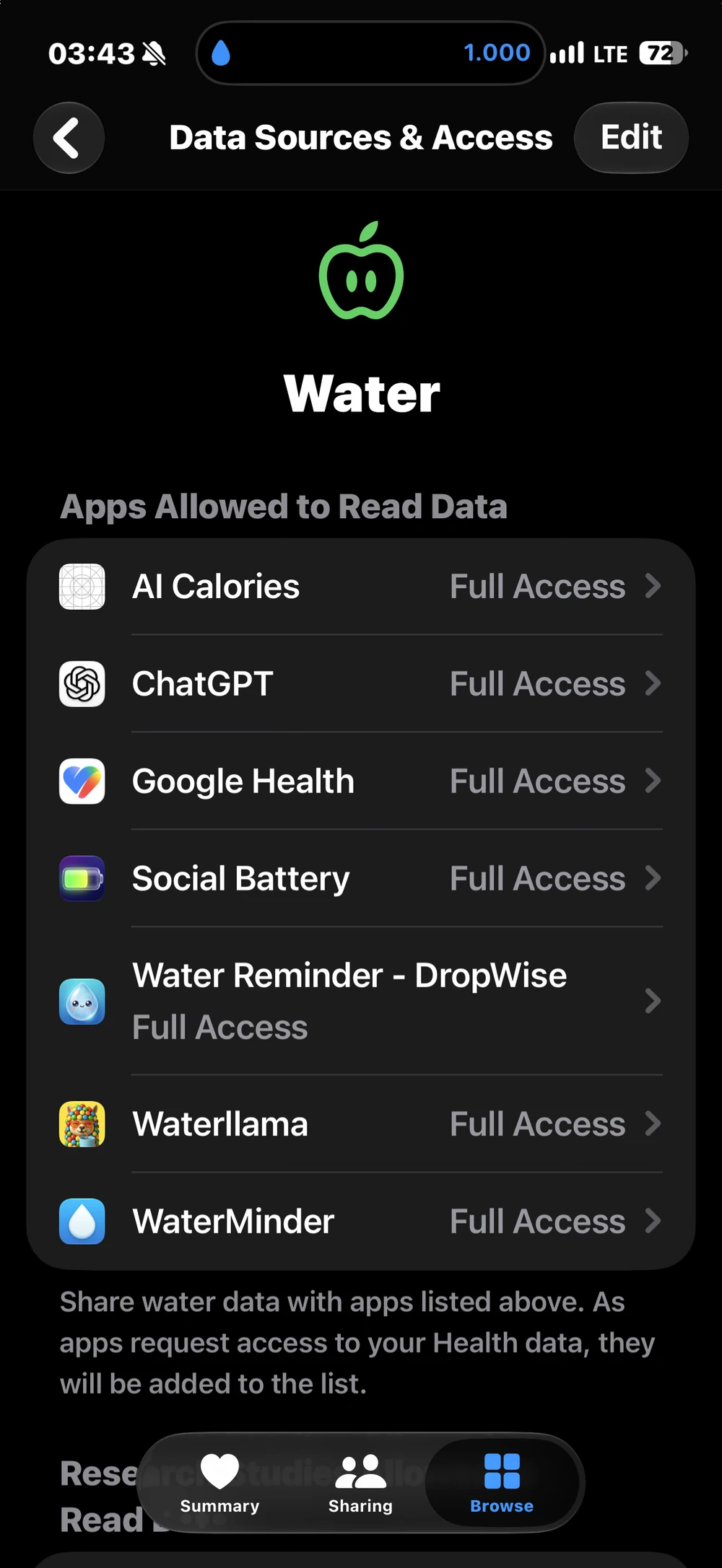
On the Water page, open Data Sources & Access. A contributing source appears after it has written data. If you see more than one source, use Show All Data to compare individual entries. Under Data Sources & Access → Edit, drag a contributing source higher if you want Health to prefer it. Source priority does not grant write access or remove saved entries. Matching times and amounts may indicate a drink logged twice, but verify both records before acting.
Check the Apple Account if only another device is missing the record
On each supported device, open Settings → your name → iCloud → See All next to Saved to iCloud → Health. Verify that both devices use the same Apple Account and that Health sync is enabled. Keep both devices online, then reopen Health and check the same record again. There is no guaranteed delivery time. If you logged from your watch and the drink has not reached DropWise on iPhone, check the app’s watch connection first.
Can I reset permissions without deleting data?
Yes. Review the individual Water switches for DropWise in Health and reconnect in DropWise settings. Revoking write access stops new writes and does not remove records that were already saved. Avoid using Delete Data From iCloud to troubleshoot. Deleting synced Health data can remove it from every synced device. If you need to remove a confirmed duplicate, check the source and delete only that extra record.
| What you see | Likely cause | What to do |
|---|---|---|
| No DropWise entry in Health on this iPhone | Write access for Water is off, or the integration is disabled | Allow Water for DropWise in Health, then reconnect in DropWise settings |
| Entry on iPhone, missing on iPad or another device | Health is off in iCloud, or the devices use different Apple Accounts | Turn on Health in iCloud on both devices and keep them online |
| Same drink appears twice | Logged in DropWise and again in Health or another app | Compare sources in Show All Data and delete only the extra entry |
| Old drinks never reached Health | They were logged before the connection existed | Log new drinks normally; past entries may not be restored |
| Water added in Health is not in DropWise | DropWise writes its own logs to Health and does not import other entries | Log drinks in DropWise if you want them in its daily goal |
| Watch drinks missing from DropWise on iPhone | The watch has not synced with the iPhone app yet | Open DropWise on both devices with Bluetooth and Wi‑Fi on |
Other things worth checking
- Restart first. A restart clears many stuck HealthKit writes, and updates often fix sync bugs.
- History is not backfilled automatically. Connecting Apple Health does not guarantee that drinks logged earlier will be sent.
- Sync is one way for drink logs. DropWise sends its drinks to Health; water you add in Health or another app stays out of the DropWise log.
- On Apple Watch, open DropWise on the watch and the iPhone once so pending drinks can transfer, then check Health again.
FAQ
Why is DropWise water not showing in Apple Health?
Usually because write access for Water is off. Open Health → profile picture → Apps → DropWise, allow Water, then reconnect Apple Health in DropWise settings and log a new drink.
Will drinks I logged before connecting appear in Health?
Not necessarily. Reconnecting may retry eligible entries, but drinks logged before the connection are not guaranteed to be written to Health.
Why do I see the same drink twice in Health?
The drink was probably logged in DropWise and again in Health or another water app. Check the source of each entry in Show All Data and delete only the extra one.
Does water I add in Apple Health show up in DropWise?
No. DropWise writes its own drink log to Health and does not import water entries made in Health or other apps.
How long does Health take to sync to my other devices?
There is no fixed time. Both devices need the same Apple Account, Health turned on in iCloud, and an internet connection.
How much water do you need?
Enter your weight, exercise and weather for a quick daily estimate.
(155 lb)
Your estimated daily water needs
2.65 L
(89.6 US fl oz)
About 10.5 (250 mL (8.5 fl oz) per glass)
A flexible estimate, not a drinking requirement. Avoid excessive water intake, especially over short periods. Adjust according to thirst, activity, health and medical advice.
Open the full water intake calculator →Related guides

· 4 min read
How to Track Water Intake in Apple Health on iPhone
Log water in Apple Health, change units, review data sources, and connect DropWise without recording the same drink twice.

· 9 min read
Is Your Water Reminder App Private? A Health Data Checklist
Hydration apps can see your weight, routines and Apple Health data. Check these 8 things before you grant access: privacy labels, Health permissions, sync and more.
· 3 min read
How to Set Water Reminders Based on Weather and Activity
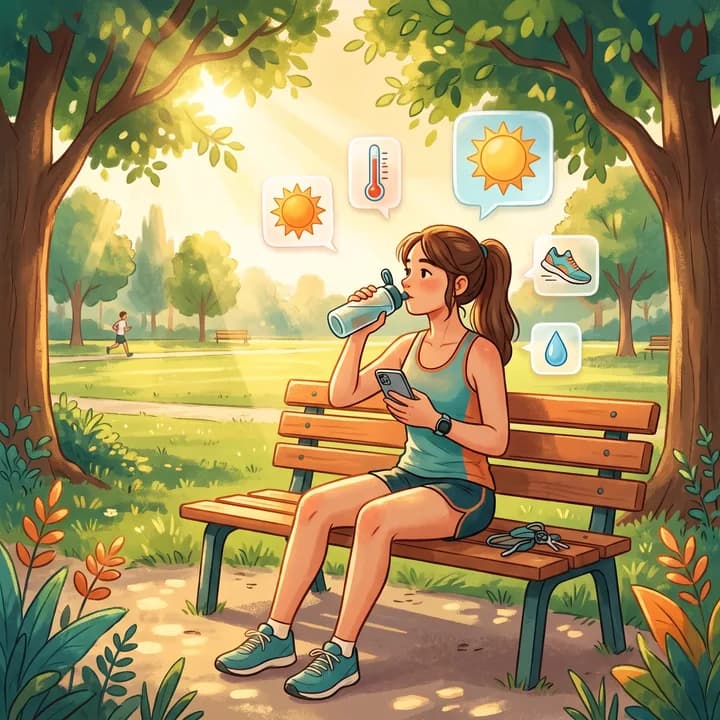
Set a weather-aware daily goal in DropWise and choose an iPhone reminder schedule that fits workouts, outdoor days, and your usual routine.

Ready when you are
Download DropWise for iPhone
Track hydration more easily with reminders, Apple Health sync, and a privacy-first flow.
By using DropWise, you agree to our Terms of Use and Privacy Policy.