
Photo Cleaner - Storage Space
Photo Cleaner - Storage Space: de iPhone-opschoner voor foto’s, video’s en contactenMeer ruimte. Minder rommel.
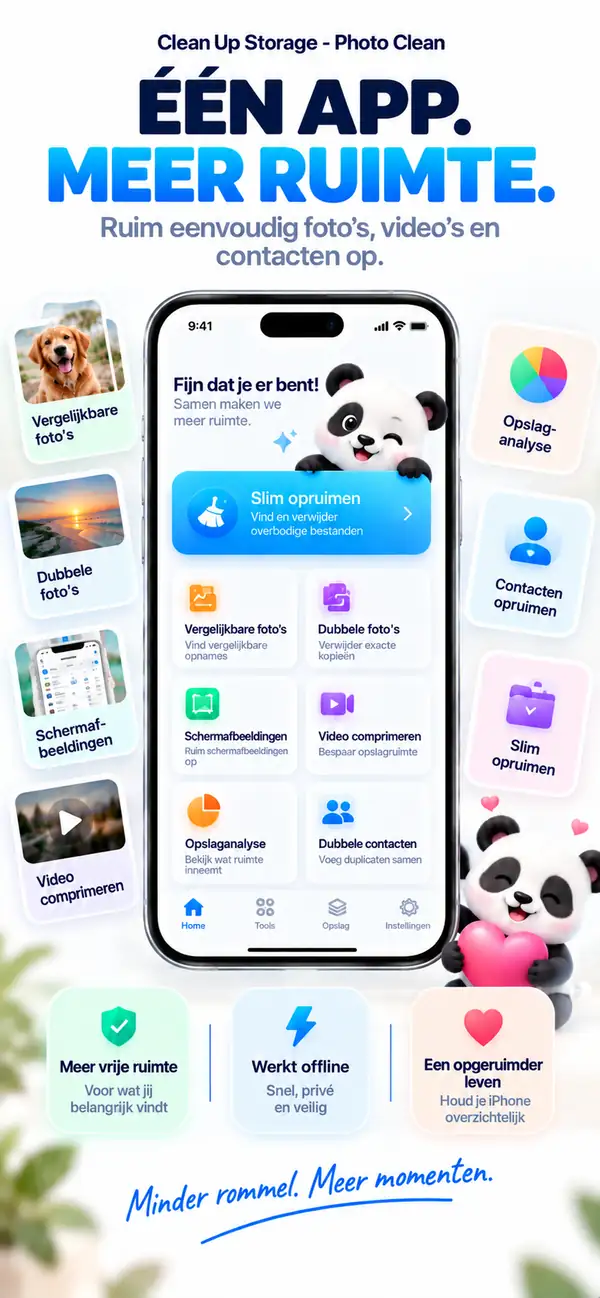
Vind dubbele en vergelijkbare foto’s, ruim oude screenshots op, maak grote video’s kleiner en voeg dubbele contacten samen. Alles wordt op je iPhone geanalyseerd en er wordt niets verwijderd zonder jouw akkoord.
- Analyse op je iPhone
- Jij controleert voordat er iets weg gaat
- Gratis downloaden
Vergelijkbare foto’s
Houd de beste foto. Laat de rest gaan.
Dubbele foto’s
Drie kopieën van dezelfde foto? Houd er één.
Videocompressie
Grote video’s. Kleinere bestanden.
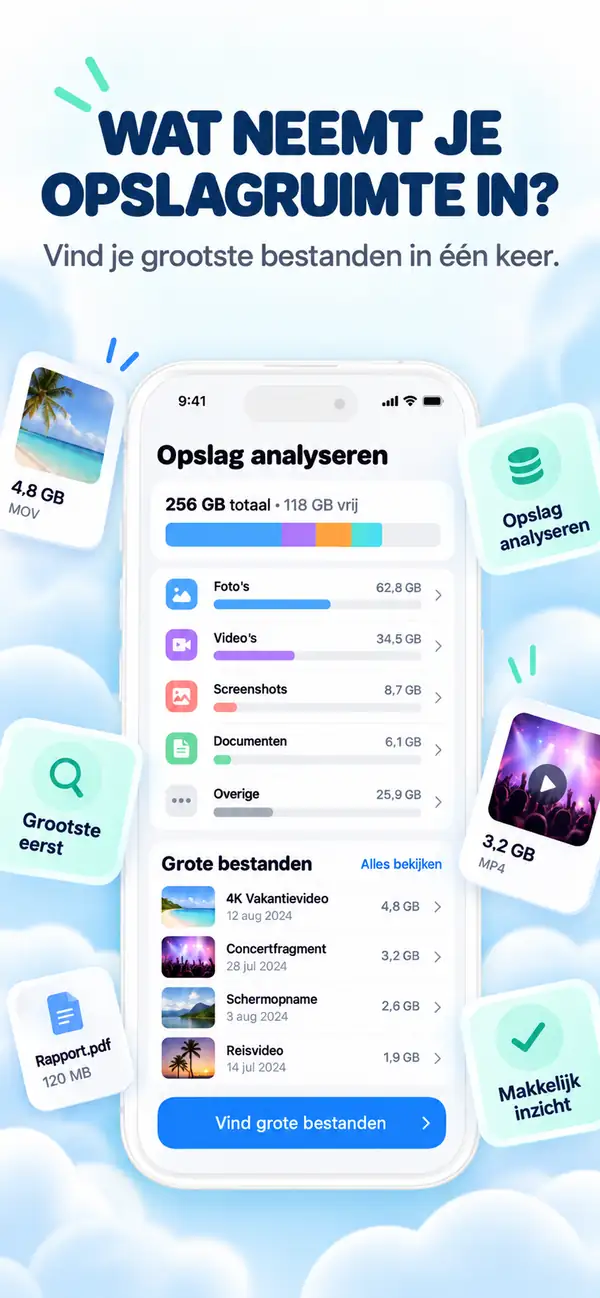
Opslaganalyse
Zie wat je ruimte inneemt.
Dubbele contacten
Eén persoon. Eén contactkaart.
- Platform
- iPhone, iPad
- Minimaal systeem
- iOS 17.0 of nieuwer
- Categorie
- Hulpprogramma's
- Verwerking
- Foto- en videoscan op het apparaat
- Prijs
- Gratis download (optionele in-app-aankopen)
- Ontwikkelaar
- DijitalWorlds (Cemal Hekimoglu)
- Vergelijkbare foto’s
- Videocompressie
- Dubbele contacten
- Screenshots opruimen
- Vegen om op te ruimen
Waarom je iPhone volloopt
Opslag raakt zelden vol door één groot ding.
Het is de stille opstapeling: tien opnames van hetzelfde moment, screenshots die je één keer nodig had, video’s van vorige zomer en contacten die drie keer zijn opgeslagen. Clean Up Storage vindt die rommel en helpt je die in een paar minuten op te ruimen.
Bursts en herhalingen
Bijna identieke foto’s van hetzelfde moment.
Screenshots
Bonnetjes, tickets en notities die je niet meer nodig hebt.
Grote video’s
Clips van gigabytes die veel kleiner kunnen.
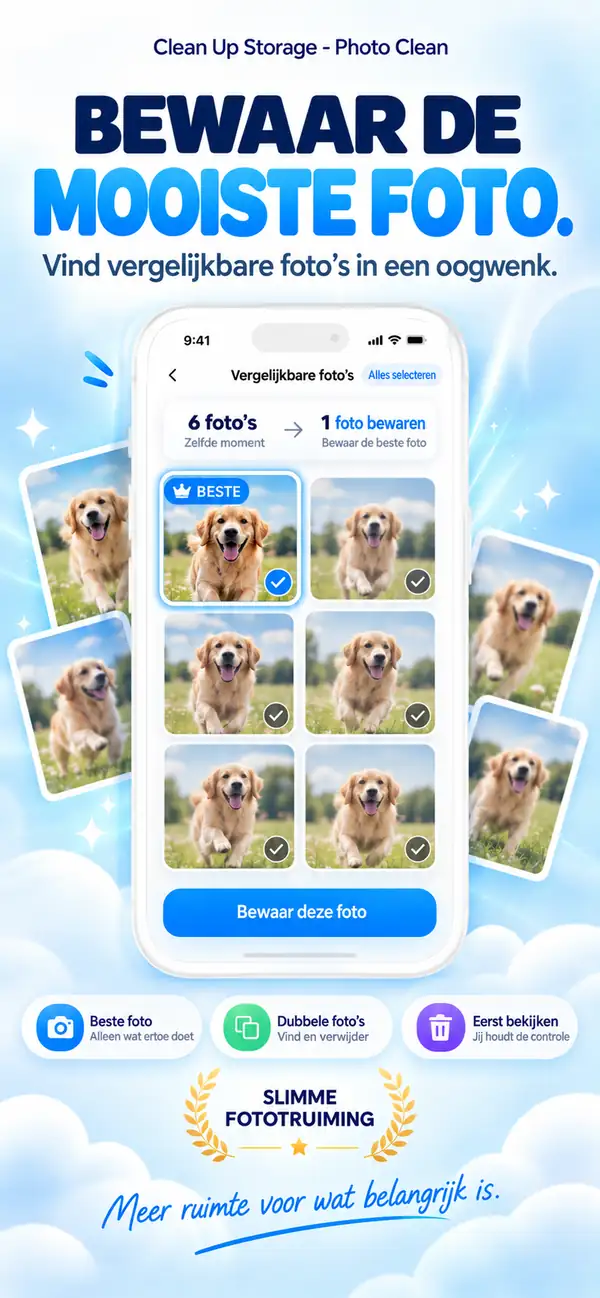
Vergelijkbare foto’s
Houd de beste foto. Laat de rest gaan.
Clean Up Storage groepeert foto’s van hetzelfde moment en stelt de beste voor om te bewaren. Je vergelijkt ze naast elkaar en beslist zelf.
- Groepeert bursts, herhalingen en selfies
- Stelt de beste foto voor om te bewaren
- Niets verdwijnt zonder jouw tik
Dubbele foto’s
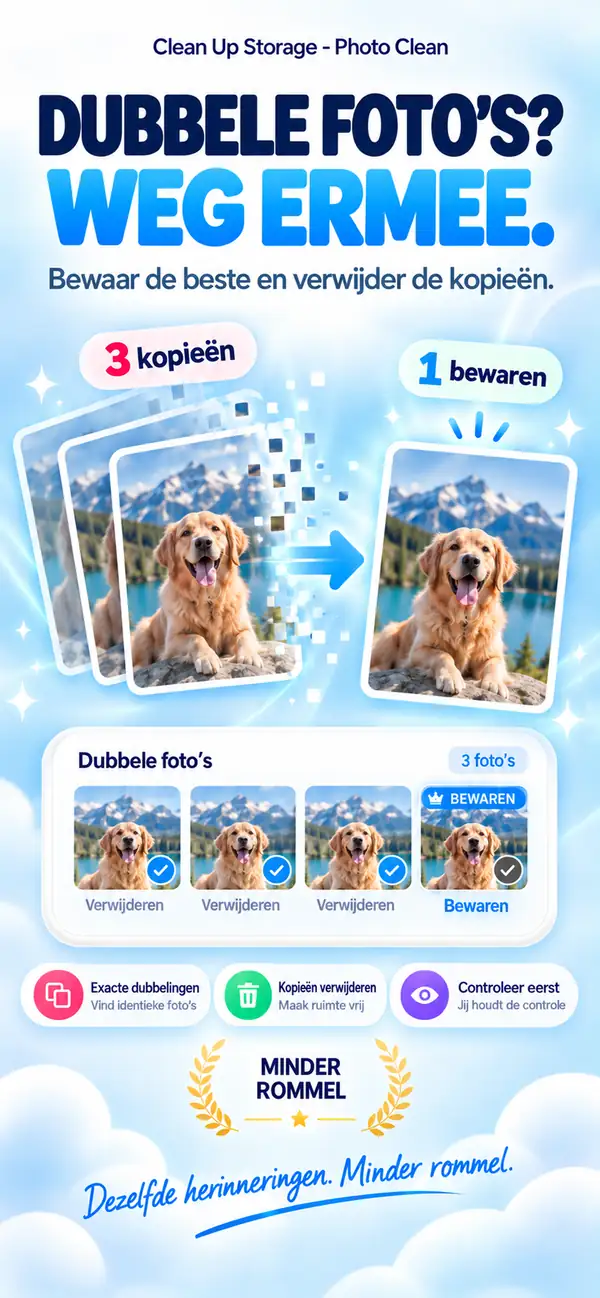
Drie kopieën van dezelfde foto? Houd er één.
Exacte duplicaten worden gegroepeerd, zodat je ze in één keer opruimt en één originele kopie bewaart.
- 1
Vindt exacte kopieën in je bibliotheek
- 2
Bewaart één kopie en selecteert de rest
- 3
Verwijderde items gaan naar Recent verwijderd
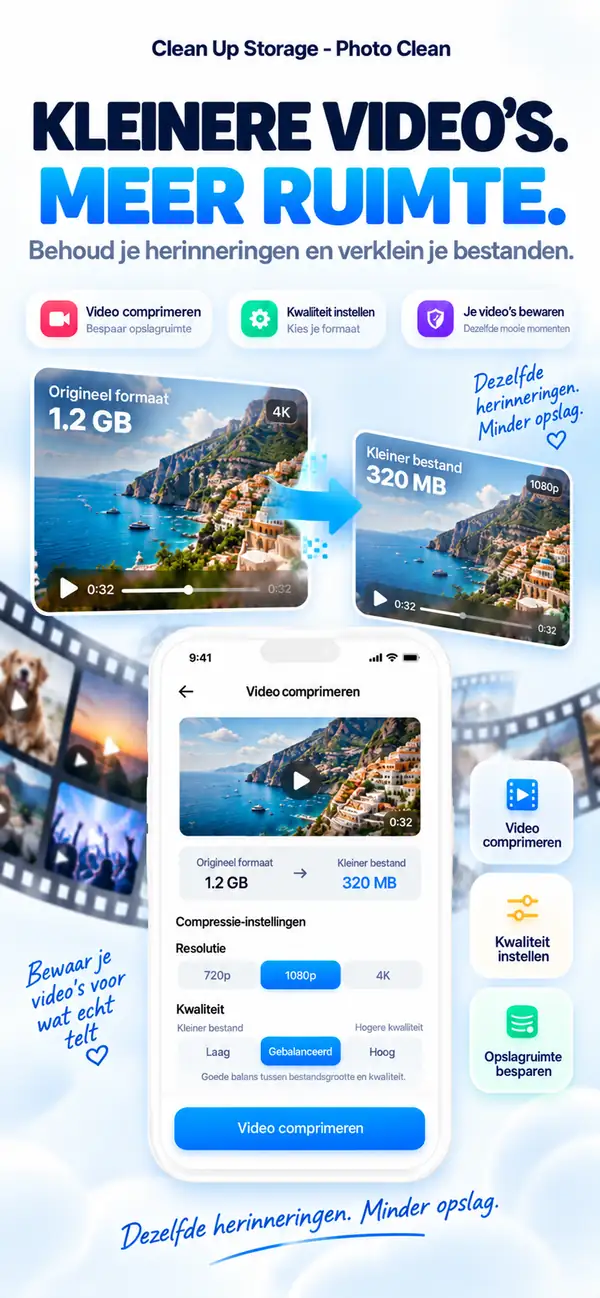
Videocompressie
Grote video’s. Kleinere bestanden.
Kies een resolutie en kwaliteitsniveau, bekijk de geschatte grootte en comprimeer. Het moment blijft, de gigabytes gaan.
- Kies 720p, 1080p of 4K
- Vind de balans tussen grootte en kwaliteit
- Zie eerst de geschatte grootte
Opslaganalyse
Zie wat je ruimte inneemt.
Een helder overzicht van foto’s, video’s, screenshots en je grootste bestanden laat zien waar je begint, zodat je eerst opruimt wat het meeste oplevert.
- Foto’s
- Video’s
- Grote bestanden
- Duplicaten
- Screenshots
- Vrij
- Grootste bestanden bovenaan
- Categorieën in één oogopslag
- Direct naar het opruimen
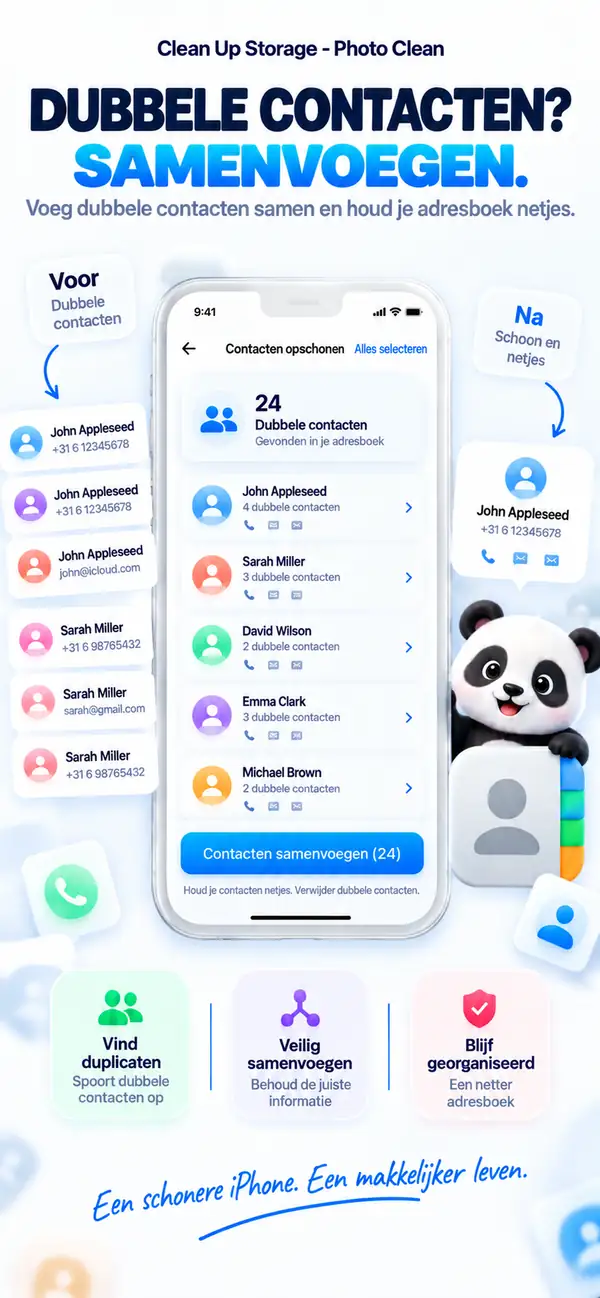
Dubbele contacten
Eén persoon. Eén contactkaart.
Clean Up Storage vindt contacten die meer dan eens zijn opgeslagen en voegt ze samen tot één kaart, zodat je adresboek overzichtelijk blijft.
- Herkent dubbele items
- Voegt ze samen tot één kaart
- Controleer elke samenvoeging eerst
Snel opruimen
Kleine tools die veel ruimte vrijmaken.
- 01
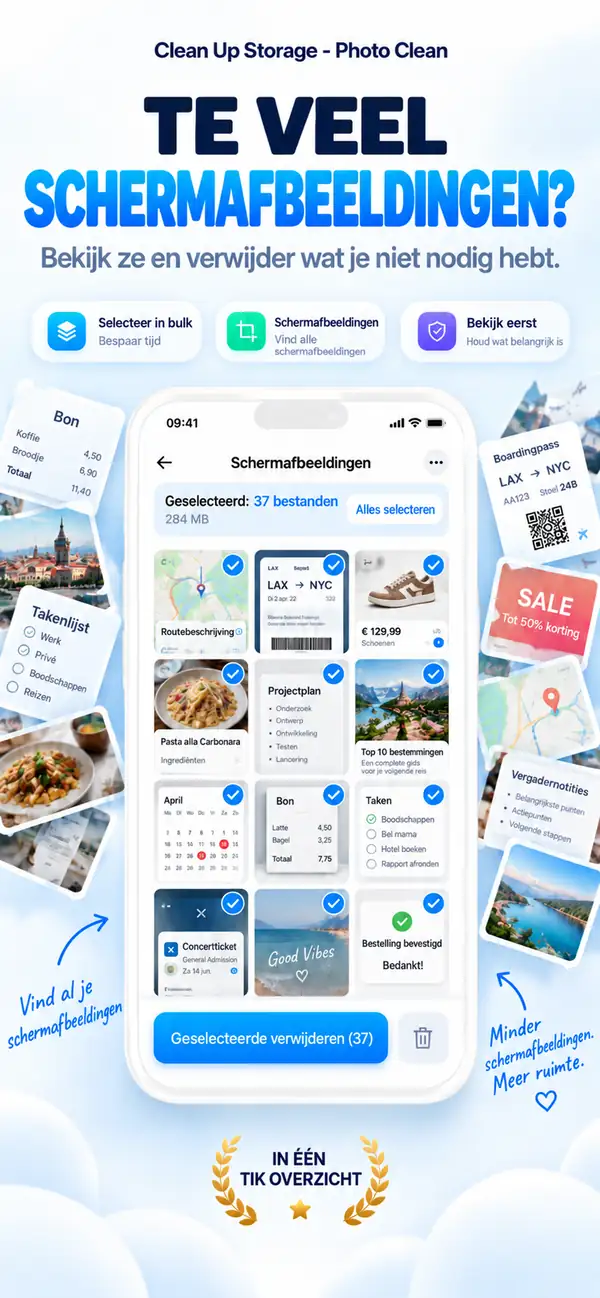
Screenshots opruimen
Zie al je screenshots op één plek, selecteer wat je niet meer nodig hebt en verwijder ze in één keer.
- 02
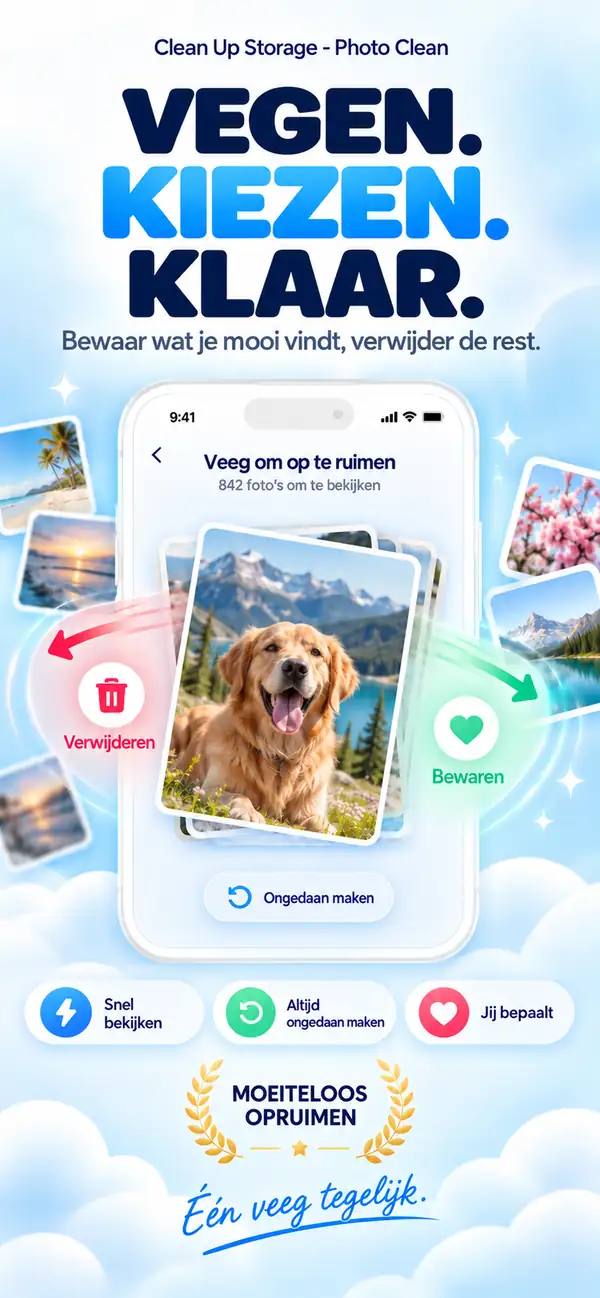
Vegen om op te ruimen
Loop je foto’s één voor één door. Veeg om te bewaren of te verwijderen, en maak het altijd ongedaan.
- 03
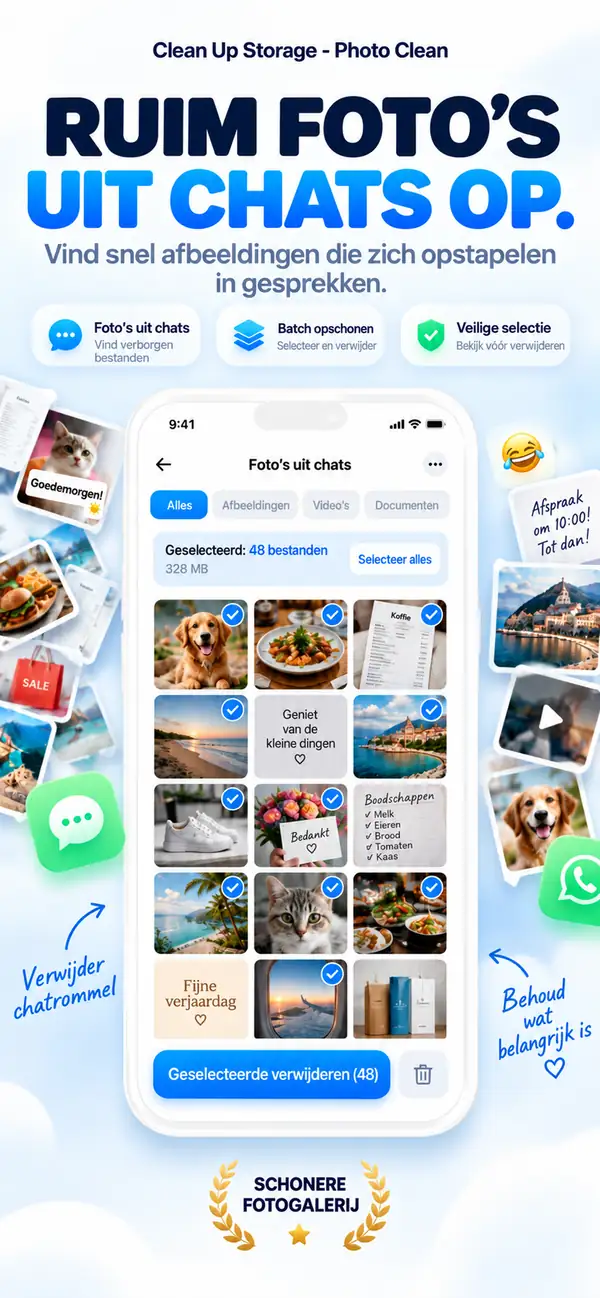
Chatfoto’s
Vind afbeeldingen en bestanden die uit je chats zijn bewaard en ruim ze in groepen op.
Privacy
Jouw foto’s blijven van jou.
Scannen en analyseren gebeurt op je iPhone. Je foto’s, video’s en contacten worden niet geüpload voor verwerking, en de app werkt ook zonder internetverbinding.
Analyse op het toestel
Foto’s, video’s en contacten worden lokaal gescand.
Jij beslist
Suggesties blijven suggesties. Jij bevestigt elke verwijdering.
Veilig ontworpen
Verwijderde foto’s gaan naar Recent verwijderd, waar je ze nog kunt terugzetten.
Ook inbegrepen
Al het andere voor een opgeruimde bibliotheek.

Wazige foto’s herkennen
Vind onscherpe en bewogen opnames.
Grote bestanden bekijken
Vind snel de grootste bestanden en video’s.
Live Photos tools
Zet Live Photos om naar stilstaande foto’s en bespaar ruimte.
Werkt offline
Voor het opruimen is geen internet nodig.
Stap voor stap
Je iPhone opruimen met Photo Cleaner - Storage Space in 10 simpele stappen
Loopt je opslag vol, dan is dit de rustigste manier om foto’s, video’s, screenshots en contacten weer op orde te krijgen.
- 1
Scan je bibliotheek
Begin met een volledige scan zodat foto’s, video’s, screenshots en contacten die ruimte innemen zichtbaar worden.
- 2
Bekijk vergelijkbare foto’s
Houd de beste opname over en laat de bijna gelijke rest los.
- 3
Verwijder exacte dubbelen
Controleer kort en wis identieke kopieën in één keer.
- 4
Zet grote video’s bovenaan
Pak eerst de bestanden aan die het meeste ruimte kosten.
- 5
Comprimeer wat je wilt bewaren
Maak grote video’s kleiner in plaats van alles direct weg te gooien.
- 6
Voeg dubbele contacten samen
Breng herhaalde contactkaarten terug tot één nette vermelding.
- 7
Ruim oude screenshots op
Haal wegwerpscreenshots weg die al maanden in je bibliotheek hangen.
- 8
Gooi mislukte foto’s weg
Verwijder wazige of zwakke foto’s die alleen maar ruis geven.
- 9
Kijk nog één keer na
Loop de eindselectie nog even door voordat je definitief wist.
- 10
Herhaal dit om de paar weken
Een korte routine voorkomt dat je opslag weer helemaal volloopt.
Functievergelijking
Apple Foto’s versus Photo Cleaner - Storage Space
Foto’s herkent sinds iOS 16 duplicaten. Photo Cleaner - Storage Space voegt eigen tools toe voor het opruimen van media en contacten, speciaal om ruimte vrij te maken op de iPhone.
| Functie | Apple Foto’s (ingebouwd) | Photo Cleaner - Storage Space |
|---|---|---|
| Exacte duplicaten | Ja (album Duplicaten vanaf iOS 16) | Ja (snelle scan op het toestel) |
| Vergelijkbare foto’s | Alleen basisgroepering | Bursts en vergelijkbare opnames naast elkaar vergelijken |
| Wazige foto’s | Niet beschikbaar | Filtert onscherpe beelden voor een snelle controle |
| Videocompressie | Niet beschikbaar (apps van derden nodig) | Videocompressie op het toestel voor kleinere bestanden |
| Dubbele contacten | Eenvoudige lijst in de Contacten-app | Contacten opruimen door duplicaten samen te voegen |
| Oude screenshots | Alle screenshots zonder filter op leeftijd | Filters op leeftijd en grootte |
| Veilig verwijderen | Naar Recent verwijderd (30 dagen herstellen) | Naar Recent verwijderd (30 dagen, niets wordt automatisch verwijderd) |
Transparantie en iOS-sandbox
Wat Photo Cleaner - Storage Space op de iPhone kan opruimen en wat niet
De beveiliging van iOS beschermt bepaalde systeemdelen. Hier zie je precies wat onze scan op het toestel veilig afhandelt en waar de iOS-sandbox geen enkele App Store-app bij laat.
Exacte dubbele foto’s
OndersteundVindt identieke afbeeldingen in alle albums met een snelle lokale vergelijking.
Vergelijkbare foto’s en bursts
OndersteundAnalyseert compositie en hoeken, groepeert herhaalde opnames en stelt de beste voor.
Wazige en mislukte foto’s
OndersteundBeoordeelt de scherpte op het toestel zodat je onbruikbare opnames snel opruimt.
Grote video’s comprimeren
OndersteundVindt de grootste video’s en comprimeert ze lokaal.
Oude screenshots en schermopnames
OndersteundFiltert verouderde screenshots en zware schermopnames.
Dubbele contacten
OndersteundVoegt dubbele contactkaarten met hetzelfde nummer, dezelfde naam of hetzelfde e-mailadres samen.
Caches van andere apps (WhatsApp, TikTok, Instagram)
Beschermd door iOSDe iOS-sandbox voorkomt dat een app de privéopslag van een andere app aanpast. Wis deze gegevens via de instellingen van die app, zoals Opslagbeheer in WhatsApp.
Systeemgegevens en iOS-logboeken
Beschermd door iOSSysteemgegevens worden alleen door iOS beheerd en vrijgemaakt wanneer dat nodig is. Geen enkele App Store-app mag systeemcaches verwijderen.
RAM opschonen
Beheerd door iOSiOS maakt het geheugen automatisch vrij als je apps opent. Beloftes van RAM-opschoners zijn marketing; Photo Cleaner - Storage Space richt zich op echte opslagruimte.
Veelgestelde vragen
Veelgestelde vragen over privacy, opslag opruimen, dubbele foto’s, videocompressie en hoe Photo Cleaner - Storage Space op iPhone werkt.
Is Photo Cleaner - Storage Space veilig?
Ja. Photo Cleaner - Storage Space scant op je toestel en laat je alles eerst bekijken. Jij beslist wat er wordt verwijderd, en je foto's, video's en contacten worden niet geüpload om te verwerken.
Waarom zit mijn iPhone-opslag altijd vol?
Meestal door dubbele foto's, burstshots, oude screenshots en grote video's die je vergeten bent op te ruimen. Photo Cleaner - Storage Space spoort ze snel op zodat je gericht kunt opruimen.
Word een video slechter als je hem comprimeert?
Compressie verkleint een bestand en kan de kwaliteit veranderen. Controleer het resultaat voordat je een originele video vervangt of verwijdert.
Wat als ik per ongeluk een foto verwijder?
Geen paniek. Verwijderde foto's komen eerst in het album 'Onlangs verwijderd' in de Foto's-app. Daar kun je ze gewoon terugzetten binnen de standaard iOS-hersteltermijn.
Photo Cleaner - Storage Space
Geef je iPhone weer ademruimte.
Maak plaats voor nieuwe foto’s, de apps die je gebruikt en de iOS-updates die je steeds uitstelt.

Gratis te downloaden. Optionele wekelijkse, maandelijkse en jaarlijkse abonnementen zijn beschikbaar via een in-app-aankoop van Apple. Exacte prijzen en proefvoorwaarden zie je in je eigen valuta in de App Store. Voorheen bekend als iCleaner Panda.
Door Photo Cleaner - Storage Space te gebruiken, ga je akkoord met onze Gebruiksvoorwaarden en Privacybeleid.