
Photo Cleaner - Storage Space
Photo Cleaner - Storage Space:整理照片、影片和聯絡人的 iPhone 清理工具空間更多, 雜亂更少。
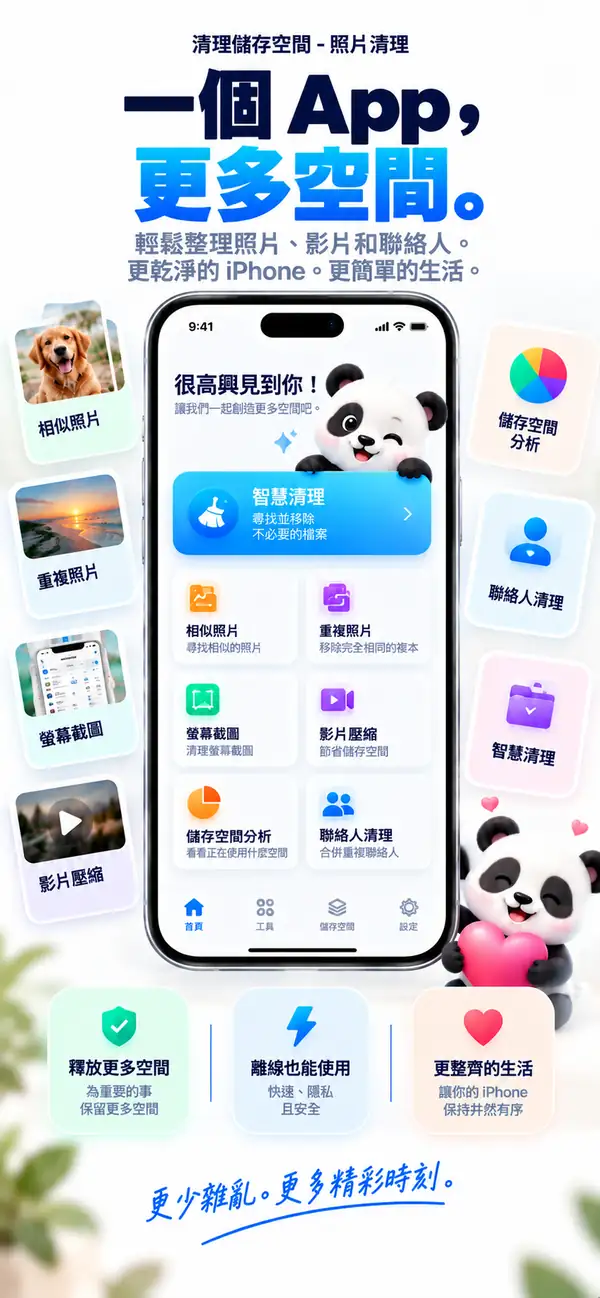
找出重複和相似照片,清掉舊截圖,壓縮大型影片,合併重複聯絡人。所有分析都在你的 iPhone 上完成,未經你確認,什麼都不會被刪除。

- 在 iPhone 上分析
- 刪除前由你確認
- 免費下載
相似照片
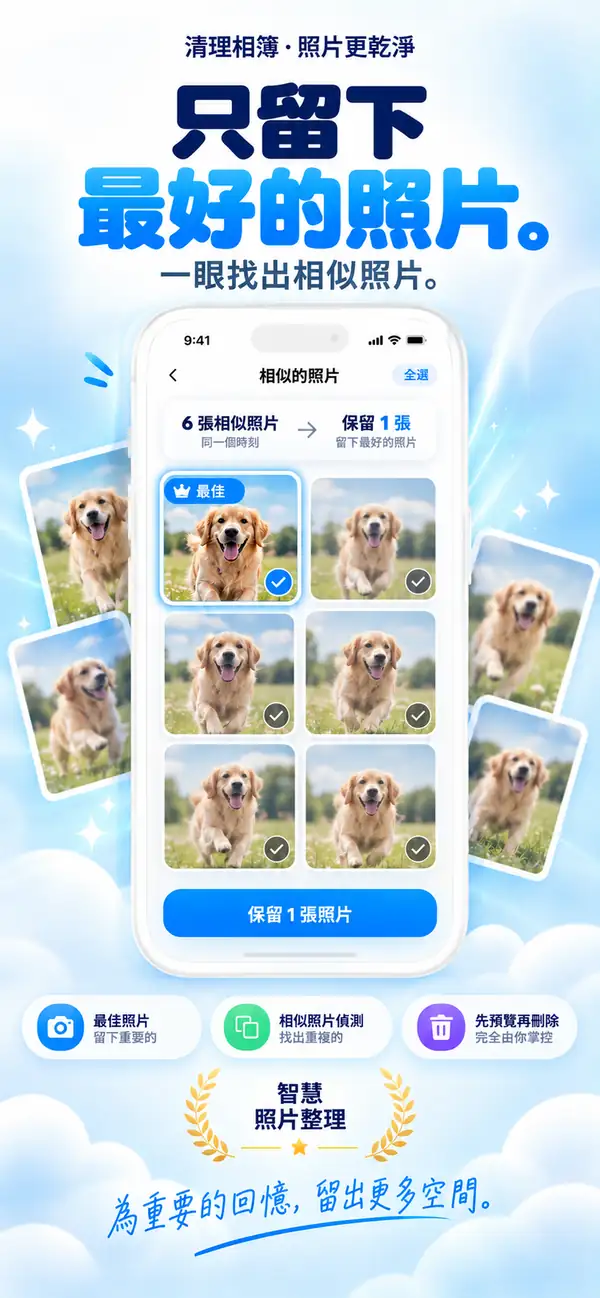
留下最好的那張,其餘的放手。
重複照片
同一張照片有三份?留一份就夠了。
影片壓縮
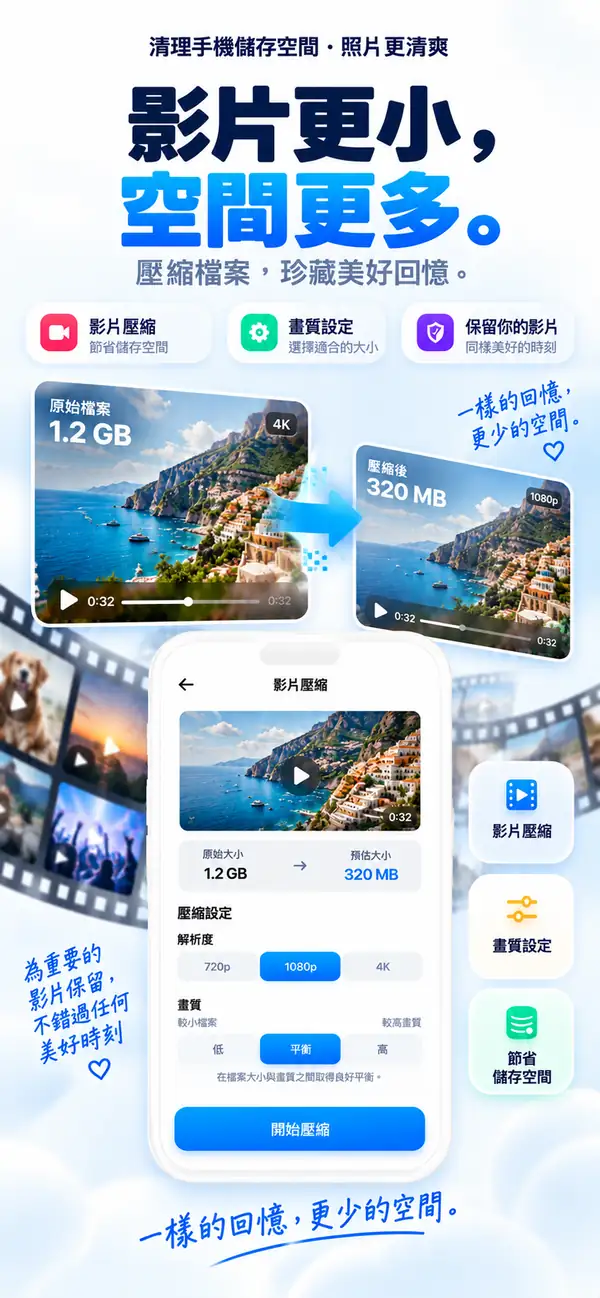
大影片,小檔案。
儲存空間分析
看清是什麼佔用了空間。
重複聯絡人
一個人,一張聯絡人卡片。
- 平台
- iPhone, iPad
- 最低系統
- iOS 17.0 或以上版本
- 類別
- 工具程式
- 處理方式
- 裝置端照片與影片掃描
- 價格
- 免費下載(可選 App 內購買)
- 開發者
- DijitalWorlds (Cemal Hekimoglu)
- 相似照片
- 影片壓縮
- 重複聯絡人
- 截圖整理
- 滑動整理
iPhone 為什麼會滿
儲存空間很少是被單一大檔案塞滿的。
真正的原因是悄悄累積的東西:同一瞬間拍了十張、只用過一次的截圖、去年夏天的影片,以及存了三次的聯絡人。Clean Up Storage 幫你找出這些雜亂,幾分鐘就能整理乾淨。
連拍和重拍
同一瞬間幾乎一樣的照片。
截圖
不再需要的收據、票券和筆記。
大型影片
佔用好幾 GB、其實可以小很多的影片。
相似照片
留下最好的那張,其餘的放手。
Clean Up Storage 會把同一時刻拍攝的照片分成一組,並推薦最值得保留的一張。你可以並排比較,再自己決定。
- 分組連拍、重拍和自拍
- 推薦最值得保留的一張
- 不經你點一下絕不刪除
重複照片
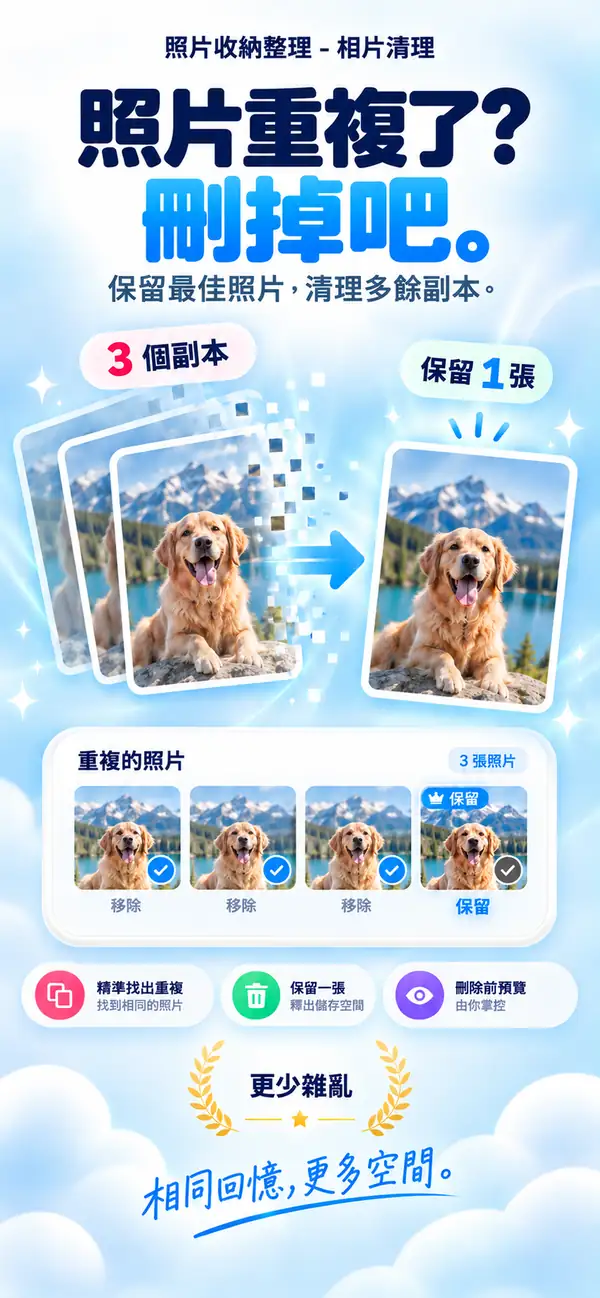
同一張照片有三份?留一份就夠了。
完全相同的照片會分成一組,你可以一次清理完畢,只保留一份原始照片。
- 1
找出圖庫中完全相同的副本
- 2
保留一份,其餘自動選取
- 3
刪除的項目會移到「最近刪除」
影片壓縮
大影片,小檔案。
選擇解析度和畫質,查看預估大小,然後壓縮。回憶還在,GB 不見了。
- 可選 720p、1080p 或 4K
- 平衡檔案大小與畫質
- 先查看預估大小
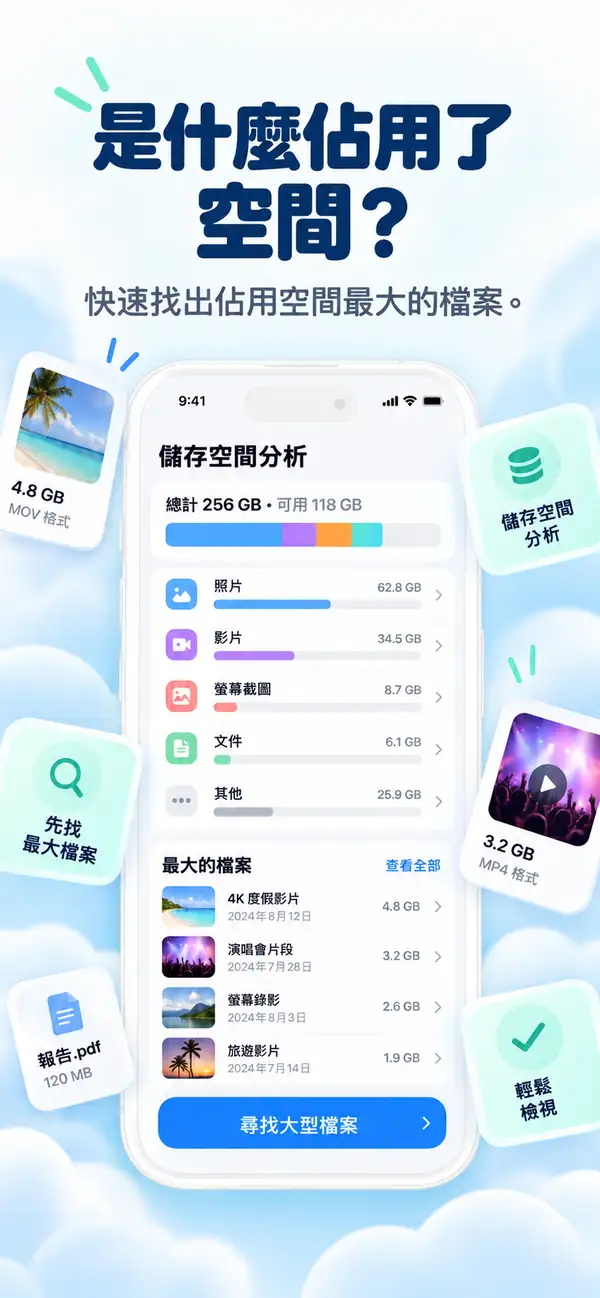
儲存空間分析
看清是什麼佔用了空間。
照片、影片、截圖和大型檔案的清楚分類,告訴你該從哪裡開始,先清理最能騰出空間的內容。
- 照片
- 影片
- 大型檔案
- 重複項目
- 截圖
- 可用
- 最大的檔案排在最前
- 分類一目了然
- 直接開始清理
重複聯絡人
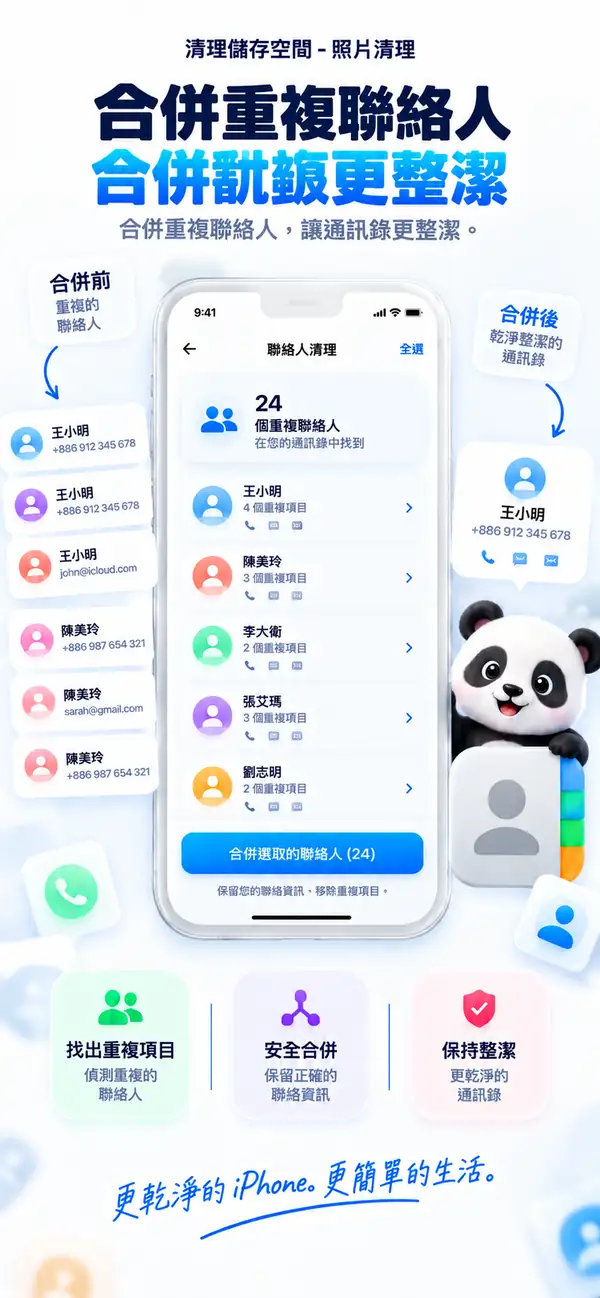
一個人,一張聯絡人卡片。
Clean Up Storage 會找出被儲存多次的聯絡人,並合併成一張卡片,讓通訊錄保持整齊。
- 辨識重複項目
- 合併成一張卡片
- 每次合併前都可先確認
快速整理
小工具,騰出大空間。
- 01
截圖整理
在同一處查看所有截圖,選取不再需要的,一次刪除。

- 02
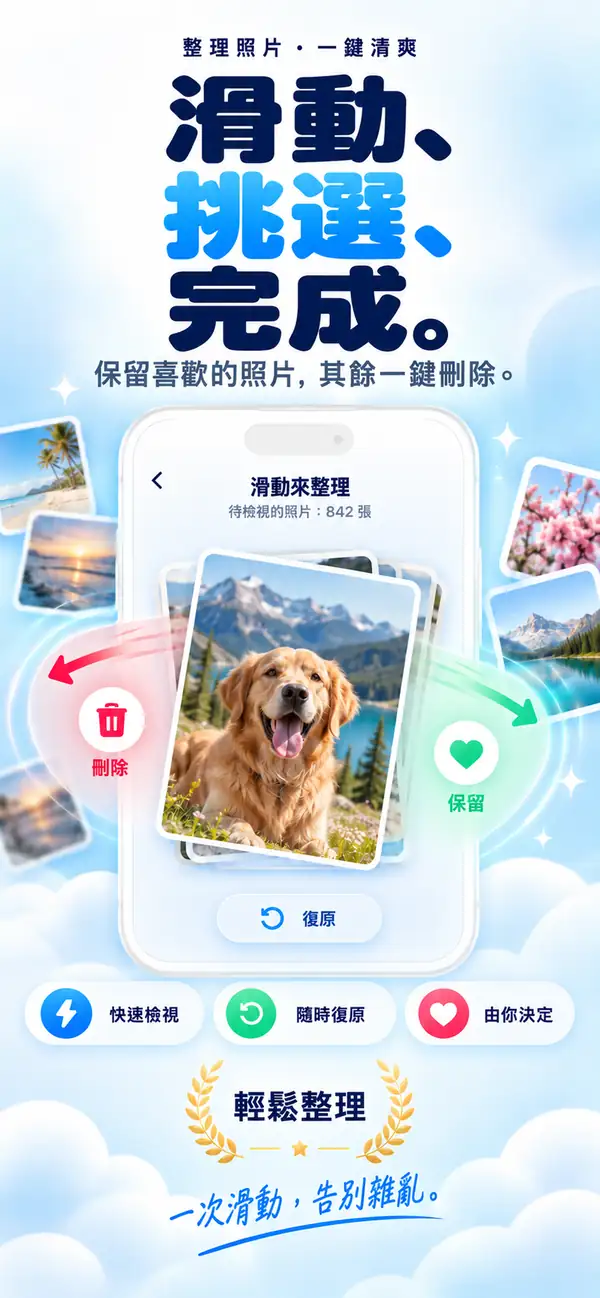
滑動整理
一張一張瀏覽照片。滑動選擇保留或刪除,隨時都能復原。
- 03
聊天照片
找出從聊天中儲存的圖片和檔案,批次清理。

隱私
你的照片,只屬於你。
掃描和分析都在你的 iPhone 上進行。你的照片、影片和聯絡人不會被上傳處理,沒有網路也能使用。
裝置端分析
照片、影片和聯絡人都在本機掃描。
由你決定
建議只是建議,每次刪除都由你確認。
安全設計
刪除的照片會移到「最近刪除」,仍可從那裡復原。
此外
讓圖庫保持整齊的其他功能。

模糊照片辨識
找出失焦和手震的照片。
大型檔案檢視
快速找到最大的檔案和影片。
Live Photos 工具
將 Live Photos 轉為靜態照片,節省空間。
離線可用
整理時不需要網路。
逐步教學
用 Photo Cleaner - Storage Space 清理 iPhone 的 10 個簡單步驟
如果儲存空間已經開始吃緊,這是一套比較穩妥的整理流程,適合拿來處理照片、影片、截圖和聯絡人。
- 1
先掃描照片圖庫
先做一次完整掃描,把真正占空間的照片、影片、截圖和聯絡人找出來。
- 2
把相近照片看一輪
在一組很像的照片裡,留下你真的想保留的那一張。
- 3
刪掉完全重複的內容
真正一模一樣的副本,確認一下就可以整批清掉。
- 4
先看大影片
先處理最占空間的影片,騰出空間的感覺會更明顯。
- 5
想留的就壓縮
捨不得刪的大影片,可以先縮小再保留。
- 6
合併重複聯絡人
把重複的聯絡人卡片合在一起,通訊錄會順很多。
- 7
清掉舊截圖
把放了很久、其實不會再看的截圖整理掉。
- 8
刪除拍攝效果不佳的照片
模糊、失手或沒什麼價值的照片,可以順手一起清掉。
- 9
刪除前再看一眼
正式確認前,把最後選到的內容再快速看一次。
- 10
隔幾週再做一次
固定做點小整理,空間就不容易很快又被塞滿。
功能比較
Apple 照片與 Photo Cleaner - Storage Space 比較
「照片」App 從 iOS 16 起可以辨識重複項目。Photo Cleaner - Storage Space 提供專門的媒體和聯絡人整理工具,幫你釋放 iPhone 儲存空間。
| 功能 | Apple 照片(內建) | Photo Cleaner - Storage Space |
|---|---|---|
| 完全重複偵測 | 支援(iOS 16 起的「重複項目」相簿) | 支援(裝置端快速掃描) |
| 相似照片 | 僅基本分組 | 並排比較連拍和相似照片 |
| 模糊照片 | 不支援 | 篩選不清晰的圖片,快速檢查 |
| 影片壓縮 | 不支援(需要第三方工具) | 裝置端影片壓縮,縮小大型檔案 |
| 重複聯絡人 | 「聯絡人」App 中的基本重複清單 | 合併重複項目的聯絡人整理 |
| 舊截圖 | 顯示全部截圖,沒有時間篩選 | 依時間和大小篩選 |
| 安全刪除 | 移到「最近刪除」(30 天內可復原) | 移到「最近刪除」(30 天內可復原,不會自動刪除) |
透明度與 iOS 沙盒
Photo Cleaner - Storage Space 能在 iPhone 上清理什麼,不能清理什麼
iOS 的安全架構會保護部分系統區域。這裡清楚列出我們的裝置端掃描能安全處理的內容,以及 iOS 沙盒不允許任何 App Store App 存取的部分。
完全相同的重複照片
支援透過快速的本機比對,在所有相簿中找出完全相同的圖片。
相似照片和連拍
支援分析構圖和角度,把重複拍攝分組,並推薦最值得保留的一張。
模糊和低品質照片
支援在裝置上評估清晰度,快速清掉無法使用的照片。
大型影片壓縮
支援找出最大的影片,並在裝置上壓縮。
舊截圖和螢幕錄影
支援篩選出過時的截圖和佔空間的螢幕錄影。
重複聯絡人
支援把電話、姓名或電子郵件相同的聯絡人合併為一筆。
其他 App 的快取(LINE、TikTok、Instagram 等)
受 iOS 保護iOS 沙盒不允許一個 App 修改另一個 App 的私有儲存空間。請在各 App 的設定中清理。
系統資料和 iOS 記錄
受 iOS 保護系統資料只由 iOS 管理,需要時會自動釋放。App Store 中的 App 都無權刪除系統快取。
記憶體(RAM)加速
由 iOS 管理打開 App 時 iOS 會自動釋放記憶體。所謂記憶體清理只是行銷說法,Photo Cleaner - Storage Space 專注於真正的儲存空間。
常見問題解答
這裡整理了大家常問的問題,包括隱私、儲存空間整理、重複照片、影片壓縮,以及 Photo Cleaner - Storage Space 在 iPhone 上怎麼運作。
Photo Cleaner - Storage Space 使用起來安全嗎?
照片、影片和聯絡人的分析在您的 iPhone 上完成,刪除前由您確認。應用程式可能收集診斷資料,詳情請參閱隱私權政策。
為什麼我的 iPhone 空間這麼快就滿了?
通常是因為重複照片、大影片和長期堆積的截圖。Photo Cleaner - Storage Space 專門針對這些佔空間的檔案提供安全清理服務。
影片壓縮會損壞畫質嗎?
基本不會。我們採用的演算法能在縮減高達 70% 大小的同時,保持手機螢幕觀看下的視覺一致性。
刪錯的照片可以恢復嗎?
可以!刪除後的檔案會進入 iPhone 自帶「照片」應用的「最近刪除」相簿,通常可在 30 天內復原;若已永久刪除,則無法從該相簿復原。