
Photo Cleaner - Storage Space
Photo Cleaner - Storage Space:写真・動画・連絡先を整理するiPhoneクリーナーもっと広く。 もっとすっきり。
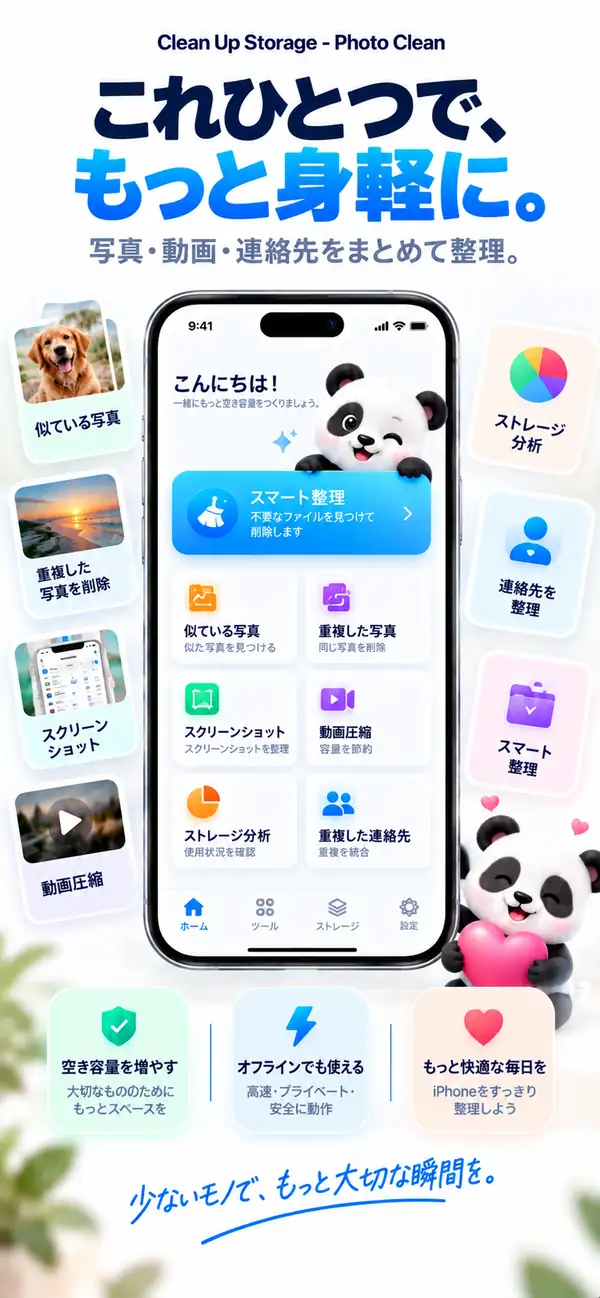
重複写真や似た写真を見つけ、古いスクリーンショットを片付け、大きな動画を圧縮し、重複した連絡先を統合。分析はすべてiPhone上で行われ、あなたが確認するまで何も削除されません。
- iPhone上で分析
- 削除の前に必ず確認
- 無料ダウンロード
似ている写真
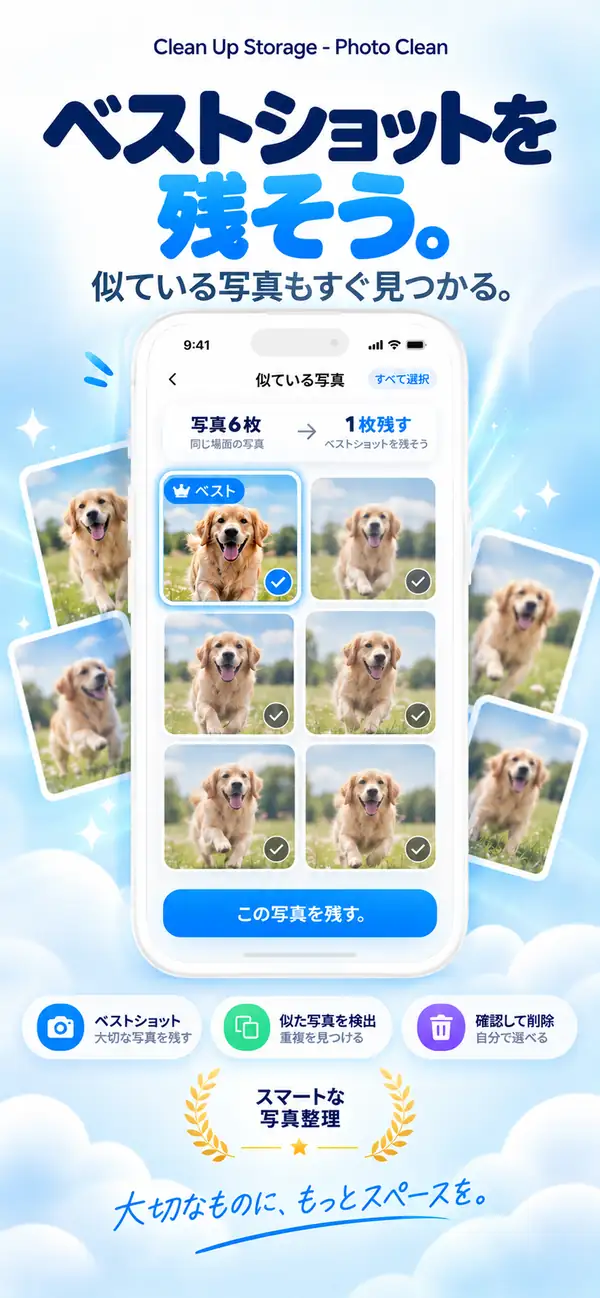
ベストな一枚を残して、あとは手放す。
重複写真
同じ写真が3枚? 残すのは1枚で十分。
動画の圧縮
大きな動画を、小さなファイルに。
ストレージ分析
何が容量を使っているか、ひと目で。
重複した連絡先
ひとりに、連絡先はひとつ。
- 対応機種
- iPhone, iPad
- 必要なOS
- iOS 17.0以降
- カテゴリ
- ユーティリティ
- 処理方式
- デバイス上での写真・動画スキャン
- 価格
- 無料ダウンロード(App内課金あり・任意)
- 開発元
- DijitalWorlds (Cemal Hekimoglu)
- 似ている写真
- 動画の圧縮
- 重複した連絡先
- スクリーンショット整理
- スワイプで整理
iPhoneがいっぱいになる理由
容量不足の原因は、ひとつの大きなファイルとは限りません。
同じ瞬間の10枚の写真、一度しか使わなかったスクリーンショット、去年の夏の動画、3回登録された連絡先。そんな小さな積み重ねです。Clean Up Storageがそれを見つけ、数分で片付けられます。
連写と撮り直し
同じ瞬間のほぼ同じ写真。
スクリーンショット
もう使わないレシートやチケット、メモ。
大きな動画
何GBもあるけれど、もっと小さくできるクリップ。
似ている写真
ベストな一枚を残して、あとは手放す。
Clean Up Storageは同じ瞬間に撮った写真をまとめ、残すべき一枚を提案します。並べて見比べ、決めるのはあなたです。
- 連写、撮り直し、自撮りをまとめる
- 残すべき一枚を提案
- あなたがタップするまで削除しない
重複写真
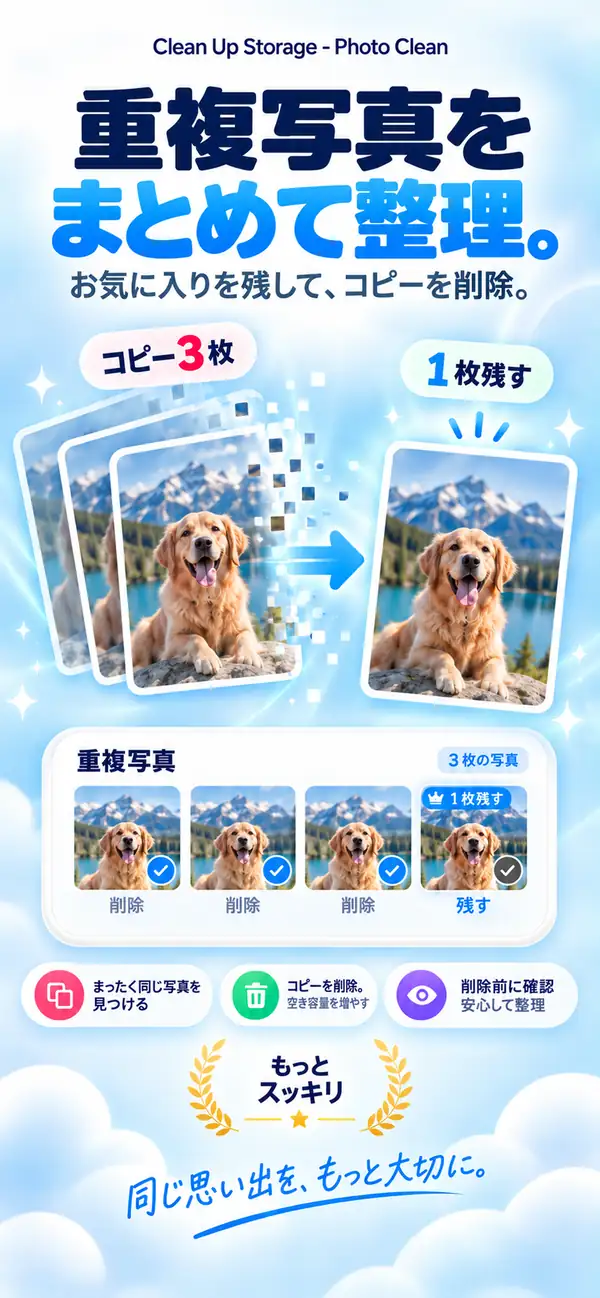
同じ写真が3枚? 残すのは1枚で十分。
まったく同じ写真をグループにまとめるので、一度に片付けてオリジナルを1枚だけ残せます。
- 1
ライブラリ内の完全な重複を検出
- 2
1枚を残して残りを選択
- 3
削除した項目は「最近削除した項目」へ
動画の圧縮
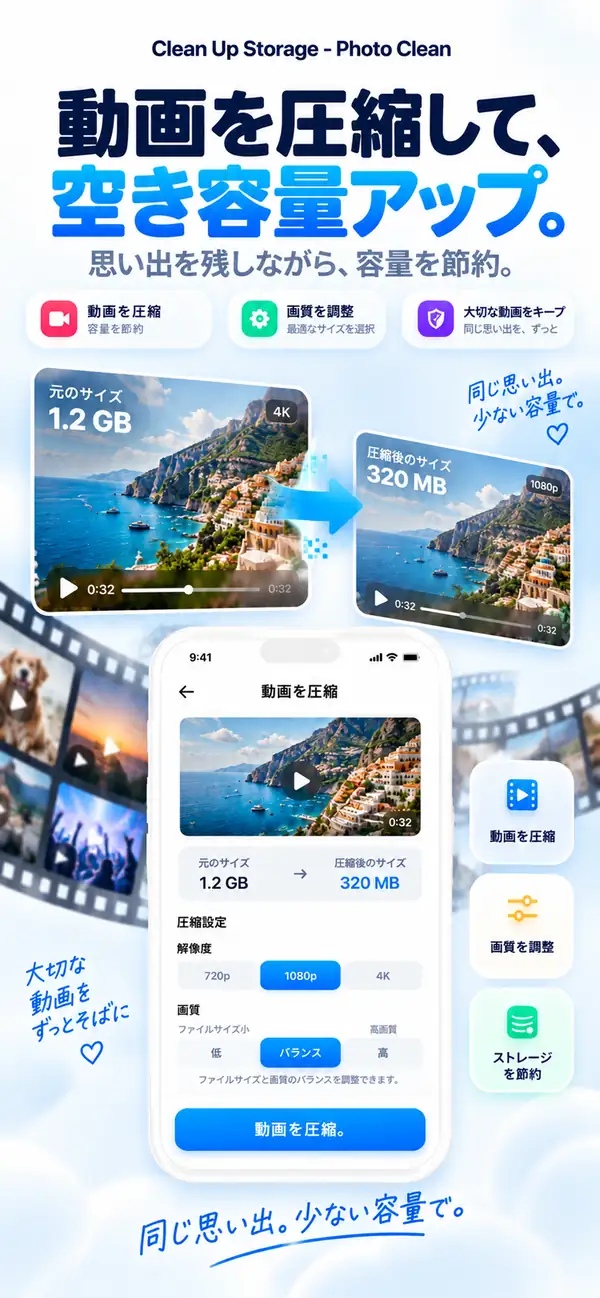
大きな動画を、小さなファイルに。
解像度と画質を選び、推定サイズを確認してから圧縮。思い出はそのまま、容量だけが減ります。
- 720p、1080p、4Kから選択
- サイズと画質のバランスを調整
- 推定サイズを先に確認
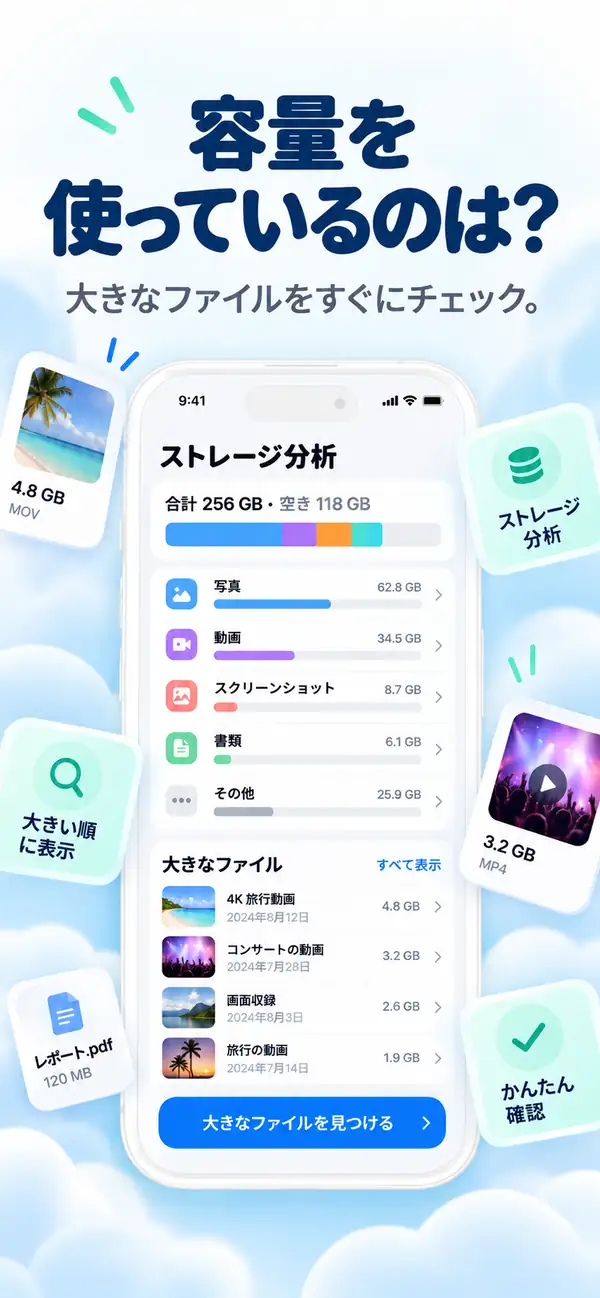
ストレージ分析
何が容量を使っているか、ひと目で。
写真、動画、スクリーンショット、大きなファイルの内訳がはっきりわかるので、どこから片付ければ一番効果的かがすぐにわかります。
- 写真
- 動画
- 大きなファイル
- 重複
- スクリーンショット
- 空き
- 大きなファイルから順に表示
- カテゴリをひと目で把握
- そのまま整理へ
重複した連絡先
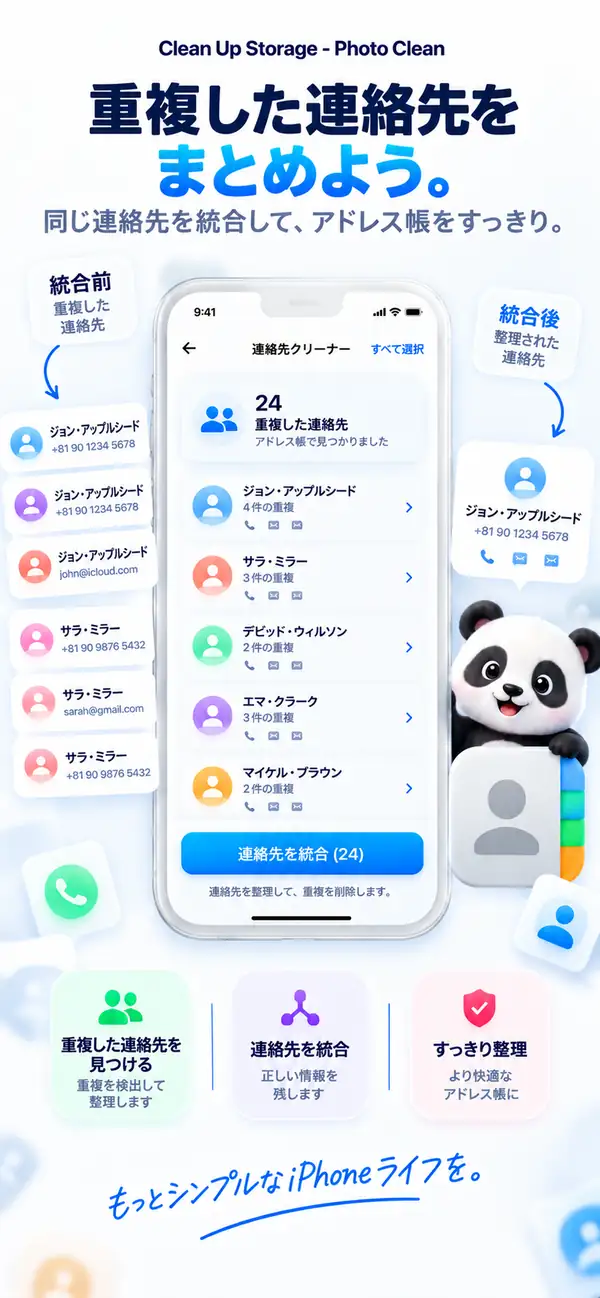
ひとりに、連絡先はひとつ。
Clean Up Storageは何度も登録された連絡先を見つけて1件に統合。連絡先をすっきり保てます。
- 重複した項目を検出
- 1件の連絡先に統合
- 統合の前に内容を確認
すぐできる整理
小さなツールで、大きな空き容量。
- 01
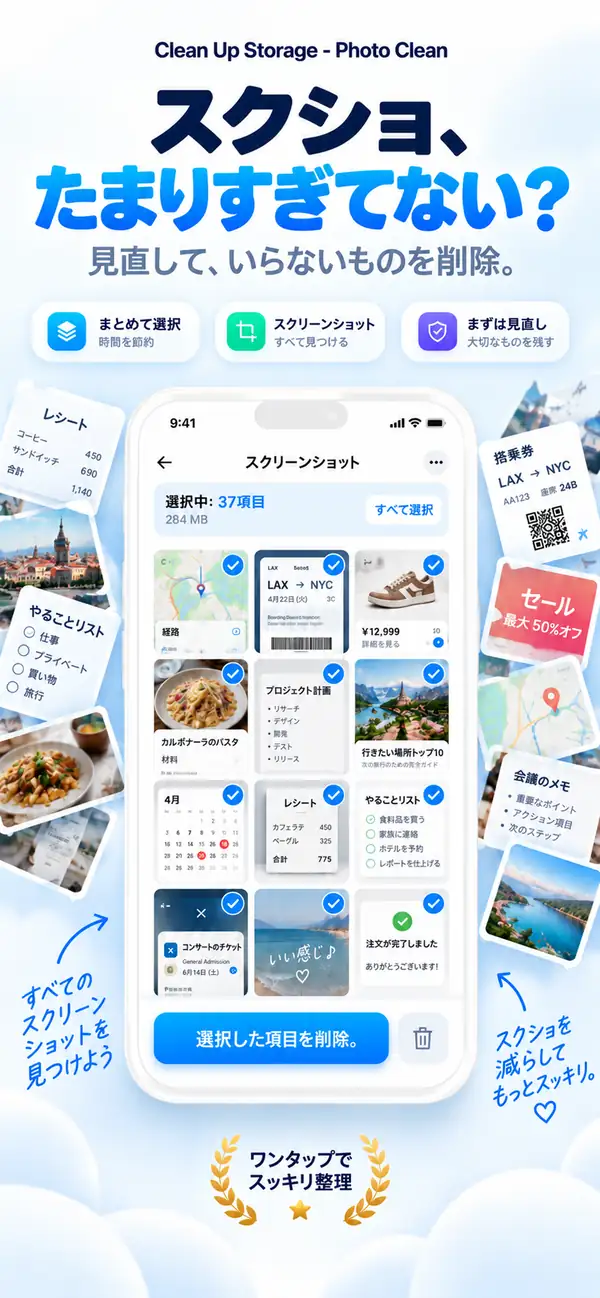
スクリーンショット整理
すべてのスクリーンショットを一か所で確認し、不要なものを選んでまとめて削除。
- 02
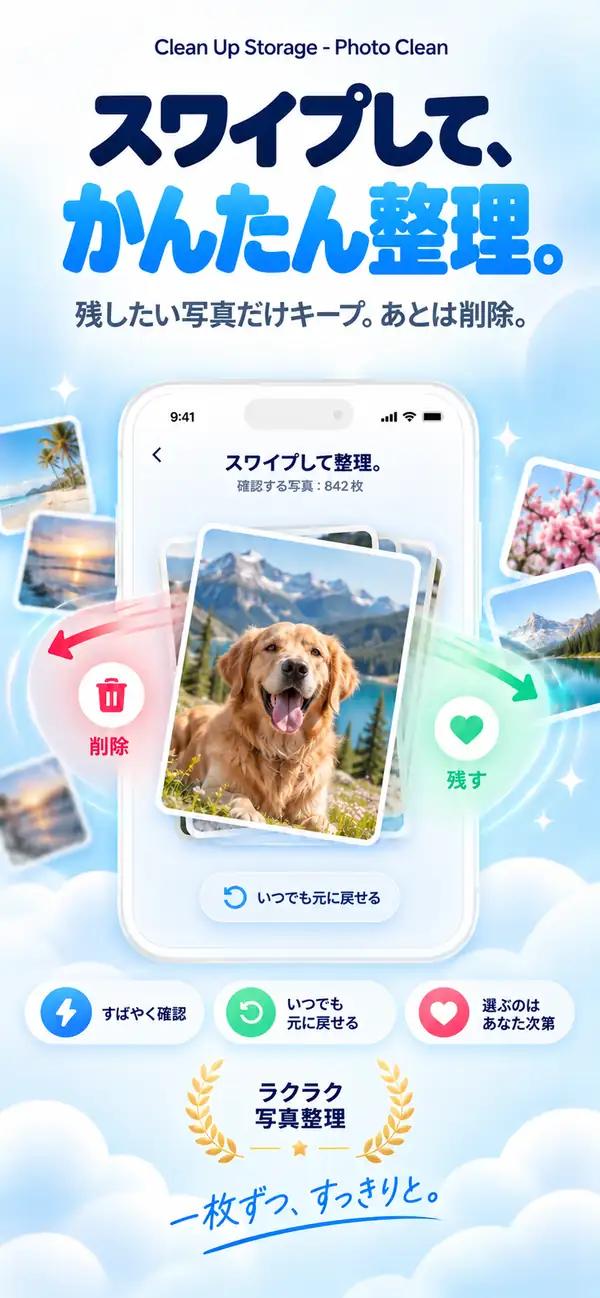
スワイプで整理
写真を1枚ずつ確認。スワイプで残すか削除するかを選び、いつでも取り消せます。
- 03
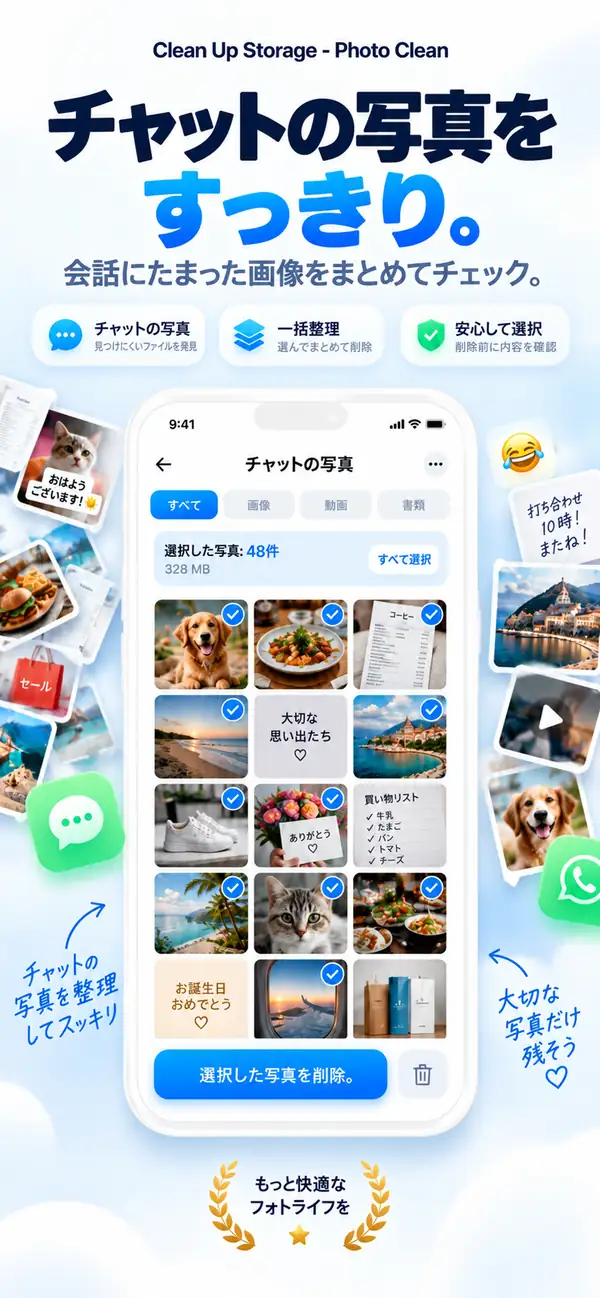
チャットの写真
チャットから保存した画像やファイルを見つけて、まとめて整理。
プライバシー
あなたの写真は、あなたのもの。
スキャンと分析はiPhone上で行われます。写真、動画、連絡先が処理のためにアップロードされることはなく、インターネット接続がなくても使えます。
デバイス上で分析
写真、動画、連絡先のスキャンは端末内で完結。
決めるのはあなた
提案はあくまで提案。削除はすべてあなたが確認します。
安心の設計
削除した写真は「最近削除した項目」に移り、そこから復元できます。
さらに
ライブラリを整えるための、そのほかの機能。

ブレた写真の検出
ピンぼけや手ブレの写真を見つけます。
大きなファイルの確認
重いファイルや動画をすばやく見つけます。
Live Photosツール
Live Photosを静止画に変換して容量を節約。
オフラインで動作
整理にインターネット接続は不要です。
ステップごとに
Photo Cleaner - Storage Space で iPhone を整える 10 の手順
容量が足りなくなってきたときに、写真や動画、スクリーンショット、連絡先を無理なく整理する流れをまとめました。
- 1
ライブラリをスキャンする
まず全体をスキャンして、容量を使っている写真、動画、スクリーンショット、連絡先を見えるようにします。
- 2
似た写真を見比べる
よく似た写真の中から、本当に残したい一枚だけを選びます。
- 3
完全な重複を消す
まったく同じ写真は軽く確認してまとめて整理します。
- 4
大きい動画から見る
まずは容量を大きく使っている動画から手を付けます。
- 5
残したい動画は圧縮する
消したくない大きな動画は、削除ではなく軽量化で対応します。
- 6
重複した連絡先をまとめる
同じ人の連絡先が複数ある場合は、一つに整理します。
- 7
古いスクショを片づける
見返さないスクリーンショットをまとめて整理します。
- 8
微妙な写真を外す
ぶれている写真や出来の弱い写真を外して見通しをよくします。
- 9
削除前にもう一度確認する
最後に選択内容をざっと見直してから確定します。
- 10
数週間ごとに繰り返す
短い見直しを定期的に入れると、容量がまた苦しくなりにくくなります。
機能比較
Appleの「写真」とPhoto Cleaner - Storage Spaceの比較
「写真」アプリはiOS 16から重複を検出できます。Photo Cleaner - Storage Spaceは、iPhoneの空き容量を増やすためのメディアと連絡先の整理ツールを備えています。
| 機能 | 「写真」アプリ(標準) | Photo Cleaner - Storage Space |
|---|---|---|
| 完全な重複の検出 | あり(iOS 16以降の「重複項目」アルバム) | あり(端末内での高速スキャン) |
| 似ている写真 | 簡単なグループ化のみ | 連写や似た写真を並べて比較 |
| ブレた写真 | なし | ピントの甘い写真を絞り込んで確認 |
| 動画の圧縮 | なし(他社製ツールが必要) | 端末内で動画を圧縮してファイルを小さく |
| 重複した連絡先 | 「連絡先」アプリの簡単な重複リスト | 重複を統合する連絡先の整理 |
| 古いスクリーンショット | すべて表示、期間での絞り込みなし | 期間とサイズで絞り込み |
| 安全な削除 | 「最近削除した項目」へ移動(30日間復元可能) | 「最近削除した項目」へ移動(30日間復元可能、自動削除なし) |
透明性とiOSのサンドボックス
Photo Cleaner - Storage SpaceがiPhoneで整理できるもの、できないもの
iOSのセキュリティ設計は、システムの一部を保護しています。デバイス上のスキャンで安全に扱えるものと、iOSのサンドボックスによってApp Storeのどのアプリもアクセスできないものを、正直にまとめました。
完全に同じ重複写真
対応端末内の高速な照合で、すべてのアルバムから同一の画像を見つけます。
似ている写真と連写
対応構図や角度を分析して撮り直しをまとめ、残すべき一枚を提案します。
ブレた写真・失敗写真
対応デバイス上でシャープさを評価し、使えない写真をすばやく片付けられます。
大きな動画の圧縮
対応容量の大きい動画を見つけ、端末内で圧縮します。
古いスクリーンショットと画面収録
対応不要になったスクリーンショットや重い画面収録を絞り込みます。
重複した連絡先
対応番号、名前、メールが同じ連絡先を1件にまとめます。
他のアプリのキャッシュ(LINE、TikTok、Instagramなど)
iOSが保護iOSのサンドボックスにより、アプリが他のアプリの領域を変更することはできません。各アプリの設定(ストレージ管理など)から削除してください。
システムデータとiOSのログ
iOSが保護システムデータはiOSだけが管理し、必要に応じて自動で解放します。App StoreのアプリがiOSのシステムキャッシュを削除することはできません。
メモリ(RAM)の解放
iOSが管理iOSはアプリを開くときに自動でメモリを解放します。RAMクリーナーの宣伝は誇張です。Photo Cleaner - Storage Spaceは実際のストレージ容量に集中しています。
よくある質問
プライバシー、容量整理、重複写真、動画圧縮、Photo Cleaner - Storage Space の使い方について、よくある質問をまとめています。
安全性は大丈夫ですか?
写真、動画、連絡先の分析はiPhone上で行われます。削除する項目は必ず確認してから選択できます。
なぜ容量がこんなに足りなくなるのですか?
重複した写真、バースト撮影、巨大な未圧縮動画、古いスクリーンショットなどが原因の多くです。
動画圧縮で画質は落ちますか?
圧縮後の見た目とファイルサイズは、元の動画や選択した設定によって異なります。保存前に結果を確認してください。
誤って消した写真は戻せますか?
はい!削除後30日間はiPhoneの「最近削除した項目」アルバムから復元可能です。
Photo Cleaner - Storage Space
iPhoneに、ゆとりを。
新しい写真、使っているアプリ、先延ばしにしているiOSアップデートのための空きを作りましょう。

ダウンロードは無料です。週額・月額・年額のオプションサブスクリプションは、Appleのアプリ内課金でご利用いただけます。正確な価格と無料トライアルの条件は、App Storeにお住まいの地域の通貨で表示されます。 旧名称:iCleaner Panda
Photo Cleaner - Storage Spaceを使用することで、当社の 利用規約 および プライバシーポリシー.