5 Simple Ways to Free Up iPhone Space in Minutes
Running out of storage? Discover 5 simple, effective ways to clear up gigabytes of space on your iPhone.


5 Simple Ways to Free Up iPhone Space
Storage full? These five methods can reclaim gigabytes in minutes, without deleting the apps you still use.
1. Delete Duplicate Photos
Photo Cleaner - Storage Space finds them in seconds.
2. Compress Large Videos
A single 4K video can take over 500MB. Smart video compression maintains quality while cutting size by 50–70%.
3. Clear App Caches
Apps like WhatsApp and TikTok accumulate massive hidden files. Clearing cache helps.
4. Merge Duplicate Contacts
Merging cleans your database and makes searching faster.
5. Remove Unused Apps
Offloading unused apps keeps your data safe while reclaiming space.
How to Delete Duplicate Photos on iPhone
Simple steps to rid your device of duplicate shots using Photo Cleaner - Storage Space.
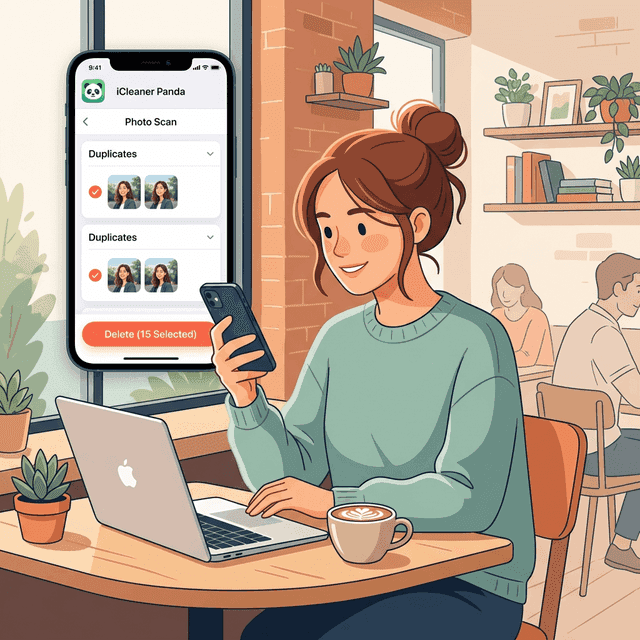
- Step 1: Open Photo Cleaner - Storage Space and select the Photo Scan feature.
- Step 2: Wait while the app groups identical and similar photos.
- Step 3: Review results and tap delete to free up storage instantly.
How to Compress Large Videos
Reclaim space used by massive 4K videos.
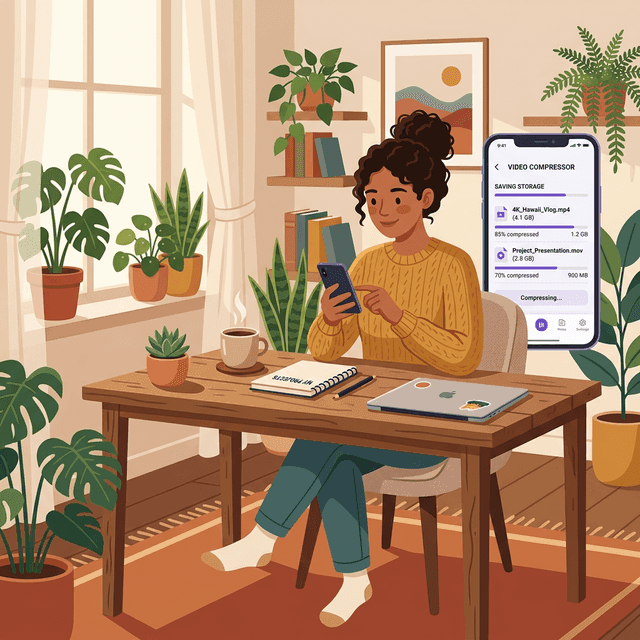
- Step 1: Scan your library for large videos.
- Step 2: Choose the files that are safe to shrink first, such as old exports or social clips.
- Step 3: Compress them while maintaining clarity.
How to Remove Unused Apps
Offload apps without losing your data.
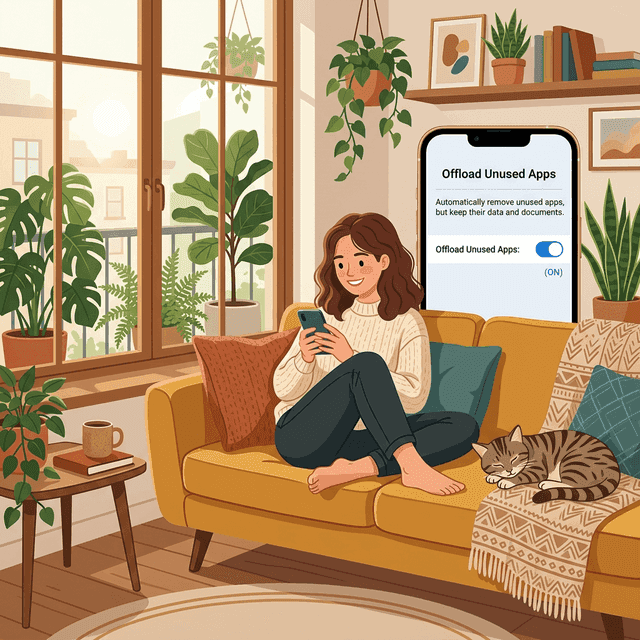
- Step 1: Identify apps you haven't opened in months.
- Step 2: Check which apps are consuming the most storage in Settings > iPhone Storage.
- Step 3: Enable "Offload Unused Apps" to keep data but free up the space used by the app itself.
Frequently Asked Questions (FAQ)
Q: How to free up space quickly?
A: Delete duplicates, compress videos, and remove unused apps.
Q: Can I free up space without deleting apps?
A: Yes! Deleting duplicate photos and compressing videos can save gigabytes.
Q: What is a good app for cleaning up iPhone storage?
A: A good cleanup app should focus on practical wins like duplicate photos, large videos, and review-first organization. Photo Cleaner - Storage Space is one example built around on-device scanning rather than uploading your library.
Q: Does offloading apps delete my personal data?
A: No. Offloading removes the app binary but keeps your documents and settings so you can restore them later.
Q: What usually takes the most iPhone storage?
A: For most people it is duplicate photos, screenshots, videos, chat media, and apps with bloated caches.
Have questions? Support Center
Scientific Sources
Sweeten G, et al. (2024). Digital hoarding and personal use digital data. Human-Computer Interaction. Taylor & Francis
Patanjali S, et al. (2022). Time for De-cluttering: Digital clutter scaling for individuals and enterprises. Computers & Security. ScienceDirect
Raines AM, et al. (2014). Effects of clutter on information processing deficits in individuals with hoarding disorder. Journal of Affective Disorders. PubMed
Elmagarmid AK, Ipeirotis PG, Verykios VS. (2007). Duplicate record detection: A survey. IEEE Transactions on Knowledge and Data Engineering. IEEE Xplore
Related guides

· 6 min read
Best iPhone Cleaner App and Water Reminder App in 2026
Looking for the most useful daily iPhone apps? Here is how Photo Cleaner - Storage Space and Water Reminder - DropWise help you save storage and build better hydration habits.

· 9 min read
Messy Mac Desktop? 7 Easy Ways to Organize
Messy Mac desktop? Use 7 easy ways to organize files and folders with tags, aliases and Stacks, then free up the disk space that clutter wastes.

· 9 min read
Organize Photos on iPhone and Free Up Space
Learn how to organize photos on iPhone with albums, folders and People & Pets, then clear duplicates, screenshots and big videos to free up storage.
Ready when you are
Download Photo Cleaner - Storage Space for iPhone
Remove duplicate photos, compress videos, and organize contacts with a privacy-first cleanup flow.
By using Photo Cleaner - Storage Space, you agree to our Terms of Use and Privacy Policy.