
檢查 Mac 儲存空間
開啟系統設定 > 一般 > 儲存空間,查看 Apple 建議與各類別大小。

Smart Cleaner AI - Disk Clean
macOS · macOS 全新登場
Smart Cleaner AI - Disk Clean 可找出快取、App 殘留、重複檔案、大型檔案與未使用的 App,協助釋放 Mac 空間。清理前可逐項檢查,分析全程留在 Mac 上。
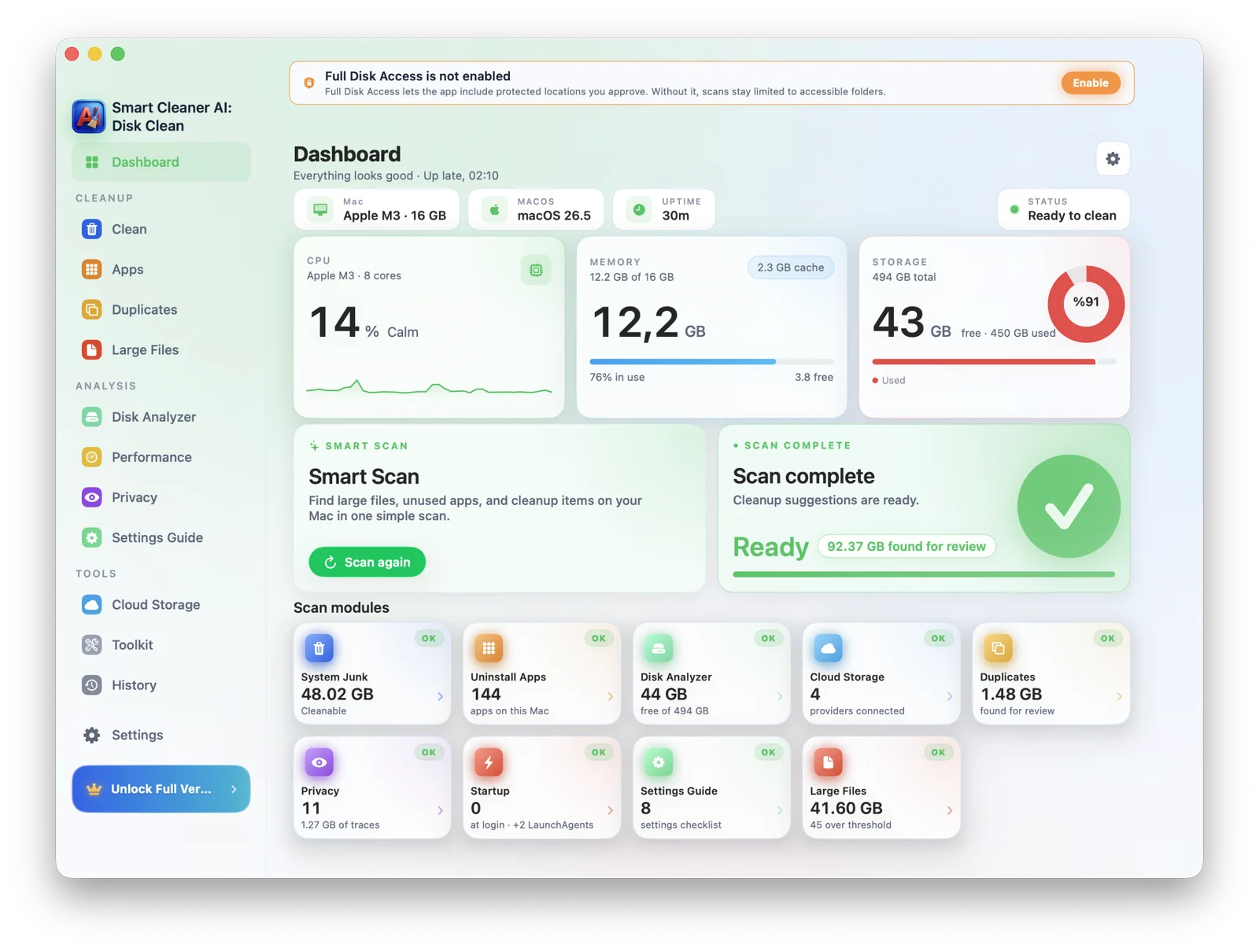
Mac 儲存空間指南
先在 macOS 儲存空間設定中查看哪些類別已滿,再檢查大型與舊檔案、未使用的 App 與殘留、重複檔案、下載項目和快取。不要手動刪除不熟悉的系統資料夾。
開啟系統設定 > 一般 > 儲存空間,查看 Apple 建議與各類別大小。
分析大型檔案、舊下載、重複檔案、未使用的 App 與本機同步的雲端資料。
確認位置與預覽,保留重要檔案,只將選取項目移到垃圾桶。
適合誰
從 MacBook Air 容量爆表的學生到 Pro 機型的創作者,Smart Cleaner AI - Disk Clean 提供安靜、可控的整理空間。
macOS 更新前空間不足的 MacBook
擁有大型 Final Cut 與 Logic 資料庫的創作者
Xcode 快取超過 20GB 的開發者
多年累積重複照片與下載的人
功能
AI 清理、重複查找、大型檔案、解除安裝程式、啟動管理、安全稽核,如 Finder 般原生。
發現系統垃圾、快取、紀錄與舊下載,精確告知何者可安全刪除。
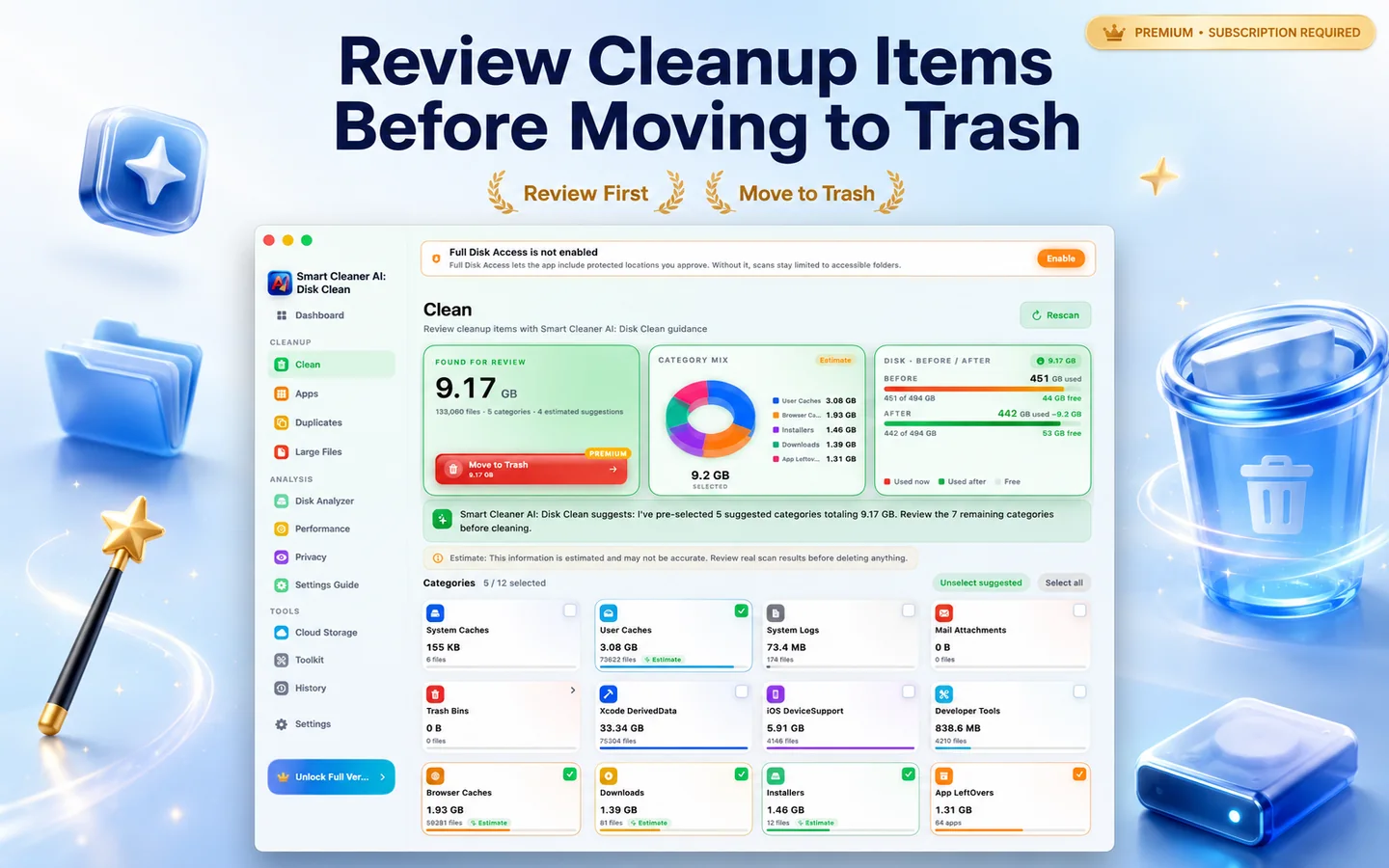
在資料夾與外接磁碟中偵測完全與相似重複。
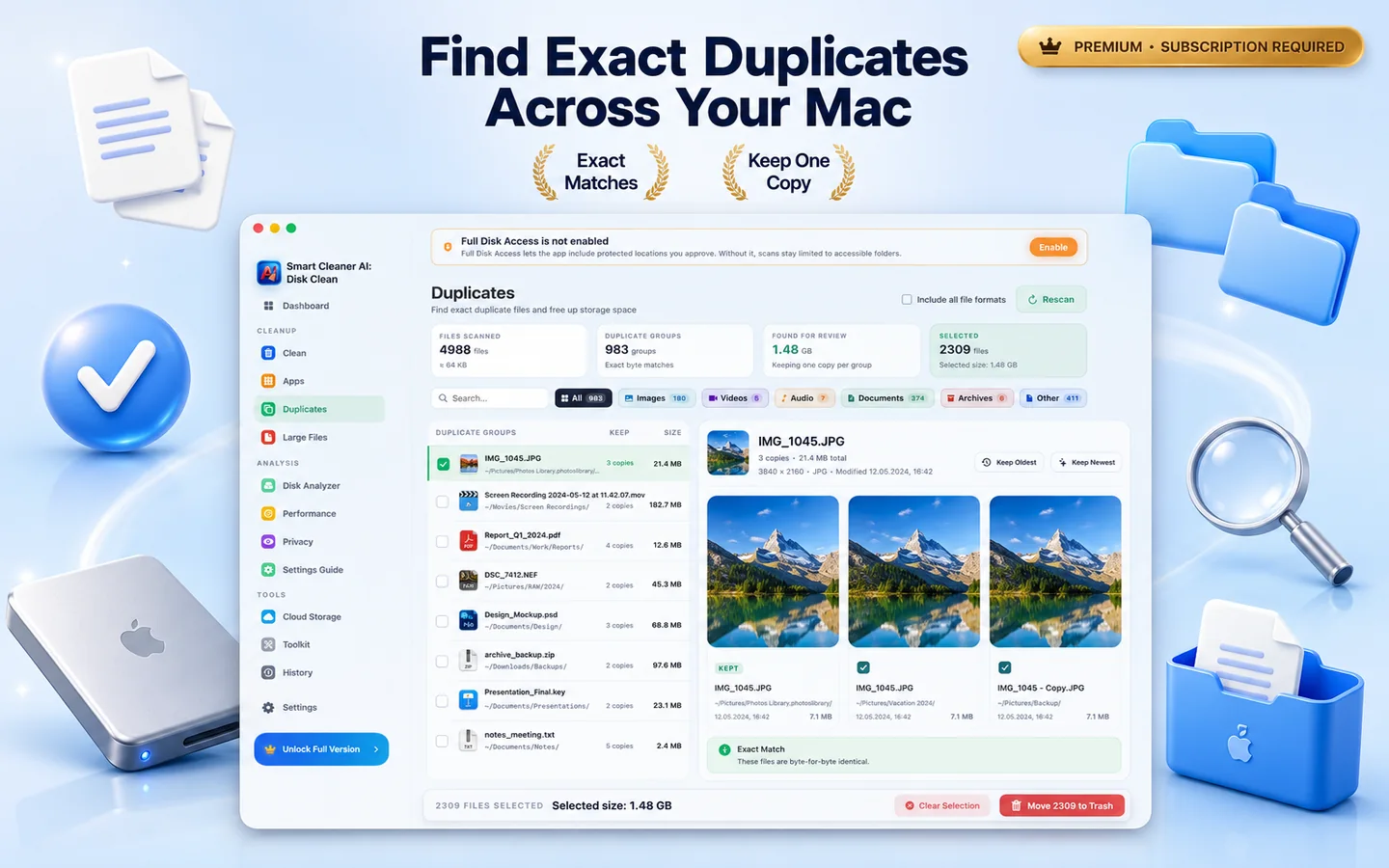
以快速互動地圖檢視空間佔用。
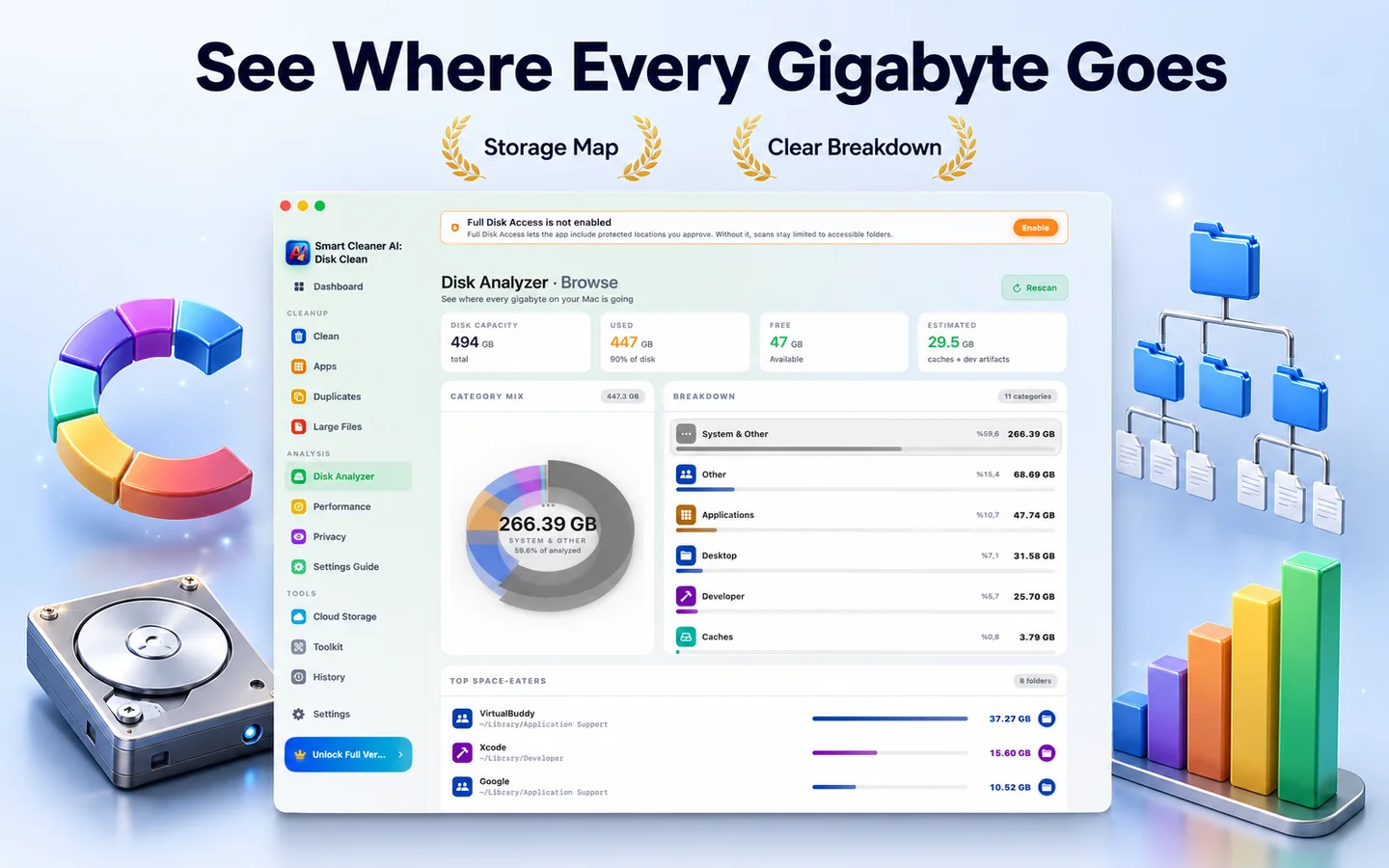
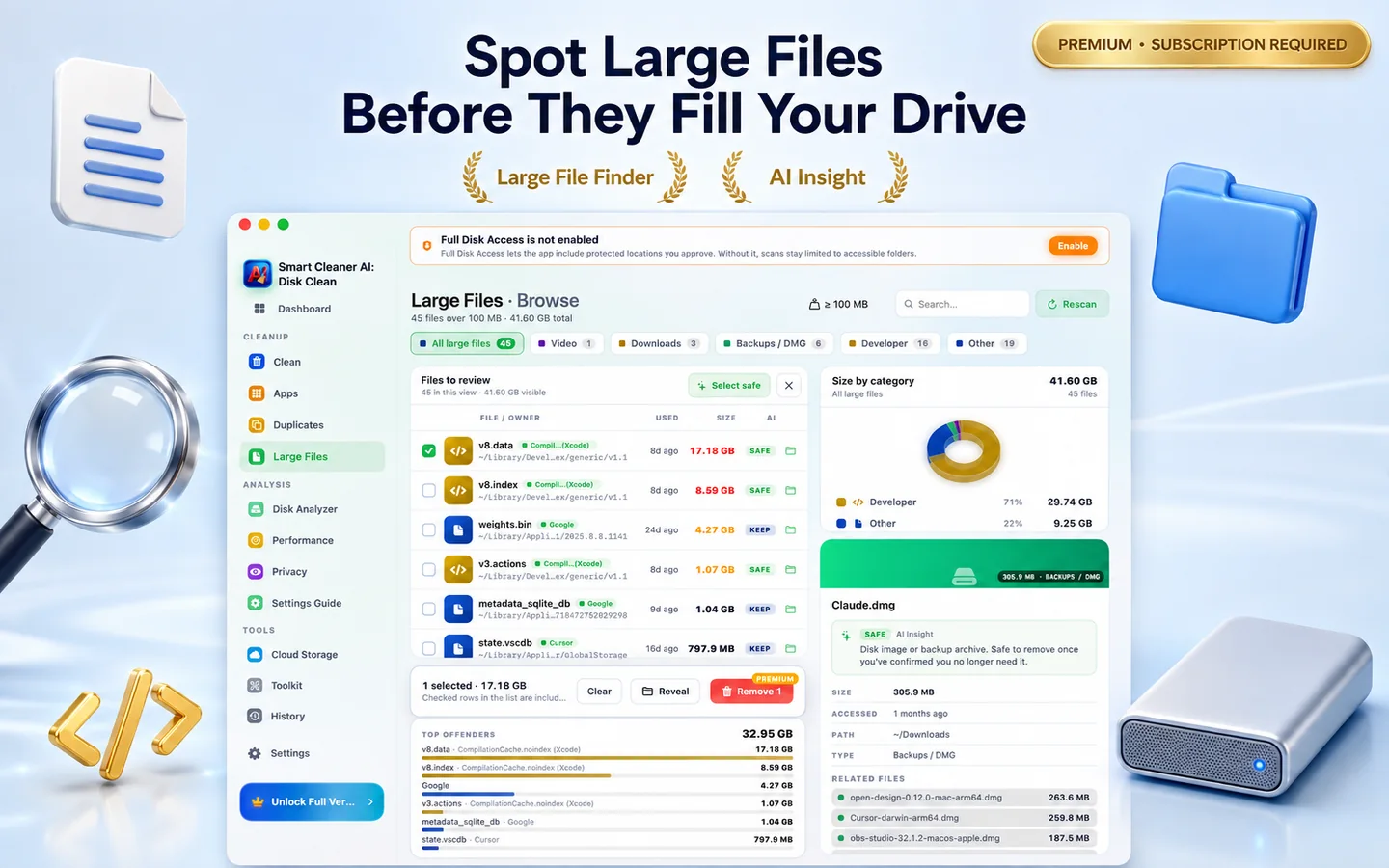
找出 100MB 以上的遺忘安裝程式、壓縮檔與專案檔。
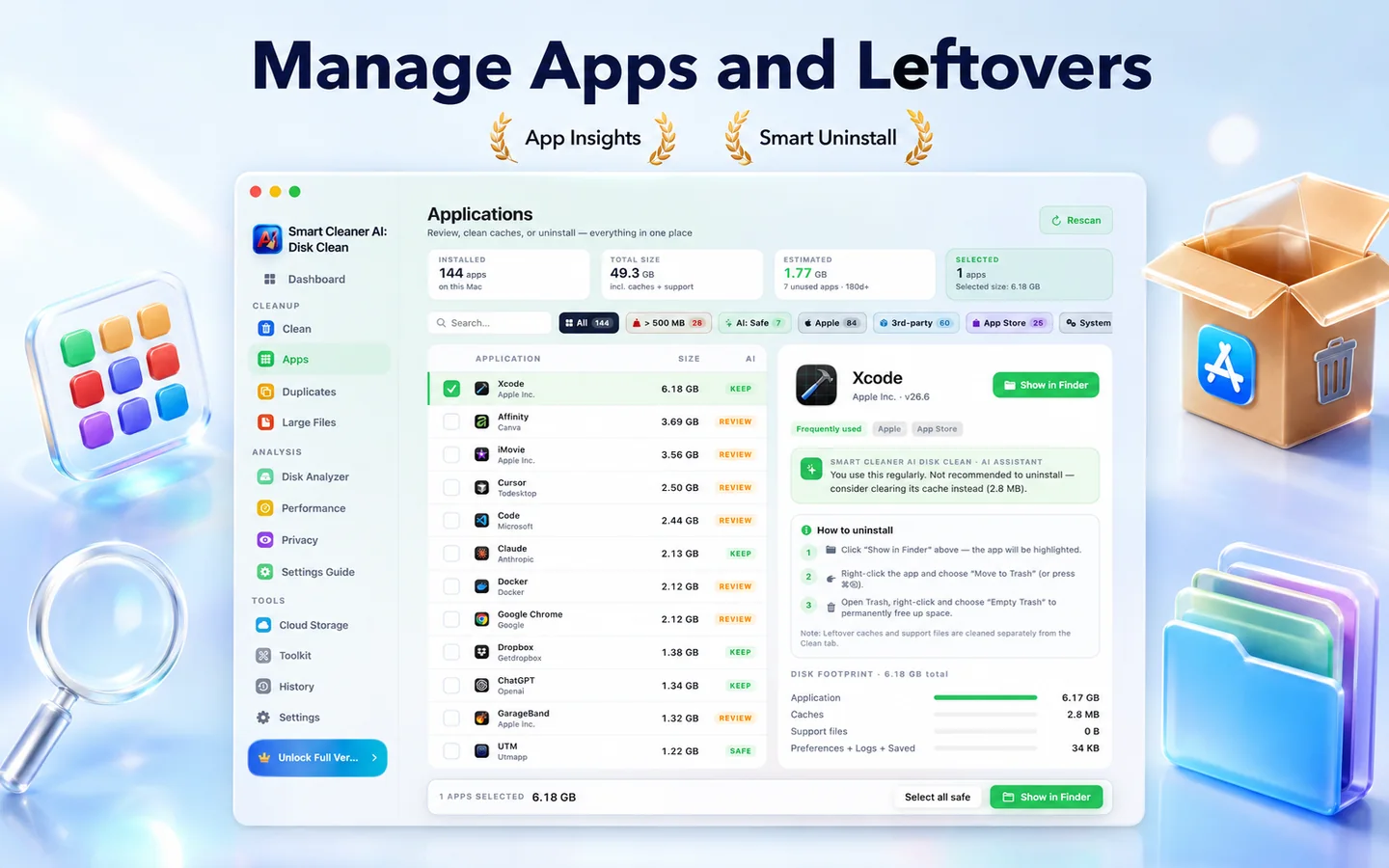
連同偏好設定、快取與登入項目一併移除。
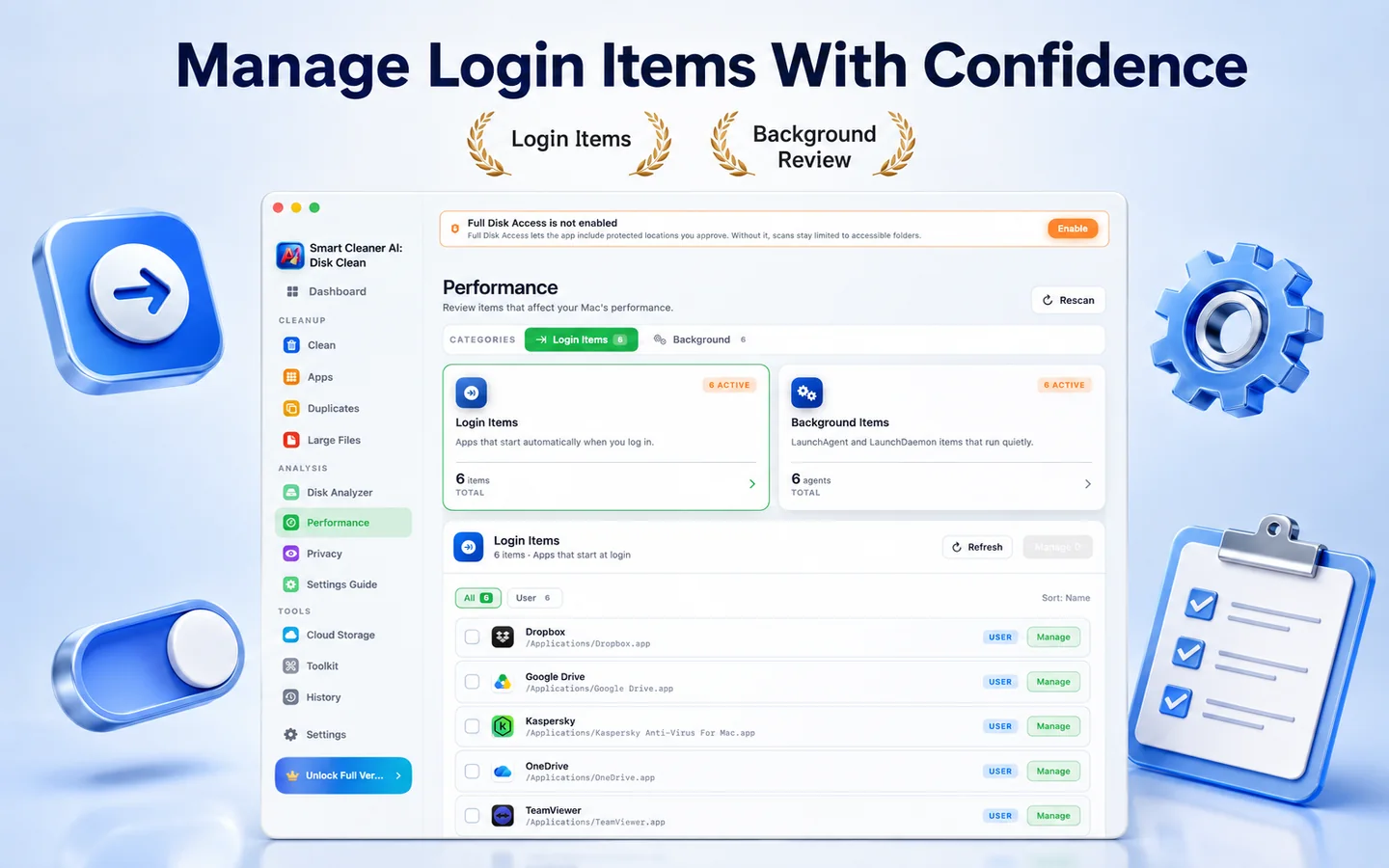
檢視啟動項目、launch agent、常駐程式與背景服務,並開啟相關系統設定,整理登入時載入的項目。
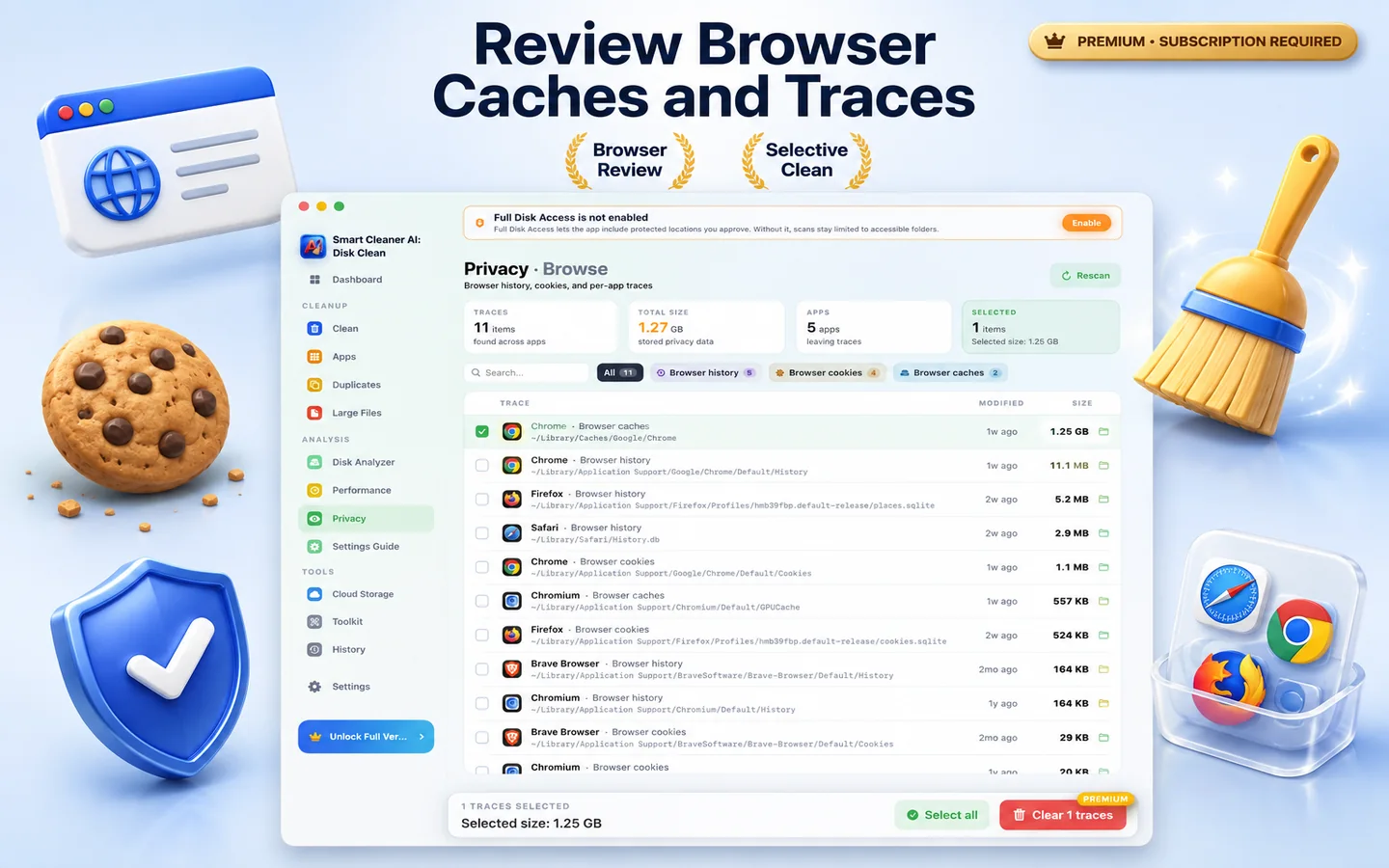
檢查你授權位置中的瀏覽器記錄、Cookie、最近檔案與聊天快取,並將選取的痕跡移到垃圾桶。
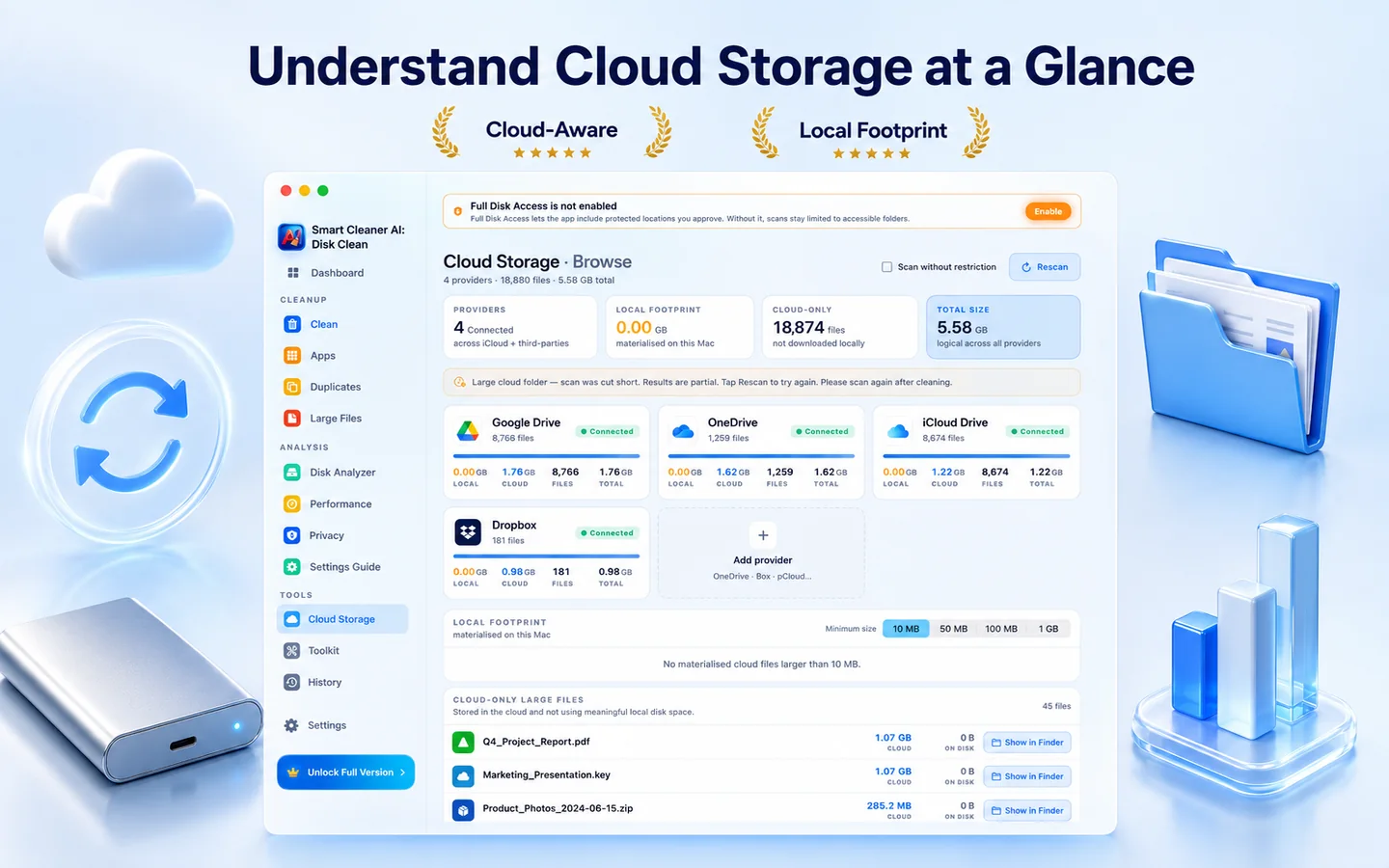
瀏覽 Mac 上本機同步的雲端資料夾,找出佔用磁碟空間的快取副本,清理你不再需要的本機檔案。
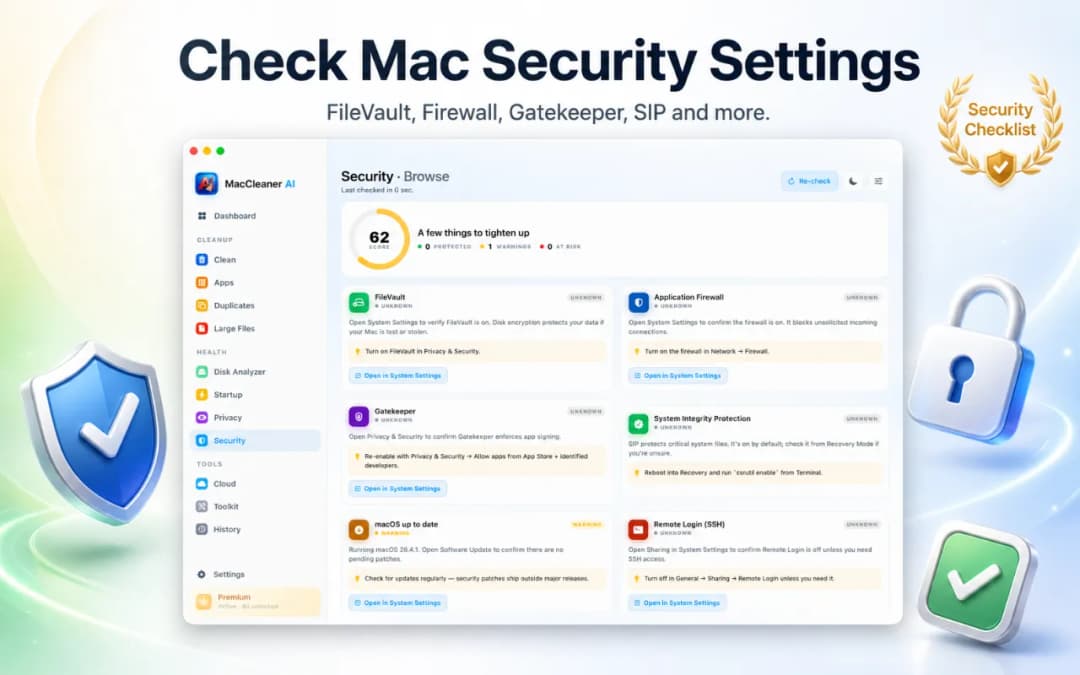
找出可疑啟動代理程式、登入項目與過時 App,不需 Terminal。
畫面流程
一個面板、一條進度條、一次一個決定。Smart Cleaner AI - Disk Clean 把雜訊降到最低。
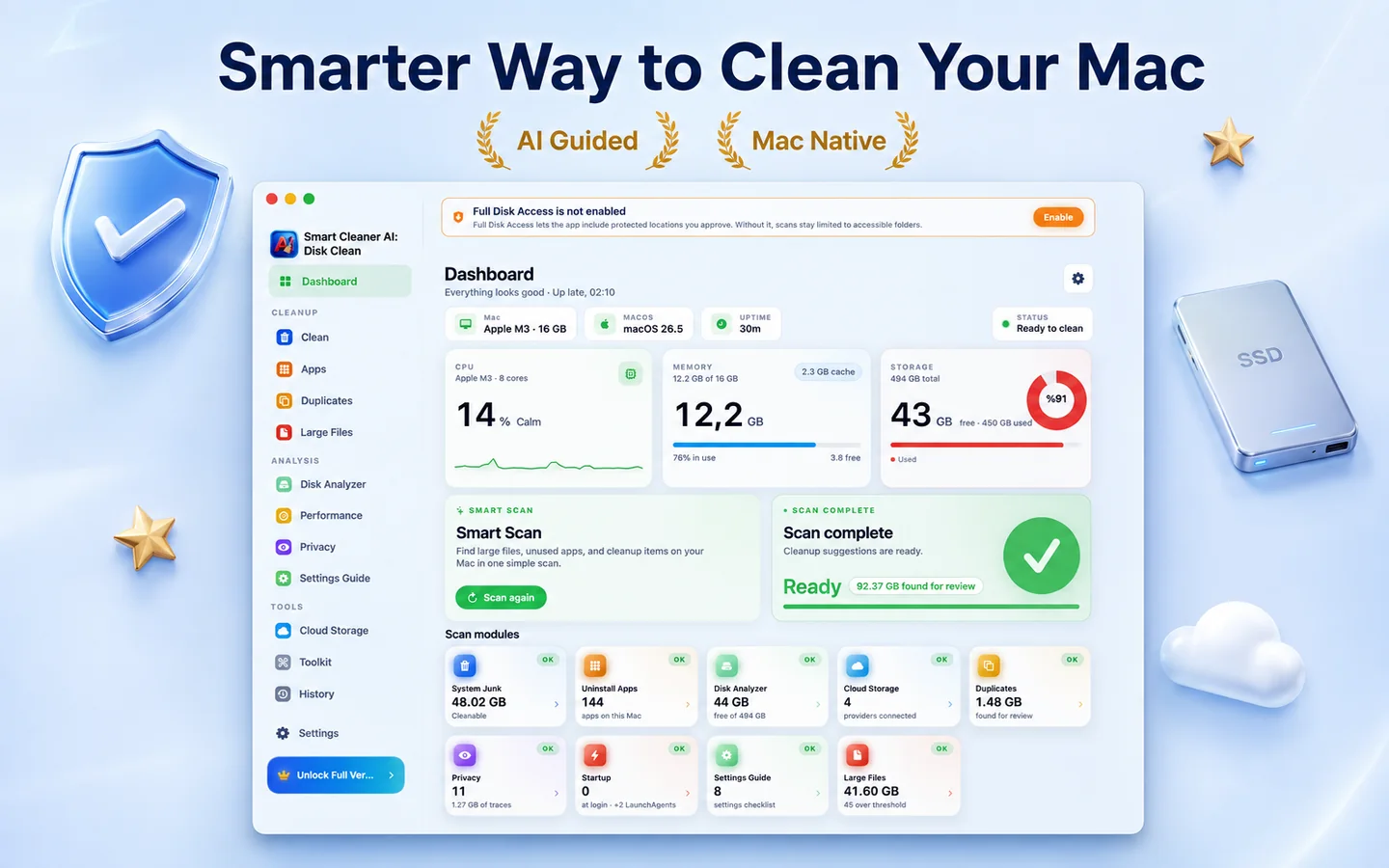
一分鐘內對磁碟、快取與 App 進行深度且私密的掃描。
依影響分群與排序檢視找到的項目。
按一下清理並查看可用空間增加。重要檔案不會被自動刪除。
隱私
Smart Cleaner AI - Disk Clean 圍繞本機處理而建。磁碟掃描、重複項目偵測與清理建議都在你的 Mac 上本機完成,個人檔案不會被上傳。
掃描、AI 排序與清理皆在本地。
安裝、開啟、清理。無登入、無郵件。
未經你明確確認,不會移除任何項目;刪除的項目預設會移到垃圾桶。
透過 Mac App Store 分發,因此在 Apple 沙盒中執行,並已通過 App Review 審核。
儲存空間明細
所有掃描都完全在本機進行。我們會清楚區分哪些項目通常可以安全刪除,哪些需要先仔細檢查。
| 類別 | 風險程度 | Smart Cleaner AI 的處理方式 |
|---|---|---|
| App 與使用者快取 | 通常會視需要重新產生 | 過期的網頁快取、媒體縮圖和 App 暫存檔案。App 會在需要時自動重新產生這些快取。 |
| 系統與診斷紀錄 | 通常可以安全清除 | 舊的當機紀錄、安裝紀錄和診斷報告,可以安全清除以取回磁碟空間。 |
| 已刪除 App 的殘留檔案 | 檢查後可安全刪除 | 找出已刪除 App 留下的隱藏 Application Support 資料夾、偏好設定檔(plist)和輔助程式。 |
| 重複檔案與壓縮檔 | 建議先檢查 | 儲存在不同資料夾中的相同檔案和安裝程式。逐位元組相符的結果會並排顯示,由你決定保留哪個版本。 |
| 大型與被遺忘的檔案(超過 100 MB) | 建議先檢查 | 舊的 .dmg 安裝程式、龐大的 zip 壓縮檔和被遺忘的輸出檔案,依上次開啟日期排序,方便你手動整理。 |
| 開發者快取(Xcode DerivedData) | 下次建置時重新產生 | 刪除 Xcode DerivedData 和建置產物可以安全釋出大量空間,但專案下次建置時索引和編譯會更久。 |
方案說明
免費掃描 Mac、瀏覽互動式磁碟圖並預覽重複檔案。需要一鍵清理和完整解除安裝 App 時,再升級到 Pro。

想深度清理相似照片?
Smart Cleaner AI 針對整個 Mac 系統:磁碟圖、App 解除安裝和快取。如需深度清理 Apple「照片」圖庫、歸類相似連拍並管理原況照片,請了解我們的專用 App Vision AI。
常見問題
支援。Smart Cleaner AI - Disk Clean 為原生 Apple Silicon App,可在所有搭載 Apple 晶片的 Mac 上原生執行。亦支援 macOS 14.6 以上的 Intel Mac。
安全。僅建議明確安全可移除的檔案。預設移至垃圾桶可還原。
這完全取決於你的 Mac 與使用方式。App 不會承諾固定數字,而是顯示各類別實際找到的容量,讓你在刪除任何內容前先查看磁碟上的資料。
絕不。所有掃描與 AI 排序皆在本機。
Smart Cleaner AI - Disk Clean 重視清楚易懂:掃描在你的 Mac 上進行,沒有第三方追蹤,每個項目在移到垃圾桶之前都會說明清楚。
App 免費下載,所有檢查 Mac 的功能都可免費使用:Smart Scan、磁碟分析器、雲端儲存總覽、App 殘留檔案掃描、登入項目管理與 AI 建議。而清理操作本身,刪除系統垃圾、重複項目、大型檔案、隱私痕跡、下載內容與截圖,需要 Yearly Pro 或一次買斷的 Lifetime Pro。解除安裝 App 同樣需要 Pro。
先在系統設定 > 一般 > 儲存空間查看 Apple 建議,再檢查大型檔案、下載、未使用的 App 與重複檔案。Smart Cleaner AI - Disk Clean 將這些檢查集中在一處,並把支援的選取項目移到垃圾桶,而非自動刪除。
系統資料是 macOS 對快取、日誌、暫存資料與 App 支援檔案等無法歸入其他類別內容的統稱,大小可能變動。刪除前請先確認位置與大小。
它可以釋放空間、減少不必要的登入項目並移除 App 殘留,但不能保證 Mac 變快。最明確的價值是協助了解儲存空間的使用情況。