
01
تحقق من التكرارات في صور Apple
افتح تطبيق الصور، ثم الأدوات المساعدة واختر التكرارات. يستطيع macOS دمج العناصر التي سبق أن حددها داخل مكتبة الصور.

Vision AI - Photo Cleaner
macOS · الجديد في 1.4.2
اعثر على الصور المكررة والمتشابهة، وراجع الفيديوهات الكبيرة واضغطها محليًا على Mac. اختر ما تريد الاحتفاظ به وأكّد كل عملية تنظيف.
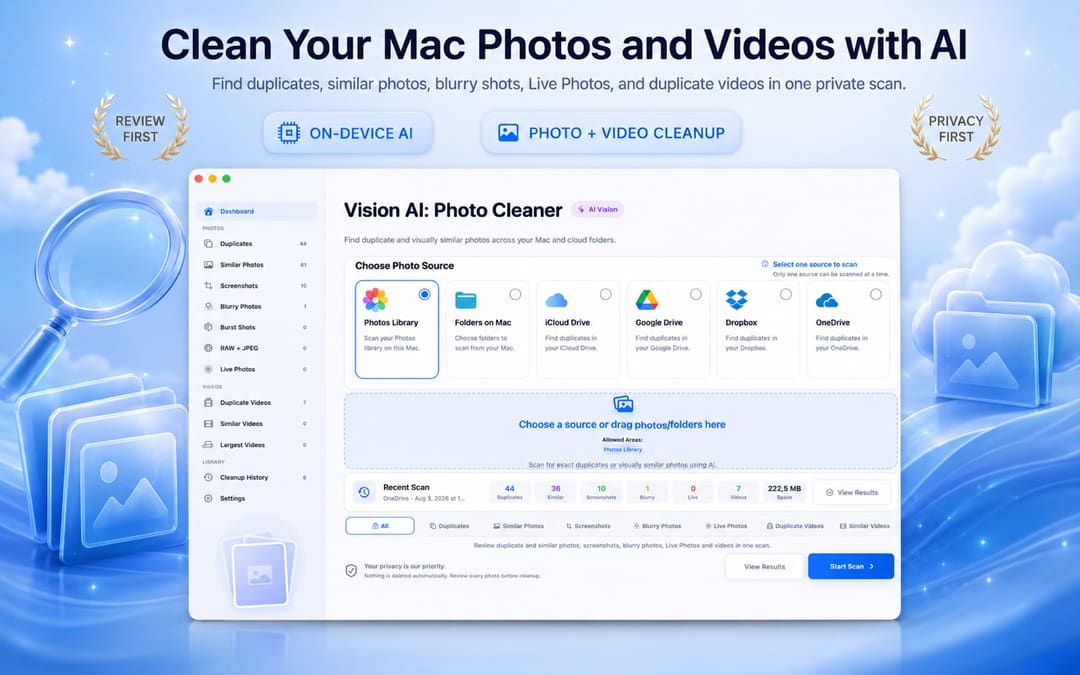
دليل الصور المكررة على Mac
استخدم أداة الصور المدمجة لدمج التكرارات التي تم اكتشافها بالفعل. واستخدم Vision AI: Photo Cleaner لمقارنة اللقطات المتشابهة وفحص المجلدات والعثور على الصور الضبابية أو الفيديوهات ومراجعة التخزين المتزامن في مساحة واحدة.
افتح تطبيق الصور، ثم الأدوات المساعدة واختر التكرارات. يستطيع macOS دمج العناصر التي سبق أن حددها داخل مكتبة الصور.
اختر مكتبة الصور أو مجلدًا على Mac أو مجلدًا متزامنًا مدعومًا. يجمع Vision AI النسخ المتطابقة والصور المتشابهة بصريًا محليًا على Mac.
راجع المعاينات والتواريخ والأحجام ومؤشرات الجودة، واحتفظ بأفضل نسخة وانقل الملفات التي تختارها فقط إلى سلة المهملات.
اعثر على الصور المكررة والمتشابهة، وراجع الفيديوهات الكبيرة واضغطها محليًا على Mac. اختر ما تريد الاحتفاظ به وأكّد كل عملية تنظيف.
يدعم الإصدار 1.4.2 عشر لغات: الإنجليزية والتركية والإسبانية والفرنسية والألمانية والإيطالية والبرتغالية واليابانية والكورية والعربية.
يفصل التطبيق بين تقدم الفحص والمجموعات والمعاينات وإجراءات الحذف لتبقى العملية تحت سيطرتك.
حدد مجلدًا محليًا أو مكتبة صور أو قرصًا متصلًا تريد فحصه.
يجمع Vision AI المكررات والصور المتشابهة ولقطات الشاشة على جهاز Mac.
احتفظ بأفضل نسخة ثم انقل العناصر المحددة إلى سلة المهملات عندما تكون مستعدًا.
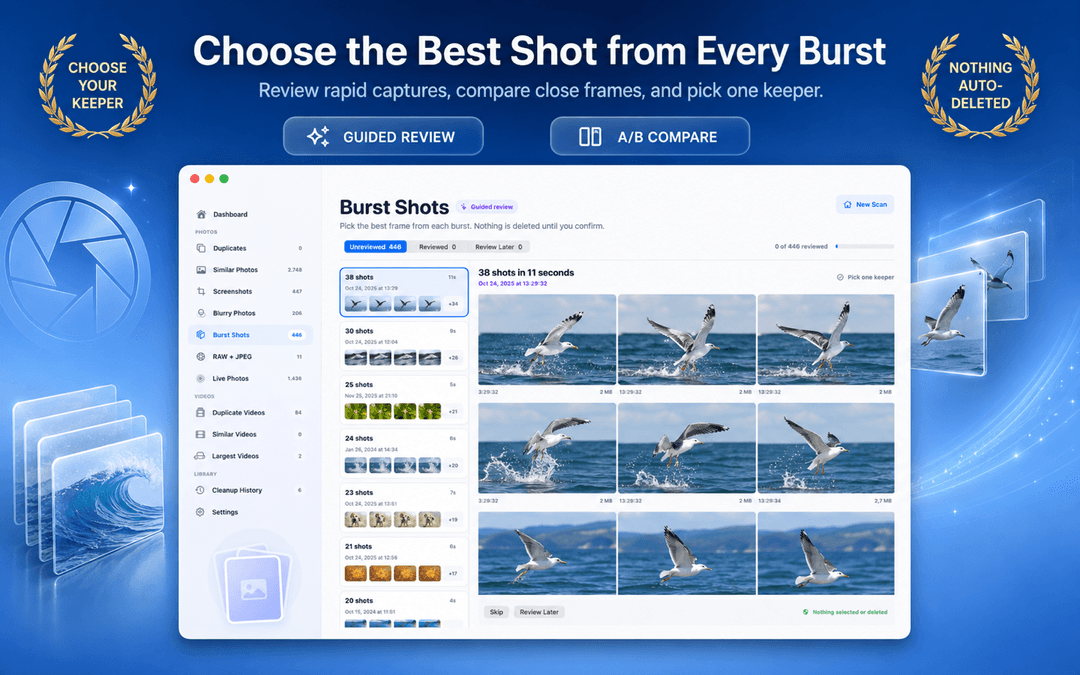

تم تصميم Vision AI: Photo Cleaner حول التحليل المحلي ولا يحتاج إلى رفع مكتبة الصور لاكتشاف المرشحات.
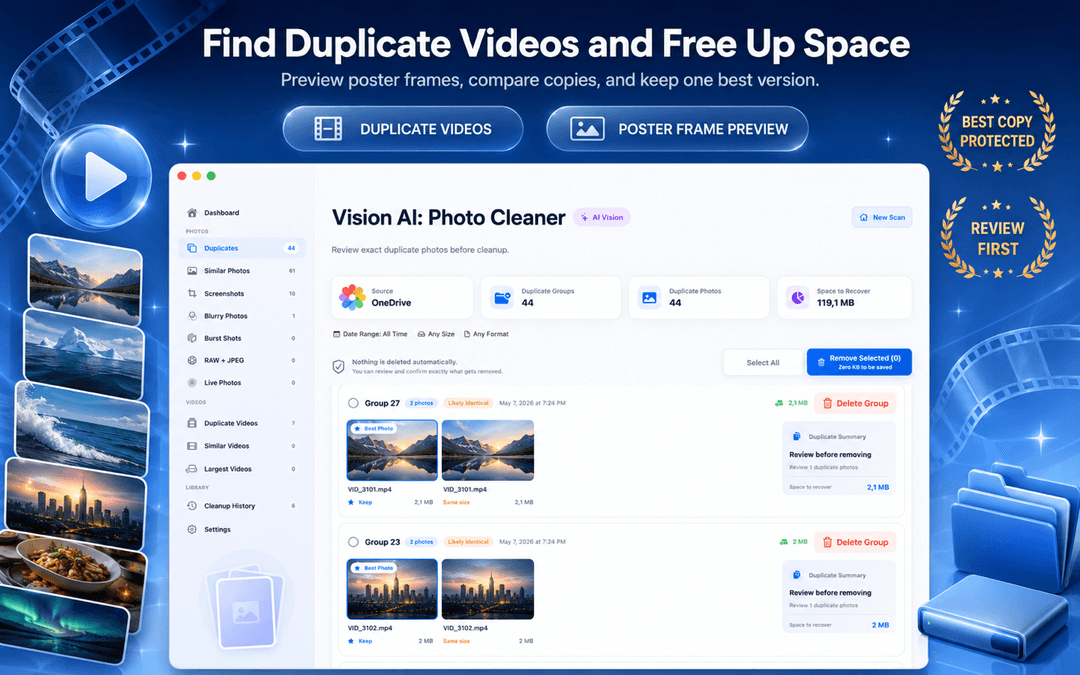
تتم مقارنة الصور وتجميعها على جهازك.
لا تتم إزالة أي شيء دون مراجعتك وإجراء واضح منك.
سير التنظيف الأساسي يعمل دون تسجيل أو بيانات ملف شخصي.
يمكن إرسال العناصر المحددة إلى سلة المهملات ليبقى الاسترداد متاحًا.
macOS Photos includes a basic Duplicates album for exact matches. Vision AI expands that into a full Mac photo workspace covering Finder folders, external SSDs, similar burst shots, and large video files.
| Cleanup Capability | Apple Photos (Built-in) | Vision AI: Photo Cleaner |
|---|---|---|
| Exact Duplicate Detection | Yes (the Photos app library only) | Yes (Photos library + Finder folders + external drives) |
| Similar & Burst Photo Grouping | Basic duplicate grouping; misses similar angles and lighting variants | Deep on-device visual similarity + keeper recommendation + sync zoom |
| Blurry & Low-Quality Detection | Not available | On-device Laplacian sharpness scoring isolates unusable shots |
| External SSD & Drive Scanning | Must import files into Photos library first | Directly scans connected external hard drives, SD cards, and USB drives |
| Cloud Folder Sync Scanning | iCloud Photos only | Scans local sync mirrors for iCloud Drive, Google Drive, Dropbox, OneDrive |
| Video Cleanup & Compressor | Basic video duplicates only (no compression) | Finds duplicate/large videos with built-in macOS video compressor |
| Safe Deletion Protocol | Recently Deleted (30-day recovery) | Mac Trash (until emptied) or Recently Deleted (up to 30 days), review-first |
Basic photo finders only compare file sizes or names. Vision AI uses four on-device analysis stages powered by macOS and Apple Silicon.
SHA-256 hashes are computed locally to identify exact file matches, including files with different names or locations.
On-device neural vision vectors extract scene geometry, lighting, and expressions. Bursts and alternate takes are clustered accurately without cloud servers.
Within each group of similar shots, sharpness, exposure, and detail are scored to recommend the best keeper, making review fast and effortless.
Motion-blurred and out-of-focus photos are detected through local Laplacian variance scoring, isolating unusable photos taking up disk space.
Vision AI scans local folders and volumes you select on your Mac, including local synced folders managed by macOS File Provider (such as iCloud Drive, Google Drive for Desktop, Dropbox, and OneDrive). It operates directly through standard macOS file access without requiring third-party OAuth logins or account credentials, inspecting only files that have been downloaded to your disk.
Select any source in your Mac workflow for instant inspection:
While Vision AI focuses on your photo and video libraries, Smart Cleaner AI scans your entire Mac storage for app caches, system logs, leftover files from uninstalled apps, developer build clutter, and files taking up disk space.
Related Mac & Photo Storage Guides
لا. يجمع المرشحات وينتظر مراجعتك.
لا. المنتج مصمم لتحليل Vision AI المحلي على macOS.
نعم. يحتوي على عروض منفصلة للمكررات والصور المتشابهة ولقطات الشاشة.
المجلدات المحلية ومصادر التخزين المتصلة مثل iCloud وGoogle Drive وDropbox وOneDrive.
للعناصر المكتشفة مسبقًا، افتح الصور > الأدوات المساعدة > التكرارات. ولإجراء فحص أوسع، يجمع Vision AI: Photo Cleaner النسخ المتطابقة واللقطات المتشابهة ولقطات الشاشة والصور الضبابية والفيديوهات والمجلدات المدعومة. وبعد المراجعة لا تُنقل إلى سلة المهملات إلا اختياراتك.
ابحث عن الفحص على الجهاز، وأوضاع المطابقة التامة والتشابه البصري، والمعاينات جنبًا إلى جنب، ودعم أماكن تخزين صورك، ومسار مراجعة لا يحذف الملفات تلقائيًا.
صُمم لفحص مكتبة الصور والمجلدات المتاحة محليًا أو المتزامنة، بما فيها مصادر iCloud المدعومة. يجب أن تكون الملفات متاحة على Mac لإجراء التحليل المحلي.
قلّل حجم الفيديو باختيار الجودة والدقة. احفظ النسخ المضغوطة في مجلد منفصل، أو استبدل الملفات الأصلية فقط بعد اجتياز الفيديو الجديد فحص السلامة. تتم المعالجة على جهاز Mac الخاص بك.
اعثر على الصور المكررة والمتشابهة، وراجع الفيديوهات الكبيرة واضغطها محليًا على Mac. اختر ما تريد الاحتفاظ به وأكّد كل عملية تنظيف.