
01
Apple 사진의 중복 항목 확인
사진 앱을 열고 유틸리티에서 중복 항목을 선택하세요. macOS가 사진 보관함에서 이미 식별한 항목을 병합할 수 있습니다.

Vision AI - Photo Cleaner
macOS · 새로운 기능 1.4.2
Mac에서 중복·유사 사진과 대용량 동영상을 확인하고 동영상을 로컬로 압축하세요. 보관할 파일을 선택하고 정리 전에 직접 확인합니다.
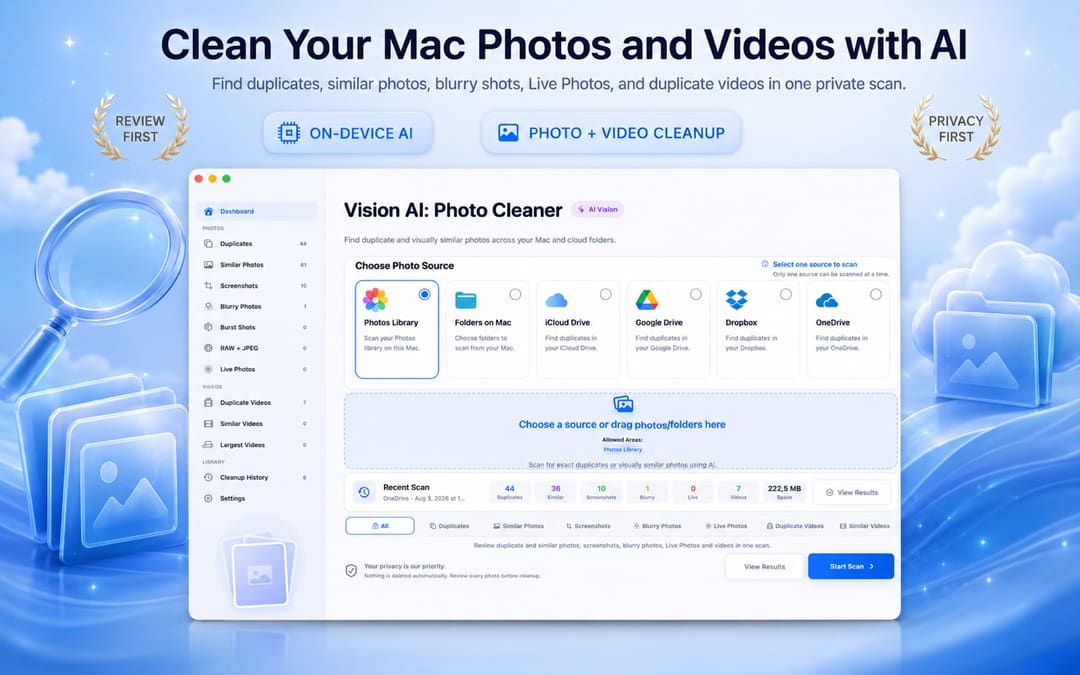
Mac 중복 사진 가이드
사진 앱에서 이미 감지된 중복 항목만 병합하려면 기본 도구를 사용하세요. 유사한 사진 비교, 폴더 스캔, 흐릿한 사진이나 동영상 찾기, 동기화 저장 공간 검토까지 필요하다면 Vision AI: Photo Cleaner를 사용할 수 있습니다.
사진 앱을 열고 유틸리티에서 중복 항목을 선택하세요. macOS가 사진 보관함에서 이미 식별한 항목을 병합할 수 있습니다.
사진 보관함, Mac 폴더 또는 지원되는 동기화 폴더를 선택하세요. Vision AI가 정확한 복사본과 시각적으로 유사한 이미지를 Mac에서 그룹화합니다.
미리보기, 날짜, 크기와 품질 신호를 확인하고 가장 좋은 버전을 남긴 뒤 선택한 파일만 휴지통으로 이동하세요.
Mac에서 중복·유사 사진과 대용량 동영상을 확인하고 동영상을 로컬로 압축하세요. 보관할 파일을 선택하고 정리 전에 직접 확인합니다.
1.4.2 버전은 영어, 터키어, 스페인어, 프랑스어, 독일어, 이탈리아어, 포르투갈어, 일본어, 한국어, 아랍어 등 10개 언어를 지원합니다.
진행률, 후보 그룹, 미리보기, 삭제 작업을 분리해 정리를 안전하고 통제 가능하게 만듭니다.
검사할 로컬 폴더, 사진 보관함 또는 연결된 드라이브를 선택합니다.
Vision AI가 Mac에서 중복, 유사 사진, 스크린샷을 그룹화합니다.
가장 좋은 버전을 남기고 선택한 항목을 휴지통으로 이동합니다.
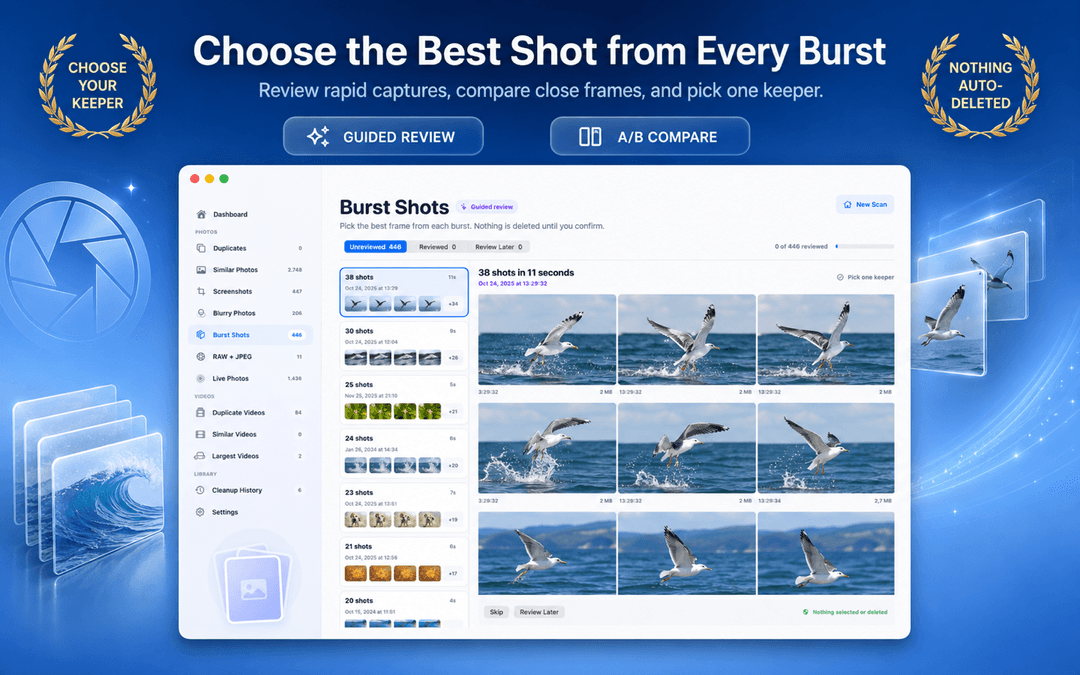

Vision AI: Photo Cleaner는 로컬 분석 중심으로 설계되어 사진 보관함 업로드가 필요 없습니다.
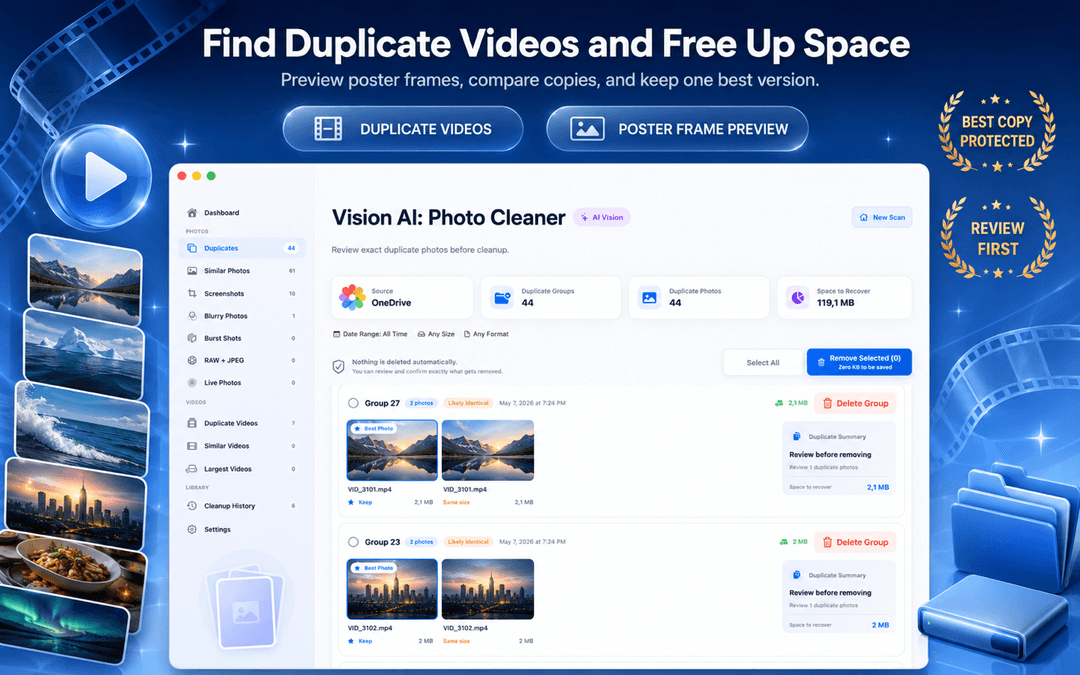
이미지 비교와 그룹화가 기기에서 수행됩니다.
명시적 검토와 작업 없이는 아무것도 제거되지 않습니다.
핵심 정리 흐름은 가입 없이 작동합니다.
선택 항목을 휴지통으로 보내 복구 가능성을 유지합니다.
macOS Photos includes a basic Duplicates album for exact matches. Vision AI expands that into a full Mac photo workspace covering Finder folders, external SSDs, similar burst shots, and large video files.
| Cleanup Capability | Apple Photos (Built-in) | Vision AI: Photo Cleaner |
|---|---|---|
| Exact Duplicate Detection | Yes (the Photos app library only) | Yes (Photos library + Finder folders + external drives) |
| Similar & Burst Photo Grouping | Basic duplicate grouping; misses similar angles and lighting variants | Deep on-device visual similarity + keeper recommendation + sync zoom |
| Blurry & Low-Quality Detection | Not available | On-device Laplacian sharpness scoring isolates unusable shots |
| External SSD & Drive Scanning | Must import files into Photos library first | Directly scans connected external hard drives, SD cards, and USB drives |
| Cloud Folder Sync Scanning | iCloud Photos only | Scans local sync mirrors for iCloud Drive, Google Drive, Dropbox, OneDrive |
| Video Cleanup & Compressor | Basic video duplicates only (no compression) | Finds duplicate/large videos with built-in macOS video compressor |
| Safe Deletion Protocol | Recently Deleted (30-day recovery) | Mac Trash (until emptied) or Recently Deleted (up to 30 days), review-first |
Basic photo finders only compare file sizes or names. Vision AI uses four on-device analysis stages powered by macOS and Apple Silicon.
SHA-256 hashes are computed locally to identify exact file matches, including files with different names or locations.
On-device neural vision vectors extract scene geometry, lighting, and expressions. Bursts and alternate takes are clustered accurately without cloud servers.
Within each group of similar shots, sharpness, exposure, and detail are scored to recommend the best keeper, making review fast and effortless.
Motion-blurred and out-of-focus photos are detected through local Laplacian variance scoring, isolating unusable photos taking up disk space.
Vision AI scans local folders and volumes you select on your Mac, including local synced folders managed by macOS File Provider (such as iCloud Drive, Google Drive for Desktop, Dropbox, and OneDrive). It operates directly through standard macOS file access without requiring third-party OAuth logins or account credentials, inspecting only files that have been downloaded to your disk.
Select any source in your Mac workflow for instant inspection:
While Vision AI focuses on your photo and video libraries, Smart Cleaner AI scans your entire Mac storage for app caches, system logs, leftover files from uninstalled apps, developer build clutter, and files taking up disk space.
Related Mac & Photo Storage Guides
아니요. 후보를 그룹화하고 사용자의 검토를 기다립니다.
아니요. 이 제품은 macOS에서 로컬 Vision AI 분석을 위해 설계되었습니다.
네. 중복, 유사 사진, 스크린샷 보기가 분리되어 있습니다.
로컬 폴더와 iCloud, Google Drive, Dropbox, OneDrive 같은 연결 소스입니다.
이미 인식된 항목은 사진 > 유틸리티 > 중복 항목에서 확인하세요. 더 넓게 스캔하려면 Vision AI: Photo Cleaner가 정확한 중복, 유사 사진, 스크린샷, 흐릿한 사진, 동영상 및 지원 폴더를 그룹화합니다. 검토 후 선택한 항목만 휴지통으로 이동할 수 있습니다.
기기 내 분석, 정확한 일치와 시각적 유사성 모드, 나란히 보는 미리보기, 사진 저장 위치 지원, 자동 삭제 없이 먼저 검토하는 흐름을 확인하세요.
사진 보관함과 지원되는 iCloud 소스를 포함해 로컬에서 사용할 수 있거나 동기화된 폴더를 스캔하도록 설계되었습니다. 로컬 분석을 위해 파일이 Mac에서 접근 가능해야 합니다.
화질과 해상도를 선택해 동영상 크기를 줄이세요. 압축본을 별도 폴더에 저장하거나 새 동영상이 안전 검증을 통과한 후에만 원본을 교체할 수 있습니다. 처리는 Mac 안에서 이루어집니다.
Mac에서 중복·유사 사진과 대용량 동영상을 확인하고 동영상을 로컬로 압축하세요. 보관할 파일을 선택하고 정리 전에 직접 확인합니다.