Duplicate Photo Cleaner for Mac: Find & Delete Duplicate Photos Safely (2026)
Find and delete duplicate photos on Mac with on-device AI. Remove exact duplicates and similar photos across Photos library, Finder folders, and iCloud safely.


The short answer
Duplicate Photo Cleaner for Mac: What the Best Mac Photo Cleaner Should Actually Do
A dedicated duplicate photo cleaner for Mac is only useful if it finds copies that no longer share a filename, groups them so you can review them quickly, and never deletes files without your approval. Most wasted storage in an Apple Photos library or MacBook drive is not in byte-identical files. It lives in near duplicates: burst shots, re-compressed photos from messaging apps, resized exports, and four slightly different takes of the same view.
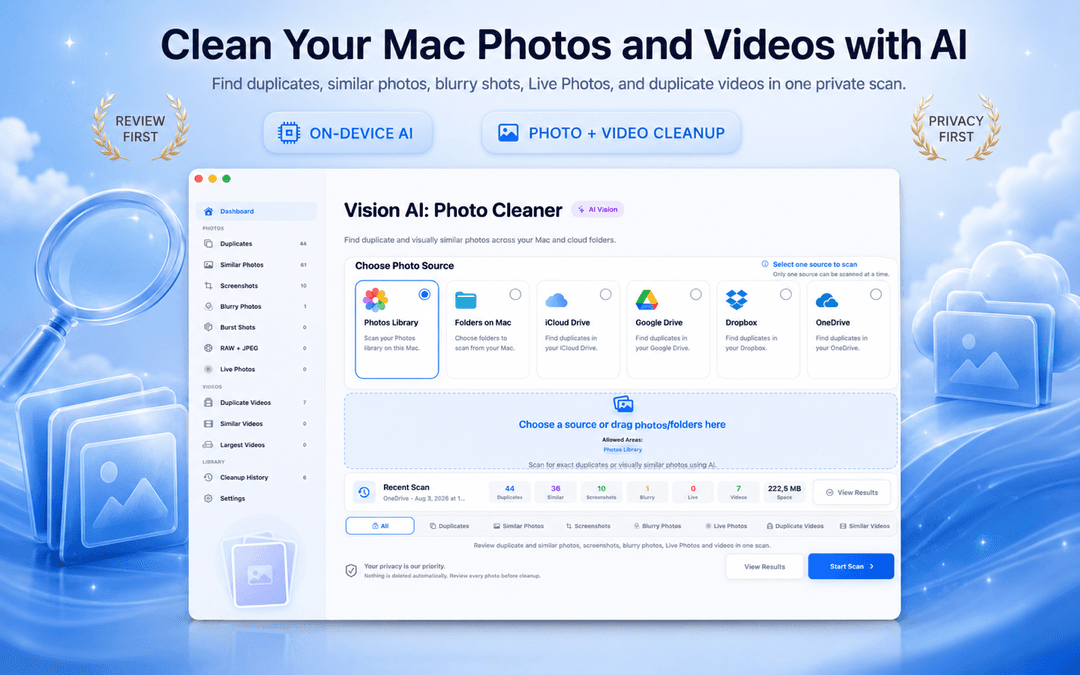
Vision AI - Photo Cleaner is a free duplicate photo finder and Mac photo cleaner for macOS. It scans your Photos library, Mac folders, iCloud Drive, and synced cloud folders (Google Drive, Dropbox, OneDrive), compares images locally using Apple's on-device vision framework, and gives you clear groups to review. You can download it directly from the Mac App Store.
If you want to know how to find duplicates in photos on Mac, how the matching works, and how to get rid of duplicate photos on Mac without risking your original shots, here is the complete breakdown.
Three things a duplicate photo cleaner needs
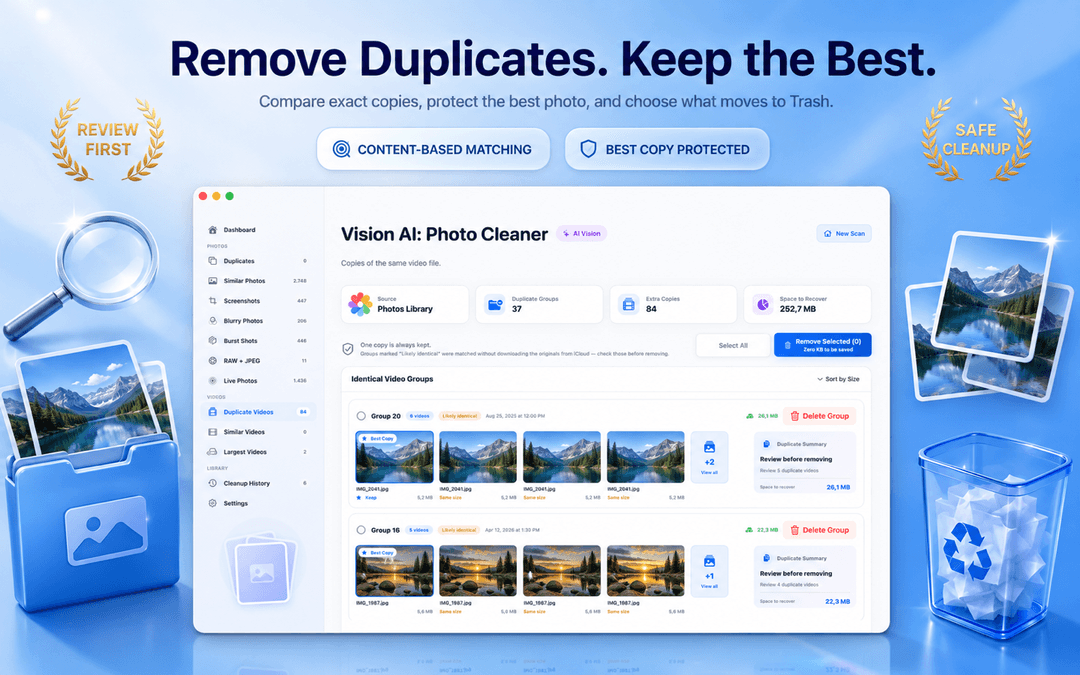
Exact Duplicate Photos on Mac: Matched by Visual Content, Not Filename
Renaming a photo does not make it a new picture, and dragging a copy into another folder does not either. Intelligent matching is based on the image content itself, meaning IMG_4021.jpg, IMG_4021 copy.jpg, and vacation-final.jpg are correctly grouped together when they contain the exact same picture.
In every duplicate group, one version is automatically marked as the best keeper so an entire set is never removed by accident. Each group displays file size, creation date, and recoverable space, with filters for date range, file format, and dimensions to help you delete duplicate photos on Mac safely.
Exact duplicates are the one category you can comfortably clean in bulk because you are only discarding redundant copies, not unique image data.
Similar Photos: Why Vision AI is the Best Photo Cleaner for Mac
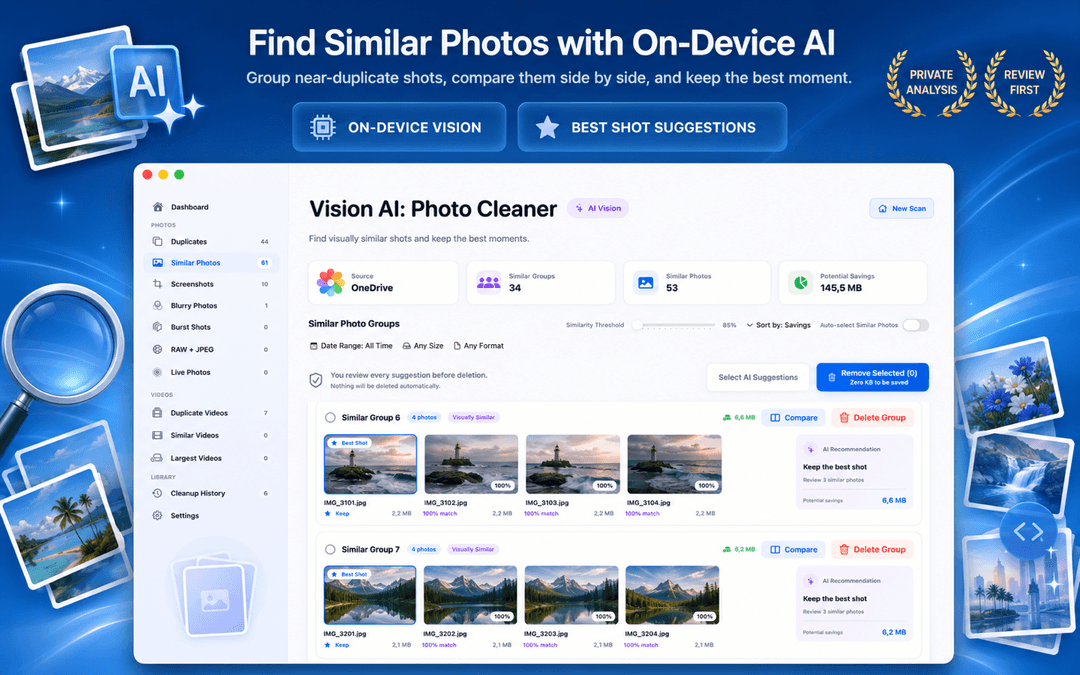
The largest storage gains come from photos that are visually similar but technically distinct files. On-device Vision AI measures visual similarity directly on your Mac or MacBook, giving you full control over the grouping threshold.
A similarity slider lets you choose how close two shots need to be to be grouped, while a capture-time filter determines whether frames captured minutes apart are compared. Inside each group, you can inspect photos side by side with synchronized zoom to answer the key question: is keeping five nearly identical frames worth gigabytes of disk space? The app recommends the sharpest shot based on focus and resolution, while leaving the final choice in your hands.
Beyond Duplicates: Blurry Photos, Screenshots, Live Photos, Bursts & RAW Pairs
A cleanup tool that only scans for exact duplicates leaves most of your storage untouched. An advanced duplicate photo cleaner for Mac also surfaces:
- Blurry photos. Focus sharpness and motion blur are scored on-device so you can quickly cull unusable shots.
- Screenshots. Retina screenshots accumulate fast and become obsolete within days.
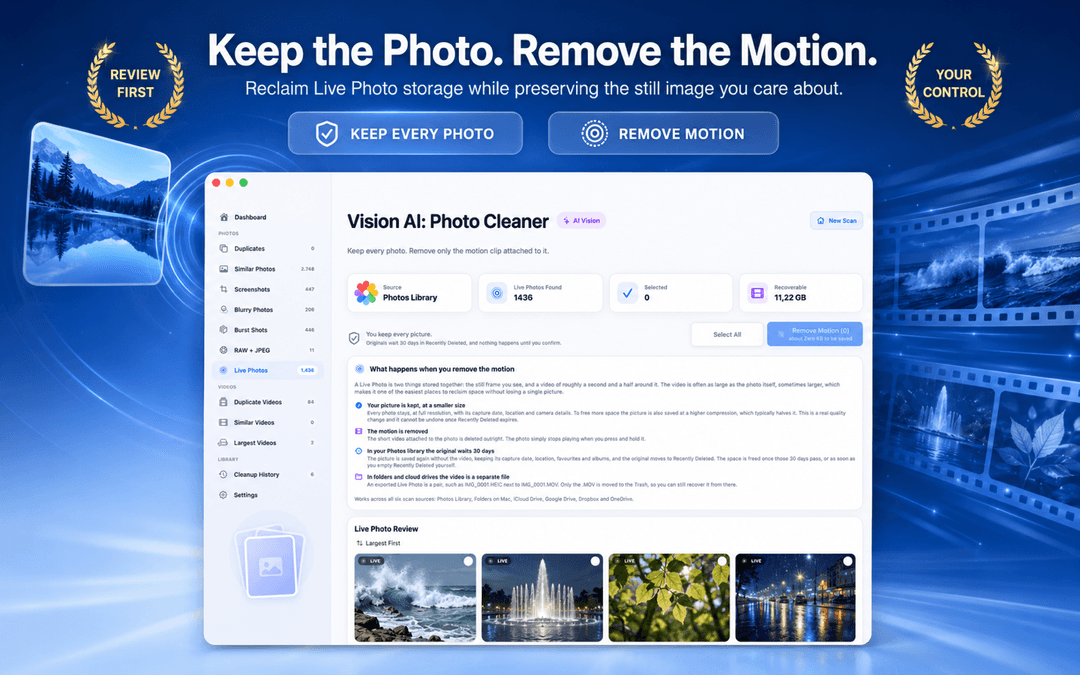
- Live Photos. Convert Live Photos to stills to reclaim space while keeping the core photo.
- Burst shots. Collapse 20 rapid frames into the single sharpest keeper.
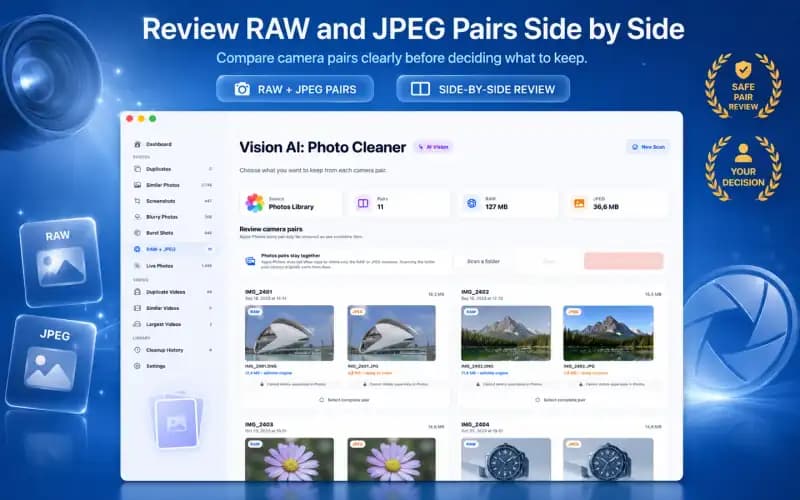
- RAW + JPEG pairs. Identify unneeded RAW files when you only need the processed JPEG.
- Duplicate videos and large video files. Find redundant video takes and the biggest media files hogging your drive.
100% On-Device Privacy: No Cloud Uploads, No Secret Deletions
Every comparison runs locally on your Mac using Apple's Vision framework. Your photos are never uploaded to remote servers, no account is required, and no tracking profiles exist.
Deletion is always an explicit, user-confirmed action. When you decide to get rid of duplicate photos on Mac, items move through standard macOS Trash or Recently Deleted paths, so you can recover items until Trash is emptied or the Recently Deleted recovery period ends.
Scan One Source at a Time: Photos Library, Mac Folders & iCloud
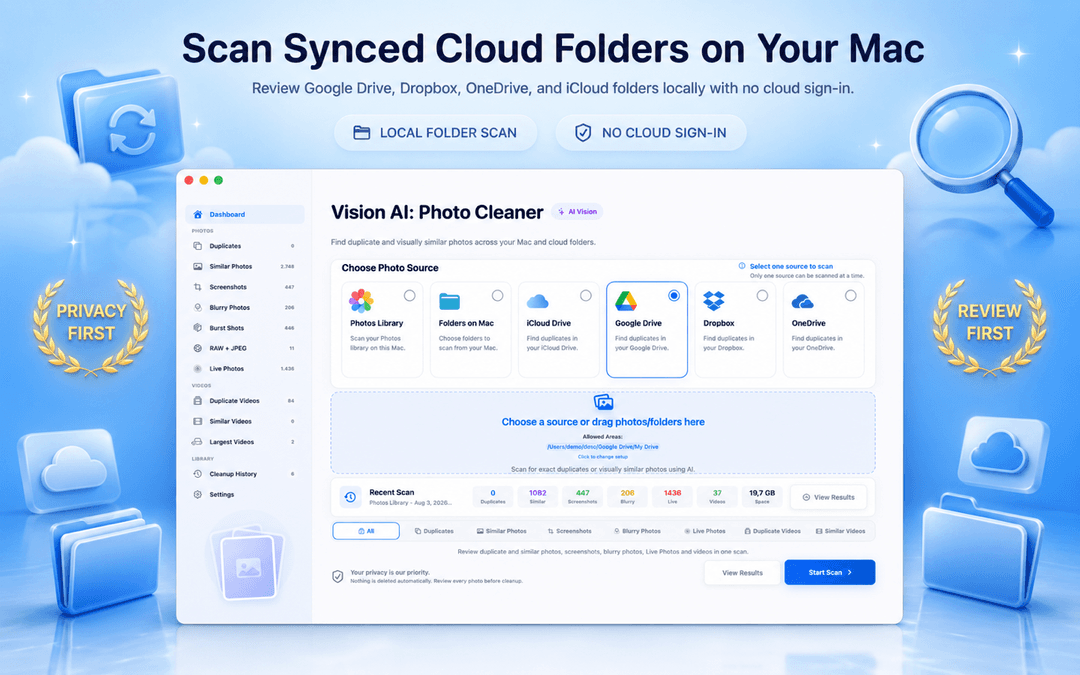
To avoid confusion, clean your photo sources systematically rather than scanning your entire drive at once:
- Apple Photos library first: Clean your main library so you understand your keepers before touching other folders.
- Mac & MacBook folders next: Scan Downloads, Desktop, and old backup folders.
- Cloud storage & iCloud Drive: Clean synced folders one by one to remove duplicate photos from iCloud and external drives without conflicts.
How to Delete Duplicate Photos on Mac in 3 Steps
Select your scan source
Open Vision AI - Photo Cleaner on your Mac or MacBook and choose your Apple Photos library, a Finder folder, or synced cloud storage.
Scan and review duplicate groups
Let the on-device AI analyze your photos. Compare exact and similar groups side-by-side and adjust the similarity slider if needed.
Confirm and delete duplicates safely
Keep the best copy, select redundant files, and send them to Trash. Check your freed storage and repeat for your other folders.
Frequently Asked Questions
What is the best duplicate photo cleaner for Mac?Show answer
The best duplicate photo cleaner for Mac is one that combines on-device visual similarity scanning with exact content hashing, side-by-side comparison, and a review-first workflow. Vision AI - Photo Cleaner offers all of these features completely on-device without cloud uploads.
Is this duplicate photo finder for Mac free to use?Show answer
Yes. Vision AI - Photo Cleaner is a free duplicate photo finder for Mac available on the Mac App Store. You can scan, review, and delete duplicate photos without a paywall blocking the cleanup step.
How to find duplicates in Photos on Mac?Show answer
In macOS Ventura and later, Apple Photos includes a basic Duplicates album under Utilities. For a deeper scan that catches near-duplicates, burst shots, resized copies, and loose Finder files, use Vision AI - Photo Cleaner.
Can I remove duplicate photos from iCloud Drive and Photos library?Show answer
Yes. Photos library deletions move to Recently Deleted; files deleted from an iCloud Drive folder go to Trash. Deletions sync through the relevant iCloud service. The space recovered on each device depends on its storage settings.
Does it work well on MacBook Pro and Apple silicon Macs?Show answer
Yes. Vision AI - Photo Cleaner is fully optimized for macOS, running natively with hardware acceleration on Apple silicon (M1/M2/M3/M4) as well as Intel-based MacBook, MacBook Pro, MacBook Air, iMac, and Mac mini models.
Will the app ever delete photos automatically without asking?Show answer
Never. The app always marks a keeper and requires your explicit review and confirmation before moving any files to macOS Trash.
Clean Your Mac Photo Library Once, Then Keep It Tidy
The best photo cleaner for Mac is the one that shows you exactly what it found, explains why images matched, and puts full control in your hands before deleting a single file.
Download Vision AI - Photo Cleaner on the Mac App Store or discover more details on the product page.
Have questions? Support Center
Related guides

· 9 min read
On-Device Processing Explained: What Stays on Your iPhone and Mac
What on-device processing means, how photo apps find duplicates without uploading your library, and what still uses the network. Plain-English guide.
· 9 min read
Are Mac Photo Cleaner Apps Safe? A Privacy Checklist
Before a duplicate photo finder scans your Mac, check these 8 things: privacy labels, Photos and folder access, cloud drives, network activity and safe deletion.
· 9 min read
RAW + JPEG Photos on Mac: What Should You Keep? (2026 Guide)
Master RAW + JPEG pair management on Mac. Learn how Apple Photos handles camera RAW files, how to avoid double-storage bloat, and when to keep RAW masters.
Ready when you are
Download Vision AI - Photo Cleaner for Mac
Find duplicate and similar photos, review large videos and compress videos locally on your Mac. Choose what to keep and confirm every cleanup.
By using Vision AI - Photo Cleaner, you agree to our Terms of Use and Privacy Policy.