How to Choose a Duplicate Photo Finder for Mac (2026 Evaluation Guide)
Compare duplicate photo finders for Mac and MacBook. Discover how to evaluate similarity detection, on-device privacy, and safe review workflows without risking photos.


How to Choose a Duplicate Photo Finder for Mac (2026 Evaluation Guide)
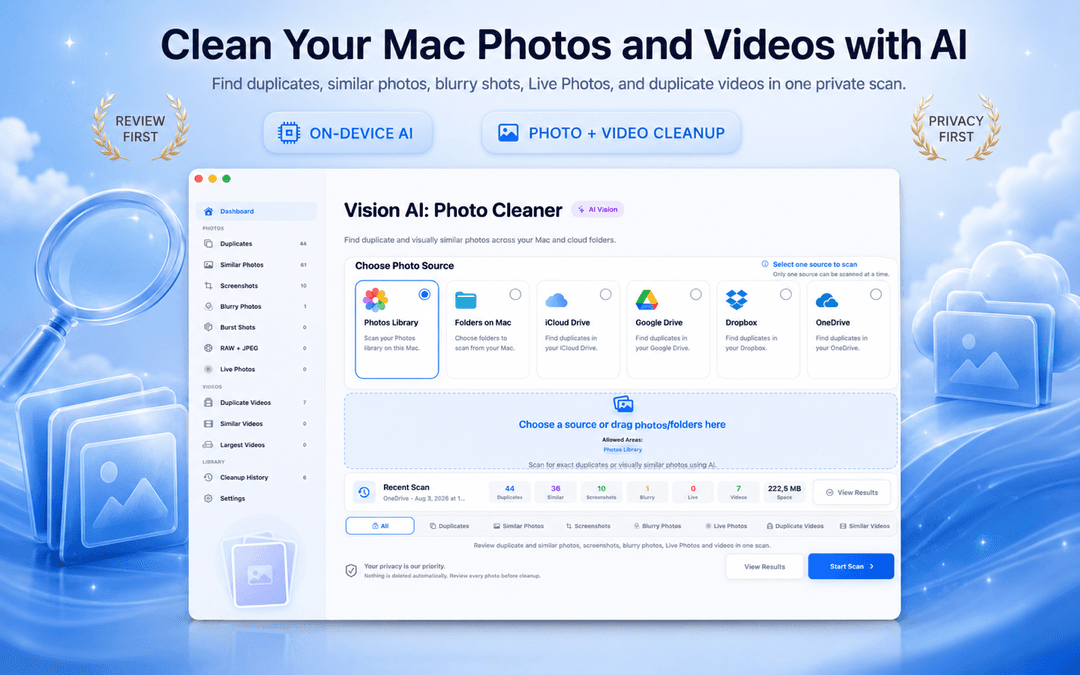
Every app claims to be the best duplicate photo finder for Mac. But when evaluating photo cleaning tools for Mac or MacBook, real quality comes down to three measurable factors: visual similarity accuracy, on-device privacy, and safe review workflows that never delete files automatically.
Editorial disclosure: DijitalWorlds develops Vision AI - Photo Cleaner, so our perspective is informed by how we build our own tools. We evaluate every tool by the same published criteria: on-device local analysis, transparent review-before-delete, and support for both Photos Library and Finder folders. Here is how to evaluate your options and choose the right utility to safely get rid of duplicate photos on mac.
What separates the best duplicate photo finder for Mac
Exact Matching is the Baseline — Similarity is Where Quality Matters
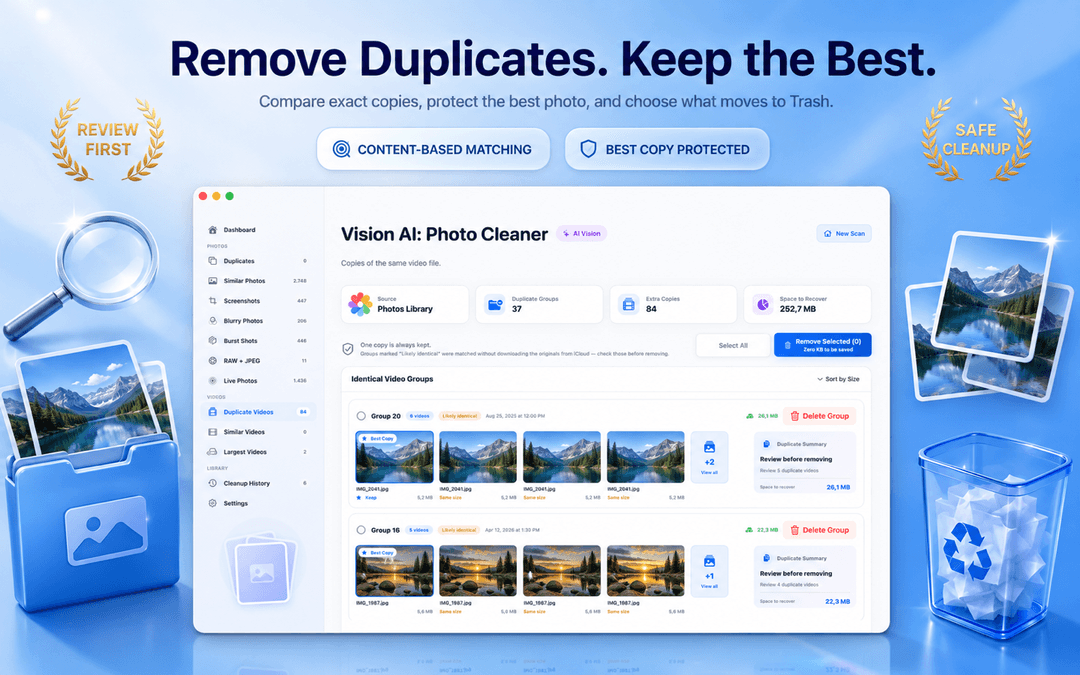
Finding byte-for-byte identical files is simple, but real-world duplicate photos on Mac are rarely exact clones. Most duplicate photos in Photos app or Finder folders are near-duplicates: resized exports, messaging app re-compressions, HDR frames, and burst series.
The best duplicate photo cleaner for Mac uses Apple's on-device Vision framework to analyze image contents directly, identifying near-duplicate shots across your Photos library, local folders, and iCloud Drive without uploading data to the cloud.
Adjustable Similarity Threshold: Essential for Mac & MacBook Pro Users
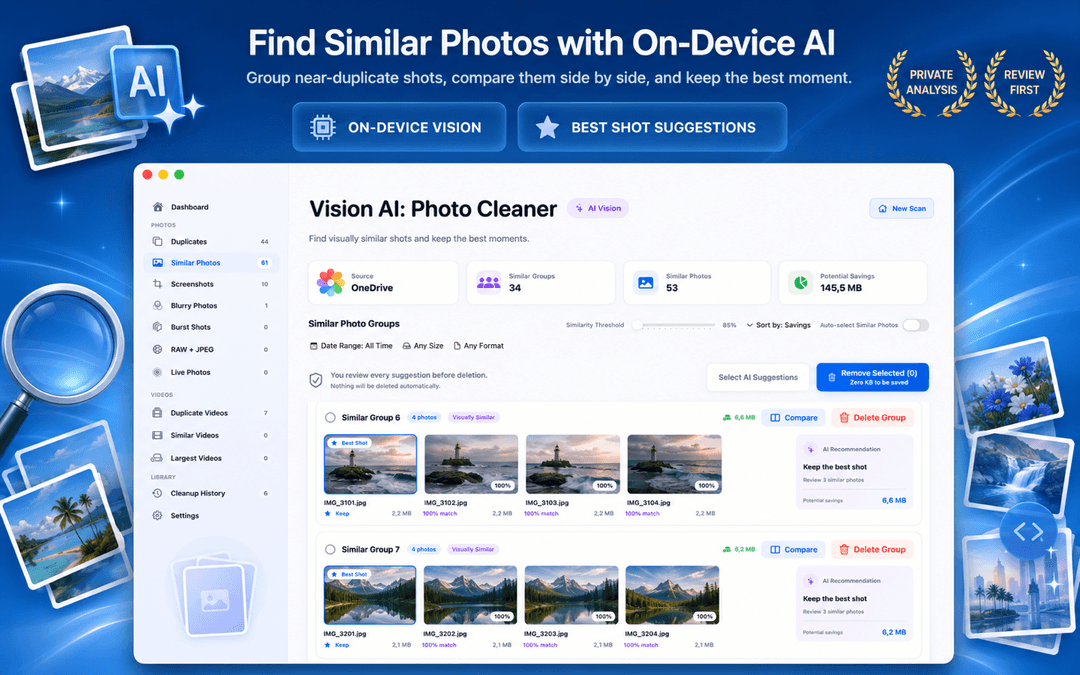
A fixed similarity threshold causes problems: it either combines unrelated photos or misses obvious near-duplicates. Whether you are sorting professional RAW photos on a MacBook Pro or cleaning a casual family gallery, an adjustable sensitivity slider is crucial.
Vision AI provides a slider to fine-tune group tightness, along with side-by-side photo comparison and synchronized zoom, making it easy to see which photo has sharper focus before you remove duplicates from photos library.
Safe Review Workflow: Never Trust Automatic Deletion
When choosing a duplicate photo finder for Mac, prioritize tools that protect your original photos. In Vision AI, candidate groups display details like resolution and file size, and deletions are routed through macOS Trash so you retain a recovery buffer before items are permanently removed.
How to evaluate a Mac duplicate photo finder in 3 checks
Test on a sample folder
Scan a test folder to confirm the duplicate photo finder for Mac accurately groups burst shots and near-duplicates.
Check for similarity controls
Verify that you can adjust similarity sensitivity and compare images side-by-side with synchronized zoom.
Confirm local on-device privacy
Ensure image comparisons happen locally on your Mac without requiring cloud uploads or user account sign-in.
Frequently Asked Questions
What is the best duplicate photo finder for Mac in 2026?Show answer
We build Vision AI - Photo Cleaner, so weigh our view accordingly: it was designed around the criteria above, including on-device Vision AI analysis, adjustable similarity threshold, side-by-side preview with synchronized zoom, and free review-before-delete workflow.
How to find duplicates in Photos on Mac?Show answer
You can check the built-in Duplicates album in Apple Photos for exact matches, or scan your library with Vision AI - Photo Cleaner to find similar burst shots, blurry photos, and duplicates in Finder folders.
Is there a free duplicate photo finder for Mac that actually works?Show answer
Yes. Vision AI - Photo Cleaner is free to download on the Mac App Store, allowing you to scan, review, and delete duplicate photos without a paywall on the delete button.
Does Vision AI - Photo Cleaner upload my photos to the cloud?Show answer
No. All duplicate and visual similarity scanning runs 100% locally on your Mac using Apple's Vision framework.
Choose a Duplicate Finder That Puts Safety First
The best duplicate photo finder for Mac is the tool that shows its work, explains why copies matched, and lets you review every keeper before clearing disk space.
Download Vision AI - Photo Cleaner on the Mac App Store or view the product page.
Have questions? Support Center
Related guides

· 9 min read
Gemini 2 vs PhotoSweeper: Mac Duplicate Photo Finders
Gemini 2 by MacPaw vs PhotoSweeper: compare duplicate detection, photo libraries, pricing and safety, see who each suits, and when Vision AI fits better.

· 9 min read
How to Compress Videos on Mac: 4 Built-In and Free Ways
Compress videos on Mac with Photos, QuickTime Player, Finder or Vision AI. Compare quality options, keep your originals safe and free up storage.

· 9 min read
On-Device Processing Explained: What Stays on Your iPhone and Mac
What on-device processing means, how photo apps find duplicates without uploading your library, and what still uses the network. Plain-English guide.
Ready when you are
Download Vision AI - Photo Cleaner for Mac
Find duplicate and similar photos, review large videos and compress videos locally on your Mac. Choose what to keep and confirm every cleanup.
By using Vision AI - Photo Cleaner, you agree to our Terms of Use and Privacy Policy.