
检查 Mac 存储
打开系统设置 > 通用 > 存储空间,查看 Apple 建议和各类别大小。

Smart Cleaner AI - Disk Clean
macOS · macOS 全新发布
Smart Cleaner AI - Disk Clean 可查找缓存、应用残留、重复文件、大文件和未使用应用,帮助释放 Mac 空间。清理前可逐项检查,分析始终在 Mac 本机完成。
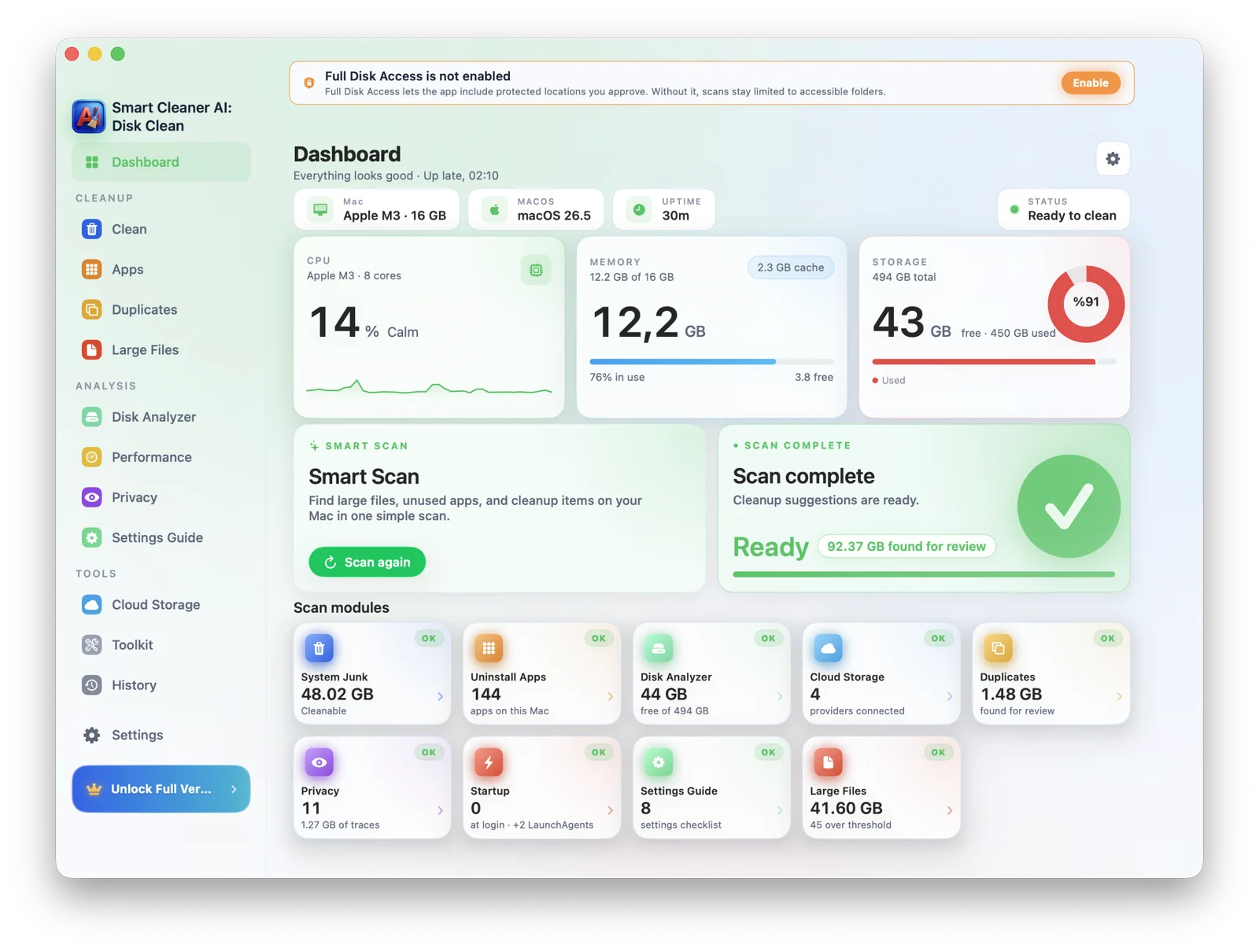
Mac 存储指南
先在 macOS 存储设置中查看哪些类别占用空间,再检查大文件和旧文件、未使用应用及残留、重复文件、下载和缓存。不要手动删除不熟悉的系统数据文件夹。
打开系统设置 > 通用 > 存储空间,查看 Apple 建议和各类别大小。
分析大文件、旧下载、重复文件、未使用应用和本地同步的云端数据。
确认文件位置和预览,保留重要内容,只将选中的项目移到废纸篓。
适合谁
从 MacBook Air 满了的学生到 Pro 机型的创作者,Smart Cleaner AI - Disk Clean 让每个人都有一个安静、可控的清理空间。
macOS 更新前空间不足的 MacBook
拥有大型 Final Cut 和 Logic 库的创作者
Xcode 缓存超过 20GB 的开发者
多年累积重复照片和下载的人
功能
AI 清理、重复查找、大文件、卸载器、启动管理、安全审计,像 Finder 一样原生。
发现系统垃圾、缓存、日志、旧下载,准确告诉你哪些可以安全删除。
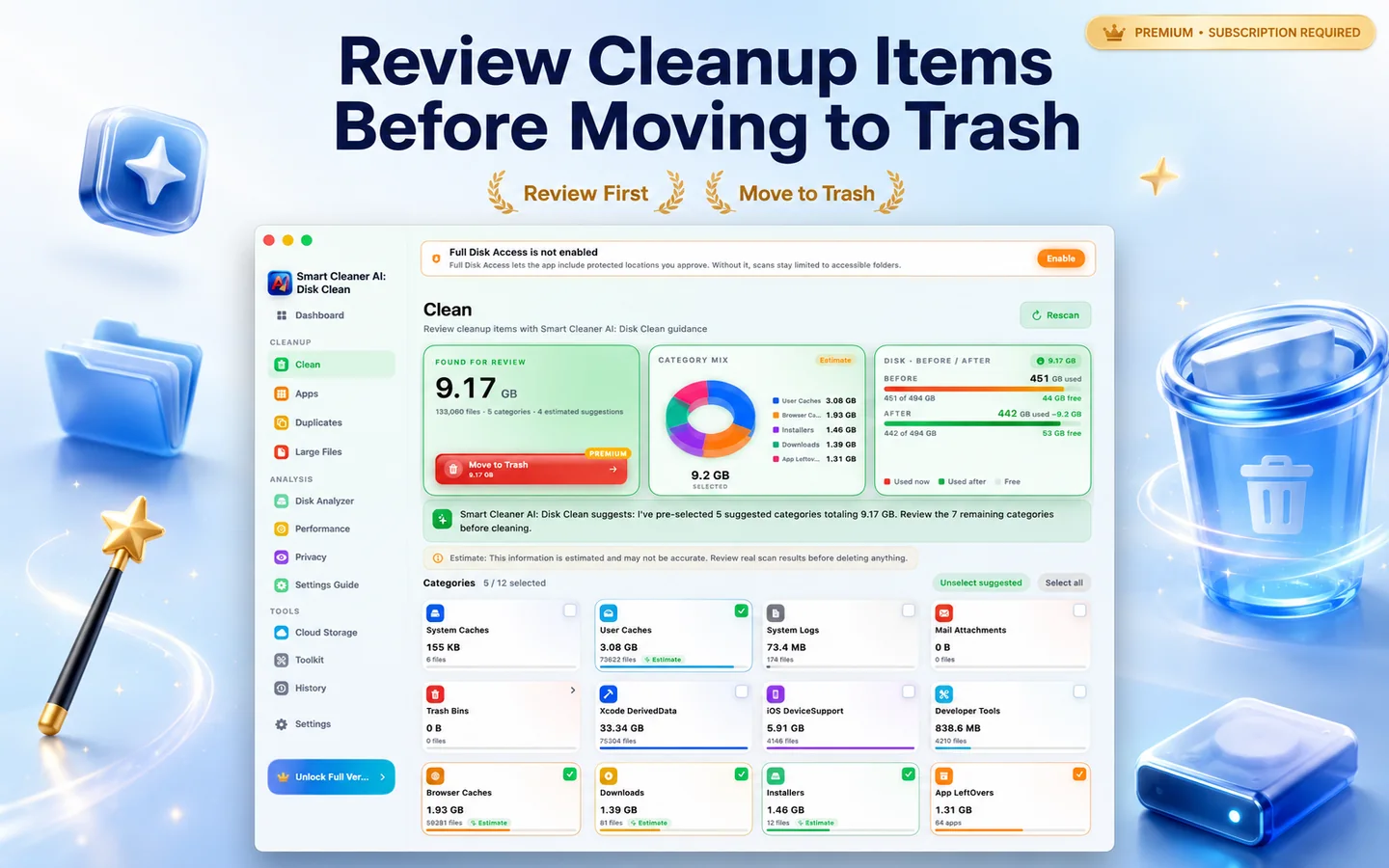
在文件夹和外部驱动器中检测完全和相似重复。
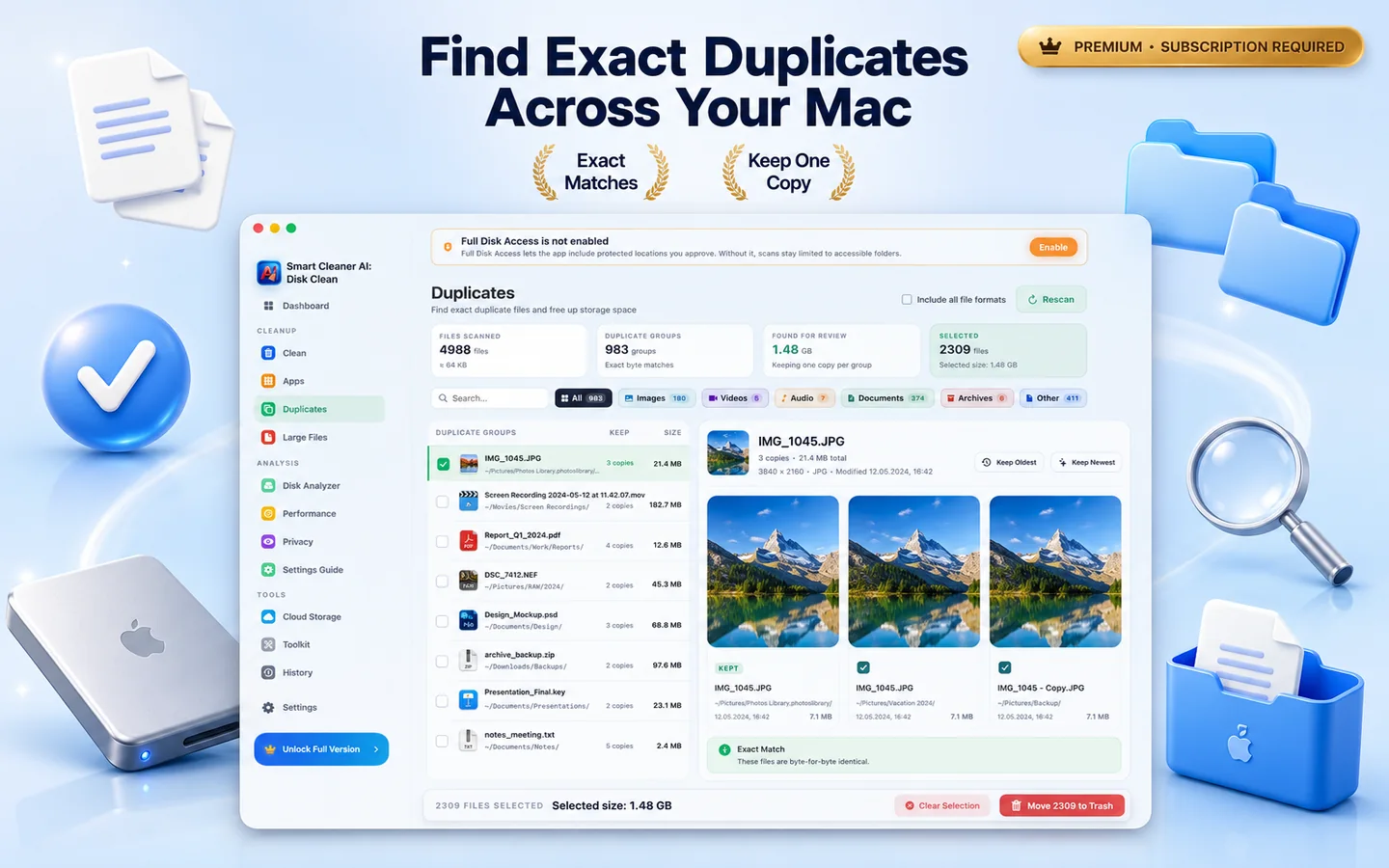
通过快速交互式地图直观查看空间占用。
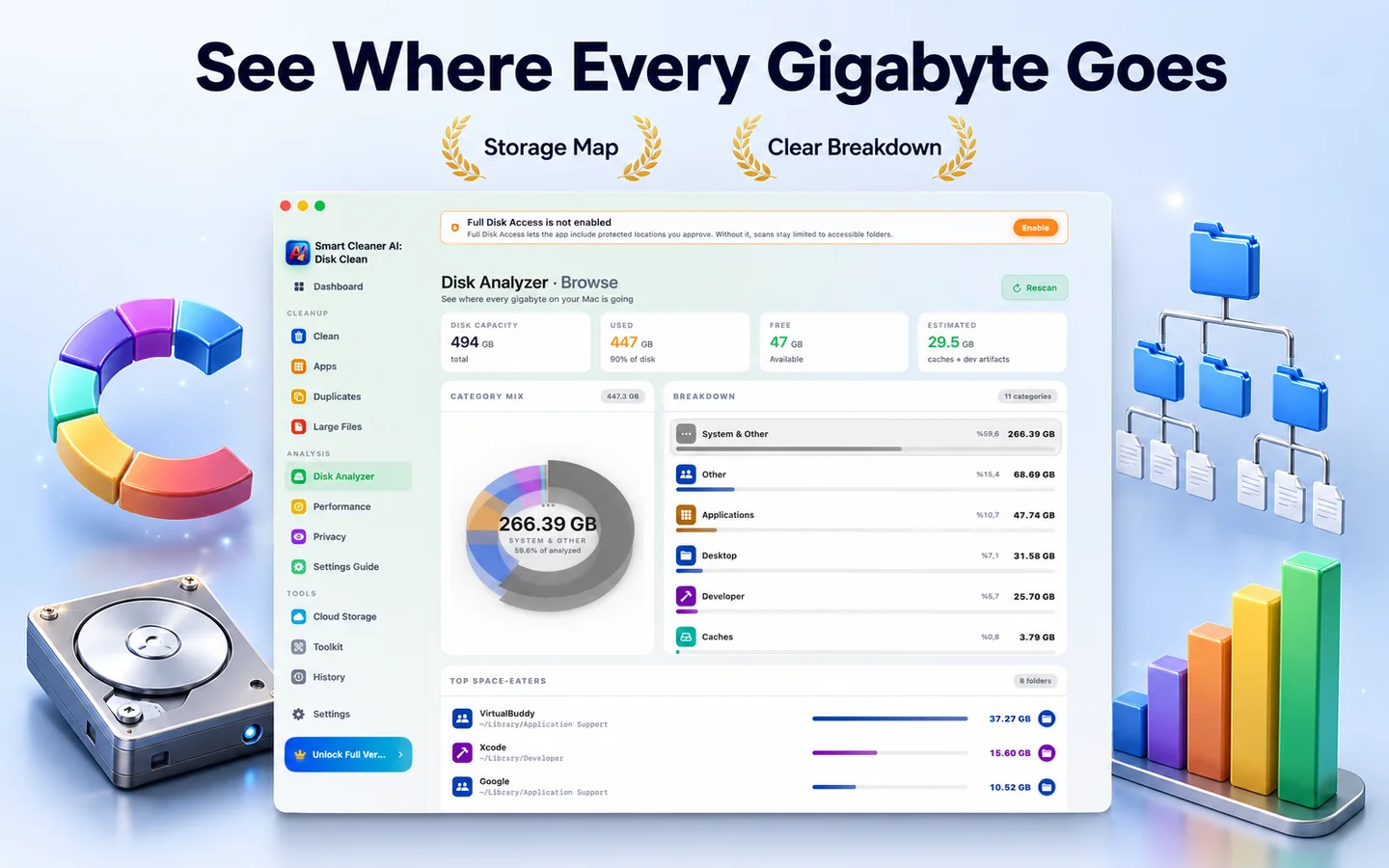
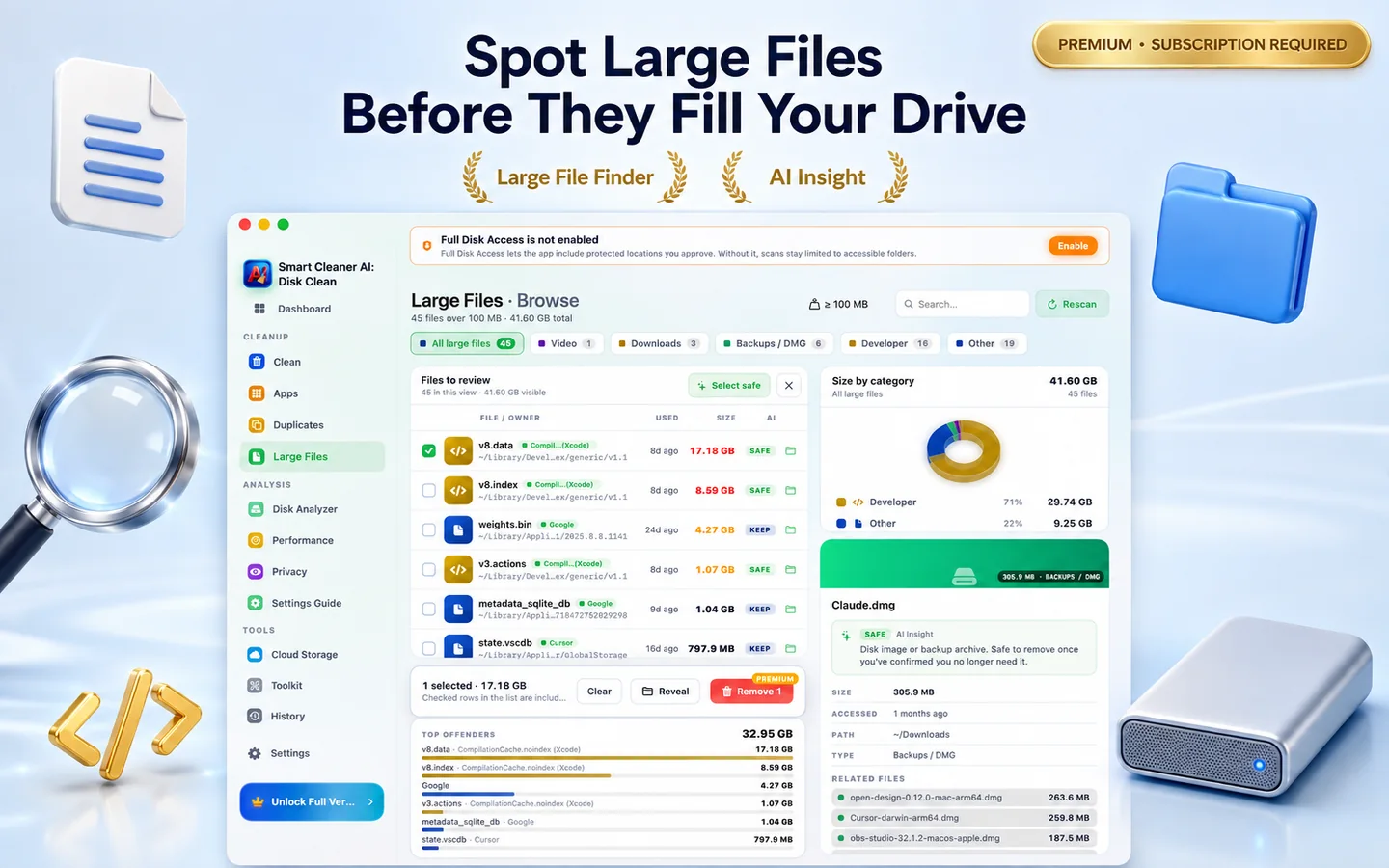
找出 100MB 以上被遗忘的安装包、压缩包和项目文件。
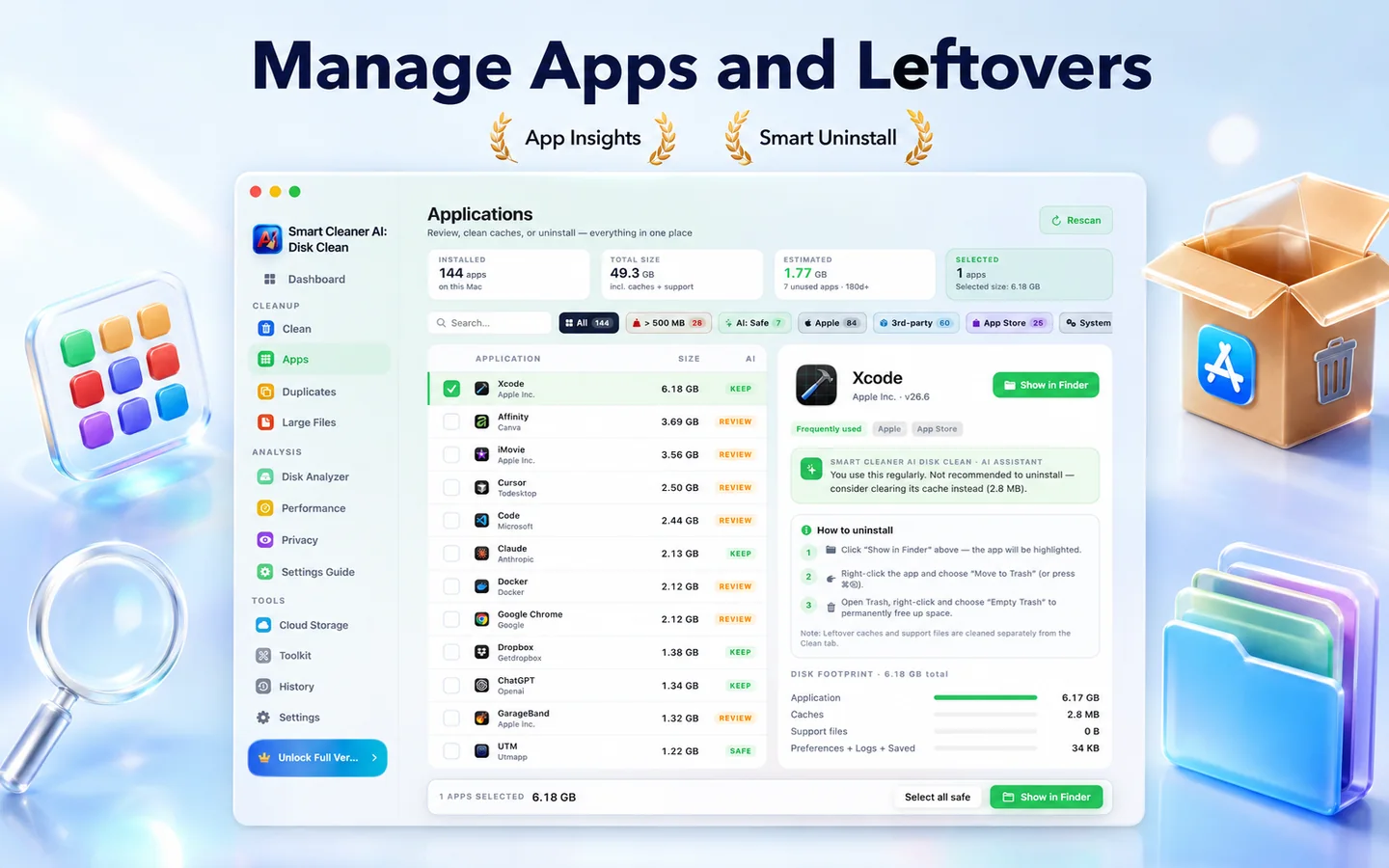
连同偏好设置、缓存和登录项一并删除。
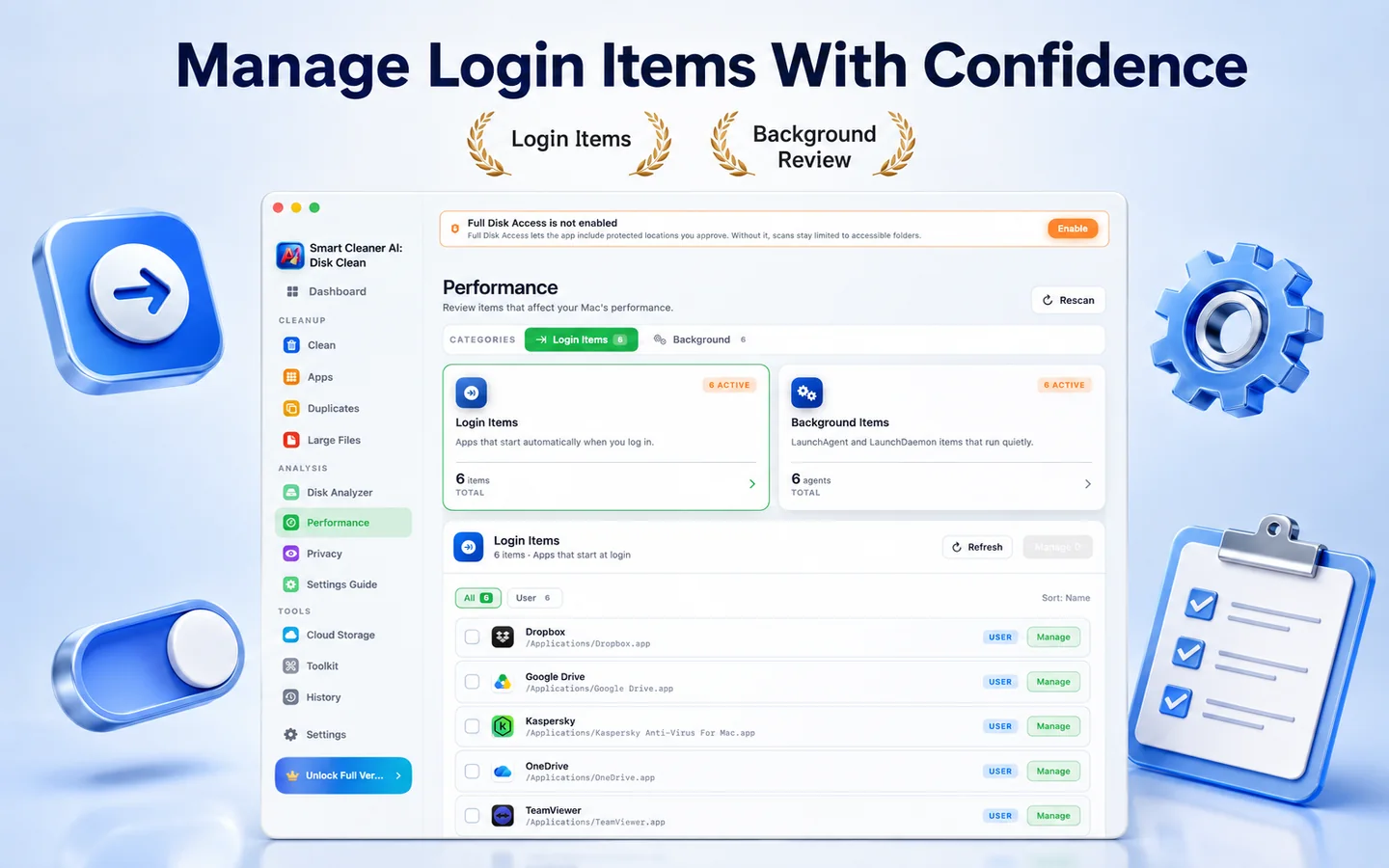
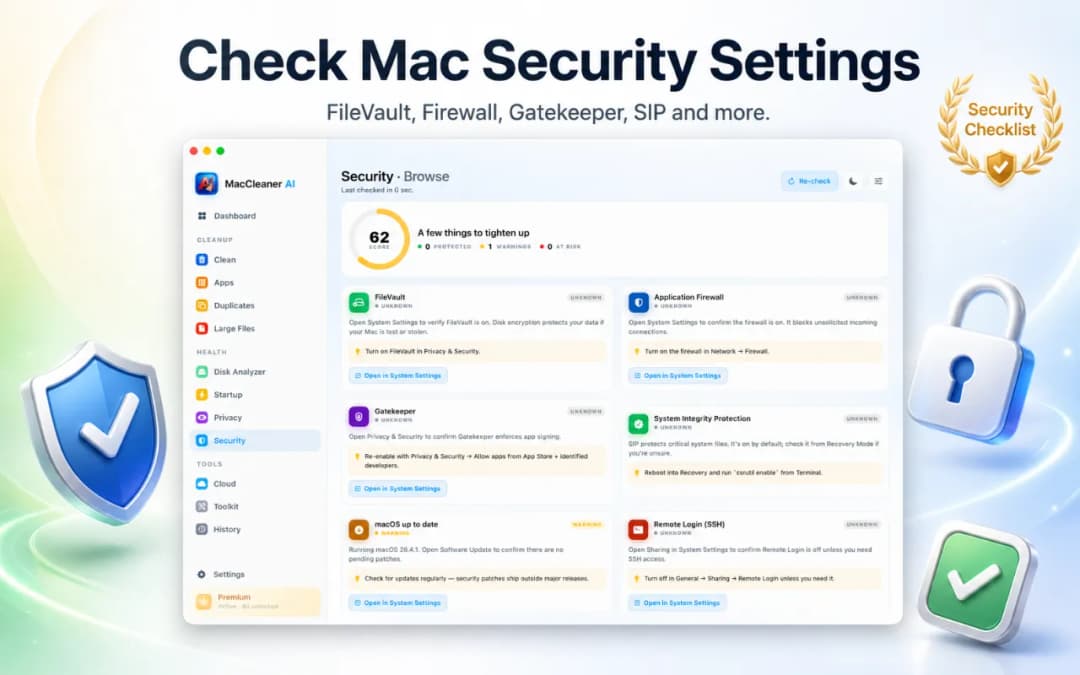
查看启动项、launch agent、守护进程和后台服务,并打开相关系统设置,整理登录时加载的内容。
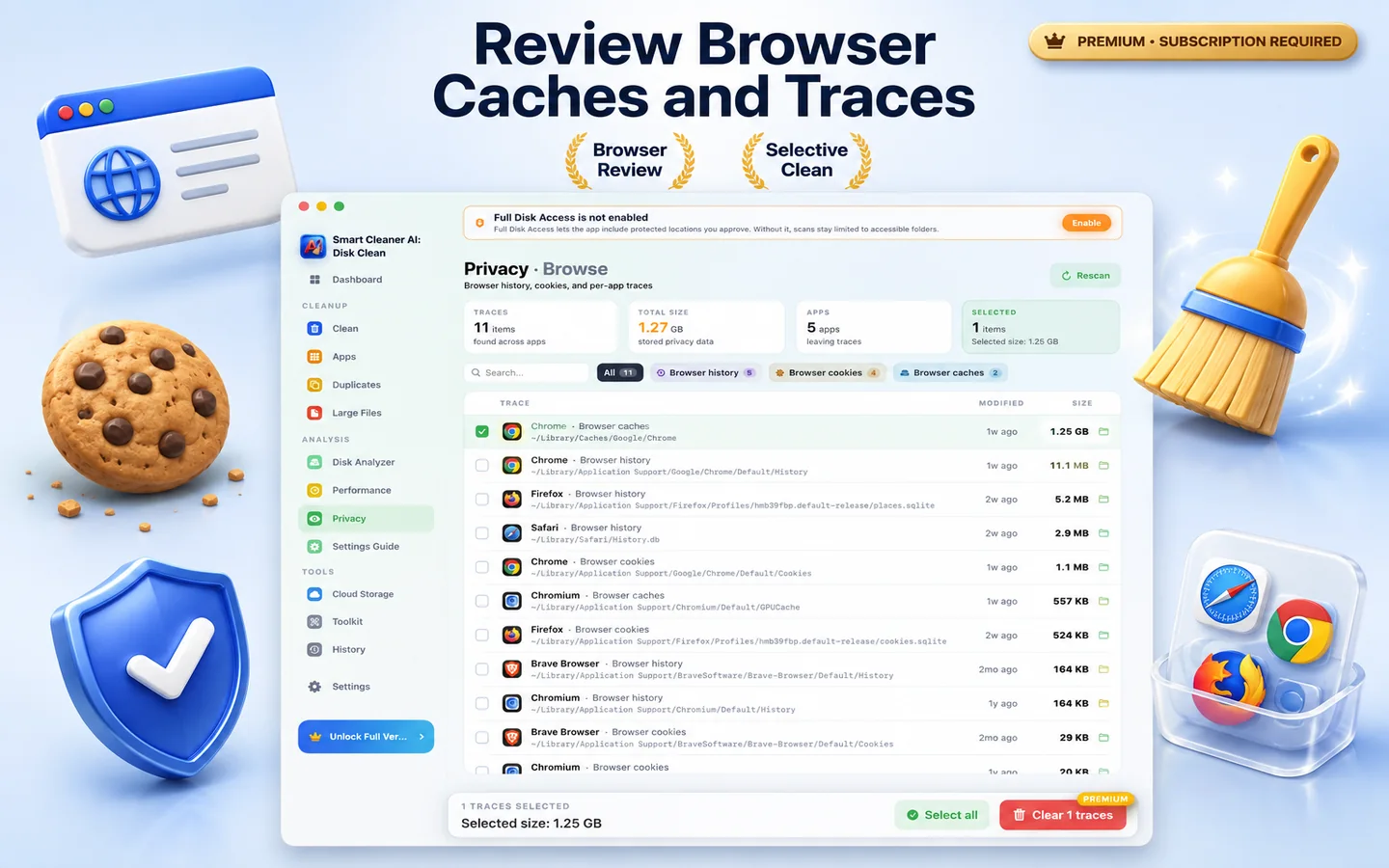
查看你授权位置中的浏览器历史、Cookie、最近文件和聊天缓存,并将所选痕迹移到废纸篓。
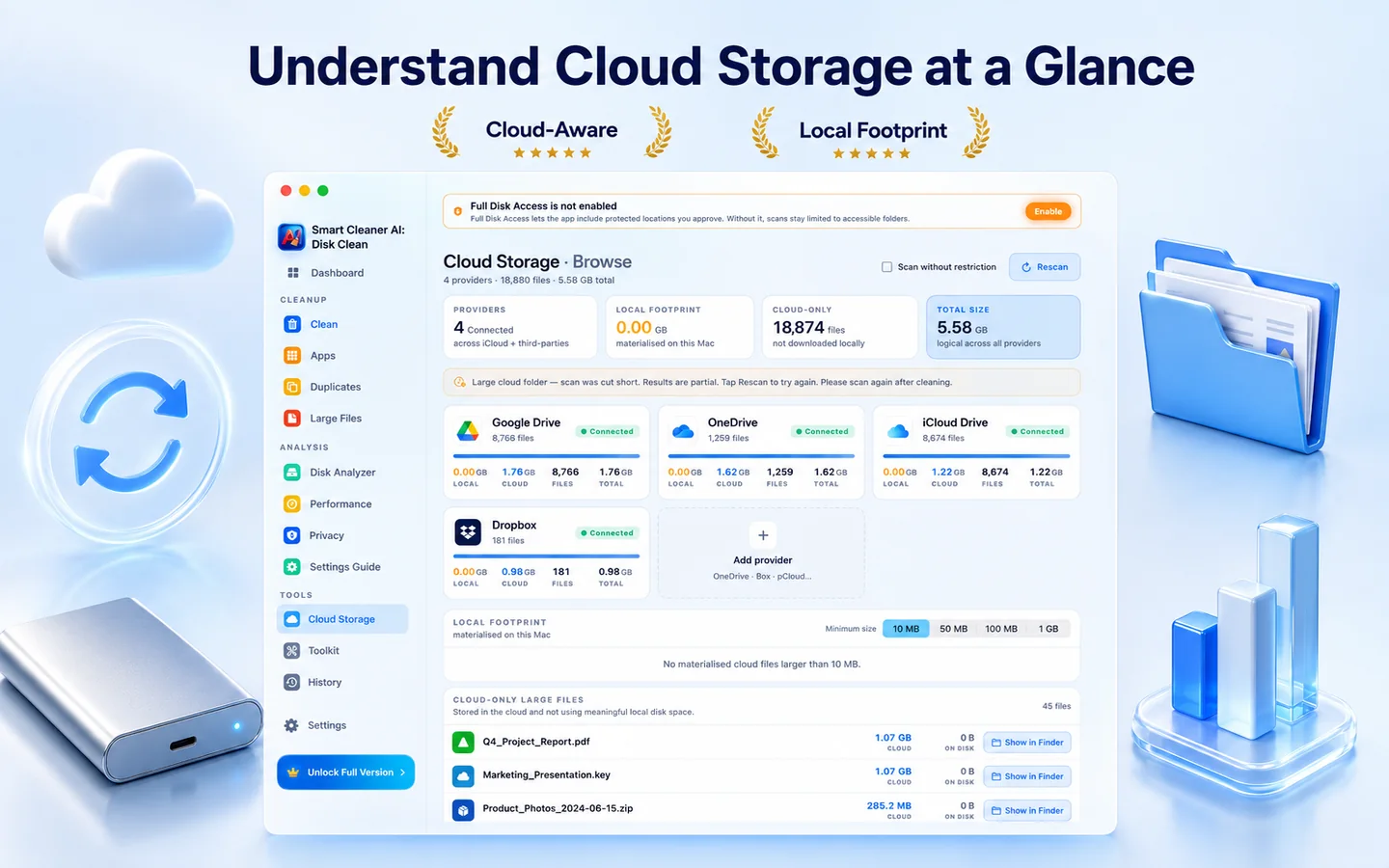
浏览 Mac 上本地同步的云文件夹,找出占用磁盘空间的缓存副本,清理你不再需要的本地文件。
发现可疑启动代理、登录项和过期 App,无需 Terminal。
屏幕流程
一个面板、一条进度条、一次一个决定。Smart Cleaner AI - Disk Clean 让噪音降到最低。
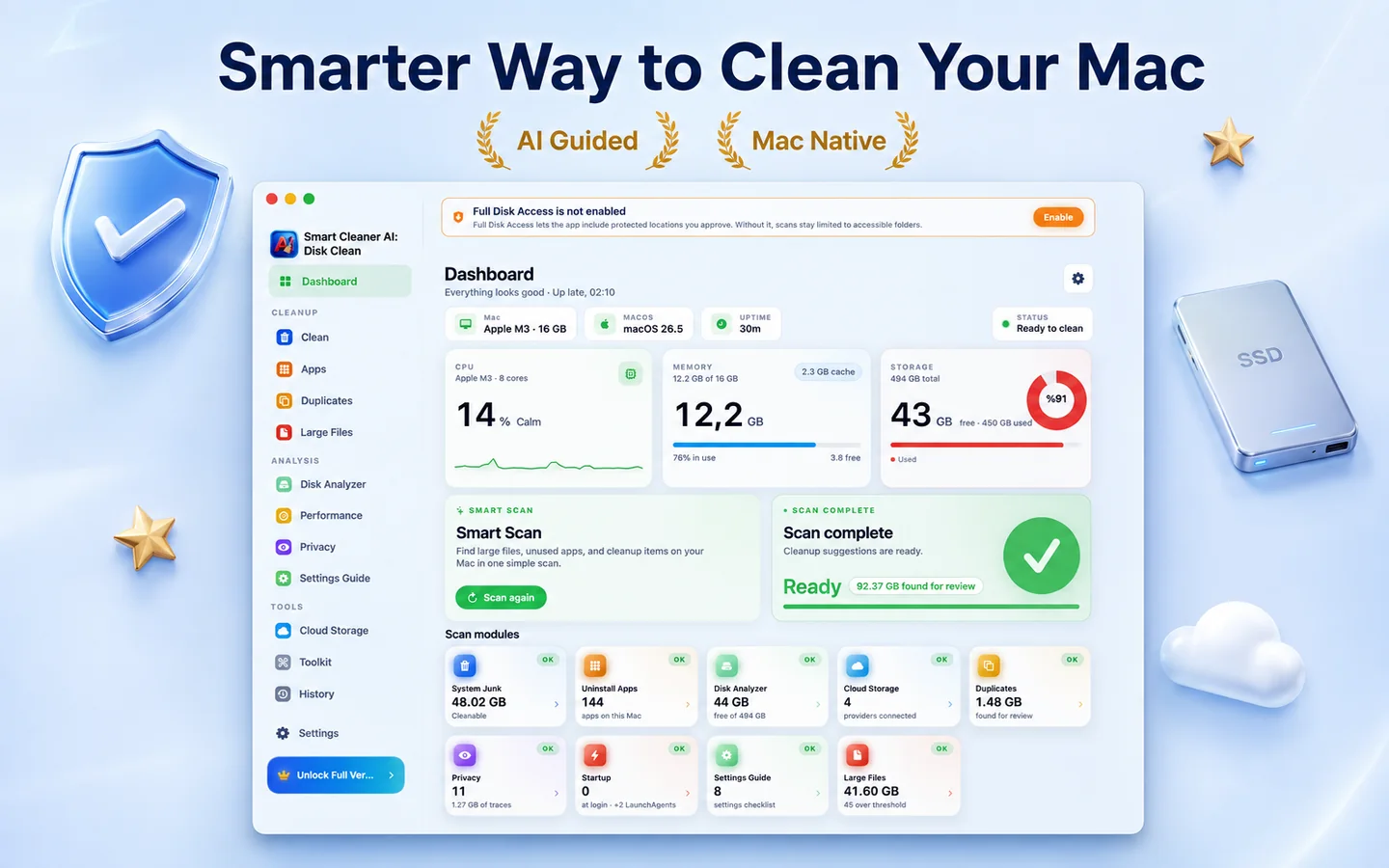
1 分钟内对磁盘、缓存和应用进行深度、私密扫描。
查看找到的内容,按影响分组与排序。
点击清理,看着可用空间增加。重要内容不会被自动删除。
隐私
Smart Cleaner AI - Disk Clean 围绕本机处理构建。磁盘扫描、重复项检测和清理建议都在你的 Mac 上本地完成,个人文件不会被上传。
扫描、AI 排序与清理全部在本地完成。
安装、打开、清理。无登录,无邮箱。
无明确点击不会删除任何内容,默认进入废纸篓。
通过 Mac App Store 分发,因此运行在 Apple 沙盒中,并已通过 App Review 审核。
存储空间明细
所有扫描都完全在本机进行。我们会清楚区分哪些项目通常可以安全删除,哪些需要先仔细查看。
| 类别 | 风险程度 | Smart Cleaner AI 的处理方式 |
|---|---|---|
| App 与用户缓存 | 通常会按需重新生成 | 过期的网页缓存、媒体缩略图和 App 临时文件。App 会在需要时自动重新生成这些缓存。 |
| 系统与诊断日志 | 通常可以安全清除 | 旧的崩溃日志、安装记录和诊断报告,可以安全清除以回收磁盘空间。 |
| 已删除 App 的残留文件 | 查看后可安全删除 | 找出已删除 App 留下的隐藏 Application Support 文件夹、偏好设置文件(plist)和辅助程序。 |
| 重复文件与压缩包 | 建议先查看 | 保存在不同文件夹中的相同文件和安装器。逐字节匹配的结果会并排显示,由你决定保留哪个版本。 |
| 大文件与被遗忘的文件(超过 100 MB) | 建议先查看 | 旧的 .dmg 安装器、体积较大的 zip 压缩包和被遗忘的导出文件,按最后打开日期排序,方便你手动整理。 |
| 开发者缓存(Xcode DerivedData) | 下次构建时重新生成 | 删除 Xcode DerivedData 和构建产物可以安全释放大量空间,但项目下次构建时索引和编译会更久。 |
方案说明
免费扫描 Mac、浏览交互式磁盘图并预览重复文件。需要一键清理和完整卸载 App 时,再升级到 Pro。

想深度清理相似照片?
Smart Cleaner AI 面向整个 Mac 系统:磁盘图、App 卸载和缓存。如需深度清理 Apple「照片」图库、归组相似连拍并管理实况照片,请了解我们的专用 App Vision AI。
常见问题
支持。Smart Cleaner AI - Disk Clean 是原生 Apple Silicon App,可在所有搭载 Apple 芯片的 Mac 上原生运行。也支持 macOS 14.6 以上的 Intel Mac。
安全。仅建议明确可安全删除的文件。文件默认进入废纸篓,可恢复。
这完全取决于你的 Mac 和使用方式。应用不会承诺一个数字,而是显示找到的每个类别的确切大小,让你在删除任何内容之前看到自己磁盘上的真实数据。
绝不。所有扫描和 AI 排序都在本机完成。
Smart Cleaner AI - Disk Clean 注重清晰易懂:扫描在你的 Mac 上进行,没有第三方跟踪,每个项目在移到废纸篓之前都会说明清楚。
App 免费下载,所有检查 Mac 的功能都可免费使用:Smart Scan、磁盘分析器、云存储概览、应用残留文件扫描、登录项管理和 AI 建议。而清理操作本身,删除系统垃圾、重复项、大文件、隐私痕迹、下载内容和截图,需要 Yearly Pro 或一次性买断的 Lifetime Pro。卸载应用同样需要 Pro。
先在系统设置 > 通用 > 存储空间中查看 Apple 建议,再检查大文件、下载、未使用应用和重复文件。Smart Cleaner AI - Disk Clean 将这些检查集中在一处,并把支持的选中项目移到废纸篓,而不是自动删除。
系统数据是 macOS 用于缓存、日志、临时数据和应用支持文件等无法归入其他类别内容的统称,大小可能变化。删除前请检查文件位置和大小。
它可以释放空间、减少不必要的登录项并移除应用残留,但不能保证 Mac 变快。最明确的价值是帮助你了解存储空间被什么占用。