Melhor localizador de fotos duplicadas para Mac: como compará-los de facto
O que distingue um bom localizador de fotos duplicadas para Mac: deteção precisa de quase duplicados, um limiar de semelhança ajustável e uma etapa de revisão segura.


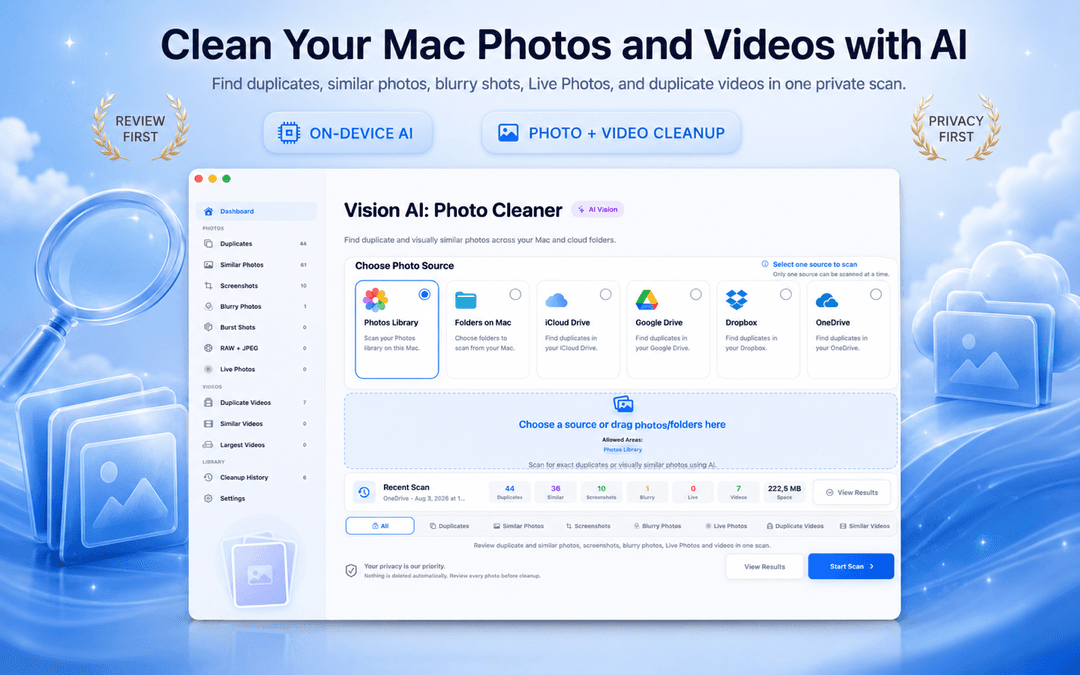
Melhor localizador de fotos duplicadas para Mac: como comparar de verdade (2026)
Todo software afirma ser o melhor localizador de fotos duplicadas para Mac. Mas ao procurar uma ferramenta confiável para Mac ou MacBook, as diferenças reais se resumem a três pontos: precisão na similaridade visual além de somas de verificação exatas, privacidade total no dispositivo e controle seguro de revisão sem exclusão automática.
Vision AI - Photo Cleaner O Vision AI - Photo Cleaner foi desenvolvido exatamente sobre esses princípios. É um utilitário com privacidade garantida, gratuito na Mac App Store. Veja como avaliar localizadores de fotos e remover fotos duplicadas no Mac com total tranquilidade.
O que diferencia o melhor localizador de fotos duplicadas para Mac
A correspondência exata é o básico – a similaridade visual define a qualidade
Encontrar arquivos idênticos byte a byte é simples. No entanto, a maioria das fotos duplicadas no Mac são quase-duplicadas: imagens redimensionadas, fotos recomprimidas por apps de mensagens ou sequências de disparos contínuos.
O melhor limpador de fotos para Mac usa o Neural Engine da Apple para analisar o conteúdo visual na sua fototeca do Fotos, pastas locais e iCloud Drive, sem enviar nenhuma foto para a nuvem.
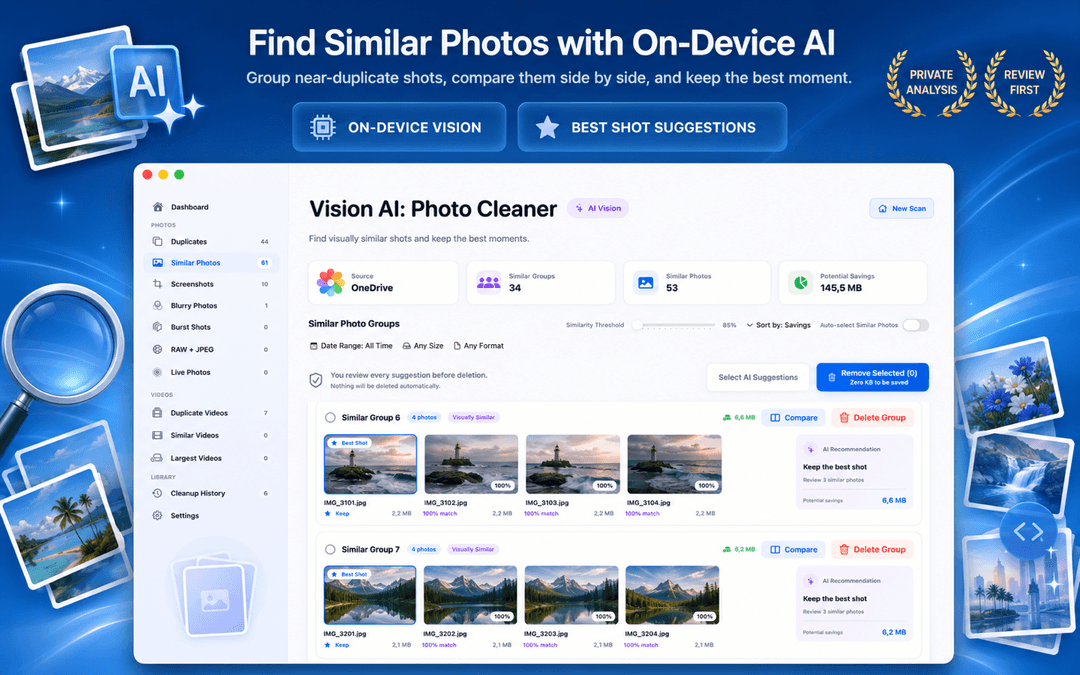
Limite de similaridade ajustável: essencial para utilizadores de Mac e MacBook Pro
Um limite de similaridade fixo gera problemas: ou agrupa fotos não relacionadas ou perde duplicadas óbvias. Seja organizando fotos RAW em um MacBook Pro ou limpando fotos de família, uma barra deslizante de sensibilidade é indispensável.
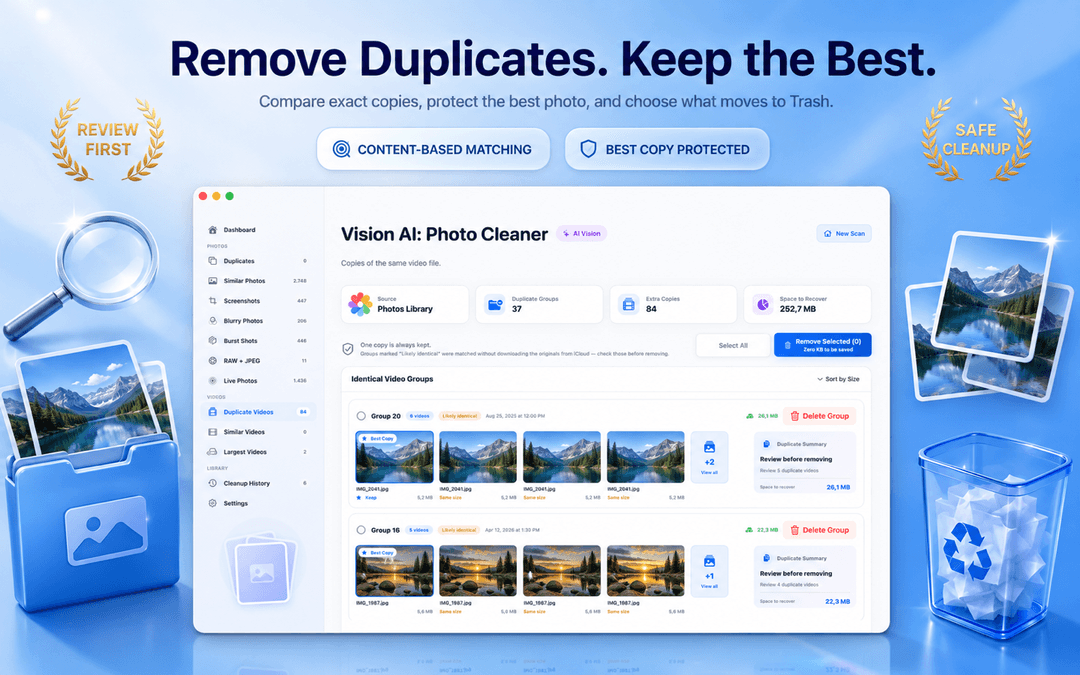
O Vision AI oferece controle deslizante para refinar os grupos e visualização lado a lado com zoom sincronizado, permitindo checar o foco antes de remover as cópias.
Fluxo de revisão seguro: nunca confie na eliminação automática
O melhor localizador não é o que apaga mais rápido, mas o que protege suas fotos originais. No Vision AI, uma cópia recomendada é sempre preservada, o tamanho e a data são exibidos claramente e as exclusões vão para o Lixo do macOS para recuperação fácil.
Como avaliar um localizador de fotos duplicadas no Mac em 3 passos
Testar em uma pasta de exemplo
Escaneie uma pasta conhecida para verificar como a ferramenta agrupa fotos em sequência e quase-duplicadas.
Verificar controles de similaridade
Certifique-se de que é possível ajustar o limiar e comparar imagens lado a lado com zoom sincronizado.
Confirmar a privacidade no dispositivo
Garanta que todas as análises ocorram localmente no seu Mac, sem uploads para a nuvem ou contas obrigatórias.
Perguntas frequentes (FAQ)
Qual é o melhor localizador de fotos duplicadas para Mac em 2026?Mostrar resposta
O Vision AI - Photo Cleaner se destaca pela análise visual com IA local no dispositivo, sensibilidade ajustável, zoom sincronizado para comparação e fluxo seguro sem exclusões automáticas.
Como encontrar duplicadas no app Fotos do Mac?Mostrar resposta
O app Fotos do macOS possui um álbum de Duplicadas para ficheiros idênticos. Para sequências em disparos contínuos, ângulos parecidos, fotos borradas e pastas do Finder, o Vision AI oferece uma detecção muito mais ampla.
Existe um localizador de duplicadas gratuito para Mac que realmente funcione?Mostrar resposta
Sim. O Vision AI - Photo Cleaner é gratuito para baixar na Mac App Store e permite escanear, revisar e remover duplicadas sem cobranças ocultas no botão de apagar.
O Vision AI envia minhas fotos para a nuvem?Mostrar resposta
Não. Todas as análises visuais acontecem 100% localmente no seu Mac utilizando os recursos do Apple Vision e Neural Engine.
Escolha uma ferramenta que priorize a segurança
O melhor localizador de fotos duplicadas para Mac explica por que as fotos foram combinadas e deixa você revisar cada escolha antes de liberar espaço.
Baixe o Vision AI - Photo Cleaner na Mac App Store ou visite a página do produto.
Tem dúvidas? Centro de Suporte
Guias relacionados

· 9 min de leitura
Gemini 2 vs PhotoSweeper: fotos duplicadas no Mac
Gemini 2 da MacPaw vs PhotoSweeper: compare detecção de duplicatas, bibliotecas de fotos, preços e segurança, e veja quando o Vision AI é melhor.

· 9 min de leitura
Como comprimir vídeos no Mac: 4 formas nativas e grátis
Comprima vídeos no Mac com Fotos, QuickTime Player, Finder ou Vision AI. Compare opções de qualidade, proteja os originais e libere armazenamento.

· 9 min de leitura
Apps para limpar fotos no Mac são seguros? Checklist de privacidade
Antes que um localizador de fotos duplicadas analise seu Mac, confira estes 8 pontos: rótulos de privacidade, acesso ao Fotos e a pastas, nuvem, atividade de rede e exclusão segura.
Quando quiser
Descarregue o Vision AI - Photo Cleaner para Mac
Encontre fotos duplicadas e semelhantes, reveja vídeos grandes e comprima-os localmente no Mac. Escolha o que guardar e confirme cada limpeza.
Ao utilizar o Vision AI - Photo Cleaner, aceita os nossos Termos de Uso e Política de Privacidade.