Mac용 최고의 중복 사진 찾기 도구: 제대로 비교하는 방법
Mac용 진짜 좋은 중복 사진 찾기 도구를 가르는 것: 정확한 거의 중복 감지, 조정 가능한 유사도 임계값, 안전한 검토 단계.


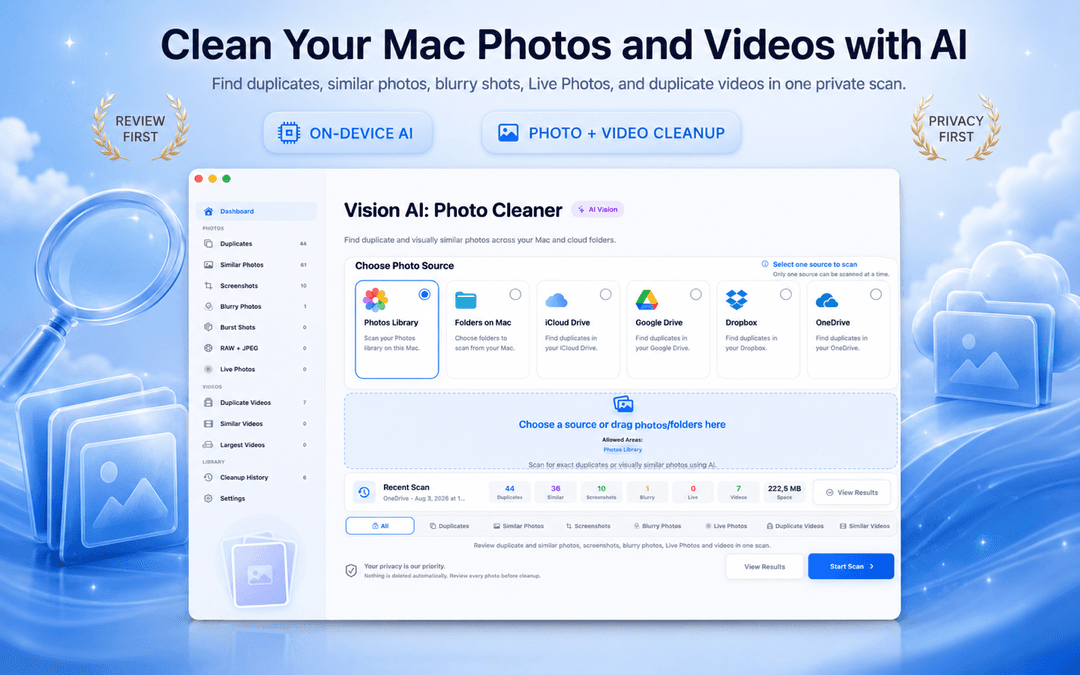
Mac 중복 사진 정리 앱 추천 및 비교 가이드 (2026년 최신)
모든 소프트웨어가 Mac 최고의 중복 사진 정리 도구라고 강조하지만, Mac 및 MacBook 사용자가 신뢰할 수 있는 도구를 고르는 기준은 3가지로 압축됩니다. 완전 일치를 넘어선 시각적 유사도 인식 정확도, 100% 온디바이스 프라이버시 보호, 그리고 사용자 확인 없이 자동 삭제하지 않는 안전성입니다.
Vision AI - Photo Cleaner Vision AI - Photo Cleaner는 이러한 핵심 원칙을 바탕으로 설계된 프라이버시 우선 Mac 중복 사진 정리 프로그램입니다. Mac App Store에서 무료로 제공되며, Mac에서 불필요한 사진을 안전하게 정리하는 실질적인 방법을 제시합니다.
최고의 Mac 중복 사진 정리 도구가 갖춰야 할 조건
완전 일치는 기본 — 시각적 유사도 인식이 진짜 실력입니다
바이트 단위로 완전히 똑같은 파일을 찾는 것은 간단합니다. 하지만 Mac의 사진 앱이나 Finder 폴더에 있는 대부분의 중복 사진은 기술적으로 파일 크기나 해상도가 다른 '유사 사진'입니다. 메신저로 전송받아 재압축된 사진, 리사이즈된 복사본, 버스트 연사 샷 등이 대표적입니다.
우수한 Mac 사진 정리 앱은 Apple의 Neural Engine을 활용하여 사진 보관함, 로컬 폴더, iCloud Drive의 사진 내용을 Mac 기기 내에서 직접 분석하며, 외부 클라우드로 사진을 업로드하지 않습니다.
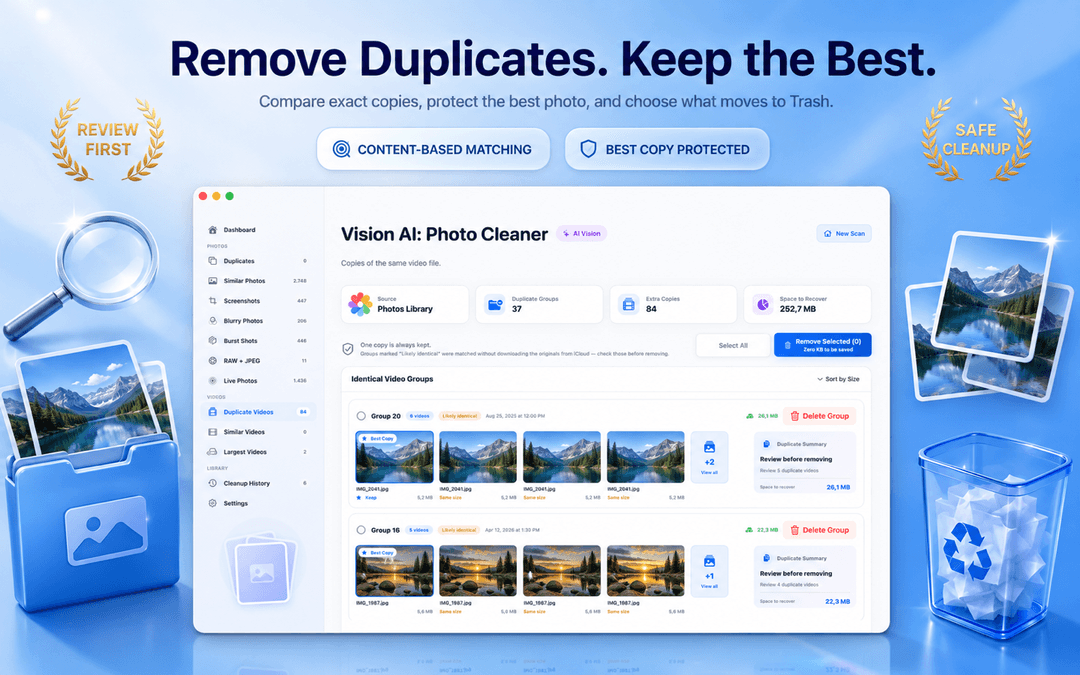
조절 가능한 유사도 슬라이더: Mac 및 MacBook Pro 필수 기능
고정된 유사도 기준은 엉뚱한 사진을 묶거나 명백한 유사 사진을 놓치는 원인이 됩니다. MacBook Pro에서 고해상도 RAW 사진을 다루든, 일상 가족 사진을 정리하든 세밀한 감도 조절 슬라이더는 필수적입니다.
Vision AI는 슬라이더를 통한 그룹 감도 조절과 함께 동기화 확대 비교 기능을 제공하여, 삭제 전 어떤 사진의 초점이 더 선명한지 한눈에 확인할 수 있습니다.
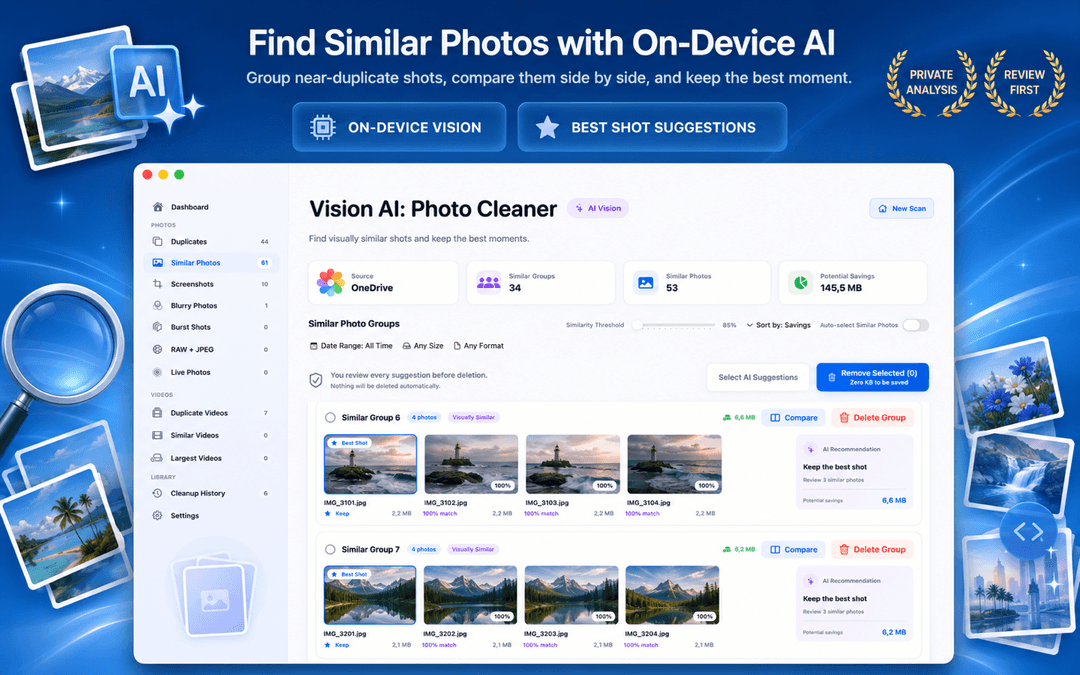
안전한 검토 워크플로: 자동 삭제를 절대 맹신하지 마세요
가장 좋은 중복 사진 정리 앱은 가장 빨리 지우는 도구가 아니라, 소중한 원본을 완벽히 지켜주는 도구입니다. Vision AI는 각 그룹에서 가장 화질이 좋은 1장을 자동으로 보호하며, 삭제 시 macOS 휴지통으로 이동되므로 언제든 원상 복구할 수 있습니다.
Mac 중복 사진 정리 앱을 평가하는 3가지 체크포인트
테스트 폴더에서 스캔해보기
친숙한 폴더를 먼저 스캔하여 연사 샷과 유사 사진이 정확하게 묶이는지 확인합니다.
유사도 조절 옵션 확인
유사도 슬라이더가 제공되고 사진을 나란히 두고 동기화 확대 비교가 가능한지 살펴봅니다.
로컬 온디바이스 개인정보 보호 검증
모든 이미지 분석이 클라우드 전송이나 계정 요구 없이 Mac 로컬에서만 실행되는지 확인합니다.
자주 묻는 질문 (FAQ)
2026년 기준 Mac에서 가장 추천하는 중복 사진 정리 앱은 무엇인가요?답변 보기
Vision AI - Photo Cleaner가 널리 추천됩니다. 기기 내 로컬 AI 분석, 조절 가능한 유사도 슬라이더, 동기화 확대 비교 뷰, 사용자 확인 우선 안전 워크플로를 무료로 제공합니다.
Mac 사진 앱에서 중복 사진을 찾는 방법은?답변 보기
macOS 사진 앱에는 완전 일치 항목을 위한 내장 '중복 항목' 앨범이 있습니다. 연사 샷, 구도가 비슷한 사진, 흔들린 사진, Finder 폴더까지 모두 정리하려면 Vision AI가 적합합니다.
실제로 제대로 작동하는 무료 Mac 중복 사진 정리 프로그램이 있나요?답변 보기
네. Vision AI - Photo Cleaner는 Mac App Store에서 무료로 다운로드할 수 있으며, 삭제 버튼에 결제를 요구하지 않고 자유롭게 스캔하고 삭제할 수 있습니다.
Vision AI가 내 사진을 외부 서버로 업로드하나요?답변 보기
아닙니다. 모든 이미지 분석과 유사도 계산은 Apple의 Vision 프레임워크와 Neural Engine을 통해 Mac 로컬에서 100% 처리됩니다.
안전성을 최우선으로 하는 정리 도구를 선택하세요
훌륭한 중복 사진 정리 프로그램은 그룹화된 이유를 투명하게 보여주고, 용량을 비우기 전 최종 검토 권한을 사용자에게 넘겨줍니다.
Mac App Store에서 Vision AI - Photo Cleaner 다운로드하기 또는 제품 상세 페이지를 확인하세요.
질문이 있으신가요? 지원 센터
관련 가이드

· 9분 읽기
Gemini 2 vs PhotoSweeper 비교
Gemini 2와 PhotoSweeper의 중복 탐지, 보관함, 가격, 안전성을 비교하고 Vision AI가 맞는 경우를 알려 드립니다.

· 9분 읽기
Mac 동영상 용량 줄이는 방법: 무료 4가지
사진, QuickTime, Finder, Vision AI로 Mac 동영상을 압축하고 원본을 지키며 공간을 확보하세요.
· 9분 읽기
Mac 사진 정리 앱은 안전할까요? 개인정보 보호 점검표
중복 사진 검색 앱이 Mac을 스캔하기 전에 개인정보 보호 레이블, 사진 및 폴더 접근 권한, 클라우드 드라이브, 네트워크 활동, 안전한 삭제 등 8가지를 점검하세요.
준비되셨다면
Mac용 Vision AI - Photo Cleaner 다운로드
Mac에서 중복·유사 사진과 대용량 동영상을 확인하고 동영상을 로컬로 압축하세요. 보관할 파일을 선택하고 정리 전에 직접 확인합니다.
Vision AI - Photo Cleaner를 사용하면 다음에 동의하게 됩니다: 이용약관 및 개인정보 처리방침.