Comment vider le cache sur iPhone (il n'y a pas d'interrupteur unique)
iOS n'a pas de bouton unique pour vider le cache. Voici les trois vraies méthodes : décharger des apps, vider les données Safari et nettoyer les caches média dans Photos et Messages.



Comment vider le cache sur iPhone (il n'y a pas de bouton magique)
Android dispose d'un bouton dédié pour cela. Pas iOS, car le système considère le cache comme relevant de la responsabilité de chaque application. Pour le vider, il faut procéder application par application ou utiliser les quelques leviers réels fournis par Apple : décharger les applications, effacer les données de Safari et nettoyer les caches multimédias accumulés dans Photos et Messages.
Photos Cleaner - Cleanup Phone gère la partie multimédia directement sur votre iPhone, gratuitement sur l'App Store. Voici un aperçu complet de ce qu'une application de nettoyage de cache peut réellement faire ou non sur iOS.
Les trois vraies méthodes pour vider le cache sur iPhone
Pourquoi iOS ne possède pas de bouton 'Vider tout le cache'
Apple place chaque application dans un bac à sable (sandbox), ce qui empêche une app d'accéder au stockage d'une autre, tout comme un nettoyeur global de système. Il s'agit d'une mesure de sécurité délibérée, et c'est pourquoi toute application prétendant "vider tout le cache de l'iPhone en un seul geste" exagère ou ne nettoie que ce qu'elle a le droit de toucher.
Ce que vous pouvez faire à la place, c'est cibler les endroits où le cache s'accumule réellement : les applications individuelles via le déchargement, Safari via ses propres réglages, et les caches de médias dans Photos et Messages, qui sont généralement de loin les plus volumineux.

Décharger les applications inutilisées : l'option intégrée
Dans Réglages → Général → Stockage iPhone, décharger une application supprime l'application elle-même tout en conservant vos documents et données. La réinstaller ultérieurement restaure votre état d'origine. C'est une excellente première étape pour les applications peu utilisées, et Apple peut même le faire automatiquement en cas de manque d'espace.

Le véritable cache volumineux : Photos et Messages
La plus grande accumulation assimilable à du cache sur la majorité des iPhones ne provient pas d'un fichier système, mais de photos superflues et de pièces jointes oubliées dans Messages. Les rafales, les doublons presque identiques et des années de vidéos échangées dans les discussions de groupe agissent exactement comme un cache : personne n'a expressément choisi de les garder, ils se sont simplement accumulés.
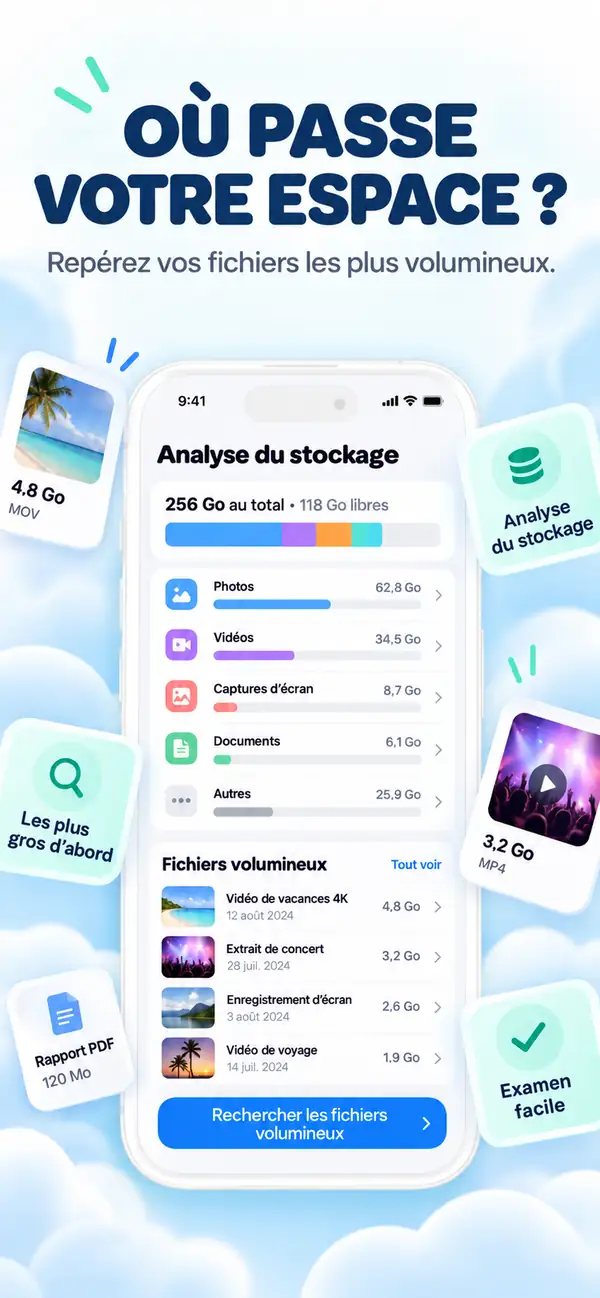
Photos Cleaner - Cleanup Phone analyse les deux, regroupe ce qu'il trouve et affiche précisément l'espace que chaque groupe libérera avant toute confirmation de votre part.
Vider le véritable cache sur iPhone en trois étapes
Effacer les données Safari
Réglages → Safari → Effacer historique, données de site permet de récupérer immédiatement de l'espace.
Décharger les apps peu utilisées
Le stockage iPhone classe chaque app par taille ; déchargez celles que vous n'ouvrez presque jamais.
Nettoyer Photos et Messages
Lancez Photos Cleaner - Cleanup Phone pour repérer et supprimer les photos en double et les lourdes pièces jointes de messages, le véritable cœur du cache sur iPhone.
Foire aux questions
Existe-t-il un véritable bouton 'vider le cache' sur iPhone ?Afficher la réponse
Pas de façon universelle. iOS isole les applications pour des raisons de sécurité ; le cache doit donc être vidé par application, via les réglages de Safari ou en supprimant l'accumulation de médias dans Photos et Messages.
Le redémarrage de mon iPhone vide-t-il le cache ?Afficher la réponse
Il efface certaines données temporaires en mémoire vive, ce qui explique pourquoi les chiffres de stockage peuvent légèrement varier après un redémarrage. En revanche, il ne touche pas aux fichiers stockés comme les photos ou les pièces jointes.
Le déchargement d'une application supprime-t-il mes données ?Afficher la réponse
Non, le déchargement supprime le binaire de l'application mais préserve l'intégralité de ses documents et données. Vous reprenez là où vous en étiez lors de la réinstallation.
L'application Photos Cleaner - Cleanup Phone est-elle gratuite ?Afficher la réponse
Oui, le téléchargement et l'analyse sur l'App Store sont entièrement gratuits.
Il n'y a pas d'interrupteur unique, mais une vraie méthode
Les réglages Safari, le déchargement d'applications et un nettoyage soigné des photos et messages couvrent la quasi-totalité de ce qui s'apparente au cache sur iPhone.
Télécharger Photos Cleaner - Cleanup Phone sur l'App Store ou consulter la page du produit.
Des questions? Centre d'assistance
Guides associés

· 9 min de lecture
Les applications de nettoyage iPhone sont-elles sûres ? Checklist de confidentialité
Avant de donner accès à vos photos à une app de nettoyage, vérifiez ces 9 points : étiquettes de confidentialité, autorisations, activité réseau, abonnements et suppression sûre.

· 9 min de lecture
Pourquoi mon iPhone est-il lent ? Problèmes de stockage et solutions sécurisées
Un stockage faible peut ralentir un iPhone, mais les conditions du réseau, l'état de la batterie et les applications qui ne répondent pas sont également importantes. Diagnostiquez la cause et récupérez de l'espace sans supprimer aveuglément.

· 9 min de lecture
Le stockage iCloud est plein mais l'iPhone a de l'espace : explications et solutions
Le stockage iCloud et le stockage iPhone sont séparés. Découvrez la signification de chaque avertissement de stockage complet, ce qui arrête la synchronisation et comment libérer l'espace approprié en toute sécurité.
Prêt quand tu l'es
Téléchargez Photos Cleaner - Cleanup Phone pour iPhone
Supprimez les photos en double, compressez les vidéos et organisez les contacts avec un flux de nettoyage axé sur la confidentialité.
En utilisant Photos Cleaner - Cleanup Phone, vous acceptez nos Conditions d'utilisation et Politique de confidentialité.