KI-Festplattenreiniger für Mac: Was er wirklich scannt
Wie ein gerätebasierter KI-Festplattenreiniger für Mac Caches, doppelte Dateien und große Dateien findet, und wie Smart Cleaner AI - Disk Clean jede Kategorie sicher behandelt.


KI-Festplattenbereiniger für Mac: Speicherplatz auf dem Mac sicher und gründlich freigeben (2026)
Ein Mac geht selten durch eine einzige Datei der Speicher aus. Festplattenplatz wird schleichend durch App-Caches, Protokolldateien, Systemdaten, Reste deinstallierter Programme und Dateiduplikate belegt. Ein KI-gestützter Festplattenbereiniger hilft Ihnen herauszufinden, welche Dateien gefahrlos gelöscht werden können, ohne macOS zu beeinträchtigen.
Smart Cleaner AI - Disk Clean ist eine moderne Mac-Bereinigungs-App, die Speicherplatz freigibt, Duplikate aufspürt und Anwendungsreste entfernt – vollständig auf Ihrem Mac. Kostenlos im Mac App Store.
Was ein kompletter Mac-Festplattenscan umfasst
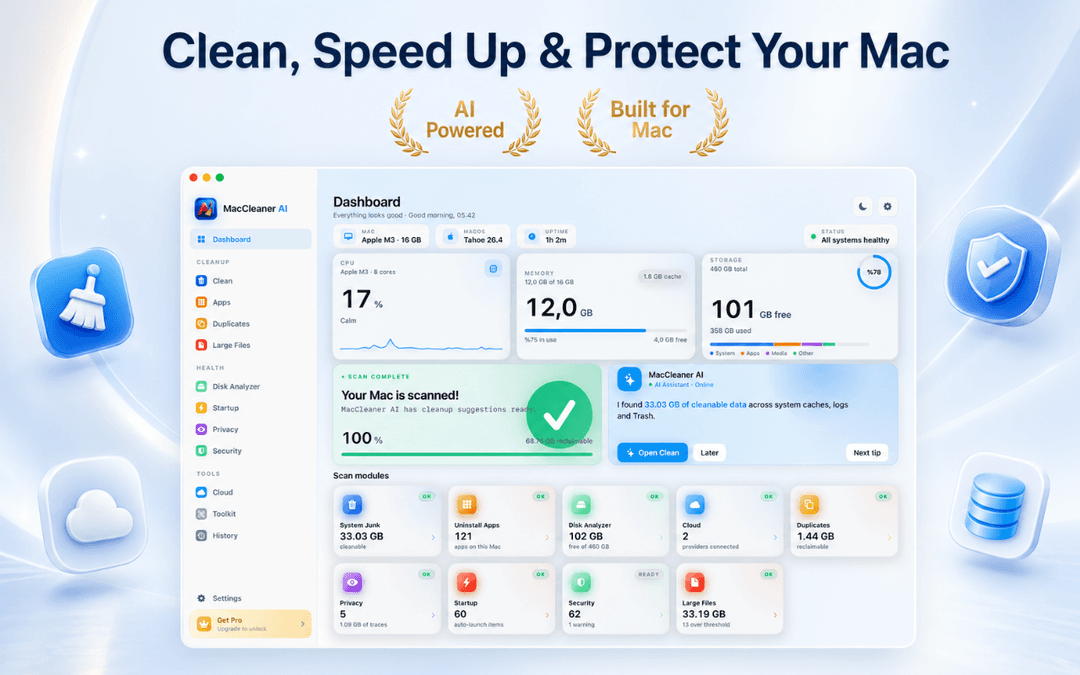
Speicherplatz auf dem Mac freigeben: Intelligentes Scan-Dashboard
Zu Beginn einer Mac-Bereinigung ist ein vollständiger Scan unerlässlich. Smart Cleaner AI analysiert Benutzer-Caches, Programmprotokolle, Xcode-Build-Ordner, E-Mail-Anhänge, Browser-Spuren und den Papierkorb.
Die App zeigt die exakt rückgewinnbare Datenmenge pro Kategorie an, bevor etwas verändert wird. Der initiale Scan ist rein lesend und verschafft Ihnen absolute Klarheit.
Integrierter Duplikat-Dateifinder für Mac
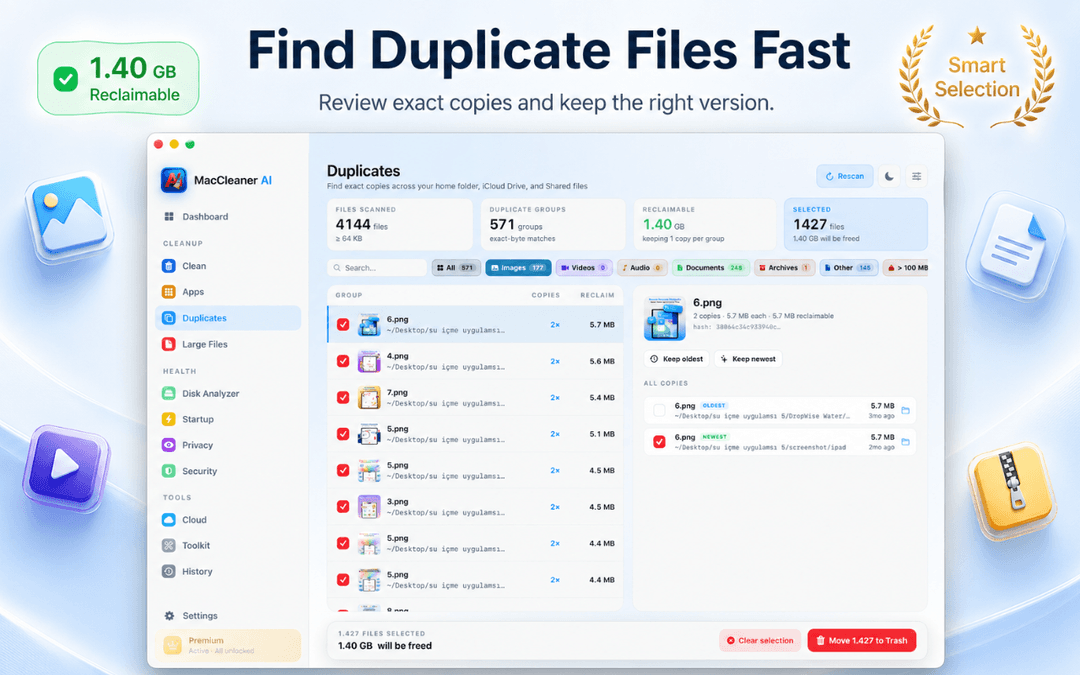
Überflüssige Dateien verschwenden oft Dutzende Gigabyte. Der integrierte Duplikat-Finder durchsucht Ihren Benutzerordner, lokale Verzeichnisse und Cloud-Ordner nach binärem Inhalt statt nur nach Dateinamen.
Ganz gleich, wie die Dateien heißen: Duplikat-Paare werden mit Pfad, Datum und Größe zusammengefasst, und überzählige Kopien wandern sicher in den Papierkorb.
Speicherplatz-Analyse: Speicherbelegung visuell erfassen
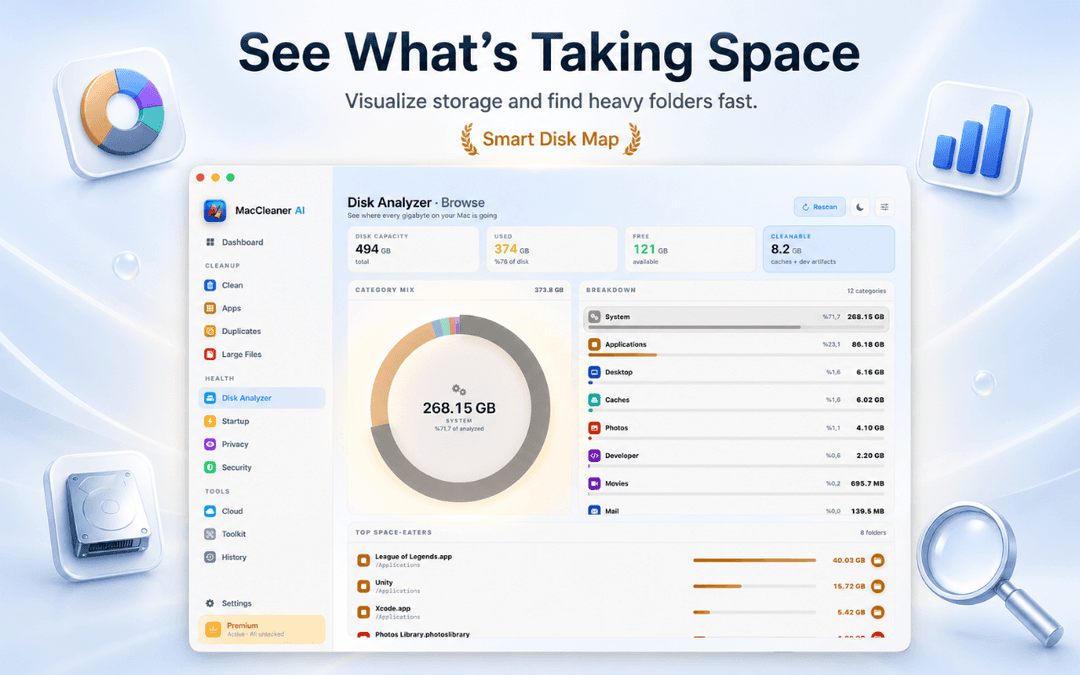
Die interaktive Speicheranalyse teilt Ihren Mac-Speicher in übersichtliche Kategorien ein: Systemdaten, Programme, Entwickler, Dokumente und Medien. Sie hebt die größten Ordner direkt hervor.
So spüren Sie vergessene virtuelle Maschinen, alte Video-Exporte oder Spiele-Downloads auf, ohne das Terminal bemühen zu müssen.
App-Deinstallierer: Versteckte Programmreste rückstandslos entfernen
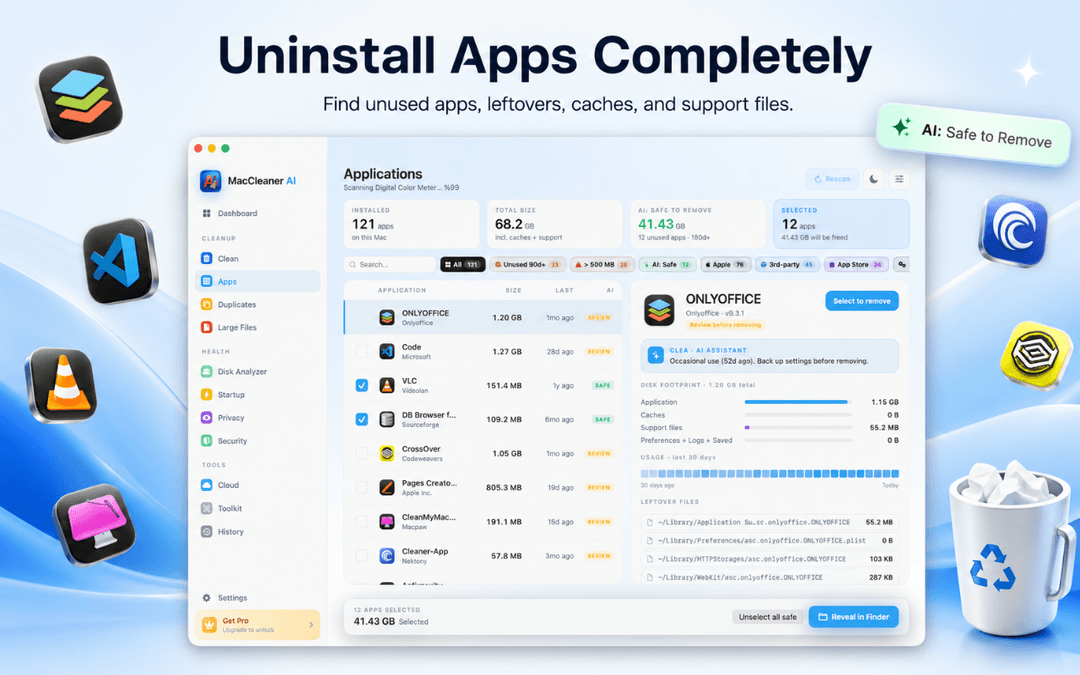
Das bloße Ziehen einer App in den Papierkorb hinterlässt oft Einstellungsdateien, Caches und Hintergrund-Dienste in der Library.
Smart Cleaner AI identifiziert alle zugehörigen Restdateien für eine saubere Deinstallation und listet Anmeldeobjekte auf, damit Ihr Mac schnell bleibt.
Mac-Speicherplatz in drei einfachen Schritten freigeben
Intelligenten Scan auf dem Gerät ausführen
Öffnen Sie Smart Cleaner AI, um Caches, Systemdatenmüll, Duplikate und App-Reste zu scannen.
Ergebnisse nach Kategorien prüfen
Untersuchen Sie die Analyse-Gruppen und Empfehlungen vor jeder Aktion.
Sicher in den macOS-Papierkorb löschen
Wählen Sie überflüssige Dateien aus. Durch den Papierkorb behalten Sie die volle Kontrolle.
Häufig gestellte Fragen zur Mac-Festplattenreinigung
Ist Smart Cleaner AI wirklich kostenlos?Antwort anzeigen
Ja. Der intelligente Scan, die Speicherplatz-Analyse, die Cloud-Übersicht, die Erkennung von Programmresten und die KI-Empfehlungen stehen kostenlos zur Verfügung. Für die Durchführung der Bereinigung und die vollständige App-Deinstallation wird Jahres-Pro oder das einmalige Lifetime-Pro benötigt.
Wie gebe ich sicher Speicherplatz frei, ohne macOS zu beschädigen?Antwort anzeigen
Smart Cleaner AI zielt ausschließlich auf sichere Benutzerdaten und leitet alle Löschvorgänge über den macOS-Papierkorb.
Wie kann ich Systemdaten auf dem Mac reduzieren?Antwort anzeigen
Systemdaten umfassen Caches und temporäre Dateien. Die App findet gefahrlos entfernbare App-Caches, ohne geschützte Systemordner zu berühren.
Werden meine Dateien auf Server hochgeladen?Antwort anzeigen
Nein, die gesamte Analyse läuft lokal auf Ihrem Mac (auf Macs mit Apple Silicon zusätzlich durch die Neural Engine beschleunigt) ohne Cloud-Uploads.
Welche macOS-Versionen werden unterstützt?Antwort anzeigen
Die App ist optimiert für Apple Silicon (M1–M4) und Intel-Macs ab macOS 14.6.
Reinigen Sie Ihren Mac mit voller Zuversicht
Der beste Weg zur Mac-Bereinigung ist zu verstehen, wo Speicherplatz belegt ist, bevor gelöscht wird. Smart Cleaner AI gibt Ihnen Transparenz und Sicherheit.
Smart Cleaner AI im Mac App Store laden oder mehr auf der Produktseite erfahren.
Haben Sie Fragen? Supportzentrum
Verwandte Ratgeber

· 9 Min. Lesezeit
CleanMyMac-Alternative: Mac aufräumen mit Prüfung
Eine CleanMyMac-Alternative gesucht? Vergleich von Funktionen, Berechtigungen, Preismodell und Malware-Schutz und wann Smart Cleaner AI besser passt.

· 9 Min. Lesezeit
Was sind Systemdaten auf dem Mac? Ratgeber
Erfahren Sie, was Systemdaten auf dem Mac sind, warum sie wachsen und wie Sie mögliche Speicherfresser prüfen und den Mac-Speicher sicher freigeben.

· 9 Min. Lesezeit
Mac-Speicher voll? Finden Sie die Ursache
Warum ist der Mac-Speicher voll? Finden Sie große Dateien und Systemdaten, räumen Sie sicher Schritt für Schritt auf und holen Sie sich Platz zurück.
Ready when you are
Download Smart Cleaner AI for Mac
Analyze Mac storage, safely clear system data caches, find large files, and remove app leftovers with on-device controls.
By using Smart Cleaner AI, you agree to our Terms of Use and Privacy Policy.